| Tested on | Rocky Linux 9 (Plow); Rocky Linux 10.2 (Red Quartz) |
|---|---|
| Package | dhcp-server 4.4.2-20.b1.el9.rocky.0.1kea 3.0.3-1.el10_2 |
| Applies to | RHEL, Rocky Linux, AlmaLinux, Oracle Linux, CentOS Stream, Fedora |
| Privilege | sudo or root |
| Scope | End-to-end ISC DHCP to Kea migration: inventory, KeaMA conversion, manual fixes, reservation and lease handling, isolated testing, offer comparison, cutover, and rollback. Does not cover greenfield Kea install, Kea HA, or DHCP-DDNS design from scratch. |
| Related guides | Configure Kea DHCP server on Rocky Linux tcpdump command dnf command nmcli command examples for CentOS and RHEL firewalld cheat sheet |
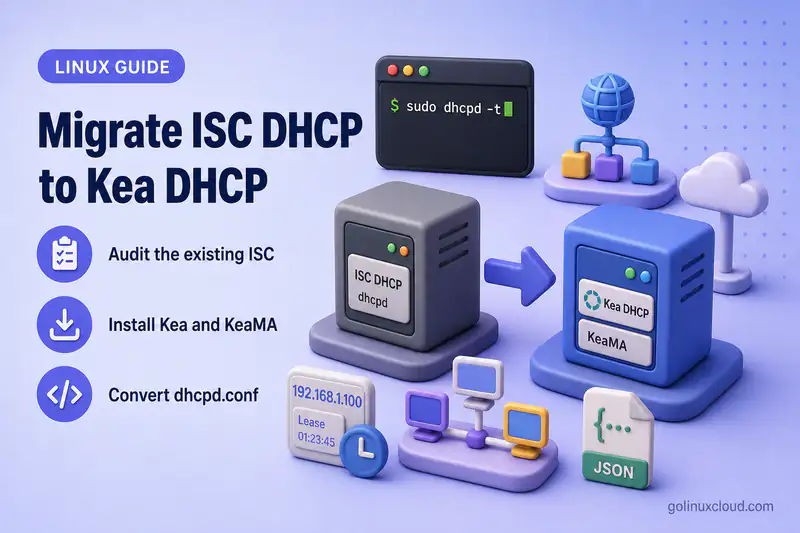
If you still run ISC dhcpd on Rocky Linux 9 or RHEL 9, migration to Kea is increasingly a when question, not an if. Enterprise Linux 10 ships Kea instead of dhcp-server, and ISC DHCP is in maintenance mode. This walkthrough assumes you already have a working dhcpd.conf and need a safe path to Kea JSON: convert with KeaMA, fix what the tool cannot translate, test on an isolated network, and cut over without address conflicts.
Audit the existing ISC DHCP deployment
Before you touch Kea, inventory what the current server actually does. Back up configuration, leases, and any include files, then validate syntax with the ISC tool you already trust.
On the legacy ISC DHCP server (isc-dhcp in the lab), copy these paths:
/etc/dhcp/dhcpd.conf
/etc/dhcp/*.conf
/var/lib/dhcpd/dhcpd.leases
Validate the live configuration on Rocky Linux 9:
sudo dhcpd -t -cf /etc/dhcp/dhcpd.confSample output:
Internet Systems Consortium DHCP Server 4.4.2b1
Copyright 2004-2019 Internet Systems Consortium.
Config file: /etc/dhcp/dhcpd.conf
Database file: /var/lib/dhcpd/dhcpd.leases
A clean dhcpd -t run ends without an error line. Warnings about global host declarations or LDAP settings are common; note them, but fix only what blocks conversion or changes behavior you rely on.
Lab layout
The procedure below uses three VMs on a VirtualBox host-only network (192.168.56.0/24) with the adapter's built-in DHCP service disabled:
| VM | Platform | Address | Role |
|---|---|---|---|
isc-dhcp |
Rocky Linux 9 | 192.168.56.5/24 |
Legacy ISC DHCP server |
kea-server |
Rocky Linux 10.2 | 192.168.56.10/24 |
Target Kea server |
dhcp-client |
Rocky Linux 10.2 | DHCP | Lease and option testing |
Features that need manual redesign
Walk through dhcpd.conf and note anything KeaMA may translate only partially:
| Area | Why it matters |
|---|---|
| DHCPv4 and DHCPv6 | Separate KeaMA runs (-4 and -6) |
| Included files | KeaMA can follow include directives |
| Subnets, pools, shared networks | JSON structure differs; scope must be correct |
| Host reservations | Global versus subnet placement (-N flag) |
Client classes and match if |
Often needs expression rewrite |
allow / deny rules |
No one-to-one Kea equivalent for every ISC expression |
| Custom options | May need option-def in Kea |
| PXE boot options | Verify next-server and boot filename after conversion |
| Dynamic DNS | Separate Kea DHCP-DDNS (D2) design |
| Failover peers | Becomes Kea HA—not a direct copy |
OMAPI or on commit / execute |
Hooks, Control Agent, or external automation |
Record representative test clients before conversion:
| Test client | MAC / identity | Purpose |
|---|---|---|
| Dynamic client | 52:54:00:aa:bb:cc |
Pool allocation and standard options |
| Reserved client | 52:54:00:10:20:30 |
Reservation matching |
| PXE client | 52:54:00:10:20:40 |
Boot server and boot filename |
| Classified client | Vendor class MSFT 5.0 |
Class-based pool or option selection |
Sample dhcpd.conf for the lab
The article uses one realistic IPv4 configuration with two subnets, reservations, a client class, and global options:
option domain-name "lab.example.com";
option domain-name-servers 192.168.56.10;
default-lease-time 3600;
max-lease-time 7200;

authoritative;

subnet 192.168.56.0 netmask 255.255.255.0 {
    range 192.168.56.100 192.168.56.150;
    option routers 192.168.56.1;
    option subnet-mask 255.255.255.0;

    host web01 {
        hardware ethernet 52:54:00:10:20:30;
        fixed-address 192.168.56.20;
        option host-name "web01";
    }

    host pxe01 {
        hardware ethernet 52:54:00:10:20:40;
        fixed-address 192.168.56.30;
        filename "pxelinux.0";
        next-server 192.168.56.10;
    }
}

class "workstations" {
    match if substring (option vendor-class-identifier, 0, 9) = "MSFT 5.0";
}

subnet 192.168.57.0 netmask 255.255.255.0 {
    range 192.168.57.50 192.168.57.100;
    option routers 192.168.57.1;
}
Keep a pristine copy under /root/backup/dhcpd.conf before any conversion experiments.
Install Kea and the Kea Migration Assistant
Install Kea on the target Rocky Linux 10 server first. Package installs on Enterprise Linux use dnf command.
sudo dnf install keaConfirm the build you will run in production:
kea-dhcp4 -VSample output:
3.0.3 (3.0.3 (tarball))
premium: no
linked with:
- log4cplus 2.1.1
- OpenSSL 3.5.5 27 Jan 2026
lease backends:
- Memfile backend 3.0rpm -q keaSample output:
kea-3.0.3-1.el10_2.x86_64KeaMA is distributed separately from the kea package. Add ISC's Cloudsmith repository and install the tool on a workstation that can reach your configs—ideally the same admin host, not a public upload:
curl -1sLf 'https://dl.cloudsmith.io/public/isc/keama/setup.rpm.sh' | sudo -E bashIf dnf install keama reports no match on your EL version, build from the ISC DHCP source tree under keama/ or run the tool in a container. The upstream build instructions live in the ISC DHCP keama directory.
Verify the CLI:
keama -4 -i /etc/dhcp/dhcpd.conf -o /tmp/test.out 2>&1 | head -1 || keama 2>&1 | head -2Sample output:
address family must be set using -4 or -6
Usage: keama [-4|-6] [-D] [-N] [-r {perform|fatal|pass}\n [-l hook-library-path] [-i input-file] [-o output-file]
The usage line confirms the binary is present. A full conversion requires -4 or -6.
dhcpd.conf files that contain internal domains, address plans, TSIG keys, or shared secrets to the public KeaMA web interface at dhcp.isc.org. Use local KeaMA for real configurations.
Fresh Kea installation and first subnet setup belong in Configure Kea DHCP server on Rocky Linux—this article picks up once Kea packages are available on the target host.
Convert dhcpd.conf with KeaMA
Run KeaMA once per address family. IPv4 and IPv6 require separate conversions and separate Kea config files.
Convert DHCPv4:
keama -4 -i /etc/dhcp/dhcpd.conf -o /root/kea-dhcp4.converted.confFor DHCPv6, point at dhcpd6.conf and use -6:
keama -6 -i /etc/dhcp/dhcpd6.conf -o /root/kea-dhcp6.converted.confWhen host reservations should live inside matching subnets instead of a global reservations list, add -N:
keama -4 -N -i /etc/dhcp/dhcpd.conf -o /root/kea-dhcp4.converted.confIn the lab, KeaMA exited with status 6—one count per conversion issue it logged. That is normal for a first pass; the exit code is a scorecard, not a success signal.
Search the output file for diagnostic comments before you edit anything else:
grep '///' /root/kea-dhcp4.converted.confSample output:
/// This configuration declares some subnets but has no interfaces-config
  /// Reference Kea #245
        /// from: match if (substring(option dhcp.vendor-class-identifier, 0, 9)) = 'MSFT 5.0'
Each /// line marks something KeaMA could not finish automatically. The reference numbers point to Kea GitLab migration notes. Treat the generated JSON as a draft: conversion completing without a parser fatal error does not mean the file is production-ready.
KeaMA handles include files in ISC syntax. Parsing warnings and errors from KeaMA are fatal to the conversion run—fix the ISC file with dhcpd -t first, then re-run KeaMA.
Map ISC DHCP directives to Kea JSON
The table below covers the directives you will see most often during migration. It is not an exhaustive ISC-to-Kea dictionary.
| ISC DHCP | Kea JSON |
|---|---|
default-lease-time |
valid-lifetime |
max-lease-time |
max-valid-lifetime |
subnet ... netmask ... |
subnet4 with CIDR (192.168.56.0/24) |
range |
pools → pool |
option routers |
option-data → routers |
option domain-name-servers |
option-data → domain-name-servers |
shared-network |
shared-networks |
host |
reservations |
hardware ethernet |
hw-address |
fixed-address |
ip-address |
| Custom option definition | option-def |
| Custom option value | option-data |
Classes and match if |
client-classes with test expressions—manual review |
failover peer |
Kea HA hook library—not a direct translation |
| ISC DDNS settings | Kea DHCP-DDNS and D2 configuration |
| OMAPI workflows | Kea Control Agent or hook libraries |
on commit / execute |
Hook libraries or external automation |
The hard parts are usually semantic, not syntax:
- Option inheritance differs between ISC stanzas and Kea subnet or shared-network scope.
- Reservation scope (global versus per-subnet) changes matching behavior.
- Client classification expressions use a different language in Kea.
- ISC failover and Kea HA share goals but not configuration blocks.
- DDNS in Kea splits between the DHCP server and the D2 daemon.
Correct incomplete translations
After KeaMA runs, add the pieces every production Kea file needs but KeaMA omits:
"interfaces-config": {
  "interfaces": [ "enp0s8" ]
},
"lease-database": {
  "type": "memfile",
  "persist": true,
  "name": "/var/lib/kea/kea-leases4.csv"
},
"loggers": [
  {
    "name": "kea-dhcp4",
    "output_options": [ { "output": "stdout" } ],
    "severity": "INFO"
  }
]
Replace enp0s8 with the NIC attached to your DHCP segment. On the lab kea-server VM, that is the host-only adapter facing 192.168.56.0/24.
Client classes and permit/deny rules
KeaMA translated the lab workstations class to:
"client-classes": [
  {
    "name": "workstations",
    "test": "substring(option[60].hex,0,9) == 'MSFT 5.0'"
  }
]
Compare ISC logic with the Kea expression on real clients. Test which class matches, which pool becomes eligible, and which options return. Kea does not replicate every ISC allow / deny combination.
ISC failover versus Kea HA
Do not paste failover peer blocks into Kea JSON. Document which peers served each subnet, whether the old deployment used load balancing or hot standby, and how leases will synchronize on Kea partners. Full HA wiring is a separate project.
DDNS, events, and automation
List ddns-* settings, on commit, on release, and OMAPI-driven workflows from the ISC config. Map each to Kea D2, a hook library, Control Agent commands, or external log processing. Address allocation working does not prove DNS updates work.
Migrate and verify host reservations
Compare one reservation before and after conversion.
ISC DHCP:
host web01 {
    hardware ethernet 52:54:00:10:20:30;
    fixed-address 192.168.56.20;
    option host-name "web01";
}
Kea (with keama -4 -N):
"reservations": [
  {
    "hostname": "web01",
    "hw-address": "52:54:00:10:20:30",
    "ip-address": "192.168.56.20",
    "option-data": [
      {
        "name": "host-name",
        "data": "web01"
      }
    ]
  }
]
Verify each reservation against this checklist:
- Global versus subnet-level placement
- Reserved address belongs to the intended subnet
- MAC address versus client-identifier matching
- Reservation inside or outside the dynamic pool
- Duplicate reserved addresses across subnets
- Host-specific options and hostname behavior for DDNS
- Clients that may roam between subnets or shared networks
Reservation outside the subnet (parser failure)
A common post-conversion mistake is leaving a reservation in the wrong subnet scope. Kea rejects addresses that do not belong to the enclosing subnet4:
sudo kea-dhcp4 -t /etc/kea/kea-dhcp4.confSample output when 10.0.0.50 was placed under 192.168.56.0/24:
Error encountered: specified reservation '10.0.0.50' is not within the IPv4 subnet '192.168.56.0/24'Move the reservation into the correct subnet4 block (or fix the address) and re-run -t.
Reservation present but client gets a pool address
If JSON validates but the client receives a dynamic address, the reservation exists in the file but Kea did not match it. Typical causes:
- Reservation placed in a global list while the client lands on a different subnet.
- Client sends a client identifier but the reservation lists only
hw-address(or the reverse). - Shared-network subnet selection differs between ISC and Kea.
Test with the actual client MAC on the isolated lab network—not only kea-dhcp4 -t.
Validate and test Kea safely
Work through two validation levels before you let Kea answer production clients.
Syntax check:
sudo kea-dhcp4 -t /etc/kea/kea-dhcp4.confA successful syntax check ends without an Error encountered: line. Warnings about multi-threading or reservation lookup are common on Kea 3.x.
Extended check (validates database and hook configuration without requiring open DHCP sockets on a live server):
sudo kea-dhcp4 -T /etc/kea/kea-dhcp4.confBoth commands should complete on the lab kea-server before you start kea-dhcp4.service on the test network.
Isolated lab test cycle
On the isolated three-VM network:
- Stop ISC DHCP on
isc-dhcp. - Start Kea on
kea-serverbound to the lab interface only. - Renew the client connection (NetworkManager or
dhclientondhcp-client). - Capture the DORA exchange.
- Verify the received address and options.
- Stop Kea before restarting ISC DHCP for the next test pass.
Restrict Kea to the lab NIC:
"interfaces-config": {
  "interfaces": [ "enp0s8" ]
}
Capture traffic from the server or client:
sudo tcpdump -ni enp0s8 -s 0 -vvv 'udp port 67 or udp port 68'Only one server should answer during each test window. If both ISC and Kea run, clients may see conflicting offers—exactly the failure mode you are trying to avoid in production.
Compare ISC DHCP and Kea responses
Capture one transaction from each server using the same client identity on the isolated lab network. In testing, ISC DHCP on 192.168.56.5 offered a dynamic address to MAC 52:54:00:aa:bb:cc:
192.168.56.5.bootps > 255.255.255.255.bootpc: BOOTP/DHCP, Reply, length 300
  Your-IP 192.168.56.110
  Client-Ethernet-Address 52:54:00:aa:bb:cc
  DHCP-Message Option 53, length 1: Offer
  Server-ID Option 54, length 4: 192.168.56.5
  Lease-Time Option 51, length 4: 3600
  Subnet-Mask Option 1, length 4: 255.255.255.0
  Default-Gateway Option 3, length 4: 192.168.56.1
  Domain-Name-Server Option 6, length 4: 192.168.56.10
  Domain-Name Option 15, length 15: "lab.example.com"
After you stop ISC and start Kea with the converted config, repeat the capture with the same MAC. Fill in a comparison table from your lab output:
| Item | ISC result | Kea result |
|---|---|---|
| Offered address | 192.168.56.110 |
(from your Kea capture) |
| Subnet mask | 255.255.255.0 |
|
| Default gateway | 192.168.56.1 |
|
| DNS servers | 192.168.56.10 |
|
| Domain name | lab.example.com |
|
| Lease lifetime | 3600 |
|
| Server identifier | 192.168.56.5 |
192.168.56.10 |
Reservation matched (52:54:00:10:20:30) |
192.168.56.20 |
|
| PXE next server / boot file | 192.168.56.10 / pxelinux.0 |
|
| DDNS update observed | (if applicable) |
Exercise more than a dynamic lease. Migrations often look fine until reservations, PXE, relayed subnets, classes, or DDNS are tested.
Decide how to handle active leases
KeaMA converts configuration only. It does not import /var/lib/dhcpd/dhcpd.leases.
Option A: Convert active leases
Use the experimental keama-leases utility (dhcp2kea.py) on a copy of the lease file:
python3 dhcp2kea.py "subnet_id=1" -v /var/lib/dhcpd/dhcpd.leasesThe script writes dhcpd-leases-kea.csv alongside the input. Sample output:
address,hwaddr,client_id,valid_lifetime,expire,subnet_id,fqdn_fwd,fqdn_rev,hostname,state,user_context
192.168.56.110,52:54:00:aa:bb:cc,,3600,1784712600,1,1,1,dyn01,0,
Validate IP address, client identifier or MAC, expiration, subnet ID, and remaining lifetime before you install the CSV. For the memfile backend, install the converted file only while kea-dhcp4 is stopped, and point lease-database → name at the CSV path. ISC failover state does not migrate into Kea HA.
Option B: Cut over without importing leases
For smaller deployments or when duplicate-address risk is acceptable short term:
- Reduce ISC DHCP lease times well before migration (days ahead, not minutes).
- Allow clients to renew under the shorter lifetime.
- Stop ISC DHCP.
- Start Kea with an empty lease database.
- Monitor for declines or duplicate-address warnings.
- Restore normal lease times after the subnet is stable.
Clients keep their previously granted lease until they renew—they do not pick up a shorter timer until the next renewal cycle.
Back up both files before cutover:
/var/lib/dhcpd/dhcpd.leases
/var/lib/kea/kea-leases4.csv
Perform the cutover and rollback
Cutover checklist
| Step | Action |
|---|---|
| 1 | kea-dhcp4 -t and kea-dhcp4 -T on the final config |
| 2 | Back up ISC config and leases |
| 3 | Back up prepared Kea config |
| 4 | sudo systemctl stop dhcpd on the ISC server |
| 5 | Final copy of dhcpd.leases |
| 6 | Convert and install leases (if using lease migration) |
| 7 | Update DHCP relay destinations if relays aim at the old server |
| 8 | sudo systemctl start kea-dhcp4 |
| 9 | Monitor journalctl -u kea-dhcp4 -f and packet captures |
| 10 | Test dynamic, reserved, PXE, and relayed clients |
| 11 | Verify DNS updates if DDNS is in scope |
| 12 | Watch pool usage and renewal rate |
Useful commands on cutover night:
sudo systemctl stop dhcpdsudo systemctl start kea-dhcp4sudo journalctl -u kea-dhcp4 -fRollback
If validation fails after cutover, return to ISC in this order:
- Stop Kea (
sudo systemctl stop kea-dhcp4). - Restore relay destinations to the ISC server.
- Restore the ISC configuration and lease snapshot from immediately before cutover.
- Start ISC DHCP (
sudo systemctl start dhcpd). - Renew representative clients.
- Confirm with tcpdump that only ISC answers on UDP 67.
Never start ISC while Kea is still listening. In the lab, after stopping Kea and restarting ISC, the same dynamic client again received offers from the legacy server—confirming a clean rollback path.
Keep the old server, configuration, and lease files until clients have renewed through Kea for your agreed observation period.
Troubleshooting
| Symptom | Likely cause | Fix |
|---|---|---|
| KeaMA stops with a parsing error | Invalid ISC config or broken include |
dhcpd -t; fix ISC syntax first |
Generated Kea file fails kea-dhcp4 -t |
JSON syntax or wrong reservation scope | Read line/column in error; fix subnet placement |
| Config parses but Kea will not start | Interface, hook, or database problem | kea-dhcp4 -T; read journalctl -u kea-dhcp4 |
| Reservation receives a dynamic address | Wrong scope, identifier, or subnet selection | Match reservation to client packet capture |
| Subnet reservation prevents startup | Reserved IP outside subnet CIDR | Move reservation or fix ip-address |
| Converted class does not match | ISC expression needs manual rewrite | Test Kea client-classes with real clients |
| Clients get an address but wrong options | Option inheritance differs from ISC | Compare captured offers side by side |
| PXE clients stop booting | Missing next-server or boot file |
Inspect offer options 66/67 |
| DHCP works but DNS is not updated | D2/DDNS not migrated | Configure Kea DHCP-DDNS separately |
| HA does not work after migration | ISC failover copied literally | Design Kea HA as a new deployment |
| Duplicate addresses after cutover | Leases not imported or not yet expired | Compare lease files; shorten timers earlier next time |
| Kea responds during shadow testing | Both servers running or block misconfigured | Stop ISC; verify only one server on UDP 67 |
| Rollback clients see conflicting offers | Kea still running | Stop Kea before starting ISC |
| Kea works locally but not through relay | Relay or giaddr subnet mismatch |
Verify relay target and Kea subnet definitions |
References
- ISC: Migrating from ISC DHCP to Kea DHCP using KeaMA
- ISC: Migrating to Kea from ISC DHCP
- Kea 3.0 Administrator Reference Manual — DHCPv4 server
- Kea 3.0 Administrator Reference Manual — host reservations
- ISC keama-leases repository
- ISC DHCP keama source
Summary
Migrating from ISC DHCP to Kea is a configuration translation plus a validation project. KeaMA gives you a draft JSON file; you supply interfaces, lease storage, corrected reservations, and any HA, DDNS, or class logic the tool flags. Test on an isolated network, compare offers from both servers with the same client identity, decide whether to import leases or expire them, then cut over with ISC stopped and Kea alone on UDP 67. Keep a tested rollback until clients have renewed cleanly on Kea.