
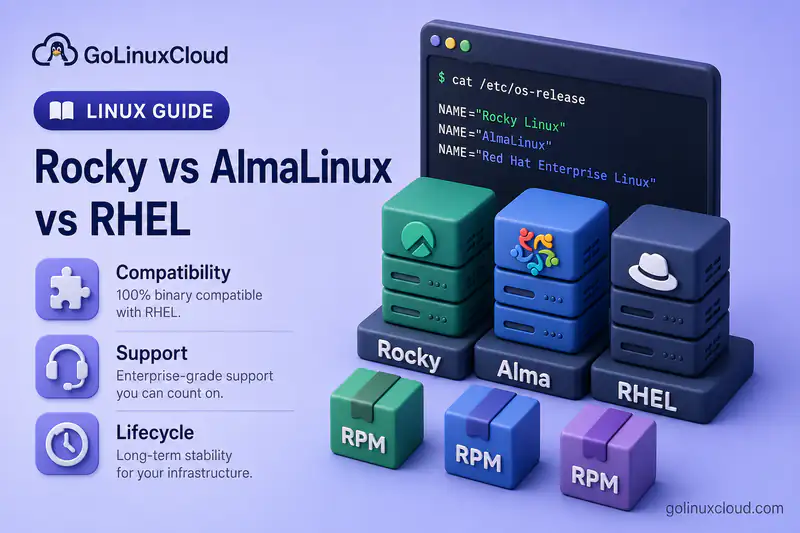
Rocky Linux, AlmaLinux, and Red Hat Enterprise Linux belong to the same Enterprise Linux ecosystem. They share RPM, DNF, systemd, SELinux, similar package naming, and broadly compatible application interfaces.
The important differences are not basic commands. They are compatibility policy, governance, commercial support, certification, update delivery, migration tooling, and responsibility when something fails in production.
This guide explains those differences and helps you choose between a no-cost RHEL-compatible distribution and the subscription-supported RHEL platform. For how Fedora and CentOS Stream feed RHEL development, see Fedora vs CentOS Stream vs RHEL. For the wider distro map, start with Linux, Unix and Linux distros explained.
Command environment: Repository and identity examples below were checked on Rocky Linux 10.2. AlmaLinux and RHEL use the same core tools with different repository IDs, branding, and subscription configuration. The comparison itself is based on current Rocky, AlmaLinux, and Red Hat documentation.
Rocky Linux vs AlmaLinux vs RHEL at a Glance
| Area | Rocky Linux | AlmaLinux | RHEL |
|---|---|---|---|
| Main goal | Bug-for-bug compatibility with RHEL | ABI and application compatibility with RHEL | Supported enterprise Linux platform |
| Cost | No-cost distribution | No-cost distribution | Subscription-supported; developer options available |
| Governance | Rocky Enterprise Software Foundation | AlmaLinux OS Foundation | Red Hat |
| Commercial support | Third-party ecosystem | Third-party ecosystem and commercial partners | Red Hat support subscriptions |
| Certifications | More limited than RHEL | More limited than RHEL | Extensive hardware, software, cloud, and compliance certifications |
| Lifecycle | Designed to follow the corresponding EL major lifecycle | Designed to follow the corresponding EL major lifecycle | Ten years across Full and Maintenance Support for RHEL 8, 9, and 10, followed by Extended Life |
| Package tools | RPM, DNF | RPM, DNF | RPM, DNF |
| SELinux | Enforcing by default | Enforcing by default | Enforcing by default |
| Best fit | RHEL-like community production base | RHEL-compatible base with independent fixes and ecosystem tooling | Supported and certified enterprise production |
- Choose Rocky Linux when close behavioural alignment with RHEL is your main priority.
- Choose AlmaLinux when application compatibility, independent fixes, and migration tooling matter.
- Choose RHEL when vendor support, certification, compliance, or contractual accountability is required.
How Rocky Linux, AlmaLinux and RHEL Are Related
Enterprise Linux ecosystem
├── RHEL — supported reference platform
├── Rocky Linux — stated bug-for-bug compatibility goal
└── AlmaLinux — ABI/application compatibility goal
RHEL is the subscription-supported enterprise distribution that defines the supported baseline. Rocky Linux targets bug-for-bug compatibility with RHEL. AlmaLinux targets ABI and application compatibility but does not promise a 1:1 downstream rebuild.
Both Rocky and AlmaLinux use Enterprise Linux package conventions and aim to run software built for the corresponding RHEL major release. Their branding, repositories, kernels, build processes, governance, errata timing, and optional tooling can differ.
What Is Rocky Linux?
Rocky Linux is a community enterprise distribution created after the CentOS Linux model changed. The Rocky Enterprise Software Foundation governs the project with a stated bug-for-bug compatibility goal against the Enterprise Linux package and ABI baseline.
You get familiar RPM, DNF, SELinux, systemd, firewalld, and EPEL workflows—plus cloud, container, and architecture images suitable for labs, hosting, cloud VMs, and many production workloads.
Practical strengths:
- Close operational behaviour to RHEL
- Familiar replacement path for former CentOS Linux users
- Broad community adoption and migration documentation
Limitations:
- No Red Hat support contract
- Smaller certification footprint than RHEL
- Third-party vendors may officially support RHEL but not Rocky Linux
- Compatibility does not transfer Red Hat subscriptions or entitlements
- Update and errata timing can differ from RHEL
Rocky Linux is not simply “free RHEL.” It has independent governance, branding, repositories, infrastructure, and support channels.
What Is AlmaLinux?
AlmaLinux is a community-owned Enterprise Linux distribution governed by the AlmaLinux OS Foundation. It targets ABI and application compatibility with RHEL and shifted away from promising a 1:1 downstream rebuild—allowing independent fixes when application compatibility is preserved.
The project ships cloud, container, and live media images, publishes migration tooling and ELevate for selected major-version paths, and has strong hosting and control-panel adoption.
Practical strengths:
- Application compatibility with the RHEL ecosystem
- Willingness to fix issues independently when appropriate
- Strong migration tooling for many Enterprise Linux sources
Limitations:
- No Red Hat certification or support entitlement
- Package behaviour may intentionally differ from RHEL in some cases
- Vendors that specify “RHEL only” may not accept AlmaLinux
- Compatibility claims should not be interpreted as identical package builds
AlmaLinux's compatibility policy is not weaker by default—it reflects a different project goal than Rocky's bug-for-bug model.
What Is Red Hat Enterprise Linux?
RHEL is Red Hat's subscription-supported enterprise Linux platform, built from selected and stabilized open-source components.
RHEL 8, 9, and 10 each provide a ten-year lifecycle across Full Support and Maintenance Support, followed by Extended Life. Eligible releases and subscriptions can obtain additional errata coverage through lifecycle add-ons. Red Hat publishes security advisories and errata, certifies hardware, cloud, database, and middleware stacks, and provides support, knowledge base, Insights, Satellite, and management services depending on subscription.
A subscription governs access to tested binaries and update channels, support escalation, certified combinations, lifecycle commitments, and contractual accountability. Red Hat currently provides no-cost developer access and evaluation options subject to eligibility and current program terms—check Red Hat Enterprise Linux before planning production licensing.
Compatibility Models: Bug-for-Bug vs ABI Compatibility
| Compatibility concept | Rocky Linux | AlmaLinux | RHEL |
|---|---|---|---|
| Primary goal | Closely reproduce RHEL package behaviour under Rocky's stated bug-for-bug compatibility goal | Preserve ABI and application compatibility | Define the supported enterprise baseline |
| Package divergence | Minimized where possible | Allowed when compatibility remains intact | Controlled by Red Hat engineering and lifecycle policy |
| Application compatibility | Targeted | Targeted | Reference platform |
| Identical package builds | Not guaranteed | Not guaranteed | Not applicable |
| Independent fixes | Generally evaluated against the project's close-compatibility goal | Can be introduced where appropriate | Delivered through Red Hat errata |
ABI compatibility means compiled applications should continue to interact with expected libraries and interfaces. Bug-for-bug compatibility describes Rocky's stated goal of close alignment with RHEL—not a guarantee that every defect is handled identically in every case.
Neither phrase means every ISO, RPM checksum, kernel build, or advisory appears at exactly the same moment. Application vendors may still restrict support to RHEL even when the application runs correctly on Rocky or AlmaLinux.
Packages, Repositories and Updates
Repository layout is similar in concept—BaseOS, AppStream, and CRB on Rocky and AlmaLinux; subscription-specific BaseOS, AppStream, and CodeReady Builder on RHEL—but do not mix repositories across distributions.
| Topic | Rocky Linux | AlmaLinux | RHEL |
|---|---|---|---|
| Main repositories | BaseOS, AppStream, CRB | BaseOS, AppStream, CRB | BaseOS, AppStream, CodeReady Builder |
| Entitlement required | No | No | Yes for Red Hat-hosted content |
| EPEL | Commonly used; community maintained | Commonly used; community maintained | Available as unsupported community add-on |
| Vendor-specific content | Rocky repositories and SIGs | AlmaLinux repositories and SIGs | Red Hat repositories by subscription |
| Update support | Community/project | Community/project | Red Hat errata and support policy |
Package names may match while release metadata differs. Third-party repositories can reduce supportability. EPEL packages are not automatically covered by Red Hat support.
On a Rocky Linux host, confirm identity and enabled channels before assuming another Enterprise Linux layout:
cat /etc/os-releaseOn Rocky you should see ID=rocky and a VERSION_ID matching your major release. AlmaLinux reports ID=almalinux; RHEL reports ID=rhel.
dnf repolistSample output on Rocky Linux 10.2:
repo id                   repo name
appstream                 Rocky Linux 10 - AppStream
baseos                    Rocky Linux 10 - BaseOS
crb                       Rocky Linux 10 - CRB
extras                    Rocky Linux 10 - Extras
AlmaLinux uses its own repo names for the same conceptual channels. RHEL exposes subscription-specific IDs (for example, names containing rhel-10-for-x86_64-baseos-rpms). Never point a Rocky or AlmaLinux host at RHEL entitlement repositories—or the reverse.
Lifecycle and Update Policy
| System | General lifecycle approach | Upgrade expectation |
|---|---|---|
| Rocky Linux | Tracks the corresponding Enterprise Linux major lifecycle | Upgrade before the project ends support for the major release |
| AlmaLinux | Tracks the corresponding Enterprise Linux major lifecycle | Upgrade before the project ends support for the major release |
| RHEL | Ten years across Full and Maintenance Support for versions 8, 9, and 10, followed by Extended Life | Planned enterprise upgrades over long intervals |
Rocky and AlmaLinux publish their own lifecycle pages. Support dates often align broadly with the corresponding RHEL major, but verify exact project dates. RHEL optional lifecycle extensions do not automatically apply to Rocky or AlmaLinux. Application streams may have shorter lifecycles than the base OS.
Security Updates and Errata
| Area | Rocky Linux | AlmaLinux | RHEL |
|---|---|---|---|
| Security advisories | Project-issued advisories | Project-issued advisories | Red Hat Security Advisories |
| Update source | Rocky infrastructure | AlmaLinux infrastructure | Red Hat subscription repositories |
| Backports | Based on Enterprise Linux baseline | Based on Enterprise Linux baseline with independent fixes possible | Red Hat-maintained backports |
| Support escalation | Community or third-party | Community or partner | Red Hat support |
| Compliance evidence | Community/project resources | Community/project resources | Certified and supported enterprise tooling |
Older package versions can still include backported security fixes—compare advisory status, not only version strings. Update timing may differ between the three. Regulated environments may require vendor-issued advisories, certifications, support evidence, or validated tooling that is more readily available through RHEL and its certified ecosystem.
Support, Certifications and Vendor Acceptance
| Requirement | Rocky Linux | AlmaLinux | RHEL |
|---|---|---|---|
| Community support | Yes | Yes | Limited community channels |
| Commercial third-party support | Available | Available | Red Hat |
| Red Hat support case | No | No | Yes |
| Hardware certification | Limited compared with RHEL | Limited compared with RHEL | Extensive |
| Enterprise software certification | Depends on vendor | Depends on vendor | Broad certified ecosystem |
| Compliance and regulated workloads | Possible, but verify requirements | Possible, but verify requirements | Strongest fit when certification is mandatory |
“Works on” is not the same as “vendor-supported on.” Databases, backup products, security agents, SAP stacks, and commercial middleware may require RHEL explicitly. Cloud marketplaces may offer supported Rocky or AlmaLinux images, but the support provider is not Red Hat.
Governance and Project Independence
| Topic | Rocky Linux | AlmaLinux | RHEL |
|---|---|---|---|
| Governing organization | Rocky Enterprise Software Foundation | AlmaLinux OS Foundation | Red Hat |
| Project type | Community enterprise distribution | Community enterprise distribution | Commercial enterprise product |
| Development decisions | Foundation and project contributors | Foundation and project contributors | Red Hat engineering and product organization |
| Public contribution | Community contribution model | Community contribution model | Upstream projects, CentOS Stream, and Red Hat processes |
Governance affects response to upstream policy changes, funding, partner influence, project continuity, and compatibility-policy decisions. None of the three models is objectively superior for every workload.
Cloud, Containers and Architecture Support
| Deployment | Rocky Linux | AlmaLinux | RHEL |
|---|---|---|---|
| Bare metal / VM ISO | Yes | Yes | Yes |
| Public cloud images | Yes | Yes | Yes |
| Container-image option | Rocky Linux container images | AlmaLinux container images, including UBI-compatible alternatives | Official Red Hat Universal Base Images |
| Vendor-supported cloud image | Depends on provider | Depends on provider | Available through Red Hat/cloud partners |
Red Hat UBI is a specific Red Hat image family with its own content and redistribution terms. Rocky and AlmaLinux images can provide compatible Enterprise Linux environments, but they are not Red Hat UBI products and do not include Red Hat support. Check image provenance and who answers support tickets in your cloud contract.
Migration and Conversion Paths
Separate same-major conversion from major-version upgrades.
Converting between Enterprise Linux distributions
Same-major conversions may be possible using project migration tools. AlmaLinux publishes migration tooling supporting several RHEL-compatible source systems—including CentOS Stream, Oracle Linux, RHEL, and Rocky Linux on supported same-major paths. Rocky Linux publishes migration tooling for specific supported source systems and target releases. Do not assume that every Rocky-to-Alma, Alma-to-Rocky, or RHEL-to-Rocky direction is supported; check the current Rocky documentation for the exact source and target pair. Repository replacement by hand is unsafe. Snapshots and backups are mandatory—third-party repositories, kernel modules, control panels, and security agents can block conversion.
For leaving legacy CentOS Linux specifically, see migrate CentOS to Rocky Linux and verify AlmaLinux's current migration documentation for your source version.
Upgrading between major versions
RHEL uses supported Leapp-based upgrade paths where documented. AlmaLinux ELevate supports selected Enterprise Linux major-version migrations. ELevate is not the same as a simple distro conversion—exact paths differ by source, target, architecture, and repositories. Test in a cloned VM before production.
| Task | Typical approach |
|---|---|
| CentOS/Rocky/RHEL to AlmaLinux on the same major | AlmaLinux migration tool where supported |
| Major-version upgrade within RHEL | Red Hat-supported Leapp path where documented |
| Major-version upgrade among supported EL derivatives | ELevate/Leapp-based route where the current matrix explicitly supports the source and target |
| Rocky Linux and AlmaLinux conversion | Verify whether either project explicitly supports that exact direction and release; otherwise reinstall |
| Community distro to RHEL | Check current Red Hat conversion matrix |
| Unsupported or heavily customized system | Fresh installation and application migration |
This comparison article does not include conversion commands—use dedicated tested migration guides after verifying the matrix for your versions.
Performance: Is One Faster?
Performance differences are usually smaller than workload configuration differences when equivalent package and kernel baselines are used. Kernel builds, tuned profiles, storage choices, virtualization drivers, security policies, cloud-image configuration, and background services all matter more than the distribution name on the ISO.
Do not choose between Rocky Linux, AlmaLinux, and RHEL based on a generic benchmark from unrelated hardware. Test the actual application, kernel, storage, and support requirements on your platform.
Which One Should You Use?
| Scenario | Better choice | Reason |
|---|---|---|
| Production requiring Red Hat support | RHEL | Red Hat support, errata, certifications, and accountability |
| Certified database or commercial middleware | RHEL | Vendor certification often names RHEL explicitly |
| Free RHEL-compatible general-purpose server | Rocky Linux or AlmaLinux | Both provide Enterprise Linux-compatible environments |
| Closest behavioural parity with RHEL | Rocky Linux | Bug-for-bug compatibility goal |
| Independent fixes while preserving application compatibility | AlmaLinux | ABI/application compatibility model |
| Hosting or control-panel environment | Check vendor matrix | Support varies by panel and version |
| Lab matching a RHEL-like operational environment | Rocky Linux or AlmaLinux | Same core tools without RHEL subscription management |
| Regulated environment | Usually RHEL | Certification and support evidence often matter more than cost |
| Major-version migration across EL derivatives | AlmaLinux ELevate may help | Verify the exact supported route |
| Cloud workload | Any of the three | Choose based on image provenance and support responsibility |
Decision flow:
Need Red Hat support, certification, or contractual SLA?
├── Yes → RHEL
└── No
    ├── Need closest behavioural alignment with RHEL?
    │   └── Rocky Linux
    ├── Prefer ABI compatibility with independent fixes and ELevate?
    │   └── AlmaLinux
    └── Unsure?
        → Check application-vendor support and test both
Common Misconceptions
| Misconception | Reality |
|---|---|
| Rocky Linux and AlmaLinux are identical | They share an EL baseline but differ in compatibility policy, governance, tooling, and fixes |
| Both are simply free copies of RHEL | They are independently governed distributions with their own repositories and infrastructure |
| Binary compatibility means identical RPMs | Compatibility does not require identical checksums or all package metadata |
| Applications that run are automatically vendor-supported | Vendor certification may name RHEL only |
| RHEL subscriptions only pay for the ISO | Subscriptions include updates, support, certifications, lifecycle, and management services |
| Rocky Linux always receives updates at the same moment as RHEL | Build and publication timing can differ |
| AlmaLinux is no longer RHEL-compatible | It targets ABI and application compatibility rather than a 1:1 rebuild |
| You can switch distributions by changing repository URLs | Use supported migration tools or reinstall |
| Performance is automatically identical | Configuration, kernels, cloud images, and workload tuning can differ |
Rocky Linux vs AlmaLinux vs RHEL: Final Comparison
| Choose | When you prioritize |
|---|---|
| Rocky Linux | Close behavioural compatibility with RHEL, community governance, and no subscription |
| AlmaLinux | ABI/application compatibility, independent fixes, migration tooling, and no subscription |
| RHEL | Vendor support, certifications, long lifecycle, compliance, and contractual accountability |
Rocky Linux and AlmaLinux answer the no-cost Enterprise Linux question. RHEL answers the supported and certified enterprise-platform question. They are not interchangeable in every governance, compatibility, and update-policy detail—application-vendor support should override a generic distro preference.
Summary
Rocky Linux, AlmaLinux, and RHEL share RPM, DNF, systemd, and SELinux foundations, but they serve different production roles. Rocky targets bug-for-bug compatibility with RHEL; AlmaLinux targets ABI and application compatibility with room for independent fixes; RHEL remains the subscription-supported reference platform with ten-year lifecycle and certification programs for versions 8, 9, and 10.
Choose RHEL when vendor support, certification, or contractual accountability is mandatory. Choose Rocky when its stated close behavioural compatibility goal best matches your requirements. Choose AlmaLinux when its ABI/application compatibility policy or a currently supported AlmaLinux Migration or ELevate route solves a specific operational need. Verify migration paths, advisory timing, and vendor matrices on each project's current documentation before you commit.
References
- Rocky Linux
- Rocky Linux FAQ and compatibility statement
- AlmaLinux OS
- AlmaLinux compatibility and FAQ
- AlmaLinux ELevate
- Red Hat Enterprise Linux documentation
- RHEL life cycle policy
- Red Hat certification
