
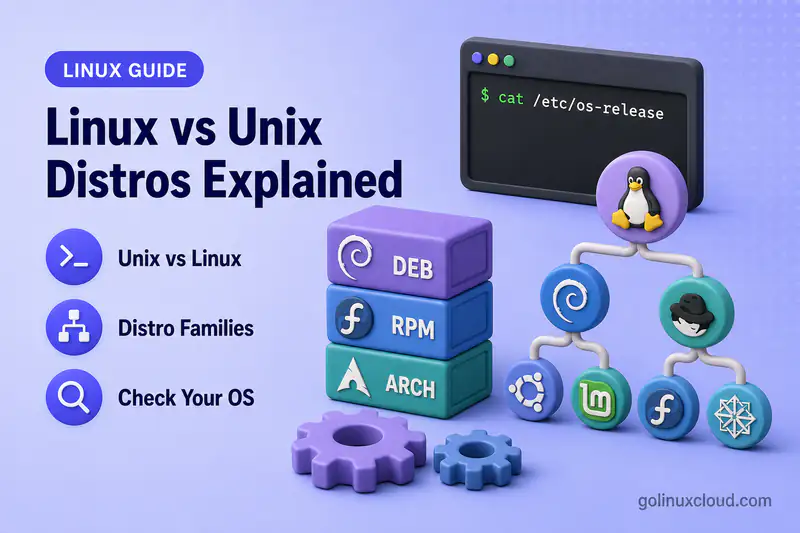
You open a tutorial and it says “tested on Ubuntu,” while your server runs Rocky Linux—or someone asks whether Debian and Ubuntu are “the same Linux.” Those questions are really about layers: Unix ideas, the Linux kernel, GNU user space, and the distribution that turns them into an installable operating system.
This guide explains how Unix, Linux, GNU/Linux, distributions, distro families, and names like Ubuntu, Debian, Fedora, RHEL, Rocky Linux and Arch fit together. It is a terminology map, not a “best distro” list. For head-to-head choices, use the comparison articles linked in each section.
Tested on: Rocky Linux 10.2 (Red Quartz); kernel 6.12.0-211.16.1.el10_2.0.1.x86_64.
Unix, Linux, and GNU/Linux: What Is the Difference?
Unix began as an operating system at AT&T Bell Labs in the 1960s and 1970s. Over time, “Unix” also came to mean a family of ideas: hierarchical filesystems, processes, shells, text streams, and APIs later captured in standards such as POSIX. Today you will hear “Unix” for historical AT&T-derived systems, for certified Unix brands, and loosely for anything that feels like a traditional multi-user CLI OS.
Linux is a kernel: the core that talks to hardware, schedules processes, and manages memory. By itself it is not a full desktop or server environment. In many mainstream distributions, GNU projects supply much of the user space—tools such as Bash, coreutils, GCC, and glibc. Other Linux-based systems can use different user-space implementations, so Linux and GNU/Linux are not universally interchangeable terms. Richard Stallman and others popularized the name GNU/Linux to reflect the GNU-heavy pairing common on desktop and server distros. In practice, most people say “Linux” for the whole system.
Linux is Unix-like: it follows many Unix design conventions and supports a wide range of POSIX interfaces, but mainstream Linux distributions are generally described as Unix-like rather than as licensed UNIX products. macOS is another Unix-family operating system built on a different kernel and user space. Specific macOS releases have received UNIX certification from The Open Group. Linux and macOS share cultural DNA without sharing the same kernel or package stack.
A compact mental model:
Unix ideas and standards
        ↓
Unix-like operating systems
        ↓
Linux kernel + user space + package ecosystem
        ↓
Linux distribution
In employment and administration contexts, “Unix/Linux” commonly refers to shell usage, permissions, processes, filesystems, scripting, and POSIX-style command-line tools across Unix-like systems—including Linux distributions and often macOS for developer laptops.
What Is a Linux Distribution or Distro?
A Linux distribution (distro) is a complete operating system built around the Linux kernel. The vendor or community assembles kernel builds, libraries, daemons, installers, documentation, and support policy into something you can download and install.
A typical distro supplies:
- A maintained Linux kernel build (often patched for security and hardware)
- Command-line tools, libraries, and language runtimes
- A package manager and signed repositories
- An installer or image format (ISO, cloud image, container base)
- An init system (today usually systemd on mainstream distros)
- Security defaults: firewall frameworks, MAC (SELinux, AppArmor), update policies
- Release and support rules (fixed major releases, rolling updates, or both)
- Optional desktop environments and live-session media
- Forums, bug trackers, or commercial support channels
Ubuntu, Debian, Fedora, RHEL, Rocky Linux, AlmaLinux, Arch Linux and openSUSE are distributions. “Linux” alone is not one single product you download from kernel.org—kernel.org gives you source for the kernel, not a full desktop experience.
That distinction matters when you read docs: “install package X on Linux” almost always means “pick the command for your distro family,” such as apt on Debian and Ubuntu or dnf on RHEL-family systems.
Why Are There So Many Linux Distributions?
Forks and spins are normal because maintainers optimize for different trade-offs:
- Workload: laptop desktop, bare-metal server, cloud VM, embedded board, or container base
- Stability vs freshness: frozen enterprise baselines vs rolling or short-lived releases—see rolling release vs fixed release for the model-level comparison
- Governance: community volunteer project vs company-backed product with SLAs
- Packaging philosophy: binary packages, source-based builds, or minimal musl images
- Security model: SELinux-first, AppArmor defaults, or stripped-down containers
- Commercial needs: paid patches, hardware certification, regulatory compliance
Distributions differ in more than appearance. Two GNOME desktops on Ubuntu and Fedora can look similar while behaving differently under apt vs dnf, firewall defaults, and major-upgrade paths. Competing articles that rank “top 10 distros” rarely explain those structural differences—this page does, so you can narrow choices before reading a focused comparison such as Ubuntu vs Fedora or RHEL family vs Debian family.
Main Linux Distribution Families
Distro families share package formats, tooling heritage, and often a common upstream. The table below is a practical map—not a perfect genealogy, because some projects mix ideas or rebuild another vendor’s sources without being a day-to-day fork.
| Family or ecosystem | Major distributions | Package format | Common package tool | General model |
|---|---|---|---|---|
| Debian | Debian, Ubuntu, Linux Mint, Pop!_OS | .deb |
APT / dpkg | Fixed releases; huge tutorial and cloud footprint |
| Fedora / RHEL | Fedora, CentOS Stream, RHEL, Rocky Linux, AlmaLinux, Oracle Linux | .rpm |
DNF / RPM | Fedora innovates; Stream previews; RHEL stabilizes for enterprise |
| Arch | Arch Linux, Manjaro, EndeavourOS | Arch packages (often .pkg.tar.zst) |
Pacman | Rolling or Arch-based rolling; DIY ethos |
| SUSE | openSUSE Leap/Tumbleweed, SUSE Linux Enterprise | .rpm |
Zypper / RPM | Leap fixed + Tumbleweed rolling; enterprise SLE |
| Gentoo | Gentoo, Calculate Linux | Source ebuilds | Portage | Source-oriented, highly configurable |
| Alpine | Alpine Linux | .apk |
APK | Minimal, musl-based; common container base |
| Independent | Slackware, Void Linux | Varies | slackpkg, xbps, etc. |
Long-lived projects outside the big three families |
Simplified conceptual tree for Debian, Arch, SUSE, and independent projects:
Linux kernel
├── Debian
│   └── Ubuntu
│       ├── Linux Mint
│       ├── Pop!_OS
│       └── Ubuntu flavors (Kubuntu, Xubuntu, …)
│
├── Arch Linux
│   ├── Manjaro
│   └── EndeavourOS
│
├── SUSE ecosystem
│   ├── openSUSE Leap
│   ├── openSUSE Tumbleweed
│   └── SUSE Linux Enterprise
│
├── Gentoo
├── Alpine
└── Slackware
Fedora, CentOS Stream, RHEL, and RHEL-compatible distributions follow a different pattern—development flow and compatibility goals rather than a single parent-child tree:
Fedora Linux
      ↓
CentOS Stream
      ↓
RHEL
      ├── Rocky Linux — bug-for-bug compatibility goal
      ├── AlmaLinux — ABI/application compatibility goal
      └── Oracle Linux — RHEL-compatible with Oracle additions
This illustrates development and compatibility relationships, not ownership or a literal source-code inheritance tree. Red Hat describes innovations entering Fedora, moving into CentOS Stream, and then into RHEL; CentOS Stream tracks just ahead of RHEL and serves as its upstream development platform.
Not every distro fits one branch. For example, Ubuntu uses Debian workflows but adds its own kernels, firmware, and snap policy; Rocky Linux tracks RHEL compatibility without being a Fedora desktop spin.
How Ubuntu, Debian, Fedora, RHEL, Rocky Linux and Arch Are Related
Debian family
Debian is an independent community project with stable, testing, and unstable branches. Ubuntu is based on Debian and imports many source packages from Debian unstable during its development cycle. Ubuntu then rebuilds, patches, integrates, and tests those packages alongside Canonical- and Ubuntu-specific components for its own releases. Linux Mint and Pop!_OS are Ubuntu derivatives with different desktop and tooling choices. Linux Mint can also ship a Debian Edition based directly on Debian Stable.
Terminology: Debian is upstream for Ubuntu, not the other way around. For server-focused differences, see Debian vs Ubuntu and Linux Mint vs Debian.
Fedora, CentOS Stream, and RHEL
Red Hat’s platform story is a pipeline, not a single “Fedora becomes RHEL” slogan:
- Fedora Linux is the fast-moving community distro where new kernels, toolchains, and features land first.
- CentOS Stream is the continuously delivered upstream development platform for RHEL. It sits between Fedora's broader innovation and the packages prepared for upcoming RHEL releases. Beginners can think of it as a rolling preview of that pipeline—work flows into Stream, then into the next RHEL minor releases.
- RHEL is the enterprise product: long lifecycle, certification, and paid support options.
Red Hat describes CentOS Stream as the midpoint in the development cycle, with innovations moving from Fedora into CentOS Stream and then into RHEL.
So Fedora is upstream of RHEL development through CentOS Stream, but RHEL is not “just an old Fedora ISO.” It is rebased, hardened, and supported on a different schedule. Traditional CentOS Linux (fixed rebuild of RHEL) was retired in favor of Stream; Rocky Linux and AlmaLinux provide no-cost RHEL-compatible enterprise distributions, although their build and compatibility policies differ. Compare Fedora vs RHEL vs CentOS Stream and Rocky Linux vs AlmaLinux vs RHEL.
RHEL-compatible enterprise distributions
Rocky Linux, AlmaLinux, and Oracle Linux belong to the broader RHEL-compatible ecosystem, but their compatibility policies are not identical.
- Rocky Linux states that it aims for bug-for-bug compatibility with RHEL.
- AlmaLinux targets ABI and application compatibility with RHEL but no longer describes itself as a 1:1 downstream rebuild.
- Oracle Linux maintains RHEL compatibility while also offering Oracle-specific kernels and tooling.
All three commonly use RPM, DNF, Enterprise Linux package conventions, systemd, SELinux, and broadly comparable filesystem and service layouts, but users should consult each project's compatibility and support policy rather than assuming they are identical copies of RHEL. Upgrade and subscription tools differ by vendor and release. They are not Fedora derivatives in the same sense as Ubuntu deriving from Debian. On Rocky hosts you often add community extras through the EPEL repository.
Arch family
Arch Linux is a rolling, documentation-driven distro with Pacman and the Arch User Repository (AUR). Manjaro and EndeavourOS provide Arch-based experiences with different defaults and installers. See Arch Linux vs Ubuntu for desktop trade-offs.
SUSE (brief)
openSUSE Leap and SUSE Linux Enterprise have historically shared packages and a closely connected code base, while openSUSE Tumbleweed is the continuously updated rolling distribution in the SUSE ecosystem. RPM-based like Fedora, but Zypper and YaST give a distinct admin style—touched on in openSUSE vs Debian.
What Actually Changes Between Linux Distros?
The kernel may be similar across distros at a given moment, but the surrounding OS changes how you work:
| Area | What differs | Example |
|---|---|---|
| Package format | .deb, .rpm, Arch packages, .apk |
apt install nginx vs dnf install nginx |
| Package manager | Dependency resolver, modules, repos | APT, DNF, Pacman, Zypper, APK |
| Release cadence | Fixed major releases vs rolling | Ubuntu LTS every two years vs Arch rolling |
| Support lifecycle | Security maintenance length | RHEL 10 support window vs Fedora ~13 months |
| Default desktop | GNOME, KDE, Xfce, or minimal | Fedora Workstation vs Ubuntu flavors |
| Installer | Anaconda, Ubiquity, Calamares, archinstall |
Different disk and encryption UX |
| Security framework | SELinux, AppArmor, none by default | RHEL-family enforcing SELinux common |
| Config paths | Service units, web roots, sudoers | /etc/httpd vs /etc/apache2 |
| Commercial support | Vendor SLAs, certifications | RHEL subscription vs pure community Debian |
| Freshness vs stability | How old shipped libraries are | Debian Stable vs Fedora Rawhide mindset |
Package format is a strong family signal but not the whole story: Alpine uses APK with musl; openSUSE and Fedora both use RPM yet differ in tooling and release models. Deep dives belong in focused articles—RHEL family vs Debian family, rolling release vs fixed release, Arch vs Debian, Ubuntu vs Fedora—not in one giant comparison table here.
Distribution, Desktop Environment, Flavor, Edition, and Version
Beginners often mix these layers:
| Term | Meaning | Example |
|---|---|---|
| Distribution | Full OS project and repos | Ubuntu, Fedora, Arch |
| Derivative | Based on another distro’s packages | Linux Mint from Ubuntu |
| Flavor / spin | Same distro, different desktop default | Kubuntu (KDE Plasma on Ubuntu) |
| Edition | Product variant for a use case | Fedora Server vs Fedora Workstation |
| Desktop environment | GUI shell and apps | GNOME, KDE Plasma, Xfce |
| Window manager | Low-level window controls | i3, openbox (often on minimal installs) |
| Release / version | A numbered snapshot | Ubuntu 26.04, Rocky Linux 10.2 |
| LTS | Release intended for a longer support period | Ubuntu LTS |
| Rolling release | Continuous updates without major version jumps | Arch Linux, openSUSE Tumbleweed |
| Image type | Install media target | Server ISO vs desktop live session |
GNOME and KDE are not distributions—they sit on top of one. Bash is not Linux; it is a shell that runs on many Unix-like systems. The kernel version from uname -r is not your distro version: Rocky Linux 10.2 can run a 6.12 kernel while Ubuntu 24.04 ships different builds on its own schedule. For kernel-only checks, see ways to check the Linux kernel version.
How to Check Which Linux Distribution You Are Using
Scripts, support tickets, and playbooks need the distro name, not guesswork from the package manager alone. See the hostnamectl cheat sheet and ways to check the Linux kernel version for extended checks; the essentials are below.
Read /etc/os-release
Most modern distributions ship a standard os-release file. It is the standard first source for distribution identification in automation. /etc/os-release is the correct primary interface, but “authoritative” is unnecessarily absolute for malformed custom images, containers, and unusual embedded systems. The specification defines ID as the primary identifier and ID_LIKE as a fallback for closely related systems.
cat /etc/os-releaseSample output:
NAME="Rocky Linux"
VERSION="10.2 (Red Quartz)"
RELEASE_TYPE="stable"
ID="rocky"
ID_LIKE="rhel centos fedora"
VERSION_ID="10.2"
PLATFORM_ID="platform:el10"
PRETTY_NAME="Rocky Linux 10.2 (Red Quartz)"
ID is the short machine-readable name (rocky, ubuntu, debian). ID_LIKE hints at family for scripts—Rocky reports rhel centos fedora. VERSION_ID is the release number you want in inventory, not the kernel.
Use hostnamectl
hostnamectl pulls the same OS identity through systemd and adds the running kernel on one screen. See the hostnamectl cheat sheet for flags.
hostnamectlThe Operating System line should match PRETTY_NAME, and the Kernel line shows what is actually running—useful when you upgraded the kernel but not the distro major release.
Operating System: Rocky Linux 10.2 (Red Quartz)
              Kernel: Linux 6.12.0-211.16.1.el10_2.0.1.x86_64
        Architecture: x86-64
Optional: lsb_release
On Debian and Ubuntu desktops, lsb_release -a is common. Minimal server images often omit the package.
lsb_release -aOn this Rocky minimal install the command is not present:
bash: lsb_release: command not foundThat is normal—use os-release instead. Ubuntu-focused version checks are covered in check your Ubuntu version.
Kernel and architecture with uname
uname identifies the kernel, not the distributor.
uname -r6.12.0-211.16.1.el10_2.0.1.x86_64uname -mx86_64If uname -r shows 6.12 but /etc/os-release says Rocky 10.2, both can be correct: the distro is Rocky 10.2 and the running kernel is 6.12.0-211….
Scripting with ID and ID_LIKE
Playbooks should source os-release instead of testing for /usr/bin/apt alone—containers may ship a single tool without the full distro metadata you expect.
. /etc/os-release
echo "Distro: $PRETTY_NAME (ID=$ID)"Distro: Rocky Linux 10.2 (Red Quartz) (ID=rocky)A simple family branch:
. /etc/os-release
case "$ID" in
  debian|ubuntu|linuxmint|pop)
    echo "Debian family"
    ;;
  rhel|centos|rocky|almalinux|ol)
    echo "Enterprise Linux / RHEL-compatible family"
    ;;
  fedora)
    echo "Fedora ecosystem"
    ;;
  arch|manjaro|endeavouros)
    echo "Arch family"
    ;;
  opensuse*|sles)
    echo "SUSE family"
    ;;
  alpine)
    echo "Alpine Linux"
    ;;
  *)
    echo "Other: $ID"
    ;;
esacEnterprise Linux / RHEL-compatible familyExtend the case statement for your fleet. Check ID first. When it is unfamiliar, inspect the optional ID_LIKE value for closely related systems and packaging interfaces. Do not assume that every identifier listed in ID_LIKE means the local distribution is a direct derivative of all of them. The os-release specification defines ID_LIKE as an ordered list of related systems intended as a fallback when ID is not recognized.
Which Linux Family Should You Choose?
Stay at family level here; pick a specific distro after you know constraints.
| Your priority | Sensible family direction | Why |
|---|---|---|
| Enterprise Linux with vendor support | RHEL or SUSE Linux Enterprise | Long lifecycle, certifications, commercial patches |
| RHEL-compatible without subscription | Rocky Linux, AlmaLinux | Same ABI/tooling as RHEL for many workloads |
| Stable community server, maximal APT docs | Debian or Ubuntu LTS | Predictable releases, huge tutorial base—compare Debian vs Ubuntu |
| Newer desktop or workstation stack | Fedora or Ubuntu non-LTS | Fresher kernels and desktops; shorter support per release |
| Rolling release and DIY tuning | Arch or openSUSE Tumbleweed | Always-current packages; you own breakage risk |
| Minimal containers | Alpine | Small images; musl compatibility differences can affect software built for glibc-based distributions |
| SUSE shop or SAP-style stacks | openSUSE / SLE | Zypper and YaST match existing ops |
This is not a universal ranking. A beginner desktop user and a regulated bank server do not share one “best” distro. After you pick a family, use the comparison articles linked above rather than forum poll threads.
Common Terminology Mistakes
| Mistake | Reality |
|---|---|
| “Ubuntu is separate from Linux” | Ubuntu is a Linux distribution. |
| “Linux is Unix” | Linux is Unix-like; not a classic licensed Unix product. |
| “Debian is Ubuntu” | Ubuntu derives from Debian; Debian is upstream. |
| “Fedora is RHEL” | Fedora feeds the platform pipeline; RHEL is the supported enterprise release. |
| “Rocky is Fedora-based” | Rocky targets RHEL compatibility, not Fedora package sets. |
| “GNOME is a distro” | GNOME is a desktop environment on many distros. |
| “Bash is Linux” | Bash is a shell used on Linux, macOS, and others. |
| “Kernel version = distro version” | Compare uname -r and VERSION_ID separately. |
“dnf present ⇒ RHEL” |
Containers and chroots can include one tool without full distro context—read os-release. |
Summary
Unix names a lineage and set of ideas; Linux names a kernel; GNU/Linux names systems that combine that kernel with substantial GNU user-space components (though not every Linux-based OS is GNU/Linux); a distribution bundles kernel, user space, packages, policy, and support into an installable OS. Debian and Ubuntu form one major family; Fedora, CentOS Stream, and RHEL form an enterprise pipeline, with Rocky Linux, AlmaLinux, and Oracle Linux as RHEL-compatible options that differ in compatibility policy; Arch powers a rolling DIY branch. Package managers, release cadence, and support matter more than desktop wallpaper. Use /etc/os-release and hostnamectl to see what you are running, then follow family-specific guides when you install software or harden servers.
References
- The Linux Kernel Archives — kernel source, not a full distribution
- GNU Operating System — GNU/Linux naming and user-space role
- The Open Group — UNIX® — certified Unix branding
- POSIX / IEEE Std 1003.1 — portable OS interface expectations
- os-release(5) — standard distro identification fields
- Debian — The Universal Operating System
- Ubuntu documentation
- Fedora Project
- Red Hat Enterprise Linux documentation
- CentOS Stream
- Rocky Linux
- Arch Linux
