
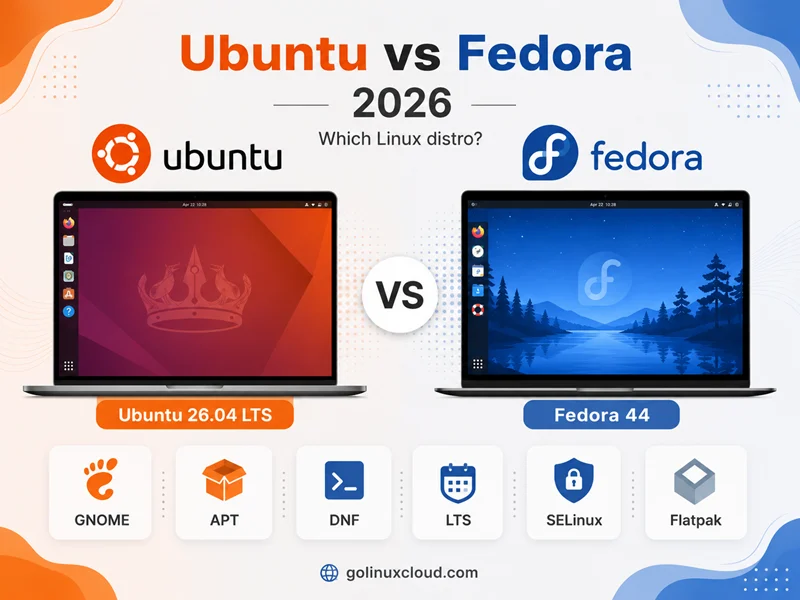
You are choosing a Linux distro for a laptop, workstation, or cloud VM and keep seeing the same two names: Ubuntu vs Fedora. Both ship polished GNOME desktops, both target developers, and both have passionate communities—but they optimize for different timelines. Ubuntu gives you LTS releases with years of security maintenance on APT and deb packages. Fedora gives you what upstream shipped this season on DNF and RPM, then expects you to upgrade within about a year to stay supported.
This guide compares Ubuntu 26.04 LTS and Fedora Linux 44 (current in mid-2026) on release cadence, package tooling, security defaults, desktop and server roles, enterprise paths, and who each distro is for. Fedora lifecycle and version figures come from fedoraproject.org and docs.fedoraproject.org—confirm on a Fedora VM before you freeze an image.
Quick answer: Ubuntu vs Fedora in 2026
Pick Ubuntu 26.04 LTS when you want five years of standard security maintenance (through May 2031), APT workflows, snap and deb packaging, AppArmor, the largest cloud and tutorial ecosystem, and optional Ubuntu Pro for extended coverage.
Pick Fedora 44 when you want the newest GNOME and toolchain stacks (GCC 16.1 on F44 per ChangeSet), SELinux and firewalld defaults, Flatpak-first desktop habits, and a distro that tracks RHEL upstream—and you accept ~13 months of support per release with planned upgrades.
| Pick this | Best reason |
|---|---|
| Ubuntu 26.04 LTS | Long LTS window, apt, cloud defaults |
| Ubuntu 24.04 LTS | Mature Noble LTS through May 2029 |
| Fedora 44 | Current desktop, SELinux, short upgrade cycle |
| Fedora KDE Plasma edition | Latest Plasma on Fedora’s release train |
For Fedora compared to Debian (Ubuntu’s grandparent), see Fedora vs Debian. For Ubuntu inside the APT family, see Debian vs Ubuntu and Ubuntu vs Linux Mint.
Ubuntu vs Fedora at a glance
| Topic | Ubuntu 26.04 LTS | Ubuntu 24.04 LTS | Fedora Linux 44 |
|---|---|---|---|
| Maintainer | Canonical | Canonical | Fedora Project (Red Hat sponsored) |
| Lineage | Debian-derived | Debian-derived | RHEL upstream |
| Release model | LTS every 2 years + interim | LTS | ~Every 6 months |
| Support window | Standard through May 2031 | Standard through May 2029 | ~13 months (N+2 rule) |
| Released | April 2026 | April 2024 | 28 April 2026 |
| EOL (approx.) | May 2031 (standard) | May 2029 (standard) | ~2 June 2027 |
| Package tool | APT / deb | APT / deb | DNF / RPM |
| Default desktop | GNOME 50 | GNOME 46 (at GA) | GNOME 50 on Workstation |
| Linux kernel (shipped) | 7.0 | 6.8 (+ HWE) | Fast-moving; verify with uname -r |
| MAC security | AppArmor (typical) | AppArmor | SELinux enforcing |
| Host firewall | UFW common | UFW common | firewalld default |
| App packaging emphasis | deb + snap | deb + snap | RPM + Flatpak |
| Enterprise path | Ubuntu Pro, Landscape | Ubuntu Pro | Migrate to RHEL / AlmaLinux / Rocky |
| Cloud image prominence | Default on major hyperscalers | Very common | Less common than Ubuntu |
| Best fit | LTS servers, Ubuntu tutorials, enterprise | Stable Noble LTS fleet | Current desktop, RHEL upstream lab |
Sources: Ubuntu release cycle, Download Ubuntu Desktop, Fedora release life cycle, Fedora lifecycle docs, getfedora.org.
How Ubuntu and Fedora relate to the rest of Linux
These distros are not siblings. Ubuntu takes Debian snapshots, adds Canonical’s kernel, firmware, and desktop choices, and ships on a calendar with LTS anchors. Fedora is the community innovation platform sponsored by Red Hat—where features mature before they land in Red Hat Enterprise Linux (Fedora Overview: “Upstream First,” rapid release cycle enabling innovation).
That split explains why:
apt install nginxon Ubuntu does not work on Fedora—you usednf install nginx(httpd package naming differs too).- SELinux troubleshooting skills from Fedora do not translate to Ubuntu’s AppArmor day-to-day.
- “LTS” on Ubuntu means years; Fedora has no LTS edition—only ~13 months per release per life cycle docs.
If you need multi-year RHEL compatibility without Fedora’s upgrade cadence, compare AlmaLinux vs Ubuntu—enterprise RPM vs APT, not this page’s desktop fork.
Release cycle and support: the decision that matters most
Ubuntu: LTS plus interim releases
Ubuntu’s release cycle documents:
- New version every six months (April and October)
- LTS every two years with five years of standard security maintenance
- Interim releases with nine months of updates—for users who want newer kernels and toolchains between LTS versions
Mid-2026 support snapshot:
| Ubuntu version | Role | Standard security maintenance |
|---|---|---|
| 26.04 LTS | Current desktop/server LTS | Through May 2031 |
| 24.04 LTS | Previous LTS | Through May 2029 |
| 25.10 | Interim | Through July 2026 |
Ubuntu Pro extends LTS coverage with Expanded Security Maintenance to 10 years; the optional Legacy add-on can extend selected LTS releases further, up to 15 years total—free for personal use on up to five machines.
Fedora: six-month releases, ~13-month maintenance
The Fedora Release Life Cycle states Fedora ships approximately every six months and provides maintenance for approximately 13 months. The lifecycle documentation explains Release N is supported until about four weeks after Release N+2—you can skip one release and still land supported, but you cannot treat Fedora like a five-year server image.
Concrete timeline around June 2026:
| Fedora | Released | Approx. end of life | Status |
|---|---|---|---|
| 42 | 15 Apr 2025 | 27 May 2026 | EOL |
| 43 | 28 Oct 2025 | 9 Dec 2026 | Supported |
| 44 | 28 Apr 2026 | 2 Jun 2027 | Current latest |
Plan in-place upgrades with dnf system-upgrade per Fedora’s upgrading guide, or rebuild VMs on a schedule.
Practical takeaway
| Your priority | Lean toward |
|---|---|
| Install today, still supported in 2030 without OS migration | Ubuntu 26.04 LTS |
| Always run the newest GNOME/toolchain | Fedora 44 (then 45, 46…) |
Predictable apt upgrade on frozen majors |
Ubuntu LTS |
| Classroom lab mirroring future RHEL | Fedora |
| Cloud default image on AWS/Azure/GCP | Ubuntu LTS |
cat /etc/os-release or cat /etc/fedora-release before you copy old guides.
Stability vs package freshness
Fedora prioritizes current upstream: Fedora 44’s ChangeSet documents GCC 16.1, binutils 2.46, glibc 2.43, gdb 16.3, gaming-related NTSYNC kernel module enablement, and Wayland-focused spins. dnf upgrade during the supported window can pull meaningful version bumps.
Ubuntu LTS values stability within a major release: security and serious fixes backported onto frozen baselines. Ubuntu 26.04 still ships a newer GA stack than 24.04—GNOME 50, kernel 7.0, updated toolchains per ubuntu.com/download/desktop—then holds those majors for years.
What that feels like:
- On Fedora, Bluetooth, Wayland, and new laptop firmware often “just work” sooner—at the cost of upgrading the OS yearly.
- On Ubuntu LTS, your PostgreSQL major, OpenSSH behavior, and automation around
python3 --versionstay predictable until the next LTS migration—or you add interim releases / backports deliberately.
Package management: APT vs DNF
Ubuntu and Fedora solved the same problem with different tools.
Ubuntu: APT and deb packages
Check the release and package manager on the machine you install:
. /etc/os-release && echo "$PRETTY_NAME"
apt --version
uname -r
python3 --version
Ubuntu 24.04, 25.10, and 26.04 have different kernel, Python, and APT baselines, so verify the live host before documenting versions.
Daily workflows: apt update, apt install, apt upgrade—see APT command in Linux.
Ubuntu’s release cycle page also documents snap packages for apps that update independently in confined (or classic) models—part of Ubuntu Classic alongside deb.
Fedora: DNF and RPM packages
Equivalent checks on Fedora:
cat /etc/fedora-release
dnf --version
Typical shape:
Fedora release 44
dnf 4.x ...
See DNF command in Linux.
Side-by-side command map
| Task | Ubuntu (APT) | Fedora (DNF) |
|---|---|---|
| Refresh indexes | sudo apt update |
sudo dnf makecache |
| Install package | sudo apt install pkg |
sudo dnf install pkg |
| Remove package | sudo apt remove pkg |
sudo dnf remove pkg |
| Search | apt search keyword |
dnf search keyword |
| Show details | apt show pkg |
dnf info pkg |
| Local package file | sudo apt install ./file.deb |
sudo dnf install ./file.rpm |
Package names differ (apache2 vs httpd, libssl-dev vs openssl-devel). Ansible roles and vendor installers written for Ubuntu rarely work unchanged on Fedora.
Security defaults: AppArmor vs SELinux, firewalls
Ubuntu: AppArmor
Ubuntu commonly enables AppArmor for mandatory access control. On the test host:
systemctl is-active apparmoractiveUFW is the familiar host firewall front end on Ubuntu desktops and servers (nftables backend on current releases). firewalld is not the default story.
Fedora: SELinux enforcing
Fedora enables SELinux in enforcing mode by default—excellent defense in depth, occasionally painful when tutorials say “disable SELinux” instead of fixing contexts.
Quick checks on Fedora:
getenforce
sestatus
firewalld on Fedora
Fedora documents firewalld as the default firewall framework on many images—firewall-cmd is the usual interface. See firewalld cheat sheet for zone and service examples.
Desktop experience: two GNOME flagships, different packaging
Both projects ship excellent GNOME desktops—but the surrounding ecosystem differs.
Ubuntu Desktop
Ubuntu Desktop positions Ubuntu as the secure modern OS for millions of PCs—preferred by professional developers, with Firefox, Chrome, Discord, Steam, and OBS in the product story, plus Ubuntu Certified hardware and Ubuntu Pro Desktop.
Ubuntu 26.04 LTS highlights GNOME 50, fractional scaling, new core apps, accessibility improvements, TPM-backed full-disk encryption management, and kernel 7.0 (download page).
Minimum published requirements for 26.04:
- 2 GHz dual-core CPU
- 6 GB RAM
- 25 GB disk
Ubuntu also offers official flavors—Kubuntu, Xubuntu, Ubuntu MATE, and others—if you want KDE or Xfce under Canonical’s flavor program rather than Fedora Spins.
Fedora Workstation and editions
getfedora.org describes Fedora Workstation as a polished GNOME OS with tools for developers and makers, and Fedora KDE Plasma Desktop as a customizable Plasma edition. Fedora Spins provide Xfce, Cinnamon, MATE, i3, LXQt, and more—preconfigured alternative desktops.
Fedora Workstation integrates Flatpak well and makes Flatpak apps easy to use alongside DNF/RPM packages. Flathub is commonly used, but exact availability depends on the repository settings enabled on the installed system. System packages update with DNF; many desktop apps update from Flatpak independently.
GNOME on both—what users ask
| Question | Ubuntu 26.04 | Fedora 44 |
|---|---|---|
| Default session | GNOME 50, Wayland-focused | GNOME Workstation, Wayland-first |
| Alternative DEs | Ubuntu flavors (separate ISOs) | Fedora Spins / KDE edition |
| Browser packaging | snap for Firefox on current LTS lines | Flatpak/RPM mix |
| Fractional HiDPI | GNOME 50 optimized scaling (26.04) | Current GNOME stack per release |
| Upgrade cadence | LTS years; optional interim | ~Yearly Fedora upgrade |
For KDE-on-Ubuntu vs MATE traditional layouts, see Kubuntu vs Ubuntu MATE—different question than Ubuntu vs Fedora.
snap vs Flatpak vs RPM/deb
| Channel | Ubuntu | Fedora |
|---|---|---|
| System packages | APT / deb | DNF / RPM |
| Confined desktop apps | snap (central to Ubuntu Classic) | Flatpak (central to Workstation) |
| Third-party repos | PPAs (use with care) | RPM Fusion, COPR (use with care) |
Ubuntu’s release cycle documentation describes snaps updating independently with confinement options. Fedora commonly pairs Flatpak with DNF when Flathub and third-party repos are enabled—no snap-first integration on Fedora.
Pick Ubuntu when your organization or tutorials standardize on snap or apt-only servers. Pick Fedora when you prefer Flatpak-first desktops and RPM tooling aligned with RHEL.
Servers, cloud, and production roles
Ubuntu LTS on servers and cloud
Ubuntu LTS is widely available as a first-class quick-create image across major clouds and VPS panels, with long-life VPS deployments and abundant copy-paste tutorials. Ubuntu 26.04 and 24.04 LTS receive five years of standard maintenance—extendable with Ubuntu Pro ESM and the optional Legacy add-on per Ubuntu release cycle.
Ubuntu Server, Ubuntu Minimal, and cloud images on AWS, Azure, and GCP are documented on ubuntu.com.
Choose Ubuntu when:
- You want multi-year security maintenance without reinstalling every year
- Vendors certify against Ubuntu LTS
- You need Landscape, Ubuntu Pro, or Canonical support
Fedora Server and CoreOS
getfedora.org lists Fedora Server, Fedora Cloud, Fedora CoreOS, and Fedora IoT for datacenter, VM, container, and edge roles.
Fedora fits:
- CI runners you rebuild frequently
- Kubernetes nodes with owned upgrade automation
- Labs testing RHEL-bound features early
- CoreOS immutable hosts for containers
Fedora is a poor match for “deploy in 2026, ignore until 2031” unless you automate migrations and monitor EOL dates.
| Concern | Ubuntu 26.04 LTS | Fedora 44 |
|---|---|---|
| Security horizon | Years (standard + Pro) | ~13 months |
| Change rate on upgrade | Lower within LTS | Higher |
| Default MAC | AppArmor | SELinux enforcing |
| Cloud “default” SKU | Excellent | Less common |
| Long-life DB/web server | Excellent | Plan upgrades |
Enterprise and career paths
Ubuntu: Canonical ecosystem
Ubuntu Desktop and Ubuntu Pro target organizations needing security patching, livepatch, FIPS modules, CIS hardening, and optional 24/7 support. WSL, Multipass, and Amazon WorkSpaces integrations are part of Canonical’s desktop developer story.
Fedora: upstream to RHEL
Fedora Overview describes partnership with Red Hat and commitment to innovation that feeds enterprise Linux. Fedora itself is not RHEL—certification exams and ISV matrices target RHEL, AlmaLinux, or Rocky, not Fedora’s short life cycle.
Use Fedora to preview RHEL direction; migrate to AlmaLinux or RHEL when you need decade-scale support on RPM.
Hardware, firmware, and drivers
Fedora generally includes a broader firmware set in the default install path—helpful for newer laptops and Wi-Fi chips (Fedora Workstation positioning).
Ubuntu publishes 6 GB RAM minimums for 26.04 and documents Ubuntu Certified hardware with vendor optimizations (ubuntu.com/download/desktop).
Proprietary NVIDIA drivers and some codecs on Fedora often require RPM Fusion or vendor repos—not part of the base Fedora distribution. Ubuntu’s Restricted / Multiverse archives and driver tooling follow Debian-family conventions.
For kernel checks on either distro, see ways to check the Linux kernel version.
Version snapshot: Ubuntu 26.04 vs Fedora 44
Illustrative GA baselines—patch levels drift with security updates. Verify on the running host.
| Component | Ubuntu 26.04 LTS | Fedora 44 (typical) |
|---|---|---|
| Kernel | 7.0 | Verify: uname -r |
| GNOME | 50 | Current Workstation stack |
| Python (system) | 3.14 (platform) | 3.14+ per ChangeSet direction |
| GCC | 15.2 (Ubuntu platform) | 16.1 per ChangeSet |
| Init | systemd | systemd |
| OpenSSL | 3.x stream | 3.x stream |
Ubuntu host check—verify against your installed LTS; GA baselines in the table reflect release documentation:
uname -r
python3 --version
On Ubuntu 26.04 LTS, expect kernel 7.0 and platform Python per release notes—older LTS and interim releases differ.
Ubuntu vs Fedora: workload guide
| Workload | Ubuntu 26.04 LTS | Fedora 44 |
|---|---|---|
| First Linux desktop (long support) | Excellent | Good if you upgrade yearly |
| Developer laptop (vendor Ubuntu docs) | Excellent | Excellent for latest toolchain |
| Gaming PC (new hardware) | Excellent | Excellent; NTSYNC/gaming ChangeSet |
| Long-life web or DB server | Excellent | Poor unless automated upgrades |
| Cloud VPS default image | Excellent | Less common |
| Learning RHEL upstream | Good preview | Excellent |
| RHEL certification exam prep | Use Alma/Rocky | Use Alma/Rocky for exam targets |
| Flatpak-first desktop | Good (optional) | Excellent |
| snap-default workflow | Excellent | Not applicable |
| SELinux-heavy security lab | Possible | Excellent defaults |
| Minimal 1–2 GB RAM VPS | Ubuntu Minimal | Fedora Cloud minimal images |
Who should choose Ubuntu
Choose Ubuntu when:
- You want LTS with five years of standard maintenance (26.04 through 2031)
- APT, deb, and snap match your team’s skills and vendor support
- You deploy on AWS, Azure, GCP, or hosting panels that default to Ubuntu
- You need Ubuntu Pro, Landscape, or certified hardware
- You prefer AppArmor and UFW over SELinux-first administration
- Tutorials, ISVs, and CI images say “Ubuntu 24.04/26.04 LTS” explicitly
Who should choose Fedora
Choose Fedora when:
- You want the newest GNOME, GCC, and kernel integration on a polished Workstation image
- You accept ~13-month support windows and yearly upgrades
- You want SELinux enforcing and firewalld out of the box
- Flatpak is your preferred desktop app channel
- You participate in the RHEL upstream story or run short-life CoreOS / Server automation
- You want Fedora Spins or KDE Plasma edition without leaving the Fedora release engineering train
Upgrading and switching distros
Upgrading Ubuntu
- LTS to LTS:
do-release-upgradewhen supported (24.04 → 26.04 paths per Ubuntu documentation) - Interim to next LTS: upgrade before interim EOL (25.10 before July 2026)
Upgrading Fedora
Use dnf system-upgrade and Fedora’s upgrading guide. Do not stay on EOL releases (F42 after May 2026).
Switching Ubuntu ↔ Fedora
There is no in-place conversion. Back up /home, export service configs, reinstall. Package names, paths (/etc/apache2 vs /etc/httpd), MAC policies, and firewall tools all change.
Common mistakes when comparing Ubuntu and Fedora
- Assuming Fedora gets LTS-length support because RHEL does—they are different products
- Staying on EOL Fedora because “it still boots”
- Disabling SELinux on Fedora instead of fixing labels
- Picking Ubuntu 26.04 on 4 GB RAM when official minimum is 6 GB
- Copying
dnftutorials on Ubuntu orapttutorials on Fedora without translating package names - Choosing Fedora for a five-year unmaintained server without upgrade automation
- Expecting snap workflows on Fedora or Flatpak-only defaults on Ubuntu Server minimal images
Summary
Ubuntu and Fedora are both excellent GNOME-friendly distributions with opposite time horizons. Ubuntu 26.04 LTS wins on multi-year support, APT ecosystem gravity, cloud defaults, and Canonical enterprise options through 2031. Fedora 44 wins on current upstream software, SELinux defaults, Flatpak-first desktops, and the RHEL upstream role—with ~13 months of maintenance per release.
For a daily laptop you plan to keep on one install for years, start with Ubuntu LTS. For a developer workstation where you want GCC 16 and newest hardware enablement and will upgrade annually, start with Fedora. If you are choosing inside the APT family, read Debian vs Ubuntu; if you are choosing RPM enterprise targets, read AlmaLinux vs Ubuntu.
References
- Ubuntu Desktop
- Download Ubuntu Desktop
- Ubuntu release cycle
- Ubuntu Pro
- Ubuntu flavors
- Fedora Project home
- Get Fedora
- Fedora Overview
- Fedora Release Life Cycle
- Fedora lifecycle and maintenance schedule
- Fedora 44 ChangeSet
- Fedora upgrading guide
- Fedora firewalld documentation
- DNF documentation
- On-site: Fedora vs Debian, Debian vs Ubuntu, Ubuntu vs Linux Mint, AlmaLinux vs Ubuntu, APT command in Linux, DNF command in Linux
