
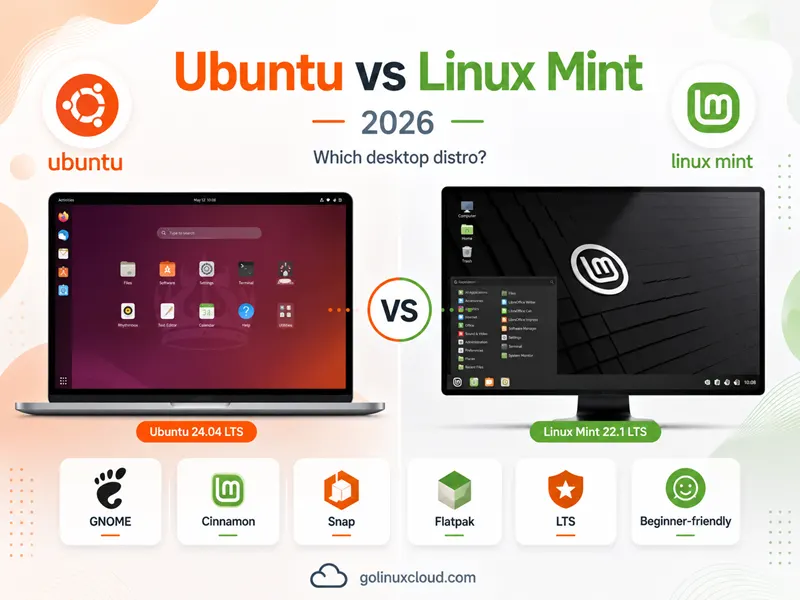
You are picking a beginner-friendly Linux distro for a laptop and keep landing on the same fork: Ubuntu vs Linux Mint. They share DNA—Linux Mint’s main edition is built on Ubuntu LTS packages—and both use apt, both feel stable on daily-driver hardware, and both show up in every “best Linux for beginners” list. They are not the same install: Ubuntu is Canonical’s flagship with GNOME and snap in the core story; Mint is Clem Lefèbvre’s desktop project with Cinnamon, Timeshift, and an explicit no-snap-by-default policy.
This guide compares Ubuntu 26.04 LTS (current Ubuntu desktop LTS in mid-2026), Ubuntu 24.04 LTS (the generation Mint 22.x shares), and Linux Mint 22.3 “Zena” on desktops, packages, support, and who each distro is for. Figures come from ubuntu.com and linuxmint.com.
Quick answer: Ubuntu vs Linux Mint in 2026
Pick Ubuntu 26.04 LTS when you want Canonical’s current long-term desktop: GNOME 50, Linux kernel 7.0, TPM-backed full-disk encryption options, developer and enterprise integrations (Ubuntu Pro, certified hardware, WSL), and five years of standard security maintenance through May 2031—with optional extended coverage via Ubuntu Pro.
Pick Linux Mint 22.3 when you want a Cinnamon desktop tuned for comfort and familiarity, Timeshift snapshots, Update Manager, no Snap Store by default, and an Ubuntu 24.04 LTS package base supported until April 2029—without assembling Ubuntu yourself.
Pick Ubuntu 24.04 LTS when you want Canonical’s GNOME on the same Noble generation as Mint 22.x but without Mint’s desktop layer or snap blocking—useful if tutorials and vendors target “Ubuntu 24.04” explicitly.
| Pick this | Best reason |
|---|---|
| Ubuntu 26.04 LTS | Newest LTS platform, GNOME 50, enterprise path |
| Linux Mint 22.3 | Cinnamon + Mint tools on Noble, no snap default |
| Ubuntu 24.04 LTS | Stock Ubuntu on Mint’s base generation |
| Mint 22 Xfce/MATE | Lighter editions within Mint’s family |
For Mint on Debian packages instead of Ubuntu, read Linux Mint vs Debian—a different comparison than this page.
Ubuntu vs Linux Mint at a glance
| Topic | Ubuntu 26.04 LTS | Ubuntu 24.04 LTS | Linux Mint 22.3 |
|---|---|---|---|
| Maintainer | Canonical | Canonical | Linux Mint team |
| Relationship | Upstream Ubuntu | Upstream Ubuntu | Downstream of Ubuntu 24.04 |
| Default desktop | GNOME 50 | GNOME (46 series at release) | Cinnamon (MATE/Xfce optional) |
| Package base | Ubuntu 26.04 | Ubuntu 24.04 Noble | Ubuntu 24.04 Noble |
| Standard support ends | May 2031 | May 2029 | April 2029 (Mint 22.x) |
| Linux kernel (shipped) | 7.0 | 6.8 (+ HWE options) | 6.14 HWE (6.8 on 22.1) |
| Published RAM minimum | 6 GB | See ubuntu.com for release | Not listed; Xfce edition “lighter” |
| Disk minimum (Ubuntu bar) | 25 GB | 25 GB typical | Not separately published |
| Snap | Supported (deb + snap) | Supported | Blocked/disabled by default |
| Flatpak | Optional | Optional | Integrated path |
| Mint-only tools | None | None | Timeshift, Update Manager, Driver Manager |
| Architectures | amd64, arm64, … | amd64, arm64, … | amd64 (desktop editions) |
| Enterprise extras | Ubuntu Pro, certification | Ubuntu Pro | Community + sponsors |
| Best fit | Devs, enterprise, newest LTS | GNOME on Noble without Mint | Traditional desktop, Windows switchers |
Sources: Download Ubuntu Desktop, Ubuntu release cycle, Linux Mint 22.3 release notes, Linux Mint download, Linux Mint home.
How Ubuntu and Linux Mint are related (and where they diverge)
Linux Mint states it is based on Debian and Ubuntu—standing on upstream giants while shipping its own desktop experience. The main Mint edition (22.x) uses an Ubuntu 24.04 LTS package base, documented in Linux Mint 22.3 release notes.
Ubuntu is published by Canonical as the reference distribution: six-month interim releases plus LTS every two years, documented on Ubuntu’s release cycle.
That lineage explains why:
apt installand most Ubuntu package names work on Mint 22.x—see APT command in Linux.- Mint is not an official Ubuntu flavor; flavors like Kubuntu and Ubuntu MATE are community variants in Canonical’s flavor program, while Mint is an independent downstream product.
- Skills transfer, but desktop paths, snap behavior, and release versions differ—you cannot assume a Ubuntu 26.04 GNOME guide applies verbatim to Mint 22.3.
For the server-side Debian-vs-Ubuntu trade-offs underneath both, see Debian vs Ubuntu.
Release cadence and the 2026 version gap
This is the detail most “Ubuntu vs Mint” articles gloss over: in mid-2026 the two distros are often not on the same LTS generation.
Ubuntu
Per Ubuntu release cycle:
| Release | Role | Standard security maintenance |
|---|---|---|
| 26.04 LTS (Apr 2026) | Current desktop LTS | Through May 2031 |
| 24.04 LTS (Apr 2024) | Previous LTS | Through May 2029 |
| 25.10 (Oct 2025) | Interim | Through July 2026 |
LTS releases receive five years of standard security maintenance; Ubuntu Pro extends LTS coverage with Expanded Security Maintenance to 10 years; the optional Legacy add-on can extend selected LTS releases further, up to 15 years total.
Download Ubuntu Desktop highlights Ubuntu 26.04 LTS with GNOME 50, kernel 7.0, fractional scaling improvements, TPM-backed full-disk encryption management, and experimental application permissions prompting.
Linux Mint
Linux Mint 22.3 is an LTS release supported until April 2029, based on Ubuntu 24.04. Mint publishes point releases (22.1, 22.2, 22.3) with kernel and desktop updates without jumping major numbers every six months.
Mint 23 is planned around the Ubuntu 26.04 LTS base, with development posts pointing to a late-2026 target, a new live-installer ported from LMDE, and Wayland work in progress. Until that ships, Mint 22.x remains on Noble, while Ubuntu’s flagship installer is Resolute Raccoon (26.04).
Practical takeaway
| Your priority | Lean toward |
|---|---|
| Newest LTS kernel and GNOME stack today | Ubuntu 26.04 LTS |
| Cinnamon + Mint tools on a mature Noble base | Linux Mint 22.3 |
| Same generation as Mint but stock Canonical GNOME | Ubuntu 24.04 LTS |
| Wait for Mint on Ubuntu 26.04 packages | Watch Mint 23 news on blog.linuxmint.com |
Desktop experience: GNOME vs Cinnamon (and Mint editions)
Ubuntu: GNOME and modern workflow
Ubuntu Desktop positions Ubuntu as the secure, modern OS for millions of PCs—preferred by professional developers, with essential apps for browsing, gaming, and content creation, and deep enterprise integration.
Ubuntu 26.04 LTS ships GNOME 50 with optimized fractional scaling, new core apps (document viewer, image viewer, terminal, video player), and accessibility improvements per ubuntu.com/download/desktop.
GNOME emphasizes a streamlined, activity-oriented workflow—workspaces, a dock, and settings centralized in GNOME Shell rather than a classic taskbar-and-menu layout.
Linux Mint: Cinnamon and traditional ergonomics
Linux Mint markets ease of use, KISS principles, and an intuitive desktop where user experience and comfort are key. Most users come from Windows and “never look back,” per the project homepage.
Cinnamon is developed primarily for and by Linux Mint—“slick, beautiful, and full of new features,” per linuxmint.com/download.php. It keeps a familiar panel, menu, and system tray mental model.
Mint also ships:
| Edition | Positioning (official) |
|---|---|
| Cinnamon | Most popular; full-featured |
| Xfce | Lightweight; “lighter on resource usage” |
| MATE | Classic desktop; continuation of GNOME 2 (Mint’s default 2006–2011) |
| Cinnamon EDGE ISO | Newer kernel for latest hardware chipsets |
Which interface fits you?
| You prefer | Lean toward |
|---|---|
| Classic start menu + taskbar | Mint Cinnamon or MATE |
| Modern GNOME shell and touch-friendly patterns | Ubuntu 26.04 / 24.04 |
| Lightest Mint option | Mint Xfce |
| KDE Plasma on Ubuntu archive | Kubuntu vs Ubuntu MATE or Ubuntu flavors—not Mint |
Snap vs Flatpak: the biggest packaging policy split
Ubuntu: deb + snap
Ubuntu’s release cycle documentation describes deb packages as the core and snap packages for apps that update frequently in a confined (or classic) model. Ubuntu Classic uses both.
On Ubuntu, verify snap on the release you installed:
snap --version
dpkg -l snapd 2>/dev/null
Ubuntu Classic commonly uses snaps for desktop applications, while Mint blocks the Snap Store by default. Check the live system before documenting package behavior.
Linux Mint: snap blocked; Flatpak and debs
The Linux Mint blog (May 2020) explains Mint’s position: a self-installing Snap Store that overwrites APT behavior is unacceptable; Chromium’s empty package acting as a snap backdoor motivated blocking snapd from installing via APT by default.
Linux Mint 22.3 release notes state the Snap Store is disabled, with re-enable steps in the official user guide — Snap Store.
Mint embraced Flatpak early (October 2017 blog); Flathub is a normal software channel alongside Software Manager and apt.
Practical impact
| Scenario | Ubuntu | Linux Mint 22.x |
|---|---|---|
| Follow Ubuntu snap tutorials | Native | Re-enable snap first (documented) |
| Avoid snap entirely | Possible but fights defaults | Default policy |
| Sandbox apps from Flathub | Install Flatpak support | Built into Mint workflow |
| Chromium install path | Snap transitional on Ubuntu | Mint documents alternatives in release notes |
Mint tools vs Ubuntu defaults
Linux Mint adds a desktop layer Ubuntu does not ship:
Update Manager
Centralized updates with levels (security vs optional) and integration with Timeshift before risky changes—part of Mint’s “requires very little maintenance” story on linuxmint.com.
Timeshift
System snapshots (BTRFS or rsync) before upgrades—Mint’s answer to “something broke after apt upgrade.”
Driver Manager
GUI path for additional hardware drivers (especially graphics and Wi-Fi) without hunting PPAs—called out in Mint docs and release notes.
Software Manager
Curated GUI for .deb packages and Flatpaks—Mint’s alternative to Ubuntu’s App Center / snap-first flows.
Ubuntu’s parallel strengths
Ubuntu counters with Canonical-scale infrastructure:
- Ubuntu Certified hardware testing
- Ubuntu Pro Desktop—ESM to 10 years; optional Legacy add-on to 15 years total, plus livepatch and compliance tooling (ubuntu.com/desktop)
- WSL, Multipass, LXD integration for developers
- Raspberry Pi and Amazon WorkSpaces desktop stories
Mint is community-centric with sponsors; Ubuntu is vendor- and enterprise-centric with optional paid support.
Package management: shared APT, different curation
Both distros use APT and Ubuntu’s archive on Mint 22.x. Daily workflows—apt update, apt install, apt upgrade—match Ubuntu guides when package versions align with Noble.
Confirm what you are running:
cat /etc/os-release
cat /etc/linuxmint/info 2>/dev/null || echo "Not a Linux Mint system"
On Ubuntu only the first file applies; on Mint, /etc/linuxmint/info reports edition and version.
Mint also publishes packages on packages.linuxmint.com for Mint-specific components (Cinnamon, mint-meta-*, tools).
System requirements and hardware fit
Ubuntu 26.04 LTS published minimums
Download Ubuntu Desktop lists for 26.04 LTS:
- 2 GHz dual-core processor or better
- 6 GB system memory
- 25 GB free disk space
- USB or DVD for installer media
Plan real-world RAM above 6 GB for browsers and IDEs.
Linux Mint positioning
Mint does not publish a single RAM table on its homepage. Official guidance splits by edition:
- Cinnamon — full-featured default
- Xfce — “lighter on resource usage” (download page)
- EDGE ISO — newer kernel when the standard ISO does not boot on latest chipsets
Linux Mint 22.3 release notes document HWE kernel 6.14 on 22.2/22.3 for newer AMD CPUs, with a fallback to 22.1 (kernel 6.8) if VirtualBox or legacy NVIDIA 470 drivers break on 6.14.
Ubuntu Desktop also claims better performance on older hardware as a product benefit—both projects target usable desktops on a range of machines; Mint’s Xfce/MATE editions are the in-family answer for lighter targets, not a third-party benchmark chart.
Developers, gaming, and daily apps
Developers
Ubuntu Desktop calls Ubuntu the preferred choice for professional developers—latest toolchains on LTS and interim releases, major IDEs, game dev tools, and AI/ML software.
Ubuntu 26.04 inherits updated GCC, Python, Rust, Go, and OpenJDK stacks on the platform (see flavor release notes on official Ubuntu derivatives for toolchain versions).
Linux Mint 22.x can run the same Noble packages for most dev work, but tutorials targeting Ubuntu 26.04-only features (kernel 7.0, new encryption UI, GNOME 50 workflows) may not apply until Mint 23 arrives on a 26.04 base.
Gaming and multimedia
Linux Mint highlights Steam (7,800+ games), Heroic Games Launcher, Lutris, Blender, GIMP, LibreOffice, and Firefox out of the box.
Ubuntu Desktop lists Steam, Discord, OBS Studio, and content-creation workflows.
Both are viable gaming desktops; GPU driver strategy on Mint often starts with Driver Manager; on Ubuntu with Additional Drivers / vendor docs.
PipeWire and audio on Mint
Mint 22.x uses PipeWire by default; release notes document checking with inxi -A and falling back to PulseAudio if sound fails—an honest edge case Ubuntu Noble guides may phrase differently.
Privacy, philosophy, and community
Linux Mint emphasizes “your computer, your rules”—no data collection, user sovereignty, free and open source software, and a tight community bond.
Ubuntu emphasizes security by design, privacy, and open source at scale with Canonical’s commercial services optional.
Neither replaces reading each project’s privacy policy for telemetry in specific apps (Firefox, etc.)—but Mint’s marketing explicitly contrasts with feeling “managed” by your OS vendor.
Security updates and support contracts
Both inherit Ubuntu’s security infrastructure on shared bases:
- AppArmor (typical on Ubuntu family desktops)
unattended-upgradesavailable- CVE patching through Ubuntu security pocket on Mint 22.x
Ubuntu adds Ubuntu Pro—free for personal use on up to five machines, with ESM to 10 years, optional Legacy add-on for selected LTS releases, livepatch, and compliance options (ubuntu.com/pro).
Mint relies on community support, forums, and sponsors—no Canonical support contract.
Installation, upgrades, and switching
Install paths
- Ubuntu: ubuntu.com/download/desktop — 26.04 LTS amd64/arm64 images
- Mint: linuxmint.com/download.php — Cinnamon, MATE, Xfce, EDGE
After install, confirm release: check Ubuntu version works on both when ID=ubuntu or Mint’s base reports Noble.
Upgrading
- Ubuntu LTS:
do-release-upgradebetween supported LTS versions—see upgrade Ubuntu 25.04 to 26.04 LTS for the interim hop pattern - Mint 22 point releases: Update Manager in-place upgrades within the 22.x series
- Mint major jumps (21 → 22): migration project—use Timeshift first
There is no supported in-place conversion from Ubuntu GNOME to Mint Cinnamon without reinstalling or manually installing cinnamon / mint-meta-* packages—a path Mint does not market as a product.
Mint 23 on the horizon
Mint 23 is planned around the Ubuntu 26.04 LTS base. The Mint 23 development post describes a unified live-installer and Wayland work in progress toward a late-2026 target—closing gaps that today make Ubuntu 26.04 the newer platform while Mint 22.3 stays the polished Noble experience.
Who should choose Ubuntu
Choose Ubuntu (especially 26.04 LTS) when:
- You want GNOME 50, kernel 7.0, and the newest Ubuntu LTS platform today
- You need Ubuntu Pro, certified hardware, or enterprise desktop management
- You develop with stacks documented on Ubuntu 26.04 / interim releases
- You are fine with snap as part of the default app delivery model
- You want official flavors (Kubuntu, Xubuntu, etc.) under Canonical’s flavor program instead of Mint’s Cinnamon-centric world
- You use WSL, Multipass, or cloud WorkSpaces integrations Canonical documents
Choose Ubuntu 24.04 LTS when you want stock Ubuntu on the same Noble base as Mint 22.x without Mint’s snap policy or desktop layer.
Who should choose Linux Mint
Choose Linux Mint 22.3 when:
- You want Cinnamon (or MATE/Xfce) with Mint polish on day one
- You prefer no Snap Store by default and a Flatpak + deb workflow
- You value Timeshift, Update Manager, and Driver Manager on amd64 laptops
- You are a Windows switcher wanting a classic desktop metaphor (linuxmint.com positioning)
- You want LTS stability on Ubuntu 24.04 through April 2029 without running interim Ubuntu releases
- EDGE ISO or Xfce edition matches your hardware better than Ubuntu 26.04’s 6 GB bar
Choose LMDE 7 only when you want Mint on Debian—see Linux Mint vs Debian, not this page.
Ubuntu vs Linux Mint: workload guide
| Workload | Ubuntu 26.04 | Linux Mint 22.3 |
|---|---|---|
| Windows refugee desktop | Good (GNOME learning curve) | Excellent (Cinnamon/MATE) |
| Enterprise managed fleet | Excellent (Pro, Landscape) | Community support |
| Avoid snap | Possible; not default path | Excellent (blocked by policy) |
| Newest kernel / HW enablement | Excellent (7.0 on 26.04) | Good (HWE 6.14; EDGE ISO) |
| Same tutorials as Ubuntu 24.04 | Use 24.04 or Noble docs | Excellent |
| Ubuntu 26.04-only features | Excellent | Wait for Mint 23 |
| Low-RAM PC (official story) | 6 GB minimum on 26.04 | Try Xfce/MATE editions |
| ARM Raspberry Pi desktop | Ubuntu images | Not Mint’s main editions |
| Longest Canonical support tail | 26.04 → 2031 | Mint 22 → 2029 (Noble base → 2029) |
Common mistakes when comparing Ubuntu and Mint
- Treating Mint as just Ubuntu with a theme—snap policy, tools, and kernels differ
- Installing Mint tutorials on Ubuntu 26.04 without checking package versions (Mint 22 is Noble, not Resolute)
- Assuming idle RAM rankings from blogs when neither project publishes comparable official benchmarks
- Enabling snap on Mint without reading the user guide, then blaming conflicts
- Picking Ubuntu 26.04 on 4 GB RAM when official minimum is 6 GB
- Ignoring HWE kernel regressions on Mint 22.2/22.3 (VirtualBox, NVIDIA 470) documented in release notes
- Confusing Mint with an Ubuntu flavor—flavors are listed separately on ubuntu.com/desktop/flavors
Summary
Ubuntu and Linux Mint are close relatives, not duplicates. Ubuntu 26.04 LTS is Canonical’s current flagship—GNOME 50, kernel 7.0, snap ecosystem, and support through May 2031. Linux Mint 22.3 is a downstream desktop on Ubuntu 24.04 Noble—Cinnamon comfort, Mint maintenance tools, Flatpak-first policy, and support through April 2029.
Choose Ubuntu when you want the mainstream LTS platform, enterprise options, and GNOME’s modern workflow. Choose Mint when you want a traditional desktop, explicit snap avoidance, and out-of-the-box polish on Noble. If the underlying OS politics matter more than the desktop skin, read Debian vs Ubuntu; if you want Mint without Ubuntu packages, read Linux Mint vs Debian.
References
- Ubuntu Desktop
- Download Ubuntu Desktop
- Ubuntu release cycle
- Ubuntu Pro
- Ubuntu flavors
- Linux Mint home
- Linux Mint 22.3 release notes
- Linux Mint 22 release notes
- Linux Mint download
- Linux Mint blog — snap policy (May 2020)
- Linux Mint blog — Flatpak (October 2017)
- Linux Mint blog — Mint 23 development
- Linux Mint user guide — Snap Store
- On-site: Linux Mint vs Debian, Debian vs Ubuntu, Kubuntu vs Ubuntu MATE, check Ubuntu version, APT command in Linux
