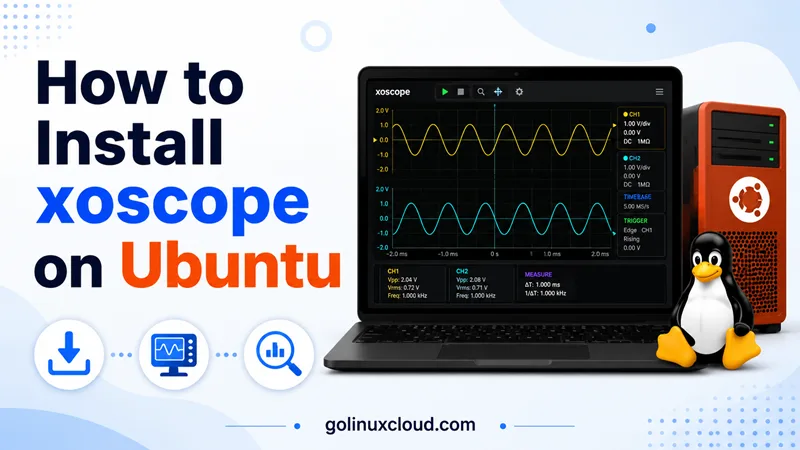
If you searched for install xscope on Ubuntu, you probably want xoscope—the open-source digital oscilloscope that plots waveforms from your ALSA sound card or from COMEDI data-acquisition hardware. That is not the legacy X11 xscope network monitor, and it is not the unrelated xscopeapp.com macOS utility.
This guide walks through every practical path to install xoscope on Ubuntu: the universe apt package (fastest), a from-source build with real compile output, and the Debian-packaged tree when you need COMEDI support on a current toolchain. I ran these steps on Ubuntu 25.04 and kept the terminal transcripts below so you can diff your machine. Where something broke—SourceForge 404, a missing m4, a COMEDI API mismatch—the fix is in the same section.
Tested on: Ubuntu 25.04 (Plucky Puffin); kernel 6.14.0-37-generic.
apt install xoscope with sudo make install leaves two binaries (/usr/bin/xoscope and /usr/local/bin/xoscope) and your shell may run the wrong one depending on PATH.
Quick command summary
| Task | Command |
|---|---|
| Check apt candidate | apt-cache policy xoscope |
| Install from universe | sudo apt update && sudo apt install -y xoscope |
| Show CLI help / version line | xoscope -h |
| Download upstream source (Debian mirror) | curl -fsSLO https://deb.debian.org/debian/pool/main/x/xoscope/xoscope_2.3.orig.tar.gz |
| Build deps for source compile | sudo apt install -y build-essential m4 pkg-config libgtk-3-dev libgtkdatabox-dev libfftw3-dev libasound2-dev |
| Configure without COMEDI (sound card only) | cd xoscope-2.3 && ./configure --without-comedi && make -j"$(nproc)" |
Install source build to /usr/local |
sudo make install |
| Remove apt package | sudo apt purge -y xoscope |
What is xoscope?
xoscope is a GTK 3 oscilloscope for Linux. It displays up to eight channels, supports triggers, cursors, math on channels, and can save or reload capture sessions. Signal inputs include:
- ALSA — record from your sound card (left/right channels map to inputs A and B). This is the path most desktop users start with.
- COMEDI — industrial and hobby data-acquisition cards through the COMEDI driver stack.
- EsounD — optional legacy shared-audio path (usually disabled in modern builds).
The upstream project also ships hardware buffer plans under hardware/ for safely interfacing external circuits to a sound-card input—useful when you follow Gabotronics or similar sound-card oscilloscope tutorials.
On Ubuntu the packaged app is xoscope (with an o). The man page is xoscope(1); do not confuse it with xscope(1), which is an X11 utility for watching X server traffic.
Prerequisites
You need:
- Ubuntu 22.04 LTS, 24.04 LTS, or newer (including interim releases such as 25.04).
- universe enabled in APT (xoscope is not in
main). - For the GUI: a desktop session or X11/Wayland forwarding if you are on SSH.
- For apt install: sudo and network access to
archive.ubuntu.com. - For source build:
build-essential,m4, and the GTK/ALSA dev packages listed later. - Optional: membership in the
iocardgroup if you use COMEDI hardware that expects it (the Debian package creates the group).
Install xoscope on Ubuntu with apt
This is the route I recommend unless you are patching upstream or need a custom prefix.
Enable universe (if apt cannot find the package)
sudo add-apt-repository universe
sudo apt update
apt-cache policy xoscope
On my host before install:
xoscope:
  Candidate: 2.3-2
        500 http://archive.ubuntu.com/ubuntu plucky/universe amd64 Packages
If Candidate is (none), universe is still disabled or your mirror has not synced yet.
Install the package
sudo apt install -y xoscopeA reinstall on Ubuntu 25.04 looked like this:
Need to get 0 B/101 kB of archives.
Preparing to unpack .../xoscope_2.3-2_amd64.deb ...
Unpacking xoscope (2.3-2) ...
Setting up xoscope (2.3-2) ...
Processing triggers for desktop-file-utils (0.28-1) ...
Processing triggers for gnome-menus (3.36.0-1.1ubuntu3) ...
Processing triggers for man-db (2.13.0-1) ...
The package pulls in GTK 3, GtkDatabox, FFTW3, ALSA, and libcomedi runtime libraries. Installed files include /usr/bin/xoscope, /usr/share/applications/net.sourceforge.xoscope.desktop, and /usr/share/man/man1/xoscope.1.gz.
Verify the install
command -v xoscope
xoscope -h | head -6
dpkg -l xoscope/usr/bin/xoscope
usage: xoscope [options] [file]
Startup Options Description (defaults) version 2.3
-h this Help message and exit
-D <datasrc> select named data source (COMEDI/ALSA)
ii xoscope 2.3-2 amd64 digital oscilloscopexoscope --version is not a valid flag—the program prints invalid option for GNU-style long options. Use xoscope -h for the version line instead.
Launch from the applications menu (Xoscope) or run xoscope in a graphical session. Press ? inside the window for key help; see man xoscope for triggers, cursors, and file formats.
For everyday package management patterns, see apt command examples.
Install xoscope on Ubuntu from source
Build from source when you need /usr/local installs, you are hacking on xoscope itself, or you want to match a tarball while apt is pinned to an older revision.
Step 1: Download the source
The homepage at xoscope.sourceforge.net still documents the project, but the classic SourceForge tarball URL often 404s today:
curl -fsSL -I 'https://downloads.sourceforge.net/project/xoscope/xoscope/xoscope-2.3.tar.gz'HTTP/2 404Use the Debian orig tarball (same upstream 2.3 release Ubuntu packages):
mkdir -p ~/src && cd ~/src
curl -fsSLO https://deb.debian.org/debian/pool/main/x/xoscope/xoscope_2.3.orig.tar.gz
tar xzf xoscope_2.3.orig.tar.gz
cd xoscope-2.3
You should see configure, xoscope.c, README, and xoscope.png in that directory.
Step 2: Install build dependencies
sudo apt update
sudo apt install -y build-essential m4 pkg-config \
  libgtk-3-dev libgtkdatabox-dev libfftw3-dev libasound2-dev libcomedi-dev
m4 is easy to forget—the build generates xoscope.css with m4, and without it make stops immediately:
/bin/bash: line 1: m4: command not found
make[1]: *** [Makefile:990: xoscope.css] Error 127
Install m4 and rerun make.
Step 3: Configure and compile
Default ./configure enables both ALSA and COMEDI. On Ubuntu 25.04 with current libcomedi-dev, a plain build failed here:
comedi.c:480:15: error: too few arguments to function 'comedi_get_cmd_generic_timed'That is an API signature change in modern COMEDI—the upstream 2.3 configure script guesses the wrong arity.
Option A — sound-card-only build (simplest):
./configure --without-comedi
make -j"$(nproc)"
Configure ends with:
ALSA module:                    yes
        COMEDI module:
make should finish linking xoscope in the build directory. Check it:
./xoscope -h | head -4usage: xoscope [options] [file]
Startup Options Description (defaults) version 2.3
-h this Help message and exitOption B — full COMEDI support with Debian patches:
Clone the Debian packaging tree (includes gcc14.patch for COMEDI detection) and build a .deb:
sudo apt install -y devscripts debhelper quilt
cd ~/src
git clone https://salsa.debian.org/electronics-team/xoscope.git
cd xoscope
dpkg-buildpackage -us -uc -b
sudo apt install -y ../xoscope_2.3-2_amd64.deb
That path produced xoscope_2.3-2_amd64.deb on my machine with COMEDI enabled—the same revision as Ubuntu universe.
Step 4: Install under /usr/local
sudo make installBy default the binary lands in /usr/local/bin/xoscope with a desktop file, AppStream metadata, icon, and man page under /usr/local/share/. To inspect without touching system paths:
make install DESTDIR=/tmp/xoscope-staging
find /tmp/xoscope-staging/usr/local -type f
Confirm your shell resolves the intended binary:
type -a xoscopeIf both /usr/bin and /usr/local/bin copies exist, /usr/local/bin usually wins when it appears earlier on PATH.
First run and signal sources
Start the GUI from a desktop session:
xoscopeUseful startup flags from xoscope -h:
| Flag | Purpose |
|---|---|
-D COMEDI or -D default |
Pick ALSA vs COMEDI backend |
-A <device> |
ALSA device name |
-s <scale> |
Time scale (for example 1/10 for 1 ms/div) |
-a <channel> |
Active channel 1–8 |
-t <trigger> |
Trigger level and mode |
Inside the app, the ? key opens interactive help. The Channel/Math menu exposes Perl-style expressions for runtime math on captured data.
For ALSA input, use your desktop sound settings or alsamixer to select the capture source (line-in vs microphone). External tutorials for Gabotronics and Raspberry Pi sound-card scopes apply the same Linux audio plumbing xoscope expects.
For COMEDI hardware, install the board driver stack, ensure /dev/comedi* nodes exist, and add your user to iocard if permissions require it (getent group iocard).
Uninstall xoscope
Apt install
sudo apt purge -y xoscope
sudo apt autoremove -y
See how to remove software on Ubuntu for purge vs remove and leftover rc config rows.
Source install (make install)
Upstream does not ship make uninstall. Remove the files make install copied:
sudo rm -f /usr/local/bin/xoscope
sudo rm -f /usr/local/share/man/man1/xoscope.1
sudo rm -f /usr/local/share/pixmaps/xoscope.png
sudo rm -f /usr/local/share/applications/net.sourceforge.xoscope.desktop
sudo rm -f /usr/local/share/metainfo/net.sourceforge.xoscope.appdata.xml
Or reinstall the apt package if you want Ubuntu to own /usr/bin/xoscope again.
Troubleshooting
| Symptom | Likely cause | Fix |
|---|---|---|
Unable to locate package xoscope |
universe disabled | sudo add-apt-repository universe && sudo apt update |
| SourceForge tarball 404 | Stale mirror URL | Download xoscope_2.3.orig.tar.gz from deb.debian.org |
m4: command not found during make |
Build dep missing | sudo apt install -y m4 |
comedi_get_cmd_generic_timed compile error |
COMEDI API drift | ./configure --without-comedi or Debian salsa build |
| Flat line, no signal | Wrong ALSA capture source | Select input in pavucontrol or alsamixer |
xoscope: invalid option -- '-' |
Used --version |
Run xoscope -h instead |
| Permission errors on COMEDI | Group/device ACL | Add user to iocard; check /dev/comedi* |
References
- xoscope on SourceForge
- xoscope man page (X11R7.5 archive)
- Debian xoscope source (Salsa)
- Launchpad xoscope package (Ubuntu)
- COMEDI project
Summary
On Ubuntu, install xoscope with sudo apt install xoscope after universe is enabled—version 2.3 on current releases, with ALSA and COMEDI backends in the prebuilt package. To install xoscope from source, fetch xoscope_2.3.orig.tar.gz from Debian (not the broken SourceForge link), install GTK/ALSA dev packages plus m4, and use ./configure --without-comedi unless you build from Debian’s patched tree for full COMEDI support. Check xoscope -h for the version line, launch the GUI in a desktop session, and pick the uninstall path that matches how you installed.