
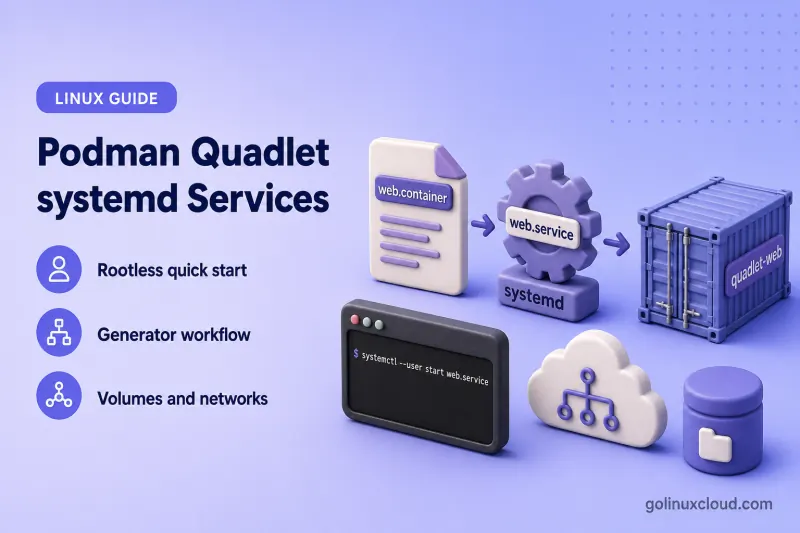
Podman Quadlet lets you define containers in small declarative files and run them as ordinary systemd services. You maintain a .container file, systemd generates name.service, and Podman creates the container when that service starts. This guide walks through a rootless nginx example on Rocky Linux 10.2, explains how the generator fits together, compares rootless and rootful paths, maps common podman run flags to Quadlet directives, and shows how to wire volumes, networks, and pods. Quadlet was integrated upstream into Podman 4.4; this RHEL-family guide uses Podman 4.6 or newer as the practical baseline. The podman quadlet install, list, print, and rm management commands are available in newer Podman 5 releases, including Podman 5.6 and later.
Tested on: Rocky Linux 10.2 (Red Quartz); Podman 5.8.2.
web.container), not the generated unit under the systemd generator output. After you change a Quadlet file, run daemon-reload and restart the generated service.
Prerequisites
- Podman 4.6 or newer for the core Quadlet generator workflow.
- Podman 5.6 or newer for the
podman quadlet install,list,print, andrmmanagement commands used in this article. - systemd with cgroup v2 (default on current RHEL-family releases).
- sudo command for rootful Quadlets,
loginctl enable-linger, and package installation when Podman is missing. - Outbound network access to pull container images.
Install Podman if it is not already present. Package installs on RHEL-family hosts use the dnf command. After install, confirm the version and review everyday container flags in the podman command reference.
sudo dnf install -y podmanCheck the version:
podman versionSample output:
Client:        Podman Engine
Version:       5.8.2
API Version:   5.8.2
Go Version:    go1.26.5 (Red Hat 1.26.5-1.el10_2)
Built:         Fri Jul 10 05:30:00 2026
OS/Arch:       linux/amd64
Confirm cgroup v2:
podman info --format '{{.Host.CgroupsVersion}}'Sample output:
2Quadlet requires cgroup v2. If you see 1, upgrade the host or migrate to a supported platform before relying on Quadlet. See limit CPU using cgroups for v1 versus v2 background on the host hierarchy.
Quick start a container with Quadlet
This quick start uses a small nginx container you can reach on port 8080. The example is rootless because that matches Podman’s default unprivileged workflow.
Create web.container:
[Unit]
Description=Web server managed by Podman Quadlet

[Container]
Image=docker.io/library/nginx:alpine
ContainerName=quadlet-web
PublishPort=8080:80

[Service]
Restart=on-failure

[Install]
WantedBy=default.target
The [Container] section holds Podman-specific settings. [Unit], [Service], and [Install] use normal systemd syntax — the same sections covered in our systemd tutorial for beginners.
Install the Quadlet for the current user when your host provides the Podman 5.6+ management commands:
podman quadlet install web.containerSample output:
/home/labuser/.config/containers/systemd/web.containerpodman quadlet install copies the file into the user Quadlet path and reloads the user systemd manager by default, so you can normally start web.service immediately after installation.
You can also place the file manually:
~/.config/containers/systemd/web.containerAfter a manual copy or a direct edit under ~/.config/containers/systemd/, reload the user manager so the generator picks up the change:
systemctl --user daemon-reloadStart the generated service:
systemctl --user start web.serviceCheck service state:
systemctl --user status web.serviceSample output:
● web.service - Web server managed by Podman Quadlet
     Loaded: loaded (/home/labuser/.config/containers/systemd/web.container; generated)
     Active: active (running)
   Main PID: 459189 (conmon)
     CGroup: /user.slice/user-15003.slice/[email protected]/app.slice/web.service
             ├─libpod-payload-...
             │ ├─459191 "nginx: master process nginx -g daemon off;"
             │ └─459221 "nginx: worker process"
             └─runtime
The Loaded: ... (generated) line confirms systemd created the unit from your Quadlet file.
Test the application with the curl command:
curl -s -o /dev/null -w "%{http_code}\n" http://127.0.0.1:8080Sample output:
200If you test from another machine on a firewalld-enabled host, open TCP 8080 in the zone first — see firewalld for firewall-cmd rules on published container ports.
List installed Quadlets:
podman quadlet listSample output on Podman 5.8.2; empty application and pod values appear as blank columns:
NAME           UNIT NAME    PATH ON DISK                                            STATUS          APPLICATION  POD
web.container  web.service  /home/labuser/.config/containers/systemd/web.container  active/running
Keep three names separate:
Quadlet source:    web.container
Generated unit:    web.service
Podman container:  quadlet-web
You maintain web.container. Do not edit the generated web.service unit by hand. To compare Quadlet output with a hand-written unit, see create systemd service in Linux.
Understand how Quadlet integrates Podman with systemd
Quadlet is a systemd generator, not a separate daemon. On daemon-reload and at boot, podman-system-generator reads Quadlet files and writes transient systemd units.
Each reload or boot pass turns your declarative .container file into a transient web.service unit whose ExecStart runs the equivalent podman run command. The generator output is not a file you edit by hand.
When web.service starts, systemd runs the Podman command the generator embedded in the unit. The generated service contains the Podman start, stop, and cleanup commands required to manage the container lifecycle.
| Approach | Status and use |
|---|---|
Quadlet files (.container, .volume, …) |
Preferred for new Podman and systemd deployments |
podman generate systemd |
Deprecated upstream; keep only for existing workflows |
Handwritten ExecStart=podman run units |
Possible, but you maintain lifecycle details yourself |
Kubernetes YAML with .kube |
Use when the workload already targets podman kube play |
Quadlet was integrated upstream into Podman 4.4. For this RHEL-family guide, use Podman 4.6 or newer as the practical baseline. The podman quadlet install, list, print, and rm management commands are available in newer Podman 5 releases, including Podman 5.6 and later.
Preview what the generator will produce:
/usr/lib/systemd/system-generators/podman-system-generator --user --dryrunSample output (trimmed):
quadlet-generator: Loading source unit file /home/labuser/.config/containers/systemd/web.container
---web.service---
[Unit]
Description=Web server managed by Podman Quadlet
SourcePath=/home/labuser/.config/containers/systemd/web.container

[X-Container]
Image=docker.io/library/nginx:alpine
ContainerName=quadlet-web
PublishPort=8080:80

[Service]
Restart=on-failure
ExecStart=/usr/bin/podman run ...

[Install]
WantedBy=default.target
The complete generated ExecStart, ExecStop, notification, and cleanup options vary by Podman release. Use the dry-run command or systemctl --user cat web.service to inspect the exact unit generated on your host.
Run the generator as the same user who owns the Quadlet files. Use --dryrun without --user only for rootful definitions under /etc/containers/systemd/.
Choose between rootless and rootful Quadlets
| Item | Rootless Quadlet | Rootful Quadlet |
|---|---|---|
| Typical owner | Regular Linux user | root |
| Primary persistent path | ~/.config/containers/systemd/ |
/etc/containers/systemd/ |
| Temporary path | $XDG_RUNTIME_DIR/containers/systemd/ |
/run/containers/systemd/ |
| Service command | systemctl --user |
systemctl |
| Logs | journalctl --user -u |
journalctl -u |
| Boot target | default.target |
multi-user.target |
| Storage | User Podman storage | Root Podman storage |
| Survives logout | Requires lingering | Independent of user login |
| Privileged ports/devices | More restricted | Available when configured |
For a rootless service that must start at boot and keep running after logout, treat the Quadlet like any other systemd service scoped to that user:
sudo loginctl enable-linger <username>Without lingering, the user systemd manager stops when the last session ends and rootless Quadlet services stop with it.
Inside vs outside the container: User= in [Container] selects the user inside the container. It does not turn a rootful Quadlet into a rootless one. Do not add systemd User= or DynamicUser= to a rootful Quadlet expecting unprivileged behavior. A rootless Quadlet must be installed and managed by that user’s systemd user manager.
Administrators can also supply rootless Quadlets globally for all users or specifically for one UID:
/etc/containers/systemd/users/
/etc/containers/systemd/users/<UID>/
/etc/containers/systemd/users/ applies definitions to all users. /etc/containers/systemd/users/<UID>/ targets one user.
Rootful equivalent
For a system service, change the boot target before you copy the file:
[Install]
WantedBy=multi-user.target
Then install and start the service. The rootless example already uses host port 8080. Stop it before starting the rootful equivalent, or change PublishPort to another unused host port:
systemctl --user stop web.servicesudo cp web.container /etc/containers/systemd/sudo systemctl daemon-reloadsudo systemctl start web.servicesudo systemctl status web.serviceUse journalctl -u web.service for logs.
Understand Quadlet file types and generated names
| Quadlet extension | Section | Purpose | Generated unit |
|---|---|---|---|
.container |
[Container] |
Run one container | name.service |
.pod |
[Pod] |
Manage a Podman pod | name-pod.service |
.volume |
[Volume] |
Create a named volume | name-volume.service |
.network |
[Network] |
Create a Podman network | name-network.service |
.image |
[Image] |
Pull or manage an image | name-image.service |
.build |
[Build] |
Build from a Containerfile | name-build.service |
.kube |
[Kube] |
Run Kubernetes YAML | name.service |
.artifact |
[Artifact] |
Pull OCI artifacts | name-artifact.service |
The tested Podman 5.8.2 release supports these file types. Older Podman versions may support fewer unit types or directives, so check man podman-systemd.unit on the target host before using newer entries such as .artifact.
Naming defaults:
web.container→web.serviceapp.network→app-network.servicedata.volume→data-volume.servicebackend.pod→backend-pod.service
Quadlet-created Podman resources often receive a systemd- prefix unless you set explicit names with ContainerName=, NetworkName=, or VolumeName=.
Podman 5.8 and newer can install multiple definitions from one .quadlets file. A .quadlets bundle is an installation format, not a generator unit type such as .container or .volume.
Convert podman run options into a .container file
Quadlet encodes the same options you would pass on the CLI. Start from a typical podman run command:
podman run \
  --name webapp \
  --publish 8080:80 \
  --env-file ./web.env \
  --volume ./html:/usr/share/nginx/html:Z \
  --restart on-failure \
  docker.io/library/nginx:alpine
Quadlet equivalent:
[Unit]
Description=Example web application

[Container]
Image=docker.io/library/nginx:alpine
ContainerName=webapp
PublishPort=8080:80
EnvironmentFile=./web.env
Volume=./html:/usr/share/nginx/html:Z

[Service]
Restart=on-failure
TimeoutStartSec=300

[Install]
WantedBy=default.target
podman run option |
Quadlet directive |
|---|---|
| Image argument | Image= |
--name |
ContainerName= |
| Command after the image | Exec= |
--publish |
PublishPort= |
--env |
Environment= |
--env-file |
EnvironmentFile= |
--volume |
Volume= |
--mount |
Mount= |
--network |
Network= |
--pod |
Pod= |
--secret |
Secret= |
--user |
User= |
--userns |
UserNS= |
--pull |
Pull= |
| Auto-update label | AutoUpdate= |
--health-cmd |
HealthCmd= |
--log-driver |
LogDriver= |
| Runtime restart behavior | [Service] Restart= |
Keep container settings in [Container]. Use [Unit], [Service], and [Install] for systemd behavior.
Prefer native Quadlet directives instead of hiding everything in PodmanArgs=. Dependencies and interactions inside unrestricted arguments are harder for Quadlet to model.
Relative EnvironmentFile= paths and Volume= source paths beginning with . resolve relative to the Quadlet file location. Absolute host paths and named-volume references are used as written.
When a Quadlet uses relative configuration files or bind-mount directories, install the complete application directory or copy those assets beside the installed Quadlet file. Installing only the .container file does not copy unrelated supporting files automatically. Bind mounts that fail on ownership often need a host chown command fix plus :z or :Z for SELinux context.
For Podman 5.8.2, the complete directory can be installed with:
podman quadlet install ./webapp/Podman 5.8 documentation confirms direct directory installation and .quadlets bundle support, while current releases require --application=<name> for a directory.
Manage Quadlets with Podman 5.6+ and systemd
On Podman 5.6 and later, these commands operate on Quadlet definitions for the current user:
| Command | What it shows or changes |
|---|---|
podman quadlet install |
Copies a definition into the current user’s Quadlet search path |
podman quadlet list |
Shows installed Quadlet definitions and generated-service state |
podman quadlet print |
Displays the installed Quadlet source, not the complete generated service |
podman quadlet rm |
Removes an installed Quadlet definition |
Install a definition:
podman quadlet install web.containerList installed Quadlets:
podman quadlet listDisplay the installed Quadlet source:
podman quadlet print web.containerTo inspect the generated systemd unit instead, use:
systemctl --user cat web.servicepodman quadlet print shows the .container file Podman installed. systemctl --user cat shows the transient unit the generator created.
Stop the generated service before removing its Quadlet source:
systemctl --user stop web.servicepodman quadlet rm web.containerSample output:
web.containerAlternative — remove a running Quadlet directly:
podman quadlet rm --force web.container--force permits removal of running Quadlets. podman quadlet rm reloads the user systemd manager by default. Use --recursive when removing an entire application by name.
Application-directory syntax differs between Podman releases. On the tested Podman 5.8.2 release, install a directory directly:
podman quadlet install ./webapp/Newer Podman releases require an explicit application name:
podman quadlet install --application=webapp ./webapp/Check the syntax supported by the installed version:
podman quadlet install --helpThis preserves both the tested workflow and future compatibility.
Service lifecycle (rootless)
Start, restart, and inspect with the user manager. The systemctl command covers daemon-reload, start, and status for both user and system scopes:
systemctl --user start web.servicesystemctl --user restart web.servicesystemctl --user stop web.servicesystemctl --user status web.serviceView logs with the journalctl command:
journalctl --user -u web.serviceService lifecycle (rootful)
sudo systemctl start web.servicesudo systemctl status web.servicesudo journalctl -u web.serviceEnablement and updates
Generated Quadlet services are transient generator output. Do not depend on systemctl enable web.service. Put boot wiring in the Quadlet file:
[Install]
WantedBy=default.target
Use WantedBy=multi-user.target for rootful system services. The generator applies supported [Install] directives when it creates the unit.
After you edit a Quadlet file:
- Save the
.containersource. - Run
systemctl --user daemon-reloadorsudo systemctl daemon-reload. - Restart the generated service.
- Confirm with
podman quadlet list,systemctl status, andpodman ps— the ps command helps verify container PIDs on the host.
Connect containers to Quadlet volumes, networks, and pods
Use separate Quadlet files when you want Podman to create dependencies automatically.
app.network:
[Network]
NetworkName=quadlet-appapp-data.volume:
[Volume]
VolumeName=quadlet-app-dataapp.container:
[Unit]
Description=Container with Quadlet-managed dependencies

[Container]
Image=docker.io/library/nginx:alpine
ContainerName=quadlet-app
Network=app.network
Volume=app-data.volume:/usr/share/nginx/html
PublishPort=8081:80

[Service]
Restart=on-failure

[Install]
WantedBy=default.target
This example uses host port 8081 so it can run alongside the quick-start web.service on port 8080.
Referencing app.network and app-data.volume tells Quadlet to:
- Find the matching Quadlet definitions
- Use the generated Podman resource names
- Add systemd dependencies so the network and volume start before the container
Quadlet turns each referenced .network and .volume file into its own generated service (app-network.service, app-data-volume.service) and wires them ahead of app.service. You do not need separate After= or Requires= lines for those references.
Resulting unit names:
app.network       → app-network.service
app-data.volume   → app-data-volume.service
app.container     → app.service
Do not add redundant After= and Requires= lines when Quadlet references already create those relationships.
For pods, reference the pod Quadlet from a container:
[Container]
Pod=backend.pod
That wires the container to backend-pod.service.
Quadlet adds network-readiness dependencies automatically. Rootful services wait for network-online.target, while rootless services use podman-user-wait-network-online.service. Add explicit [Unit] relationships only for application-specific dependencies beyond Quadlet’s default network handling.
Install all three files into the same Quadlet search path, run daemon-reload, then start app.service.
Configure boot, restart, health, logs, and image updates
| Requirement | Configuration |
|---|---|
| Start during boot | [Install] WantedBy= |
| Restart after process failure | [Service] Restart= |
| Wait longer for image pulls | [Service] TimeoutStartSec= |
| Container health check | HealthCmd= and related directives |
| Delay readiness until healthy | Notify=healthy |
| Journal logging | LogDriver=journald |
| Update from a registry | AutoUpdate=registry |
| Restart after local image change | AutoUpdate=local |
Set LogDriver=journald when you want container stdout and stderr in the journal; how systemd-journald stores logs on RHEL-family hosts explains where those entries land.
Health-aware example for the nginx container used in this guide:
[Container]
HealthCmd=wget -q -O /dev/null http://127.0.0.1/
HealthInterval=30s
HealthRetries=3
Notify=healthy
Health checks run inside the container, so use the container port rather than the published host port. In this example, nginx listens on port 80 inside the container even though Quadlet publishes it as port 8080 on the host.
Notify=healthy keeps the systemd service in its startup phase until Podman marks the container healthy, so an invalid health command can eventually cause a service startup timeout.
Verify the health state:
podman inspect --format '{{.State.Health.Status}}' quadlet-webSample output:
healthyImage pulls can exceed systemd’s default startup window. Pre-pull the image or raise the timeout:
[Service]
TimeoutStartSec=900
Registry auto-update example:
[Container]
Image=quay.io/example/application:stable
AutoUpdate=registry
Enable the auto-update timer for rootless services:
systemctl --user enable --now podman-auto-update.timerUse the system timer for rootful containers. AutoUpdate=registry requires a fully qualified image reference.
Dry-run auto-update before enabling the timer:
podman auto-update --dry-runDetailed update policy and rollback belong in a dedicated Podman auto-update article.
After enabling lingering or rootful [Install] targets, reboot once to confirm the service starts without a manual systemctl start.
Troubleshoot Quadlet and systemd failures
When a published port fails to bind, confirm nothing else owns the socket with the ss command before you change PublishPort.
Start with version and platform checks:
podman versionpodman quadlet --helpInspect installed Quadlets and the generated unit:
podman quadlet listsystemctl --user cat web.servicesystemctl --user status web.servicejournalctl --user -u web.service --no-pager -n 30Generator dry-run (rootless):
/usr/lib/systemd/system-generators/podman-system-generator --user --dryrunRootful definitions:
sudo /usr/lib/systemd/system-generators/podman-system-generator --dryrunIf a directive is invalid, the generator reports it and skips the file:
quadlet-generator: converting "bad.container": unsupported key 'BadDirective' in group 'Container' in /home/labuser/.config/containers/systemd/bad.container
quadlet-generator: processing encountered some errors
Validate the generated unit:
systemd-analyze --user --generators=true verify web.service| Symptom | Likely cause | Direction |
|---|---|---|
Unit web.service not found |
Wrong search path, invalid directive, or missing reload | Run the generator in dry-run mode |
podman quadlet is unknown |
Podman predates the 5.6 management subcommands | Place files manually or upgrade Podman |
Quadlet shows Not loaded |
systemd has not regenerated units | Run the appropriate daemon-reload |
| Rootless service stops after logout | Lingering disabled | sudo loginctl enable-linger <username> |
| Service does not start at boot | Missing or wrong [Install] target |
Add WantedBy=default.target or multi-user.target |
systemctl enable fails |
Generated services are transient | Configure [Install] in the Quadlet file |
| Image pull times out | Startup timeout too short | Pre-pull the image or raise TimeoutStartSec |
| Port cannot be published | Port in use or rootless restriction | Inspect sockets and host port choice |
| Bind mount permission denied | Ownership, user namespace, or SELinux label | Check :z / :Z and host permissions |
| Named network or volume missing | Referenced .network or .volume not found |
Verify filenames and search paths |
| Container has unexpected name | Default systemd- prefix applied |
Set ContainerName= or inspect generated unit |
| Changes do not appear | No reload or restart after edit | daemon-reload and restart the service |
| Auto-update finds no container | Image not fully qualified or no policy | Check Image= and AutoUpdate= |
| Rootless and rootful differ | Separate storage and systemd managers | Match podman and systemctl privilege level |
References
- Podman: systemd units using Quadlet
- Podman: Container Quadlet reference
- Podman: Manage Quadlets
- Podman: Install a Quadlet
- Podman: List installed Quadlets
- Podman: Remove installed Quadlets
- Podman: Automatically update containers
- Podman: Deprecated generate systemd command
- RHEL 10: Porting containers to systemd using Podman
Summary
Define containers in Quadlet files such as web.container, install them under ~/.config/containers/systemd/ or with podman quadlet install on Podman 5.6+, and manage the generated web.service unit with systemctl --user. Enable boot persistence with [Install] WantedBy= and loginctl enable-linger for rootless hosts. Map podman run flags to [Container] directives, reference .network and .volume files for dependencies, and use podman-system-generator --dryrun when a service fails to appear.
