
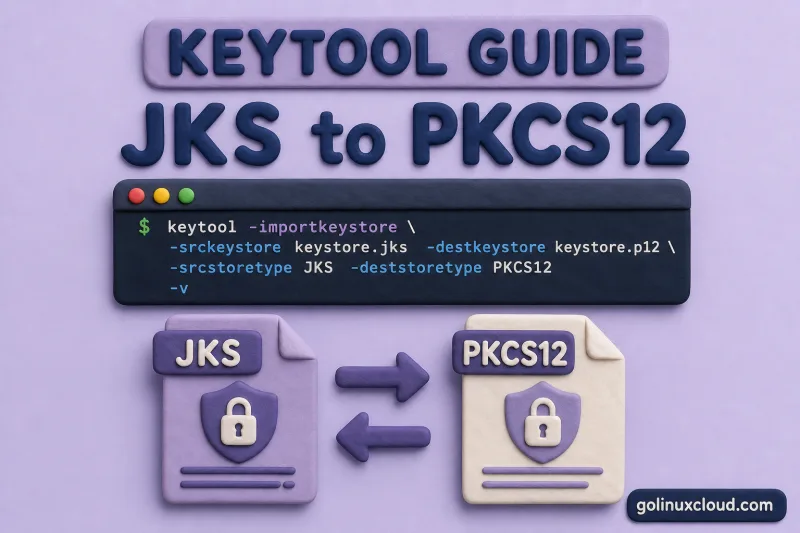
Legacy Java deployments still use JKS (.jks) keystores, while modern stacks, OpenSSL, and cloud load balancers expect PKCS12 (.p12). keytool does not ship a convert subcommand — you use -importkeystore to copy every entry from one store type into another. The same command works in both directions.
This guide walks through PKCS12 → JKS and JKS → PKCS12 conversion on Ubuntu with OpenJDK 25, explains the proprietary-format warning, and ties the default store type to JEP 229.
Tested on: Ubuntu 26.04 LTS; OpenJDK 25.0.3; kernel 7.0.0-27-generic.
Prerequisites
keytoolfrom OpenJDK 8+ (-importkeystoreis available in all supported releases).- Source keystore file and password.
- Backup of the original file before in-place conversion.
Install the CLI with Install keytool on Ubuntu if needed. For importing vendor PKCS12 files without conversion, see Import PKCS12/PFX into Java keystore.
JKS vs PKCS12 at a glance
| Format | Extension | Standard | OpenJDK default (9+) | Interop |
|---|---|---|---|---|
| JKS | .jks |
Sun proprietary | No | Java-centric, legacy |
| PKCS12 | .p12, .pfx |
RFC 7292 | Yes (JEP 229) | OpenSSL, browsers, Java |
Prefer PKCS12 for new work. Convert to JKS only when an old config hard-codes keystoreType="JKS" or a library rejects PKCS12.
Lab setup
Build a PKCS12 source, then import it into JKS so both formats exist for the conversion steps below. You will convert in both directions from these two files.
Generate cert material, export PKCS12, and create the JKS copy:
mkdir -p /tmp/keytool-lab && cd /tmp/keytool-lab

openssl req -x509 -newkey rsa:2048 \
  -keyout server.key -out server.crt \
  -days 365 -nodes -subj "/CN=lab.example.com"

openssl pkcs12 -export \
  -inkey server.key -in server.crt \
  -out server.p12 -name pem-right \
  -passout pass:changeit

keytool -importkeystore \
  -srckeystore server.p12 -srcstoretype PKCS12 -srcstorepass changeit \
  -destkeystore from-pkcs12.jks -deststoretype JKS -deststorepass changeit \
  -noprompt
from-pkcs12.jks is the JKS copy; server.p12 remains the PKCS12 original.
Convert PKCS12 to JKS
Point -srcstoretype at PKCS12 and -deststoretype at JKS. Use this path only when legacy tooling insists on .jks.
Confirm the PKCS12 source before you convert — check store type, alias, entry type, and fingerprint:
keytool -list -v -keystore server.p12 -storetype PKCS12 -storepass changeitKeystore type: PKCS12
Alias name: pem-right
Entry type: PrivateKeyEntry
Certificate chain length: 1
Certificate fingerprints:
SHA256: 5F:04:D5:97:A7:FD:89:E4:8B:7C:EA:96:57:BE:4B:56:1A:CA:9C:CD:29:81:5F:D2:E0:BB:44:0E:E5:E7:EB:84Copy server.p12 into a new JKS file legacy.jks:
keytool -importkeystore \
  -srckeystore server.p12 -srcstoretype PKCS12 -srcstorepass changeit \
  -destkeystore legacy.jks -deststoretype JKS -deststorepass changeit \
  -noprompt
The success line confirms the private key and certificate moved; the JKS warning is informational:
Importing keystore server.p12 to legacy.jks...
Entry for alias pem-right successfully imported.
Import command completed:  1 entries successfully imported, 0 entries failed or cancelled

Warning:
The JKS keystore uses a proprietary format. It is recommended to migrate to PKCS12 which is an industry standard format using "keytool -importkeystore -srckeystore legacy.jks -destkeystore legacy.jks -deststoretype pkcs12".
List the destination keystore and confirm store type and entry type:
keytool -list -v -keystore legacy.jks -storetype JKS -storepass changeitThe destination should report JKS and still show PrivateKeyEntry:
Keystore type: JKS
Alias name: pem-right
Entry type: PrivateKeyEntry
Certificate chain length: 1
Convert JKS to PKCS12
Reverse the store types — this is the migration path most teams need today. The destination file is standard PKCS12 with no proprietary-format warning.
List the JKS source first so you know the aliases, entry types, and fingerprint before migration:
keytool -list -v -keystore from-pkcs12.jks -storetype JKS -storepass changeitKeystore type: JKS
Alias name: pem-right
Entry type: PrivateKeyEntry
Certificate chain length: 1
Certificate fingerprints:
SHA256: 5F:04:D5:97:A7:FD:89:E4:8B:7C:EA:96:57:BE:4B:56:1A:CA:9C:CD:29:81:5F:D2:E0:BB:44:0E:E5:E7:EB:84Import from the lab JKS file into converted.p12:
keytool -importkeystore \
  -srckeystore from-pkcs12.jks -srcstoretype JKS -srcstorepass changeit \
  -destkeystore converted.p12 -deststoretype PKCS12 -deststorepass changeit \
  -noprompt
All entries copy when import reports zero failures:
Importing keystore from-pkcs12.jks to converted.p12...
Entry for alias pem-right successfully imported.
Import command completed: 1 entries successfully imported, 0 entries failed or cancelledkeytool may prompt for the source key password during import. For non-interactive migration, test the conversion in a terminal first, then document the required source store and key passwords before automating it.
-keypasswd is JKS-only — see Change alias, password, delete.
List the PKCS12 output — no JKS warning on the destination:
keytool -list -keystore converted.p12 -storetype PKCS12 -storepass changeitConfirm Keystore type: PKCS12 and the same alias fingerprint as the source:
Keystore type: PKCS12
Keystore provider: SUN

Your keystore contains 1 entry

pem-right, Jul 2, 2026, PrivateKeyEntry,
Certificate fingerprint (SHA-256): 5F:04:D5:97:A7:FD:89:E4:8B:7C:EA:96:57:BE:4B:56:1A:CA:9C:CD:29:81:5F:D2:E0:BB:44:0E:E5:E7:EB:84
The SHA-256 fingerprint matches the JKS source — only the container format changed. Point your server config at the PKCS12 file:
server.ssl.key-store=file:/etc/tls/converted.p12
server.ssl.key-store-password=changeit
server.ssl.key-store-type=PKCS12
server.ssl.key-alias=pem-right
Tomcat connector fragment:
<Certificate
    certificateKeystoreFile="/etc/tls/converted.p12"
    certificateKeystorePassword="changeit"
    certificateKeystoreType="PKCS12"
    certificateKeyAlias="pem-right" />
For full Spring Boot and Tomcat HTTPS setup, see Spring Boot HTTPS with keytool and Tomcat SSL with keytool.
In-place JKS to PKCS12 (same filename)
To replace a .jks file without keeping two copies, use the same path for -srckeystore and -destkeystore. Back up first — keytool rewrites the file in place.
Copy the JKS file, then convert with identical source and destination paths:
cp from-pkcs12.jks from-pkcs12.jks.bak

keytool -importkeystore \
  -srckeystore from-pkcs12.jks -srcstoretype JKS -srcstorepass changeit \
  -destkeystore from-pkcs12.jks -deststoretype PKCS12 -deststorepass changeit \
  -noprompt
keytool rewrites the file as PKCS12. Keep the .bak until the application starts cleanly with keystoreType="PKCS12".
PKCS12, pkcs12, JKS, and jks are accepted case-insensitively by keytool; this guide uses uppercase for readability.
Convert keystores with multiple aliases
-importkeystore copies all entries when you omit -srcalias. For large keystores, list source aliases first so you know what will land in the destination.
Inspect the JKS source before a bulk conversion:
keytool -list -keystore from-pkcs12.jks -storetype JKS -storepass changeitIf the destination keystore already contains an alias with the same name, convert into a new empty file or use -srcalias with -destalias to control each entry. Avoid bulk importing into a production keystore until you have listed both source and destination aliases.
If only some aliases should move, repeat -importkeystore with -srcalias and -destalias per entry, or delete unwanted aliases from the destination afterward with keytool -delete.
JEP 229: why PKCS12 is the default
Before Java 9, keytool -genkeypair created JKS by default. JEP 229 switched the default to PKCS12 while keeping JKS readable for migration. That is why new keystores show Keystore type: PKCS12 without extra flags, and why touching JKS triggers the proprietary-format warning.
.p12, and drop keystoreType="JKS" from server configs when possible.
Troubleshooting
| Symptom | Likely cause | Fix |
|---|---|---|
0 entries successfully imported |
Wrong -srcstoretype |
Match PKCS12 vs JKS to the actual file |
| Destination alias already exists | Destination keystore already has the same alias | Convert into a new file, delete/rename the destination alias, or use -srcalias and -destalias |
| Password errors on source vs dest | Different passwords required | Set -srcstorepass and -deststorepass explicitly |
| Lost private key after convert | Source was truststore only | Source must contain PrivateKeyEntry; see keystore vs truststore |
| Tomcat fails after PKCS12 migrate | Still configured for JKS | Set keystoreType="PKCS12" and update file extension in config |
References
- keytool — Java SE 25 documentation
- JEP 229: Create PKCS12 Keystores by Default
- PKCS #12 — RFC 7292
- On-site: keytool cheat sheet, Import PKCS12/PFX, Export certificate PEM/DER
Summary
Use keytool -importkeystore for both directions: set -srcstoretype and -deststoretype to JKS or PKCS12 as needed. PKCS12 → JKS succeeds with a proprietary-format warning; JKS → PKCS12 is the recommended migration. OpenJDK has defaulted to PKCS12 since Java 9 (JEP 229). After any conversion, run keytool -list -v and confirm PrivateKeyEntry on every identity alias.
