
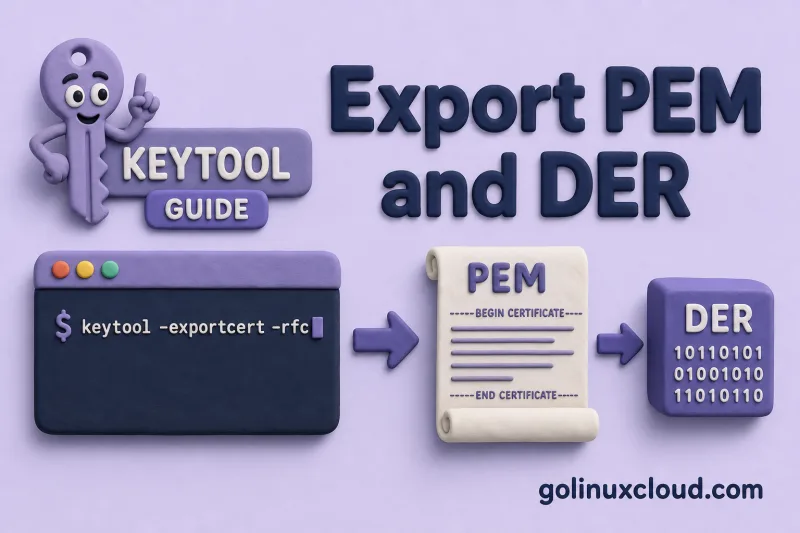
You need the public certificate from a Java keystore — to install on a load balancer, share with a partner for trust configuration, or debug TLS — without exposing the private key. keytool -exportcert extracts the X.509 certificate for one alias. The -rfc flag chooses between PEM (text) and DER (binary); the command never exports private key material.
This guide uses a JKS keystore first so you can see the proprietary-format warning, then repeats the same export from PKCS12, the modern default on Java 9+. Both formats are verified with keytool -printcert and the file utility.
Tested on: Ubuntu 26.04 LTS; OpenJDK 25.0.3; kernel 7.0.0-27-generic.
Prerequisites
keytoolinstalled (Install keytool on Ubuntu).- A keystore containing the alias you want to export.
- The keystore password.
For keystore entry types and when you need the private key instead, see Java keystore vs truststore.
PEM vs DER quick reference
| Format | keytool flag |
File content | Typical use |
|---|---|---|---|
| DER | (default, no -rfc) |
Binary ASN.1 | Java trust imports, Windows .cer |
| PEM | -rfc |
Base64 with BEGIN CERTIFICATE |
nginx, Apache, curl, email |
Both encode the same X.509 certificate. Only the encoding differs.
Lab setup: keystore with one alias
Build a small JKS keystore with one PrivateKeyEntry so the export commands have a real alias to read. The private key stays in the store — only the public certificate is written to disk later.
Generate a self-signed cert, pack it into PKCS12, then import into JKS:
mkdir -p /tmp/keytool-lab && cd /tmp/keytool-lab

openssl req -x509 -newkey rsa:2048 \
  -keyout server.key -out server.crt \
  -days 365 -nodes -subj "/CN=lab.example.com"

openssl pkcs12 -export \
  -inkey server.key -in server.crt \
  -out server.p12 -name pem-right \
  -passout pass:changeit

keytool -importkeystore \
  -srckeystore server.p12 -srcstoretype PKCS12 -srcstorepass changeit \
  -destkeystore correct.jks -deststoretype JKS -deststorepass changeit \
  -noprompt
Alias pem-right lives in correct.jks. List aliases if you are unsure of the exact name:
keytool -list -keystore correct.jks -storetype JKS -storepass changeitThe listing should show a PrivateKeyEntry for the alias you will export:
pem-right, Jul 2, 2026, PrivateKeyEntry,-exportcert reads the certificate attached to that alias; it does not write the private key.
Export certificate as DER (binary)
DER is the default when you omit -rfc. Use it when the next tool expects binary ASN.1 — Java trust imports, Windows .cer files, or APIs that reject PEM text.
Run -exportcert without -rfc and write the output to exported.der:
keytool -exportcert -alias pem-right \
  -keystore correct.jks -storetype JKS -storepass changeit \
  -file exported.der
A successful export prints the destination path:
Certificate stored in file <exported.der>

Warning:
The JKS keystore uses a proprietary format. It is recommended to migrate to PKCS12 which is an industry standard format using "keytool -importkeystore -srckeystore correct.jks -destkeystore correct.jks -deststoretype pkcs12".
The JKS warning comes from reading a JKS keystore, not from the export itself. The certificate file is ready even when that warning appears.
Confirm the file is binary DER, not PEM text:
file exported.derfile should report an X.509 certificate object, not ASCII text:
exported.der: Certificate, Version=3That output means you have raw DER suitable for keytool -importcert without -rfc.
Export certificate as PEM (text)
PEM wraps the same X.509 certificate in Base64 with BEGIN CERTIFICATE headers. Add -rfc when nginx, Apache, curl, or a ticket system expects pasteable text.
Re-run the export with -rfc and a .pem filename:
keytool -exportcert -alias pem-right \
  -keystore correct.jks -storetype JKS -storepass changeit \
  -rfc -file exported.pem
keytool confirms the PEM file path:
Certificate stored in file <exported.pem>Inspect the first lines to confirm RFC 7468 armor:
head -3 exported.pemYou should see the standard PEM header followed by Base64 payload:
-----BEGIN CERTIFICATE-----
MIIDFTCCAf2gAwIBAgIUNCHVeZoU1kvSm8yqM6tpe0c6FKUwDQYJKoZIhvcNAQEL
BQAwGjEYMBYGA1UEAwwPbGFiLmV4YW1wbGUuY29tMB4XDTI2MDcwMjE1MjEwM1oX
PEM is safe to paste into configs that expect BEGIN CERTIFICATE blocks.
Verify exported certificates
Before handing a file to a load balancer or partner, confirm the subject, validity, and fingerprint match the keystore entry you intended to export.
DER with keytool -printcert
keytool -printcert reads DER and PEM without extra flags. Run it on the binary export:
keytool -printcert -file exported.derThe printed owner and SHA-256 fingerprint should match keytool -list -v on correct.jks:
Owner: CN=lab.example.com
Issuer: CN=lab.example.com
Serial number: 3421d5799a14d64bd29bccaa33ab697b473a14a5
Valid from: Thu Jul 02 20:51:03 IST 2026 until: Fri Jul 02 20:51:03 IST 2027
Certificate fingerprints:
	 SHA1: F0:D2:81:36:B3:57:E6:C3:C8:AF:4F:0C:5B:8D:5B:CB:26:B9:00:23
	 SHA256: EA:35:E5:DE:F1:BD:28:00:DB:D6:8D:2D:7C:4C:E8:4D:C3:69:D4:45:B6:49:FF:EE:F2:DB:BA:D4:96:B3:49:DF
Signature algorithm name: SHA256withRSA
Subject Public Key Algorithm: 2048-bit RSA key
Version: 3
keytool -printcert accepts both DER and PEM files. Compare the SHA-256 fingerprint against the keystore entry:
keytool -list -v \
  -keystore correct.jks \
  -storetype JKS \
  -storepass changeit \
-alias pem-right | grep SHA256SHA256: EA:35:E5:DE:F1:BD:28:00:DB:D6:8D:2D:7C:4C:E8:4D:C3:69:D4:45:B6:49:FF:EE:F2:DB:BA:D4:96:B3:49:DFkeytool -printcert -file exported.pem | grep SHA256SHA256: EA:35:E5:DE:F1:BD:28:00:DB:D6:8D:2D:7C:4C:E8:4D:C3:69:D4:45:B6:49:FF:EE:F2:DB:BA:D4:96:B3:49:DFMatching fingerprints confirm you exported the right alias.
DER with OpenSSL (optional)
When the downstream step is OpenSSL, pass -inform DER for binary exports:
openssl x509 -in exported.der -inform DER -text -noout | head -10Certificate:
Data:
Version: 3 (0x2)
Serial Number:
34:21:d5:79:9a:14:d6:4b:d2:9b:cc:aa:33:ab:69:7b:47:3a:14:a5
Signature Algorithm: sha256WithRSAEncryption
Issuer: CN=lab.example.com
Validity
Not Before: Jul 2 15:21:03 2026 GMT
Not After : Jul 2 15:21:03 2027 GMTPEM with OpenSSL (optional)
When the downstream step is OpenSSL or nginx, the same certificate parses cleanly from PEM:
openssl x509 -in exported.pem -text -noout | head -10The subject and issuer lines should match the keytool -printcert output for the same alias.
Export from PKCS12 keystores
The same -exportcert syntax works when the keystore type is PKCS12 (default on Java 9+):
keytool -exportcert -alias pem-right \
  -keystore server.p12 -storetype PKCS12 -storepass changeit \
  -rfc -file from-pkcs12.pem
No JKS proprietary warning when the source is already PKCS12. See Import PKCS12/PFX for loading vendor bundles.
Import exported cert into another truststore
An exported public certificate is enough for trust configuration — import it with -importcert, not -importkeystore. Either PEM or DER works as the -file argument.
Import the PEM export into a new PKCS12 truststore:
keytool -importcert -alias lab-example \
  -file exported.pem \
  -keystore trust.p12 -storetype PKCS12 -storepass changeit \
  -noprompt
That creates trustedCertEntry — correct for truststores, not for server identity. Identity requires PrivateKeyEntry; see Import PEM cert and private key.
Export a full certificate chain
keytool -exportcert is best for exporting the certificate associated with one alias. For a PrivateKeyEntry, this is usually the leaf/server certificate.
If the alias has a certificate chain and you need all PEM blocks, use -list -rfc:
keytool -list -rfc \
  -alias pem-right \
  -keystore server.p12 \
  -storetype PKCS12 \
  -storepass changeit > chain-output.txt
Extract the -----BEGIN CERTIFICATE----- blocks from the output if the downstream tool needs a clean chain file.
For PKCS12 files, OpenSSL can also export certificates without private keys:
openssl pkcs12 -in server.p12 -nokeys -out chain.pem -passin pass:changeitIf you only want CA certificates from the PKCS12 file, add -cacerts:
openssl pkcs12 -in server.p12 -nokeys -cacerts -out ca-chain.pem -passin pass:changeitIf root or intermediate certificates exist as separate trustedCertEntry aliases, you can export those aliases separately with keytool -exportcert -rfc.
Troubleshooting
| Symptom | Likely cause | Fix |
|---|---|---|
alias does not exist |
Wrong alias name | Run keytool -list and copy exact alias |
| PEM file looks like one long line | Missing newlines from copy/paste | Re-export with -rfc or use openssl x509 to re-PEM |
exported.der opens as text gibberish |
DER is binary — expected | Use -rfc for PEM or keytool -printcert -file |
openssl x509 cannot read exported.der |
OpenSSL assumed PEM input | Add -inform DER |
| Partner needs full chain | Single -exportcert exports one cert per alias |
Use keytool -list -rfc, openssl pkcs12 -nokeys, or export separate trustedCertEntry aliases |
References
- keytool — Java SE 25 documentation
- RFC 7468 — PEM encoding
- X.509 certificate format — ITU-T X.509
- On-site: keytool cheat sheet, Java keystore vs truststore, Convert JKS and PKCS12
Summary
keytool -exportcert writes the public certificate for one alias. Without -rfc you get binary DER (file reports Certificate, Version=3); with -rfc you get PEM with BEGIN CERTIFICATE. Verify either file with keytool -printcert -file. The private key never leaves the keystore through -exportcert — use PKCS12 export when you need to move identity material.
