
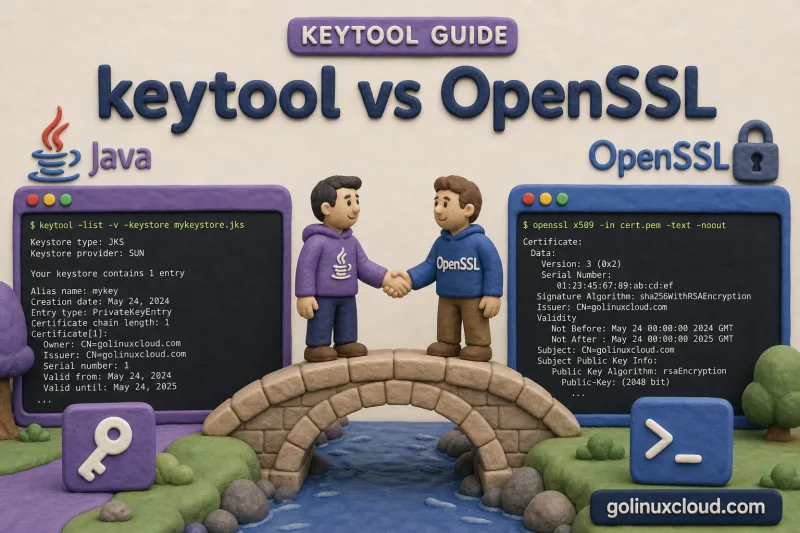
Linux administrators routinely touch both keytool (JDK keystore management) and openssl (PEM, CSR, and live TLS debugging). They overlap on PKCS12 and X.509 certificates but diverge on file formats, network inspection, and where the private key lives during a CA signing workflow.
This guide compares the two tools task by task — CSR generation, inspecting a remote certificate, PEM key handling, PKCS12 creation, Java keystore import, and chain debugging — so you reach for the right binary instead of fighting format conversions.
Tested on: Ubuntu 26.04 LTS; OpenJDK 25.0.3; OpenSSL 3.x; kernel 7.0.0-27-generic.
Quick comparison
Use this table when you know the task but not which binary to open. Both tools speak X.509; the difference is whether the deliverable is a Java keystore or PEM files on disk.
| Task | keytool | OpenSSL | Practical pick |
|---|---|---|---|
| Generate CSR from keystore entry | keytool -certreq -alias NAME |
openssl req -new -key key.pem |
keytool for Java-first workflows; OpenSSL when you already have PEM keys |
| Inspect remote TLS certificate | keytool -printcert -sslserver host:443 -v for basic certificate view |
openssl s_client -connect host:443 -servername host -showcerts |
OpenSSL for full live TLS debugging; keytool for quick Java-side certificate printing |
| Work with PEM private key / cert | Export with -exportcert -rfc; import with -importcert |
Native .pem / .crt / .key files |
OpenSSL for nginx/Apache; keytool for JVM stores |
| Create PKCS12 bundle | -genkeypair creates PKCS12 directly; -importkeystore converts |
openssl pkcs12 -export |
Either; keytool is simpler when starting from Java |
| Import into Java keystore | -importcert, -importkeystore, -genkeypair |
Build PKCS12 with openssl pkcs12, then keytool -list to verify |
keytool for import; OpenSSL to assemble PEM into PKCS12 |
| Debug TLS certificate chain | keytool -list -v (local chain length, issuer) |
openssl s_client -showcerts (live chain from server) |
OpenSSL for live handshake; keytool for what the JVM loads |
Install keytool with Install keytool on Ubuntu. For broader OpenSSL commands see the OpenSSL cheat sheet.
CSR generation
A certificate signing request (CSR) is what you upload to a CA. The tool you pick depends on where the private key already lives.
keytool: CSR from an existing keystore entry
The private key stays inside the keystore. Generate the key pair first, then export only the CSR file for your CA.
keytool -genkeypair -alias localhost -keyalg RSA -keysize 2048 -validity 365 \
  -storetype PKCS12 -keystore server.p12 -storepass changeit \
  -dname "CN=localhost, O=Demo, C=US" -noprompt

keytool -certreq -alias localhost -keystore server.p12 -storetype PKCS12 -storepass changeit -file localhost.csr
head -3 localhost.csr-----BEGIN NEW CERTIFICATE REQUEST-----
MIICpTCCAY0CAQAwMDELMAkGA1UEBhMCVVMxDTALBgNVBAoTBERlbW8xEjAQBgNV
BAMTCWxvY2FsaG9zdDCCASIwDQYJKoZIhvcNAQEBBQADggEPADCCAQoCggEBAMztThe PEM header confirms the CSR is valid. After the CA signs the certificate, import the reply with keytool -importcert (see keytool cheat sheet).
OpenSSL: CSR from a PEM private key
OpenSSL keeps the key and CSR as separate files on disk until you bundle them into PKCS12 or copy the signed cert back into Java.
openssl req -new -newkey rsa:2048 -nodes \
  -keyout localhost.key -out localhost.csr \
  -subj "/CN=localhost/O=Demo/C=US"

head -3 localhost.csr-----BEGIN CERTIFICATE REQUEST-----
MIICdTCCAV0CAQAwMDESMBAGA1UEAwwJbG9jYWxob3N0MQ0wCwYDVQQKDAREZW1v
MQswCQYDVQQGEwJVUzCCASIwDQYJKoZIhvcNAQEBBQADggEPADCCAQoCggEBAK/tUse OpenSSL when your CA portal expects PEM uploads or when nginx already has a .key file. Use keytool when Tomcat or Spring Boot will read a PKCS12 keystore and you want one fewer file to protect on disk.
Inspect a remote certificate
keytool can print a remote server certificate with -printcert -sslserver, but OpenSSL is more useful when you need handshake details, SNI behavior, verification errors, and the exact chain presented by the server.
Quick Java-side view of the leaf certificate:
keytool -printcert -sslserver www.google.com:443Certificate #0
====================================
Owner: CN=www.google.com
Issuer: CN=WE2, O=Google Trust Services, C=US
Serial number: 21698f5855a36d521249e4fffa486457
Valid from: Mon Jun 15 14:11:54 IST 2026 until: Mon Sep 07 14:11:53 IST 2026For full TLS debugging, pipe s_client into openssl x509:
echo | openssl s_client -connect www.google.com:443 -servername www.google.com 2>/dev/null \
  | openssl x509 -noout -subject -issuer -dates -fingerprint -sha256
The exact issuer, dates, and fingerprint change as the site rotates certificates; treat this as sample output:
subject=CN=www.google.com
issuer=C=US, O=Google Trust Services, CN=WE2
notBefore=Jun 15 08:41:54 2026 GMT
notAfter=Sep  7 08:41:53 2026 GMT
sha256 Fingerprint=07:AA:5B:E9:3B:FB:D2:D7:05:3B:EC:90:1F:4B:19:96:1D:ED:BE:69:3C:86:C7:01:DE:A3:AC:3C:75:A1:BE:92
The fingerprint is what you compare against a cert stored in a keystore. Add -showcerts on the s_client side to dump the full chain the server sends. Compare the leaf fingerprint to what you have locally with keytool -list -v (see list and inspect keystore entries).
PEM key and certificate handling
PEM is the lingua franca on Linux web servers. Java stores prefer PKCS12 or JKS, but keytool can import and export PEM when you bridge the two worlds.
| Need | OpenSSL | keytool |
|---|---|---|
| Generate RSA key + self-signed cert as PEM | openssl req -x509 -newkey rsa:2048 -nodes ... |
keytool -genkeypair, then keytool -exportcert -rfc |
| View a PEM certificate | openssl x509 -in cert.pem -noout -text |
keytool -printcert -file cert.pem |
| Verify key matches cert | Compare public-key hashes: openssl x509 -in cert.pem -pubkey -noout | openssl sha256 and openssl pkey -in key.pem -pubout | openssl sha256 |
Export the keystore cert first with keytool -exportcert -rfc, then compare the public-key hash with OpenSSL |
| Convert PEM cert into truststore | Not the right tool for Java truststore import | keytool -importcert -alias ca -file ca.pem -keystore trust.p12 -storetype PKCS12 |
To confirm a keystore entry round-trips to PEM, export the cert and parse it with OpenSSL:
keytool -exportcert -alias localhost -keystore server.p12 -storetype PKCS12 -storepass changeit -rfc -file localhost.pem
openssl x509 -in localhost.pem -noout -subjectsubject=C=US, O=Demo, CN=localhostOpenSSL owns day-to-day PEM file workflows on Linux. keytool bridges PEM files into Java keystores and truststores.
PKCS12 creation
PKCS12 (.p12) is the format Tomcat, Spring Boot, and modern keytool default to. You can create it natively in Java or assemble it from PEM with OpenSSL.
keytool: PKCS12 from the start
Modern JDK defaults to PKCS12. A single command creates the store with the private key inside — no loose .key file on disk:
keytool -genkeypair -alias server -keyalg RSA -keysize 2048 -validity 365 \
  -storetype PKCS12 -keystore server.p12 -storepass changeit \
  -dname "CN=server.example.com, O=Demo, C=US" -noprompt

keytool -list -keystore server.p12 -storetype PKCS12 -storepass changeitKeystore type: PKCS12
Your keystore contains 1 entry
server, Jul 2, 2026, PrivateKeyEntry,The PrivateKeyEntry line means Spring Boot or Tomcat can load this file directly as a server keystore.
OpenSSL: PKCS12 from PEM key and certificate
When your CA delivered separate .crt and .key files (typical for nginx), bundle them for Java:
openssl pkcs12 -export -inkey localhost.key -in signed.crt \
  -out bundle.p12 -name localhost -passout pass:changeit

keytool -list -keystore bundle.p12 -storetype PKCS12 -storepass changeitKeystore type: PKCS12
Your keystore contains 1 entry
localhost, Jul 2, 2026, PrivateKeyEntry,The certificate and private key must be a matching pair — OpenSSL rejects mismatched modulus. If keytool -list fails with keystore password was incorrect, check -passout matches the password you pass to Java.
To migrate legacy JKS files, convert in place with importkeystore:
keytool -importkeystore -srckeystore old.jks -destkeystore new.p12 \
  -deststoretype PKCS12 -srcstorepass changeit -deststorepass changeit -noprompt

keytool -list -keystore new.p12 -storetype PKCS12 -storepass changeit | head -5Keystore type: PKCS12
Your keystore contains 1 entry
myalias, Jul 2, 2026, PrivateKeyEntry,Alias names and entry types carry over from the source JKS.
See also Create PKCS12 from CRT and KEY for an OpenSSL-focused walkthrough.
Java keystore import
Once you have PEM or PKCS12 material from OpenSSL or a CA portal, keytool is the native tool for populating Java keystores and truststores. OpenSSL does not understand JKS alias namespaces.
| Operation | Command |
|---|---|
| Import CA / peer cert (truststore) | keytool -importcert -alias ca -file ca.pem -keystore trust.p12 -storetype PKCS12 -storepass PASS -noprompt |
| Import signed server cert reply | keytool -importcert -alias localhost -file signed.crt -keystore server.p12 -storetype PKCS12 -storepass PASS |
| Import PKCS12 from OpenSSL | Use the .p12 directly, or copy entries with keytool -importkeystore |
| Convert JKS → PKCS12 | keytool -importkeystore -srckeystore old.jks -destkeystore new.p12 -deststoretype PKCS12 ... |
A quick truststore import from a PEM CA file looks like this:
keytool -importcert -alias lab-ca -file ca.pem \
  -keystore trust.p12 -storetype PKCS12 -storepass changeit -noprompt
keytool -list -keystore trust.p12 -storetype PKCS12 -storepass changeitKeystore type: PKCS12
Your keystore contains 1 entry
lab-ca, Jul 2, 2026, trustedCertEntry,trustedCertEntry means the JVM will trust TLS servers that chain to this CA. OpenSSL produces the PEM; keytool owns the Java-side import, alias rename (change alias guide), and optional merge into cacerts.
Chain debugging
Chain problems show up as handshake failures on the wire or as PKIX path building failed inside Java. Use OpenSSL against the live host first, then keytool against the file your JVM loads.
OpenSSL: live handshake and chain presentation
Point s_client at the hostname clients use (SNI matters on shared IPs):
echo | openssl s_client -connect www.google.com:443 -servername www.google.com -showcerts 2>&1 | tail -8---
No client certificate CA names sent
Peer signing digest: SHA256
Peer signature type: ECDSA
Server Temp Key: X25519, 253 bits
---
SSL handshake has read 3801 bytes and written 1620 bytes
Verification: OK
Verify return code: 0 (ok)Verify return code: 0 (ok) means OpenSSL built a trusted path with its default CA bundle. Non-zero codes such as unable to get local issuer certificate or self-signed certificate in certificate chain tell you the server omitted an intermediate or the client trust store is incomplete.
keytool: what the JVM will load locally
List the keystore your app actually reads — not what you think is on disk:
keytool -list -v -keystore server.p12 -storetype PKCS12 -storepass changeit 2>&1 | grep -E 'Alias name:|Entry type:|Certificate chain length:'Alias name: https
Entry type: PrivateKeyEntry
Certificate chain length: 2Certificate chain length: 1 on a production server often means intermediate CA certificates are missing from the keystore. Import intermediates as trustedCertEntry before the signed server reply, or include them in the CA bundle you import.
Combine both tools: use s_client to capture what the remote host presents, then fix your local store with keytool -importcert until keytool -list -v shows the full chain. For PKIX errors in Java clients see keystore vs truststore.
When to use which tool
Pick keytool when the runtime is Java and the artifact is a keystore or truststore file:
- Tomcat, Jetty, Spring Boot, or a custom JSSE app reads a
.p12or.jksfile - You manage keystore vs truststore roles inside the JVM
- You want the private key generated inside the store without a loose PEM on disk
Pick OpenSSL when the runtime is PEM-centric or you need wire-level TLS debugging:
- nginx, Apache, HAProxy, or system services expect PEM files
- You need to inspect a remote TLS endpoint (
s_client) - You operate a private CA with
openssl caor need CRL/OCSP tooling - You debug handshake or chain issues against a live host
Many teams use OpenSSL through the CA signing step, then openssl pkcs12 -export or keytool -importkeystore for the Java deployment artifact.
References
- keytool — Java SE 21 documentation
- openssl — Ubuntu man page
- On-site: keytool cheat sheet, OpenSSL cheat sheet, PKI concepts
Summary
keytool and OpenSSL both handle X.509 certificates and PKCS12, but they optimize for different runtimes. Use keytool for Java keystore lifecycle (generate, CSR, import, list, alias management). Use OpenSSL for PEM workflows, live remote inspection with s_client, and TLS chain debugging on the wire. keytool -printcert -sslserver can print certificates from a remote TLS server, but OpenSSL remains the better tool for handshake and chain diagnostics.
