
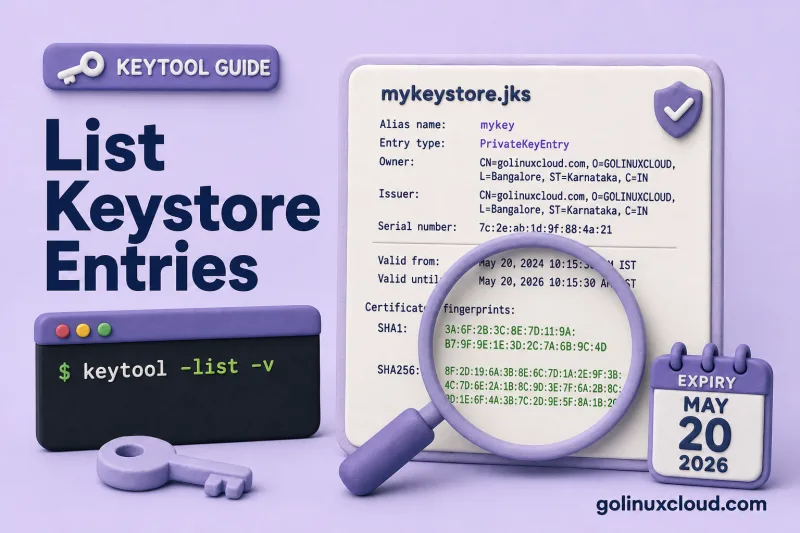
Before you rotate a TLS certificate or debug a PKIX error, you need to know what is already inside the keystore: alias names, whether each entry is a private key or a trusted cert, when certificates expire, and which DNS names the SAN covers. Oracle keytool answers all of that with keytool -list and keytool -list -v.
This guide walks through listing PKCS12 keystores on Ubuntu, reading alias and entry type, pulling SHA-256 fingerprints, checking expiry dates and Subject Alternative Names, and scripting a quick audit for certificates that will expire soon. Every command below was run against a two-entry demo keystore.
Tested on: Ubuntu 26.04 LTS; OpenJDK 25.0.3; kernel 7.0.0-27-generic.
Prerequisites
You need keytool and a keystore file to inspect. The lab commands below create a two-entry PKCS12 store you can reuse for every example in this guide.
keytoolon your PATH. See Install keytool on Ubuntu if the shell reports command not found.- A keystore file (PKCS12
.p12is the default on modern JDKs). This lab usesdemo.p12with passwordchangeit. - Optional: keytool cheat sheet for related import and export commands.
Create the lab keystore if you want to follow along. The first entry expires in 90 days; the second in 400 days — useful when testing expiry scripts later:
keytool -genkeypair -alias localhost -keyalg RSA -keysize 2048 -validity 90 \
  -storetype PKCS12 -keystore demo.p12 -storepass changeit \
  -dname "CN=localhost, O=Demo, C=US" \
  -ext "SAN=dns:localhost,dns:app.example.com,ip:127.0.0.1" -noprompt

keytool -genkeypair -alias api-server -keyalg RSA -keysize 2048 -validity 400 \
  -storetype PKCS12 -keystore demo.p12 -storepass changeit \
  -dname "CN=api.example.com, O=Demo, C=US" \
  -ext "SAN=dns:api.example.com" -noprompt

keytool -list -keystore demo.p12 -storetype PKCS12 -storepass changeitKeystore type: PKCS12
Your keystore contains 2 entries
api-server, Jul 2, 2026, PrivateKeyEntry,
Certificate fingerprint (SHA-256): ...
localhost, Jul 2, 2026, PrivateKeyEntry,
Certificate fingerprint (SHA-256): ...Both aliases should appear as PrivateKeyEntry before you proceed.
List all entries (brief view)
The default list mode is the fastest inventory check before you edit aliases or import a signed certificate.
keytool -list -keystore demo.p12 -storetype PKCS12 -storepass changeitKeystore type: PKCS12
Keystore provider: SUN
Your keystore contains 2 entries
api-server, Jul 2, 2026, PrivateKeyEntry,
Certificate fingerprint (SHA-256): BF:E5:C3:DE:A7:80:CB:94:C8:88:8F:95:D9:10:D4:B5:10:3B:A9:0B:D8:D2:1A:6F:60:32:89:6A:7F:D6:E8:9E
localhost, Jul 2, 2026, PrivateKeyEntry,
Certificate fingerprint (SHA-256): 9B:94:65:09:A6:4E:0F:B7:D4:22:C3:14:7C:99:3B:C5:8D:E1:75:E8:2D:EE:90:C5:28:D3:C3:EE:6F:77:FE:72Each line tells you the alias, keystore insertion date, entry type, and SHA-256 fingerprint. For large keystores, start with the brief list and copy the alias exactly before running -list -v -alias NAME. PrivateKeyEntry means a private key plus its certificate chain — the usual HTTPS server identity. trustedCertEntry appears when you import a CA or peer certificate without a private key (common in truststores; see keystore vs truststore).
Inspect one entry with verbose list
Add -v when you need certificate fields Tomcat, Spring Boot, or your security team will ask about.
keytool -list -v -alias localhost -keystore demo.p12 -storetype PKCS12 -storepass changeitAlias name: localhost
Creation date: Jul 2, 2026
Entry type: PrivateKeyEntry
Certificate chain length: 1
Certificate[1]:
Owner: CN=localhost, O=Demo, C=US
Issuer: CN=localhost, O=Demo, C=US
Serial number: 175d7baaf8055cfd
Valid from: Thu Jul 02 21:43:05 IST 2026 until: Wed Sep 30 21:43:05 IST 2026
Certificate fingerprints:
SHA1: 32:7D:A5:89:D4:7C:A5:EB:AC:96:DB:F8:C7:2C:B3:F6:FF:4C:8A:56
SHA256: 9B:94:65:09:A6:4E:0F:B7:D4:22:C3:14:7C:99:3B:C5:8D:E1:75:E8:2D:EE:90:C5:28:D3:C3:EE:6F:77:FE:72
Signature algorithm name: SHA384withRSA
Subject Public Key Algorithm: 2048-bit RSA key
Version: 3
Extensions:
#1: ObjectId: 2.5.29.17 Criticality=false
SubjectAlternativeName [
DNSName: localhost
DNSName: app.example.com
IPAddress: 127.0.0.1
]The fields you will reference most often:
| Field | Where it appears | Why it matters |
|---|---|---|
| Alias name | Top of each entry block | Must match framework-specific alias settings, such as Spring Boot server.ssl.key-alias or Tomcat certificateKeyAlias |
| Entry type | Below alias | PrivateKeyEntry = identity; trustedCertEntry = trust anchor only |
| SHA256 fingerprint | Under Certificate fingerprints | Pinning, audit logs, matching a cert to an external CA portal |
| Valid from / until | Validity lines | Renewal planning and monitoring |
| SubjectAlternativeName | Extensions section | Browsers require SAN for HTTPS hostnames |
List every entry verbosely when you are auditing the whole file:
keytool -list -v -keystore demo.p12 -storetype PKCS12 -storepass changeitThe full output repeats the block above for each alias, separated by ******************************************* lines. Scroll to the Extensions: section on each entry when you need SAN or key usage details.
Read expiry dates across the keystore
Renewal planning starts on the until: date in verbose mode. The localhost entry above expires on Wed Sep 30 21:43:05 IST 2026 (90-day validity). The api-server entry in the same file has a 400-day validity and expires in 2027.
For a flat report without scrolling, pipe verbose output through awk:
keytool -list -v -keystore demo.p12 -storetype PKCS12 -storepass changeit 2>/dev/null | awk '
/^Alias name:/ {
  alias=$0
  sub(/^Alias name: /,"",alias)
}
/^Valid from:/ {
  line=$0
  sub(/^Valid from: /,"",line)
  split(line, parts, " until: ")
  print alias, "expires:", parts[2]
}
'api-server expires: Fri Aug 06 21:43:07 IST 2027
localhost expires: Wed Sep 30 21:43:05 IST 2026This prints each alias with its certificate expiry date — the value after until: in the verbose output.
keytool prints dates in the JVM default timezone (IST on this host). Compare against date in the same timezone when scheduling renewals.
Check SHA-256 fingerprints
Fingerprints identify a certificate independently of its filename. The brief -list output already shows SHA-256. In verbose mode both SHA-1 and SHA-256 appear under Certificate fingerprints:.
Export the cert to PEM and ask OpenSSL for the same SHA-256 value to confirm the keystore entry matches an external file:
keytool -exportcert -alias localhost \
  -keystore demo.p12 \
  -storetype PKCS12 \
  -storepass changeit \
  -rfc -file localhost.pem
openssl x509 -in localhost.pem -noout -fingerprint -sha256sha256 Fingerprint=9B:94:65:09:A6:4E:0F:B7:D4:22:C3:14:7C:99:3B:C5:8D:E1:75:E8:2D:EE:90:C5:28:D3:C3:EE:6F:77:FE:72The colon-separated SHA-256 value should match the keytool -list line for that alias. OpenSSL may print sha256 Fingerprint= with an equals sign; compare only the hex digits.
Troubleshooting
These errors appear when the password, alias, or certificate content does not match what you expect:
| Symptom | Likely cause | Fix |
|---|---|---|
keytool error: java.io.IOException: keystore password was incorrect |
Wrong -storepass |
Confirm the password in your deployment config or secret store |
keytool error: java.lang.Exception: Alias <name> does not exist |
Typo in -alias |
Run keytool -list without -alias to see valid names |
| Empty keystore / 0 entries | Wrong file path or empty store | Check -keystore path; create or import entries first |
No SAN block in -v output |
Certificate signed without SAN extension | Re-issue with -ext SAN=dns:... at generation or CSR signing time |
Certificate chain length: 1 but you expected intermediates |
The alias still has only the leaf/self-signed certificate, or the CA reply was imported without chain | Import the CA reply on the original PrivateKeyEntry alias and ensure intermediates are included or present in the keystore; see Import certificate chain |
References
- keytool — Java SE 21 documentation
- On-site: keytool cheat sheet, Install keytool on Ubuntu, Change alias and delete entries
Summary
Use keytool -list for a quick alias, entry-type, and SHA-256 fingerprint inventory. Add -v (and optionally -alias NAME) to read expiry dates, issuer details, and Subject Alternative Names. Pipe keytool -list -v through awk on Alias name: and Valid from: lines to print alias and expiry date pairs for a scriptable audit across every entry in a PKCS12 keystore.
