
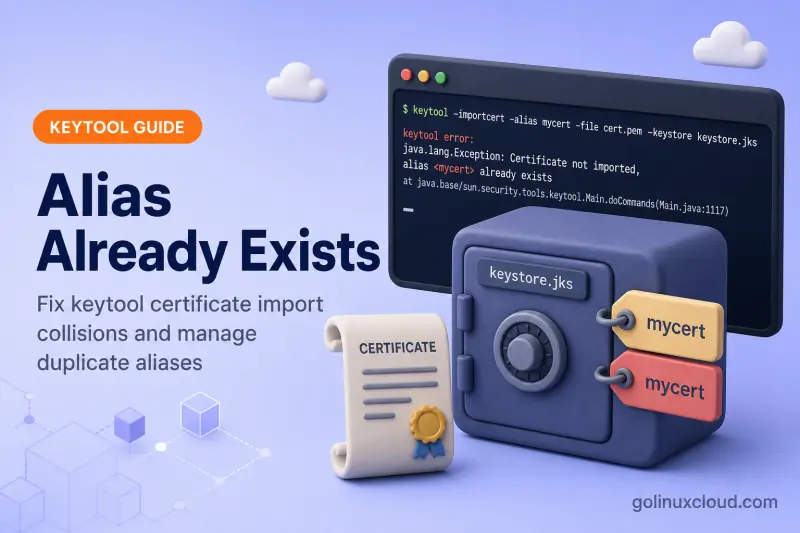
You run keytool -importcert to add a CA certificate, renew an expired trust entry, or follow a vendor script — and keytool stops with Certificate not imported, alias already exists. The certificate file is usually fine; the alias name is already occupied in that keystore.
Use the table below to jump to the cause that fits your situation. Each section explains what happened and how to fix it safely. To list aliases first, see List and inspect keystore entries.
Tested on: Ubuntu 26.04 LTS; OpenJDK 25.0.3; kernel 7.0.0-27-generic.
What the error actually means
Each keystore entry is keyed by a unique alias. When -importcert targets an alias that is not an existing PrivateKeyEntry waiting for a signed reply, keytool tries to create a new trustedCertEntry. If that alias name is already in use, import is rejected:
keytool error: java.lang.Exception: Certificate not imported, alias <lab-ca> already existsOracle's keytool rules distinguish two cases:
| Alias state | What -importcert expects |
|---|---|
| Alias does not exist | Add a new trustedCertEntry — alias must be unique |
Alias is a PrivateKeyEntry from a CSR |
Import a certificate reply onto that alias — not a unrelated trusted cert |
This guide focuses on the first case: a trusted certificate alias collision. If the alias holds a private key and you see a different message, see Public keys mismatch instead.
Quick pre-check
Before deleting anything, confirm which keystore and alias you are touching:
keytool -list -v -keystore /path/to/keystore.p12 -storetype PKCS12 -storepass PASSNote the entry type for your alias:
| Entry type | Meaning |
|---|---|
trustedCertEntry |
Public certificate only — safe to delete and re-import for renewal |
PrivateKeyEntry |
Identity key pair — do not delete if you only meant to renew a CA trust cert on another alias |
Find your cause
| Likely cause | Clues | Go to |
|---|---|---|
| Re-importing the same trusted cert | Cert renewal script re-runs the original -importcert |
Renewal on same alias |
Default mykey collision |
No -alias on the command; second import fails on mykey |
Default mykey alias |
| Wrong keystore file | Deleted alias in one file; import targets cacerts or another path |
Wrong keystore path |
| Duplicate import in automation | CI or install script runs import twice | Script ran import twice |
| Need a second copy of the cert | Same CA cert, different consumer | Import under a new alias |
| Not a trusted-cert collision | Alias has PrivateKeyEntry; different error text |
Wrong workflow for PrivateKeyEntry |
Renewing a trusted certificate on the same alias
The usual renewal mistake: the original -importcert succeeded years ago, the certificate expired, and the same command is run again with the updated PEM file. keytool does not overwrite trustedCertEntry aliases.
First import succeeds:
Certificate was added to keystoreSecond import on the same alias fails:
keytool error: java.lang.Exception: Certificate not imported, alias <lab-ca> already existsFix — delete the old trusted entry, then import the new certificate:
keytool -delete -alias lab-ca -keystore trust.p12 -storetype PKCS12 \
  -storepass changeit -noprompt

keytool -importcert -alias lab-ca -file new-ca.pem \
-keystore trust.p12 -storetype PKCS12 -storepass changeit -nopromptCertificate was added to keystoreBack up the keystore before -delete on production trust stores. For system cacerts, see Import certificate into Java cacerts on Linux.
Default mykey alias collision
When you omit -alias, keytool defaults to mykey:
keytool -importcert -file ca.pem -keystore trust.p12 -storetype PKCS12 \
-storepass changeit -nopromptCertificate was added to keystoreA second import without -alias targets mykey again:
keytool error: java.lang.Exception: Certificate not imported, alias <mykey> already existsFix by passing an explicit, unique alias that matches your application:
keytool -importcert -alias third_party_ca -file ca.pem \
  -keystore trust.p12 -storetype PKCS12 -storepass changeit -noprompt
Check Spring Boot server.ssl.key-alias, Tomcat certificateKeyAlias, and custom truststore docs for the alias name they expect.
Wrong keystore file
You deleted the alias in custom-trust.p12 but the import command still points at /etc/ssl/certs/java/cacerts, or the opposite. The alias still exists in the file you are actually importing into.
List the keystore on your import command line:
keytool -list -keystore /exact/path/from/import/command -storepass PASSIf the alias still appears, delete it from that same file:
keytool -delete -alias initcert -keystore /exact/path/from/import/command \
  -storepass PASS -noprompt
Then re-run -importcert with the same -keystore path.
Automation or script ran import twice
Install scripts and configuration management often run keytool -importcert on every deploy. The first run succeeds; the second is idempotency failure.
Options:
- Guard the script —
keytool -list -alias NAME ...and skip import when the alias exists and the fingerprint matches. For a full Bash script with backup, fingerprint checks, andflock, see Automate keytool certificate import in Bash. - Delete then import — acceptable for trusted CAs when you intentionally refresh the cert.
- Import once manually — remove duplicate import lines from the script after the entry exists.
Compare fingerprints before deleting:
keytool -list -alias lab-ca -keystore trust.p12 -storetype PKCS12 -storepass changeit
keytool -printcert -file new-ca.pem
If SHA-256 fingerprints match, the cert is already present — no import needed.
Import under a new alias instead
When you need the same CA certificate twice (different trust policies or migration), keep the old alias and import under a new name:
keytool -importcert -alias lab-ca-v2 -file ca.pem \
-keystore trust.p12 -storetype PKCS12 -storepass changeit -nopromptCertificate was added to keystoreList both entries:
lab-ca, Jul 3, 2026, trustedCertEntry,
lab-ca-v2, Jul 3, 2026, trustedCertEntry,
To rename instead of duplicating, use keytool -changealias — see Change alias, password, and delete entries.
Not a trusted-cert collision
If the alias already holds a PrivateKeyEntry, -importcert with an unrelated CA file does not produce alias already exists. keytool treats it as a certificate reply and may report:
keytool error: java.lang.Exception: Public keys in reply and keystore don't matchThat means you are on the identity / CSR reply path, not a simple trusted-cert import. Import the signed server certificate onto the CSR alias, or pick an empty alias for a standalone trusted CA.
| Goal | Command pattern |
|---|---|
| Trust a new CA | Empty alias + -importcert (this guide) |
| Install CA-signed server cert | Existing CSR PrivateKeyEntry alias + signed reply file |
| Renew server TLS identity | Same CSR alias + new signed reply — not delete + trusted import |
Quick lab reproduction
In a throwaway directory:
mkdir -p ~/alias-lab && cd ~/alias-lab
openssl req -x509 -newkey rsa:2048 -out ca.pem -days 1 -nodes -subj "/CN=Lab CA" 2>/dev/null

keytool -importcert -alias lab-ca -file ca.pem \
  -keystore trust.p12 -storetype PKCS12 -storepass changeit -noprompt

keytool -importcert -alias lab-ca -file ca.pem \
  -keystore trust.p12 -storetype PKCS12 -storepass changeit -noprompt
Expected failure:
keytool error: java.lang.Exception: Certificate not imported, alias <lab-ca> already existsSafe fix:
keytool -delete -alias lab-ca -keystore trust.p12 -storetype PKCS12 \
  -storepass changeit -noprompt

keytool -importcert -alias lab-ca -file ca.pem \
  -keystore trust.p12 -storetype PKCS12 -storepass changeit -noprompt
Distinguish from other keytool errors
| Error | Meaning | Guide |
|---|---|---|
Certificate not imported, alias already exists |
Trusted-cert alias name collision | This page |
Failed to establish chain from reply |
Reply valid; issuer CA missing | Chain from reply |
Input not an X.509 certificate |
Bad certificate file format | Input not X.509 |
Keystore was tampered with, or password was incorrect |
Wrong store password | Keystore tampered |
References
Summary
Certificate not imported, alias already exists means the alias name is already used for a trustedCertEntry in that keystore. Start with the cause table: list entries with keytool -list, delete or rename the old alias when renewing a trusted CA, pass an explicit -alias instead of defaulting to mykey, and confirm you are importing into the same keystore file you edited.
