
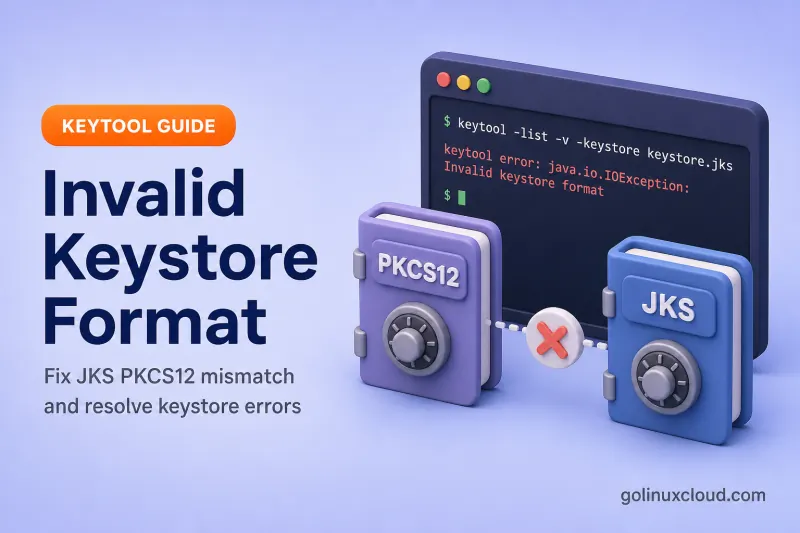
You run keytool -list, import a certificate, or start Tomcat — and Java stops with Invalid keystore format or Unrecognized keystore format. The password may be fine; Java simply cannot parse the file as the keystore type in your command or application config.
Use the table below to jump to the cause that fits your file and JDK version. Each section reproduces the failure on Ubuntu with OpenJDK 25 and shows the fix in the same place. If the error mentions tampered or password incorrect instead, see Keystore tampered or password incorrect.
Tested on: Ubuntu 26.04 LTS; OpenJDK 25.0.3; kernel 7.0.0-27-generic.
Prerequisites
- OpenJDK with
keytool— Install keytool on Ubuntu — see keytool command. opensslwhen you need to build PKCS12 from PEM sources (OpenSSL).
What the error actually means
A Java keystore is a binary container (PKCS12 or JKS) that holds private keys and certificates. Invalid keystore format and Unrecognized keystore format mean the bytes on disk do not match what Java expected:
| Message | Typical trigger |
|---|---|
java.io.IOException: Invalid keystore format |
Explicit -storetype JKS (or JCEKS) on a non-JKS file such as PEM or PKCS12 with a loader that rejects the bytes |
KeyStoreException: Unrecognized keystore format. Please load it with a specified type |
No -storetype; keytool cannot auto-detect the file (PEM cert, text placeholder, garbage) |
Keystore file exists, but is empty |
Zero-byte file at the path |
toDerInputStream rejects tag type 45 |
PEM text opened with -storetype PKCS12 (tag 45 is the - in -----BEGIN) |
parseAlgParameters failed / Integrity check failed |
PKCS12 encrypted with algorithms an older JDK cannot parse |
NoSuchAlgorithmException during keystore load |
Same PKCS12 algorithm mismatch on an older runtime |
This is a container/format problem, not trust (PKIX) and not a missing CA chain (chain from reply).
Quick pre-check
Before changing passwords, confirm the path points at a real keystore:
ls -la /path/to/keystore
file /path/to/keystore
head -3 /path/to/keystore
file output |
Meaning |
|---|---|
Java KeyStore |
Likely JKS — use -storetype JKS if auto-detect fails |
data |
Often PKCS12 — try -storetype PKCS12 |
PEM certificate |
Certificate file, not a keystore |
ASCII text |
Wrong file (readme, script output, HTML) |
empty |
Zero-byte path — recreate the keystore |
Probe with keytool using the type that matches the extension and how the file was created:
keytool -list -keystore /path/to/store.p12 -storetype PKCS12 -storepass PASS
keytool -list -keystore /path/to/store.jks -storetype JKS -storepass PASS
If one storetype works and the other fails, your application must use the same type.
Find your cause
| Likely cause | Clues | Go to |
|---|---|---|
| PKCS12 opened as JKS | .p12 file; Tomcat missing keystoreType; Java 8 default |
PKCS12 opened as JKS |
| JKS opened as PKCS12 | Legacy .jks file; app assumes PKCS12 or omits store type |
JKS opened as PKCS12 |
| Certificate PEM used as keystore | file shows PEM; path ends in .crt or .pem |
Certificate file not keystore |
| Empty keystore path | file reports empty; deploy created a placeholder |
Empty file |
| Truncated or corrupt binary | Copy interrupted; EOFException with explicit PKCS12 |
Corrupt file |
| PKCS12 algorithm mismatch | CI on JDK 16+; production on Java 8 or older 11 | JDK algorithm mismatch |
| App storetype differs from keytool | keytool -list works; Tomcat/Spring still fails |
App hard-codes storetype |
| Password issue instead | Correct type; wrong password | Not a format error |
PKCS12 file opened as JKS
Classic Tomcat and Stack Overflow scenario: a valid .p12 exists, but Java loads it as JKS.
On OpenJDK 8 and many apps that default to JKS, this fails:
keytool -list -keystore server.p12 -storetype JKS -storepass changeitkeytool error: java.io.IOException: Invalid keystore formatFix — pass PKCS12 explicitly:
keytool -list -keystore server.p12 -storetype PKCS12 -storepass changeitKeystore type: PKCS12
Your keystore contains 1 entryOn OpenJDK 9 and later, keytool defaults to PKCS12 and may auto-detect some cross-type probes. Do not rely on that in production — set the type in every command and in server config.
Tomcat server.xml:
keystoreFile="/path/to/server.p12"
keystorePass="PASS"
keystoreType="PKCS12"
For newer Tomcat Certificate configuration, set the equivalent certificateKeystoreType="PKCS12" when using that style. See Configure Tomcat SSL with keytool.
Spring Boot:
server.ssl.key-store=classpath:server.p12
server.ssl.key-store-password=PASS
server.ssl.key-store-type=PKCS12
Convert legacy JKS to PKCS12 when standardizing:
keytool -importkeystore \
  -srckeystore server.jks -srcstoretype JKS -srcstorepass OLD \
  -destkeystore server.p12 -deststoretype PKCS12 -deststorepass NEW -noprompt
See Convert JKS to PKCS12 for a full walkthrough.
JKS file opened as PKCS12
Since Java 9, PKCS12 is the default keystore type for new files. Legacy deployments still use .jks files created with -storetype JKS. If a newer app, framework, or custom code assumes PKCS12 while the file is actually JKS, loading can fail with a format or parse error — especially on older runtimes that do not auto-probe formats.
Probe both types on the file you have:
keytool -list -keystore server.jks -storetype JKS -storepass PASS
keytool -list -keystore server.jks -storetype PKCS12 -storepass PASS
When the file is true JKS, the JKS command succeeds. On OpenJDK 25, the PKCS12 probe may also succeed because the provider auto-detects the container — do not treat that as proof your production JVM will accept PKCS12. Align the application with the type that matches how the file was created.
If JKS is the match, set the app accordingly:
| Layer | Setting |
|---|---|
| Tomcat | keystoreType="JKS" (or certificateKeystoreType="JKS" on newer Certificate config) |
| Spring Boot | server.ssl.key-store-type=JKS |
| Java code | KeyStore.getInstance("JKS") |
Prefer converting to PKCS12 for new deployments — see Convert JKS to PKCS12.
Certificate PEM or CRT used as keystore
Vendor scripts and quick fixes sometimes point javax.net.ssl.keyStore at cert.pem, fullchain.pem, or a downloaded .crt. That is a certificate, not a keystore container.
Export a cert from a valid keystore for testing:
keytool -genkeypair -alias server -keyalg RSA -keysize 2048 -validity 365 \
  -dname "CN=lab" -keystore good.p12 -storetype PKCS12 -storepass changeit -noprompt

keytool -exportcert -alias server -keystore good.p12 -storetype PKCS12 \
  -storepass changeit -rfc -file server.pem
Point keytool -list at the PEM:
keytool -list -keystore server.pem -storepass changeitkeytool error: java.security.KeyStoreException: Unrecognized keystore format. Please load it with a specified typeWith an explicit wrong type, the message changes to Invalid keystore format — the fix is the same: PEM files are certificates, not keystores.
keytool -list -keystore server.pem -storetype JKS -storepass changeitkeytool error: java.io.IOException: Invalid keystore formatFix — inspect the certificate with keytool -printcert -file server.pem, or import it into a real keystore with Import PEM private key and certificate. Build PKCS12 from cert + key with create PKCS12 from CRT and KEY when OpenSSL created the files.
Empty keystore file
Deploy scripts sometimes touch a placeholder before the real keystore is copied in:
touch empty.p12
keytool -list -keystore empty.p12 -storepass changeitkeytool error: java.lang.Exception: Keystore file exists, but is empty: empty.p12Fix — replace the placeholder with a real PKCS12 or JKS file, or regenerate:
keytool -genkeypair -alias server -keyalg RSA -keysize 2048 -validity 365 \
  -dname "CN=app.example.com" -keystore server.p12 -storetype PKCS12 \
  -storepass changeit -noprompt
Confirm size before restart:
ls -la server.p12
file server.p12
Truncated or corrupt keystore
Interrupted copies and editor saves produce garbage bytes. A text file renamed to .p12:
echo "not a keystore" > corrupt.p12
keytool -list -keystore corrupt.p12 -storepass changeitkeytool error: java.security.KeyStoreException: Unrecognized keystore format. Please load it with a specified typeForcing PKCS12 on the same file:
keytool -list -keystore corrupt.p12 -storetype PKCS12 -storepass changeitkeytool error: java.io.EOFExceptionFix — restore from backup or rebuild from original PEM/key material. There is no keytool -repair. If file reports ASCII text or empty, do not treat the path as a password problem — replace the file.
JDK version and PKCS12 algorithm mismatch
Newer JDKs can create PKCS12 keystores using stronger encryption and MAC algorithms — especially from OpenJDK 16 onward, when PKCS12 defaults moved to stronger PBES2/AES/SHA-2 schemes. An older Java runtime may not parse that file even though the extension is still .p12.
This often appears when CI creates the keystore with a newer JDK, but production still runs Java 8 or an older Java 11 build. Depending on the runtime, the error may appear as Invalid keystore format, parseAlgParameters failed, Integrity check failed, NoSuchAlgorithmException, or a broader keystore-load failure — not always the exact Invalid keystore format text.
Mitigations:
- Standardize keystore creation and runtime on the same supported JDK version.
- Legacy PKCS12 when older Java runtimes must read the file — rewrite with legacy algorithms:
keytool -J-Dkeystore.pkcs12.legacy -importkeystore \
  -srckeystore server.p12 -srcstoretype PKCS12 -srcstorepass OLD \
-destkeystore legacy.p12 -deststoretype PKCS12 -deststorepass NEW -nopromptImporting keystore server.p12 to legacy.p12...
Entry for alias server successfully imported.
Import command completed: 1 entries successfully imported, 0 entries failed or cancelled- Regenerate on the creating JDK with
-J-Dkeystore.pkcs12.legacywhen you control key generation from the start.
Confirm which keytool is actually running:
Find the JVM or build tool your shell resolves with which; the which command helps when multiple JDKs are installed.
which keytool
keytool -version 2>&1 | head -1
On Ubuntu, Install keytool on Ubuntu explains aligning JAVA_HOME and alternatives.
Application hard-codes wrong storetype
keytool -list may succeed on OpenJDK 25 while Tomcat or Spring Boot still throws Invalid keystore format in a stack trace — because the app calls KeyStore.getInstance("JKS") on a PKCS12 file.
| Layer | Set this |
|---|---|
| keytool CLI | -storetype PKCS12 or -storetype JKS matching the file |
| Tomcat Connector | keystoreType="PKCS12" (or certificateKeystoreType="PKCS12" on newer Certificate config) |
| Spring Boot | server.ssl.key-store-type=PKCS12 |
| Custom Java code | KeyStore.getInstance("PKCS12") |
The keystore path in config must be the same file you verified with keytool -list. If the app runs in systemd, Docker, or Kubernetes, verify the keystore path from inside the same runtime environment — a host path that looks correct may differ from the mounted path the JVM opens. Kubernetes mounts and symlinked cacerts paths are a frequent source of drift.
Quick lab reproduction
Minimal format failure in a throwaway directory:
mkdir -p ~/keystore-format-lab && cd ~/keystore-format-lab

keytool -genkeypair -alias server -keyalg RSA -keysize 2048 -validity 365 \
  -dname "CN=lab" -keystore good.p12 -storetype PKCS12 -storepass changeit -noprompt

keytool -exportcert -alias server -keystore good.p12 -storetype PKCS12 \
  -storepass changeit -rfc -file server.pem

keytool -list -keystore server.pem -storetype JKS -storepass changeit
Expected:
keytool error: java.io.IOException: Invalid keystore formatSafe fix — list the real keystore with the matching type:
keytool -list -keystore good.p12 -storetype PKCS12 -storepass changeitDistinguish from password errors
| Error | Meaning | Guide |
|---|---|---|
Invalid keystore format |
Wrong storetype or non-keystore bytes | This page |
Unrecognized keystore format |
Auto-detect failed; specify -storetype |
This page |
Keystore file exists, but is empty |
Zero-byte file | Empty file |
parseAlgParameters failed / Integrity check failed |
PKCS12 algorithm mismatch across JDK versions | JDK algorithm mismatch |
Input not an X.509 certificate |
Bad file passed to -importcert |
Input not X.509 |
When the format is correct, a wrong password never prints Invalid keystore format — it prints a password or tampered message instead.
References
- keytool documentation (Oracle Java SE 25)
- Java Cryptography Architecture (Oracle)
- JDK-8254717 — Upgrade default PKCS12 algorithms (OpenJDK)
- Java Secure Socket Extension (JSSE) Reference Guide (Oracle)
Summary
Invalid keystore format means Java cannot parse the file as the requested keystore type. Start with the cause table: run file on the path, match -storetype to PKCS12 or JKS, never point keytool or Tomcat at a bare PEM certificate, and replace empty or corrupt files. Align keytool, Tomcat keystoreType, and Spring key-store-type with the same format you verified with keytool -list.
