
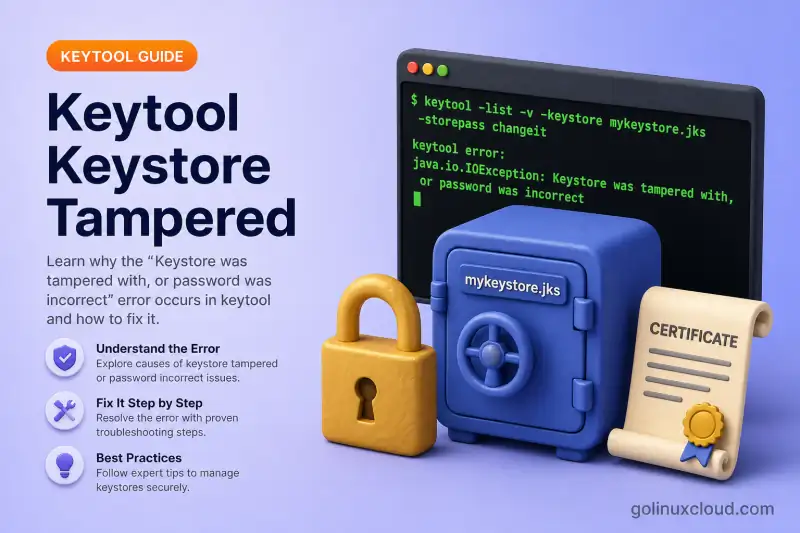
You already hit the error — in a keytool command, a Tomcat log, or a Spring Boot stack trace: Keystore was tampered with, or password was incorrect (or the shorter PKCS12 variant, keystore password was incorrect). The wording sounds like a security incident, but on Linux it almost always means Java could not open the keystore with the password, path, or format in play.
Use the table below to jump to the cause that fits your situation. Each section explains why it happens and what to change. For keystore basics, see Java keystore vs truststore and the keytool cheatsheet.
Tested on: Ubuntu 26.04 LTS; OpenJDK 25.0.3; kernel 7.0.0-27-generic.
Prerequisites
- OpenJDK with
keytool— Install keytool on Ubuntu. opensslfor PKCS12 inspection and PEM conversion (OpenSSL).
What the error actually means
When keytool or the JVM loads a keystore, it decrypts PKCS12 data or verifies a JKS integrity MAC using the store password. If that check fails, OpenJDK throws a generic I/O error. The message is misleading — it rarely indicates real tampering.
On OpenJDK 25, JKS problems often print:
keytool error: java.io.IOException: Keystore was tampered with, or password was incorrectPKCS12 problems usually print:
keytool error: java.io.IOException: keystore password was incorrectTreat both as the same class of problem: the store password did not unlock this file with this format.
Find your cause
| Likely cause | Clues | Go to |
|---|---|---|
| Wrong store password | Password in Tomcat, Spring, or env vars does not match the keystore; keytool -list fails with the same password |
Wrong store password |
| Wrong keystore file at the path | Config points at a PEM, .crt, empty file, or an old .keystore left on disk |
Wrong keystore file |
| JKS vs PKCS12 format mismatch | File opens in keytool with one -storetype but the app hard-codes the other |
JKS vs PKCS12 mismatch |
| Store password vs key password | keytool -list works; Tomcat or Spring still fails at startup |
Store vs key password |
Wrong password on cacerts |
Error while running keytool -cacerts or during ca-certificates-java upgrade |
Ubuntu cacerts |
| Wrong password on PKCS12 import | keytool -importkeystore fails right after openssl pkcs12 -export |
importkeystore password |
| Corrupted or truncated file | Incomplete copy, crash mid-write; may show EOFException instead |
Corrupted keystore |
| Password lost, no backup | No password unlocks the file; recovery is not possible | Recreate the keystore |
Wrong store password
This is the most common cause. The keystore file is fine, but the password in your command or application config does not match the one used when the file was created.
You see it when:
keytool -list -keystore server.jks -storepass <app-password>fails while ops insists the app password is correct- Tomcat logs the tampered message on startup because
certificateKeystorePassword(or legacykeystorePass) inserver.xmldrifted from the real store password - An environment variable maps incorrectly to Spring's
server.ssl.key-store-password— verify the resolved property, not only the env var name
Confirm with keytool using the password you believe is correct:
keytool -list -v -keystore /path/to/keystore -storepass 'PASSWORD'On a JKS file with the wrong password, OpenJDK 25 reports:
keytool error: java.io.IOException: Keystore was tampered with, or password was incorrectWhen you have the right password, listing succeeds:
Keystore type: JKS
Keystore provider: SUN

Your keystore contains 1 entry

testkey, Jul 3, 2026, PrivateKeyEntry,
Fix by aligning every layer to the same store password:
| Layer | Where the password lives |
|---|---|
| Tomcat | server.xml → Certificate certificateKeystorePassword / older examples: keystorePass |
| Spring Boot | server.ssl.key-store-password |
| JVM flags | -Djavax.net.ssl.keyStorePassword=... |
| Environment | Canonical Spring Boot env var: SERVER_SSL_KEYSTOREPASSWORD; some deployment layers may transform names differently, so verify the resolved property maps to server.ssl.key-store-password |
If you know the current password and need to rotate it:
keytool -storepasswd -keystore /path/to/keystore -storepass OLD -new NEW -nopromptUpdate the application config before restart. For alias-level passwords, see Change alias, password, and delete entries.
Wrong keystore file at the path
Java is opening a file that is not a valid keystore, or not the keystore you think it is.
Typical situations:
javax.net.ssl.keyStorepoints atcert.pemorfullchain.peminstead of a PKCS12/JKS container- A stray
~/.keystoreorupload-keystore.jkssits in the working directory and keytool picks it up when no-keystorepath is given - The path in config was updated but still references an old file from a previous deployment
Check what is actually on disk:
ls -la /path/to/keystore
file /path/to/keystore
A text placeholder produces a format error, not always the tampered message:
keytool error: java.security.KeyStoreException: Unrecognized keystore format. Please load it with a specified typeA real JKS file is reported as:
/path/to/keystore.jks: Java KeyStoreFix by pointing config at the correct binary keystore. Convert PEM material with Import PEM private key into Java keystore or build PKCS12 with create PKCS12 from CRT and KEY. Remove or rename ghost keystores in the default location before regenerating.
JKS vs PKCS12 format mismatch
Since Java 9, new keystores default to PKCS12 (keystore.type=pkcs12 in $JAVA_HOME/conf/security/java.security). A file named .jks may still be PKCS12 if it was created on a modern JDK without -storetype JKS.
The mismatch shows up when:
- The app sets
keystoreType="JKS"in Tomcat but the file is PKCS12 - Spring Boot omits
server.ssl.key-store-typeand assumes PKCS12 while the file is legacy JKS keytool -listsucceeds without-storetype(OpenJDK auto-detects) but the JVM fails because the app hard-codes the wrong type
Probe with explicit types:
keytool -list -keystore /path/to/keystore -storetype JKS     -storepass 'PASSWORD'
keytool -list -keystore /path/to/keystore -storetype PKCS12 -storepass 'PASSWORD'
Whichever command lists entries is the format to set in the app:
- Tomcat:
keystoreType="PKCS12"orkeystoreType="JKS" - Spring Boot:
server.ssl.key-store-type=PKCS12 - JVM:
-Djavax.net.ssl.keyStoreType=PKCS12
Prefer PKCS12 for new keystores. Convert legacy JKS with Convert JKS to PKCS12.
Store password vs key password in the app
For JKS keystores, the store password (unlocks the file) and the key password (unlocks an individual private-key entry) can differ. In Java/keytool workflows, PKCS12 is normally configured with the same store and key password.
You are in this situation when:
keytool -list -keystore store.jks -storepass correctworks- Tomcat or a custom SSL setup still fails because
certificateKeyPassword(or legacykeyPass) does not match the entry password fromkeytool -genkeypair -keypass
Align both values in config:
| Setting | Tomcat (server.xml) |
Spring Boot |
|---|---|---|
| Store password | certificateKeystorePassword / legacy keystorePass |
server.ssl.key-store-password |
| Key password | certificateKeyPassword / legacy keyPass |
server.ssl.key-password |
For PKCS12, set store and key passwords to the same value in both keytool and the application.
Wrong password on Ubuntu cacerts
The system truststore on Ubuntu is a symlink:
ls -l /etc/ssl/certs/java/cacertsThe default store password is changeit. A wrong password gives:
keytool error: java.io.IOException: Keystore was tampered with, or password was incorrectWith the default:
keytool -list -cacerts -storepass changeit | head -6Keystore type: JKS
Keystore provider: SUN
Your keystore contains 121 entries
debian:ac_raiz_fnmt-rcm.pem, Jul 2, 2026, trustedCertEntry,changeit applies to the JDK truststore — not to application PKCS12 identity stores shipped with backup servers, management consoles, or custom Tomcat keystores. Using an app-specific password against cacerts produces this error even when that app password is correct for its own file.
If ca-certificates-java upgrades fail because someone changed the cacerts password or corrupted the file, and you have no custom CA entries to keep:
sudo cp /etc/ssl/certs/java/cacerts /root/cacerts.backup.$(date +%F)
sudo rm /etc/ssl/certs/java/cacerts
sudo update-ca-certificates -f
Re-import custom corporate roots afterward — see Import certificate into Java cacerts on Linux.
Wrong source password on importkeystore
When converting PEM or PKCS12 material to JKS — common after Let's Encrypt on Ubuntu — the error often appears on keytool -importkeystore even though the destination password is fine.
The usual mistake is mixing up passwords:
-srcstorepassmust match the password passed toopenssl pkcs12 -export(or the source PKCS12 file's password)-deststorepassand-destkeypassare for the new JKS file and must be at least six characters
Wrong source password:
Importing keystore keystore.p12 to eap.jks...
keytool error: java.io.IOException: keystore password was incorrect
Correct import when openssl pkcs12 -export ... -password pass:myeapc created the source:
keytool -importkeystore \
  -srckeystore keystore.p12 -srcstoretype PKCS12 -srcstorepass myeapc \
  -destkeystore eap.jks -deststoretype JKS \
-deststorepass tplink8xx -destkeypass tplink8xxImporting keystore keystore.p12 to eap.jks...
Entry for alias eap successfully imported.
Import command completed: 1 entries successfully imported, 0 entries failed or cancelledIf passwords are correct but import still fails, inspect the PKCS12 with openssl pkcs12 -info — malformed certificates (for example an empty issuer DN) can surface as a misleading password error. More patterns in Import PKCS12/PFX into Java keystore.
Corrupted or incomplete keystore file
A truncated copy or a crash during keystore write leaves bytes that no password can open. You may see:
keytool error: java.io.EOFExceptioninstead of the tampered message. This also happens after partial scp command, failed cert renewal scripts that overwrite the keystore mid-write, or server crashes during an installer upgrade.
If keytool -list fails with every password you try and file reports Java KeyStore or binary data, treat the file as damaged. Restore from backup or rebuild from original PEM/PKCS12 sources — there is no repair command.
Recreate when the password is lost
Java keystores cannot be decrypted without the store password. If no password works and you have no backup of the PKCS12/JKS file, recovery is not possible.
Rebuild from material you still hold:
cert.pem+privkey.pem→openssl pkcs12 -export→ import with keytool- PKCS12/PFX backup from the certificate issuer
- New
keytool -genkeypairand a fresh CSR to your CA
For stock cacerts with no custom entries, delete and regenerate as described in Wrong password on Ubuntu cacerts.
Quick lab reproduction
To reproduce the JKS variant safely, create a test keystore and list it with the wrong password:
keytool -genkeypair -alias testkey -keyalg RSA -keystore test.jks \
  -storetype JKS -storepass secretpass -keypass secretpass \
  -dname "CN=test" -noprompt

keytool -list -keystore test.jks -storepass wrongpasskeytool error: java.io.IOException: Keystore was tampered with, or password was incorrectRun this only in a throwaway directory — not against production keystores.
Distinguish from other keytool errors
If the message is not a password or format problem at keystore open time, use a different guide:
| Error message | Typical cause | Guide |
|---|---|---|
Keystore was tampered with, or password was incorrect |
Wrong JKS store password or wrong cacerts password |
This page |
keystore password was incorrect |
Wrong PKCS12 store password or wrong -srcstorepass on import |
This page |
Unrecognized keystore format |
PEM, text, or wrong file at path | Wrong keystore file |
Public keys in reply and keystore don't match |
CSR alias ≠ import alias | Public keys mismatch |
Failed to establish chain from reply |
Missing issuer CA in keystore | Chain from reply |
PKIX path building failed |
Truststore missing remote CA | PKIX troubleshooting |
References
Summary
Start with the cause table: wrong store password, wrong file path, JKS/PKCS12 mismatch, store vs key password in the app, cacerts defaults, importkeystore source password, corruption, or a lost password each has its own section. The tampered wording is Java's way of saying the keystore did not open — align password, path, and format before assuming the file was attacked.
