
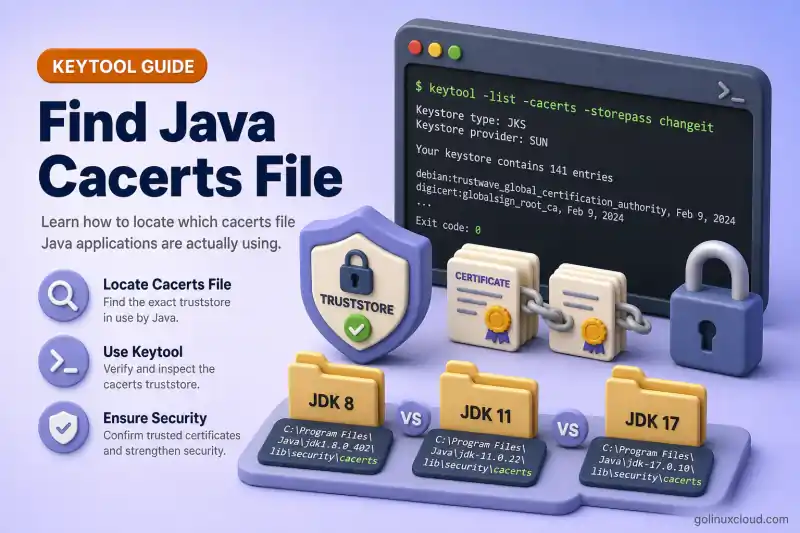
You imported a corporate CA into cacerts, restarted the app, and still get PKIX path building failed. The usual reason is not a bad certificate — it is editing the wrong truststore file. Servers often carry several JDK installs, a bundled JRE inside Tomcat or Elasticsearch, and a custom javax.net.ssl.trustStore that replaces cacerts entirely.
This guide shows how to resolve the cacerts path from java.home, compare it with $JAVA_HOME and your shell java binary, read the truststore a running JVM actually opens, and prove certificate visibility with a safe lab copy before you touch production trust.
Tested on: Ubuntu 26.04 LTS; OpenJDK 25.0.3; kernel 7.0.0-27-generic.
Prerequisites
keytoolandjavafrom the JDK you are debugging — Install keytool on Ubuntu — see keytool command.opensslfor the optional proof lab (OpenSSL).
Where Java looks for cacerts
The JSSE trust manager chooses trust material in this order:
| Priority | File | Notes |
|---|---|---|
| 1 | Path from javax.net.ssl.trustStore |
Replaces default cacerts — does not merge with it |
| 2 | java.home/lib/security/jssecacerts |
Rare; used if the file exists |
| 3 | java.home/lib/security/cacerts |
Default JDK trust bundle |
If javax.net.ssl.trustStore is set but the file does not exist, behavior can differ by JDK/vendor: some builds fall back to default cacerts, while others may initialize with no trusted certificates. Always verify with trustmanager debug.
-Djavax.net.ssl.trustStore path logged Inaccessible trust store for the bad path, then trustStore is: pointed at default cacerts with 121 entries reloaded. Do not assume fallback — verify the path and entry count on the JVM that runs your app.
java.home is the directory that contains bin/java for the JVM process you are debugging — not necessarily the JAVA_HOME variable in your shell profile. Oracle documents the default truststore under lib/security relative to java.home.
On Java 8 and older packages that still ship a jre subdirectory, java.home often ends in .../jre, so cacerts is at $JAVA_HOME/jre/lib/security/cacerts. From Java 9 onward the JDK and JRE layout merged; expect $JAVA_HOME/lib/security/cacerts.
Find java.home from the JVM you care about
Start with the java binary that starts your application — not the keytool you used to import.
java -XshowSettings:properties -version 2>&1 | grep -E 'java.home|java.version'java.home = /usr/lib/jvm/java-25-openjdk-amd64
java.version = 25.0.3Derive the default truststore path:
JAVA_HOME_PROP=$(java -XshowSettings:properties -version 2>&1 | awk -F' = ' '/java.home/{print $2; exit}')
ls -la "$JAVA_HOME_PROP/lib/security/cacerts"
readlink -f "$JAVA_HOME_PROP/lib/security/cacerts"lrwxrwxrwx 1 root root 27 Apr 26 15:14 /usr/lib/jvm/java-25-openjdk-amd64/lib/security/cacerts -> /etc/ssl/certs/java/cacerts
/etc/ssl/certs/java/cacertsOn Ubuntu and Debian, that symlink is normal — see Import certificate into Java cacerts on Linux. The physical file is distro-managed; multiple JDK packages can point at the same /etc/ssl/certs/java/cacerts.
List every cacerts path under /usr/lib/jvm when you suspect version drift:
find /usr/lib/jvm -name cacerts 2>/dev/null | while read -r f; do
printf '%s -> %s\n' "$f" "$(readlink -f "$f")"
done/usr/lib/jvm/java-25-openjdk-amd64/lib/security/cacerts -> /etc/ssl/certs/java/cacertsIf two JDK paths resolve to the same target, editing either symlink updates the same trust bundle. If a vendor ships a private JRE under /opt/myapp/jre, that tree has its own lib/security/cacerts — imports into /usr/lib/jvm/... will not reach it.
JAVA_HOME vs java.home
JAVA_HOME is an environment variable. java.home is what the running process reports. They match only when your startup script exports the same JDK you actually execute.
Compare the JDK behind keytool with the JDK behind java:
KEYTOOL=$(readlink -f "$(command -v keytool)")
JAVA_BIN=$(readlink -f "$(command -v java)")
echo "keytool JDK: $(dirname "$(dirname "$KEYTOOL")")"
echo "java JDK: $(dirname "$(dirname "$JAVA_BIN")")"keytool JDK: /usr/lib/jvm/java-25-openjdk-amd64
java JDK: /usr/lib/jvm/java-25-openjdk-amd64When they differ, keytool -importcert -keystore "$JAVA_HOME/lib/security/cacerts" may update a file your application never reads. Always derive the keystore path from the same java binary (or java.home inside the app container) that runs the workload.
update-java-alternatives --list on Ubuntu shows registered JDKs; update-alternatives --display java shows which binary /usr/bin/java points at today. Neither setting overrides a Tomcat setenv.sh, a fat JAR with an embedded JRE, or JAVA_TOOL_OPTIONS in systemd.
See the truststore a running JVM opens
Running process on the host
Find the java binary the service actually runs — not the one in your login shell:
Find the blocking PID with ps aux piped to grep; the ps command explains BSD versus UNIX options and filtering command lines.
ps aux | grep '[j]ava' | head -3tomcat 1412 ... /usr/lib/jvm/default-java/bin/java -Djava.util.logging.config.file=/var/lib/tomcat10/conf/logging.properties ... org.apache.catalina.startup.Bootstrap startTomcat here uses /usr/lib/jvm/default-java/bin/java. Resolve that symlink with readlink -f and pass the result to java -XshowSettings:properties — that is the java.home whose lib/security/cacerts matters for Tomcat HTTPS clients, not whatever JAVA_HOME your SSH session exports.
Find the actual Java binary used by the running process:
PID=<your-java-pid>
readlink -f /proc/$PID/exeDerive its Java home:
APP_JAVA=$(readlink -f /proc/$PID/exe)
APP_JAVA_HOME=$(dirname "$(dirname "$APP_JAVA")")
echo "$APP_JAVA_HOME"
ls -la "$APP_JAVA_HOME/lib/security/cacerts"
readlink -f "$APP_JAVA_HOME/lib/security/cacerts"PID=1412
/usr/lib/jvm/java-25-openjdk-amd64/bin/java
/usr/lib/jvm/java-25-openjdk-amd64
lrwxrwxrwx 1 root root 27 Apr 26 15:14 /usr/lib/jvm/java-25-openjdk-amd64/lib/security/cacerts -> /etc/ssl/certs/java/cacerts
/etc/ssl/certs/java/cacertsIf jcmd is available, read JVM system properties directly:
jcmd $PID VM.system_properties | grep -E 'java.home|javax.net.ssl.trustStore|javax.net.ssl.trustStoreType'Run jcmd as the same user as the Java process, or with sufficient privileges; otherwise it may not attach.
java.home=/usr/lib/jvm/java-25-openjdk-amd64When no custom truststore is configured, javax.net.ssl.trustStore lines are absent from jcmd output — that means the JVM will use the default jssecacerts / cacerts chain under java.home.
Inspect environment variables that may inject truststore options:
tr '\0' '\n' < /proc/$PID/environ | grep -E 'JAVA_HOME|JAVA_TOOL_OPTIONS|javax.net.ssl'JAVA_HOME=/usr/lib/jvm/default-javaTomcat's environment JAVA_HOME (default-java) differs from runtime java.home (java-25-openjdk-amd64) even though both resolve to the same cacerts symlink on this host. On other systems they can point at different physical trust bundles — always follow /proc/$PID/exe and java.home, not env alone.
For explicit -D flags on the command line:
tr '\0' ' ' < /proc/$PID/cmdline | tr ' ' '\n' | grep -E 'javax\.net\.ssl\.trustStore'Look for -Djavax.net.ssl.trustStore=/path/to/file. When that property is set, the JVM does not load default cacerts — see Custom truststore vs cacerts.
For systemd services:
systemctl show myapp.service -p Environment --value | tr ' ' '\n' | grep -i trustJAVA_TOOL_OPTIONS is easy to miss because it is not visible in java -jar argv. Use systemctl show or printenv JAVA_TOOL_OPTIONS inside the service cgroup — see systemctl command for unit environment inspection.
Trust manager debug (most reliable)
Add debug flags and trigger HTTPS so SSL initializes. java -version alone does not load the trust store, so trustStore is: may never appear.
Minimal probe that forces SSLContext initialization:
cat > TrustProbe.java << 'EOF'
import javax.net.ssl.SSLContext;
public class TrustProbe {
  public static void main(String[] args) throws Exception {
    System.out.println("java.home=" + System.getProperty("java.home"));
    System.out.println("javax.net.ssl.trustStore=" + System.getProperty("javax.net.ssl.trustStore"));
    SSLContext.getDefault();
    System.out.println("SSLContext initialized");
  }
}
EOF
javac TrustProbe.java
java TrustProbe 2>&1 | head -3
java -Djavax.net.debug=trustmanager TrustProbe 2>&1 | grep -E 'trustStore is:|Reloaded|Inaccessible'java.home=/usr/lib/jvm/java-25-openjdk-amd64
javax.net.ssl.trustStore=null
SSLContext initialized
javax.net.ssl|DEBUG|...|TrustStoreManager.java:156|Inaccessible trust store: /usr/lib/jvm/java-25-openjdk-amd64/lib/security/jssecacerts
javax.net.ssl|DEBUG|...|TrustStoreManager.java:112|trustStore is: /usr/lib/jvm/java-25-openjdk-amd64/lib/security/cacerts
javax.net.ssl|DEBUG|...|TrustStoreManager.java:338|Reloaded 121 trust certsThe trustStore is: line is the file your JVM opened. Reloaded N trust certs confirms how many anchors loaded.
With a custom truststore override:
java -Djavax.net.ssl.trustStore=/opt/app/trust.p12 \
     -Djavax.net.ssl.trustStorePassword=changeit \
     -Djavax.net.ssl.trustStoreType=PKCS12 \
-Djavax.net.debug=trustmanager TrustProbe 2>&1 | grep 'trustStore is:'javax.net.ssl|DEBUG|...|TrustStoreManager.java:112|trustStore is: /opt/app/trust.p12Run the same probe inside Docker or Kubernetes with kubectl exec — the path often differs from the host JDK. Patterns for mounts and JAVA_TOOL_OPTIONS are in Java truststore in Docker and Kubernetes.
Missing or wrong custom truststore path
When -Djavax.net.ssl.trustStore points at a file that cannot be opened, check what the JVM actually loaded:
java -Djavax.net.ssl.trustStore=/tmp/trust-empty-test/does-not-exist.jks \
-Djavax.net.debug=trustmanager TrustProbe 2>&1 | grep -E 'Inaccessible|trustStore is:|Reloaded'javax.net.ssl|DEBUG|...|TrustStoreManager.java:156|Inaccessible trust store: /tmp/trust-empty-test/does-not-exist.jks
javax.net.ssl|DEBUG|...|TrustStoreManager.java:112|trustStore is: /usr/lib/jvm/java-25-openjdk-amd64/lib/security/cacerts
javax.net.ssl|DEBUG|...|TrustStoreManager.java:338|Reloaded 121 trust certsOn this OpenJDK build the missing path was skipped and default cacerts loaded. Other JDK versions or vendor builds may leave you with zero trusted CAs instead — which is why the Reloaded N trust certs line matters as much as the path.
Prove you edited the right file (lab)
Before importing into live cacerts, copy the resolved truststore and test visibility on two files. This mirrors what happens when two JDK installs keep separate bundles (common on Windows or tar.gz JDK installs; on Ubuntu many JDKs share /etc/ssl/certs/java/cacerts). The lab CA is a throwaway OpenSSL cert — create a root CA on Linux covers the same PKI steps when you build trust material outside Java.
LAB=~/cacerts-find-lab
mkdir -p "$LAB" && cd "$LAB"
CACERTS=$(readlink -f "$(java -XshowSettings:properties -version 2>&1 | awk -F' = ' '/java.home/{print $2; exit}')/lib/security/cacerts")
cp "$CACERTS" cacerts-a
cp "$CACERTS" cacerts-b

openssl req -x509 -newkey rsa:2048 -keyout lab-ca.key -out lab-ca.crt -days 1 -nodes \
  -subj /CN=GolinuxcloudLabCA 2>/dev/null

keytool -importcert -alias golinuxcloud-test -file lab-ca.crt \
-keystore cacerts-a -storepass changeit -nopromptCertificate was added to keystoreConfirm the alias exists only in the copy you edited:
keytool -list -alias golinuxcloud-test -keystore cacerts-a -storepass changeit
keytool -list -alias golinuxcloud-test -keystore cacerts-b -storepass changeit
keytool -list -keystore cacerts-a -storepass changeit | grep 'contains'
keytool -list -keystore cacerts-b -storepass changeit | grep 'contains'golinuxcloud-test, Jul 3, 2026, trustedCertEntry,
Certificate fingerprint (SHA-256): A4:D2:C0:D6:3A:AA:1F:59:80:1F:90:FB:DD:CE:1A:7D:F6:E3:87:7A:01:18:78:E2:8D:14:48:39:0D:B2:2F:35
keytool error: java.lang.Exception: Alias <golinuxcloud-test> does not exist
Your keystore contains 122 entries
Your keystore contains 121 entriesPoint the JVM at cacerts-a and watch the reload count change:
java -Djavax.net.ssl.trustStore="$LAB/cacerts-a" \
-Djavax.net.debug=trustmanager TrustProbe 2>&1 | grep -E 'trustStore is:|Reloaded'javax.net.ssl|DEBUG|...|TrustStoreManager.java:112|trustStore is: /root/cacerts-find-lab/cacerts-a
javax.net.ssl|DEBUG|...|TrustStoreManager.java:338|Reloaded 122 trust certsIf your production import does not change the entry count on the file from trustStore is:, you edited a different keystore. For safe import steps on Linux, use Import certificate into Java cacerts on Linux — preferably on a copy first.
Clean up the lab:
rm -rf ~/cacerts-find-labBundled JRE and vendor application layouts
Commercial and open-source products often ship a private runtime instead of the system JDK:
| Layout | Typical cacerts path |
|---|---|
| System OpenJDK (Java 9+) | /usr/lib/jvm/java-*/lib/security/cacerts |
| Java 8 style | /opt/jdk1.8.0/jre/lib/security/cacerts |
| Tomcat tarball with bundled JRE | apache-tomcat-*/jre/lib/security/cacerts or the JAVA_HOME set in catalina.sh |
| Elasticsearch / Logstash | jdk/lib/security/cacerts inside the distribution directory |
| Container image | /opt/java/openjdk/lib/security/cacerts or a mounted truststore.p12 |
Search from the application root when documentation is vague:
find /opt/myapp -path '*/lib/security/cacerts' 2>/dev/nullThen run TrustProbe with the same java binary the product's startup script invokes — not the one in your interactive shell.
keytool -cacerts vs -keystore
keytool -cacerts lists the truststore for the keytool binary's own JDK:
keytool -list -cacerts -storepass changeit | head -6Keystore type: JKS
Keystore provider: SUN
Your keystore contains 121 entriesThat path follows the keytool you invoked. If keytool comes from /usr/lib/jvm/java-25-openjdk-amd64 but Tomcat runs Java 17 from another directory, -cacerts shows the wrong file for Tomcat. Pass an explicit path instead:
keytool -list -keystore /path/from/trustStore/is/line -storepass changeit | head -6keytool -list may report Keystore type: JKS while the SSL debug log shows trustStore type is: pkcs12 for the same cacerts file. Trust the runtime trustStore is: path and entry count from keytool -list on that path — not the label alone.
Troubleshooting
| Symptom | Likely cause | What to check |
|---|---|---|
| Import succeeded; PKIX unchanged | Wrong cacerts file or custom truststore |
trustStore is: debug line; keytool -list -alias myca on that path |
keytool sees alias; app does not |
App uses -Djavax.net.ssl.trustStore or different java.home |
/proc/$PID/exe, jcmd VM.system_properties, JAVA_TOOL_OPTIONS |
| Custom truststore path is correct but load still fails | Wrong javax.net.ssl.trustStoreType or password |
Check javax.net.ssl.trustStoreType, javax.net.ssl.trustStorePassword, and run keytool -list with the same type |
javax.net.ssl.trustStore set but file missing or unreadable |
Empty truststore on some JDKs; fallback to cacerts on others |
trustmanager debug: Inaccessible trust store, then trustStore is: and Reloaded N trust certs |
| Two JDKs on host; only one fixed | Separate physical cacerts files (non-Debian layouts) |
readlink -f on each JDK path; compare entry counts |
Edited /etc/ssl/certs/java/cacerts; container still fails |
Container has its own JDK bundle | kubectl exec + TrustProbe inside the pod |
trustStore is: points at jssecacerts |
Vendor dropped a override file | List java.home/lib/security/jssecacerts first |
If the error is PKIX after you confirm the correct truststore, continue with Fix Java PKIX path building failed. If the password fails on the path you found, see Fix keystore tampered or password incorrect.
References
- Java Secure Socket Extension (JSSE) Reference Guide — truststore system properties and default locations
- keytool documentation —
-cacertsoption - Ubuntu
ca-certificates-javapackage — system Java CA bundle on Debian family
Summary
Default Java trust lives at java.home/lib/security/cacerts unless javax.net.ssl.trustStore overrides it. Resolve java.home from /proc/$PID/exe or jcmd, not from a stale $JAVA_HOME or a keytool on another JDK. Use -Djavax.net.debug=trustmanager after SSL initializes to read the exact trustStore is: path and Reloaded N trust certs count, verify your import with keytool -list on that file, and prefer a custom truststore over guessing among multiple installs.
