
| Tested on | Rocky Linux 10.2 (Red Quartz) |
|---|---|
| Package | 389-ds-base 3.2.0-8.el10_2 |
| Applies to | RHEL, Rocky Linux, AlmaLinux, Oracle Linux, CentOS Stream, Fedora |
| Privilege | sudo or root |
| Scope | Fix missing or stale memberOf: group data, plug-in scope, fix-up filters, shared config, and replication. Does not cover unrelated LDAP error codes. |
| Related guides | Install 389 Directory Server Configure the memberOf plug-in dsconf commands Fix slow LDAP searches Tune large groups and memberOf |
Applications, SSSD access filters, and Apache Require ldap-filter rules often read memberOf on the user entry. SSSD ldap_access_filter rules are covered in the SSSD LDAP authentication guide; Apache Require ldap-filter examples are in the Apache LDAP authentication guide. When that attribute is missing, stale, or inconsistent with the group’s member or uniqueMember values, authorization breaks even though the group entry looks correct.
Typical symptoms:
# ldapsearch on the user returns no memberOf
dn: uid=user1,ou=People,dc=example,dc=com# but the group still lists the user
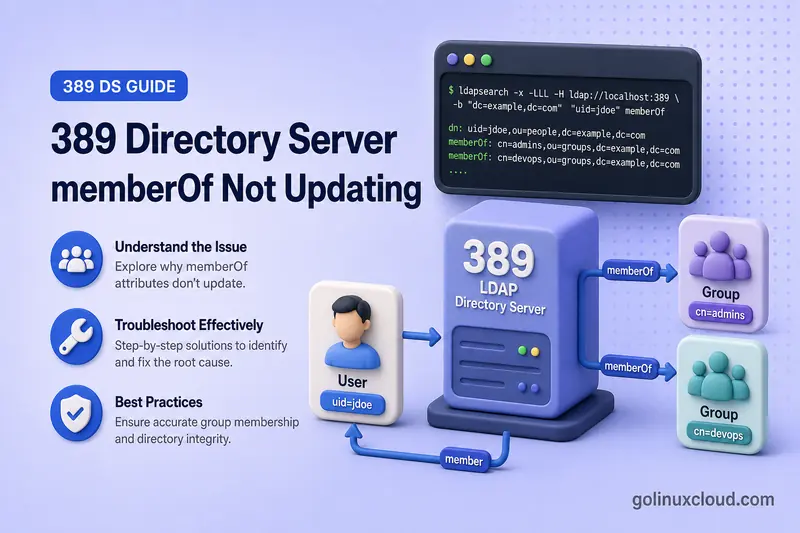
member: uid=user1,ou=People,dc=example,dc=comThe group’s forward membership attribute is authoritative. The MemberOf plug-in generates the reverse memberOf value on each member entry. This guide compares the two sides, checks plug-in configuration, rebuilds values with the fix-up task, and separates MemberOf problems from Referential Integrity and replication design issues. Initial plug-in setup stays in the MemberOf plug-in configuration guide.
memberOf values. It does not cover initial MemberOf plug-in installation, Auto Membership rule design, complete fractional-replication agreement management, or removing stale member references after user deletion (Referential Integrity).
Examples use instance ldap1 on ldap1.example.com with suffix dc=example,dc=com, groups under ou=Groups, and users under ou=People. Commands that use -y /root/dm.pw assume a Directory Manager password file on the host where you run ldapsearch; use -W interactively on other clients. When Directory Manager authentication fails with error 49 and the password is lost, recover through reset the Directory Manager password before you change plug-in or ACI settings.
Causes and fixes at a glance
| Symptom or test result | Likely cause | Fix |
|---|---|---|
Group lists the user but memberOf is empty |
Plug-in disabled or data predates enablement | Check plug-in status and run fix-up |
New changes update memberOf, old memberships do not |
Membership existed before the plug-in was enabled | Run fix-up for the suffix |
groupOfUniqueNames changes ignored |
uniqueMember not in memberOfGroupAttr |
Check the configured group attribute |
| Users in one subtree affected only | Scope or excluded subtree | Check scope and object classes |
| Cross-backend membership missing | memberOfAllBackends off |
Enable all-backends mode and fix-up |
| Direct group present, parent group missing | Nested membership skipped | Check memberOfSkipNested |
memberOf remains after group removal |
Stale value or interrupted update | Scoped fix-up |
| Fix-up completes but values unchanged | Task filter excludes user object class | Supply -f with the correct filter |
| Works on one replica only | Plug-in or replication strategy differs | Check replication |
Directory Manager sees memberOf, application does not |
Application bind account cannot read the attribute | Application bind visibility |
| Group still lists a deleted user DN | Referential Integrity problem, not MemberOf | Distinguish MemberOf from Referential Integrity |
Confirm that memberOf is missing or stale
Compare forward membership on the group with reverse membership on the user. The comparison uses the ldapsearch command with a base scope on each entry. Start with a groupOfNames group that uses member:
ldapsearch -LLL -x \
  -H ldap://ldap1.example.com:389 \
  -D "cn=Directory Manager" \
  -y /root/dm.pw \
  -b "cn=developers,ou=Groups,dc=example,dc=com" \
  -s base \
  "(objectClass=*)" \
  member uniqueMember
Sample output when the user is in the group:
dn: cn=developers,ou=Groups,dc=example,dc=com
member: uid=user1,ou=People,dc=example,dc=com
The uid=user1 line is the forward membership you expect to appear in memberOf.
Search the user entry for reverse membership:
ldapsearch -LLL -x \
  -H ldap://ldap1.example.com:389 \
  -D "cn=Directory Manager" \
  -y /root/dm.pw \
  -b "uid=user1,ou=People,dc=example,dc=com" \
  -s base \
  "(objectClass=*)" \
  memberOf
Sample output when memberOf is missing:
dn: uid=user1,ou=people,dc=example,dc=comSample output when memberOf is correct:
dn: uid=user1,ou=people,dc=example,dc=com
memberOf: cn=developers,ou=Groups,dc=example,dc=com
Repeat the same comparison for a groupOfUniqueNames group that stores membership in uniqueMember:
ldapsearch -LLL -x \
  -H ldap://ldap1.example.com:389 \
  -D "cn=Directory Manager" \
  -y /root/dm.pw \
  -b "cn=ops-unique,ou=Groups,dc=example,dc=com" \
  -s base \
  "(objectClass=*)" \
  uniqueMember
Sample output:
dn: cn=ops-unique,ou=Groups,dc=example,dc=com
uniqueMember: uid=user2,ou=People,dc=example,dc=com
Search user2 for the reverse membership:
ldapsearch -LLL -x \
  -H ldap://ldap1.example.com:389 \
  -D "cn=Directory Manager" \
  -y /root/dm.pw \
  -b "uid=user2,ou=People,dc=example,dc=com" \
  -s base \
  "(objectClass=*)" \
  memberOf
Expected relationship:
Group (groupOfNames):
member: uid=user1,ou=People,dc=example,dc=com

User:
memberOf: cn=developers,ou=Groups,dc=example,dc=com

Group (groupOfUniqueNames):
uniqueMember: uid=user2,ou=People,dc=example,dc=com

User:
memberOf: cn=ops-unique,ou=Groups,dc=example,dc=com
When forward membership is present but memberOf is absent, treat the group attribute as correct and investigate plug-in state, scope, or historical data that never triggered reverse maintenance.
When Directory Manager sees memberOf but the application does not
All searches above bind as Directory Manager. A common alternative diagnosis is that the plug-in and stored attribute are healthy, but the application bind account cannot read memberOf. Directory Server applies ACIs according to the authenticated bind identity, and attribute-level read permission determines which values a client receives.
Repeat the user search with the application bind DN:
ldapsearch -LLL -x \
  -H ldap://ldap1.example.com:389 \
  -D "uid=app-bind,ou=Services,dc=example,dc=com" \
  -W \
  -b "uid=user1,ou=People,dc=example,dc=com" \
  -s base \
  "(objectClass=*)" \
  memberOf
When Directory Manager returns memberOf but the application account does not, fix attribute read access or the application search configuration. Do not run MemberOf fix-up merely to solve an ACI visibility problem. Use effective rights to confirm what the application account can read, then adjust ACIs in the ACI examples guide as needed.
Check the MemberOf plug-in status
Display the running plug-in configuration through dsconf commands:
dsconf ldap1 plugin memberof showSample output (trimmed):
memberofattr: memberOf
memberofgroupattr: member
memberofgroupattr: uniqueMember
nsslapd-pluginEnabled: on
nsslapd-pluginInitfunc: memberof_postop_init
nsslapd-pluginPath: libmemberof-plugin
nsslapd-pluginType: betxnpostoperation
Confirm nsslapd-pluginEnabled: on. When the plug-in is off, group membership changes do not maintain memberOf.
Review the active parameters, including any shared configuration reference:
dsconf ldap1 plugin memberof show | \
  grep -iE 'nsslapd-pluginconfigarea|memberofattr|memberofgroupattr|memberofentryscope|memberofallbackends|memberofskipnested|memberofautoaddoc'
When output includes a shared entry such as nsslapd-pluginConfigArea: cn=shared_MemberOf_config,dc=example,dc=com, inspect that entry instead of relying on the local values under cn=MemberOf Plugin,cn=plugins,cn=config:
dsconf ldap1 plugin memberof config-entry show "cn=shared_MemberOf_config,dc=example,dc=com"When nsslapd-pluginConfigArea is set, compare the shared entry on every server. A replica that still shows local parameters while another server references shared configuration is a common cause of works-on-one-replica-only behavior.
Enable the plug-in when required:
dsconf ldap1 plugin memberof enabledsctl ldap1 restartEnabling the plug-in affects later group changes but does not retroactively repair memberships that existed while it was disabled. Plan a fix-up task after you enable and configure the plug-in.
Check the configured group attribute
By default the plug-in reads member only. A groupOfUniqueNames entry that stores membership in uniqueMember will not update memberOf until uniqueMember is configured.
Check the active group attributes:
dsconf ldap1 plugin memberof show | grep -i memberofgroupattrSample output when both static group types are supported:
memberofgroupattr: member
memberofgroupattr: uniqueMember
Configure both attributes when your directory uses groupOfNames and groupOfUniqueNames:
dsconf ldap1 plugin memberof set --groupattr member uniqueMemberdsctl ldap1 restartAfter changing memberOfGroupAttr, run a fix-up task so existing uniqueMember relationships produce memberOf values.
When only one custom group type fails, confirm the group object class matches what the plug-in monitors. The plug-in recognizes static group types such as groupOfNames, groupOfUniqueNames, and nsAdminGroup. A custom entry with a DN-valued membership attribute can still be ignored when its group classification or specific-group filter does not match:
ldapsearch -LLL -x \
  -H ldap://ldap1.example.com:389 \
  -D "cn=Directory Manager" \
  -y /root/dm.pw \
  -b "cn=affected-group,ou=Groups,dc=example,dc=com" \
  -s base \
  "(objectClass=*)" \
  objectClass member uniqueMember
Also inspect any configured memberOfSpecificGroupFilter values in the plug-in configuration.
Check scope, excluded subtrees, and object classes
Confirm that both the group and the user fall inside the plug-in scope and that neither entry sits in an excluded subtree.
Review scope-related settings:
dsconf ldap1 plugin memberof show | \
  grep -iE 'nsslapd-pluginconfigarea|memberofentryscope|memberofallbackends|memberofskipnested|memberofautoaddoc'
Check for these common scope problems:
- Group outside
memberOfEntryScope - User outside the configured scope
- User or group inside
memberOfEntryScopeExcludeSubtree - Group and user stored in different backends while
memberOfAllBackendsis off - Fix-up filter excluding the affected user object class
By default, MemberOf can add nsMemberOf when the target entry lacks an object class that permits memberOf. memberOfAutoAddOC can configure another class such as inetUser. If the server cannot add a compatible class, the group modification can fail with object-class violation error 65. If a group update itself returns error 65, inspect the member entry’s object classes and memberOfAutoAddOC; see fix LDAP object class violation error 65. A successful group update with no reverse value is more commonly caused by plug-in disablement, scope, grouping-attribute configuration, replication strategy, or historical data.
The plug-in manages static groups only; dynamic group membership from memberURL filters is not written into memberOf.
Rebuild memberOf with the fix-up task
Run the fix-up task when memberships predate plug-in enablement, were imported from LDIF, were edited manually, or were left inconsistent after a scope or group-attribute change. Do not manually add or delete memberOf as the normal repair path.
Run the task for the suffix:
dsconf ldap1 plugin memberof fixup --wait "dc=example,dc=com"Sample output:
Adding fixup task entry...
Waiting for fixup task "cn=memberOf_fixup_2026-07-22T09:20:15.981150,cn=memberOf task,cn=tasks,cn=config" to complete.
Fixup task successfully completed
By default, the fix-up selection includes entries carrying inetUser, inetAdmin, or nsMemberOf under the base DN. Entries that only carry classes such as nsOrgPerson or inetOrgPerson require an explicit filter. Users created with dsidm commands often carry nsOrgPerson instead, and imported data may use inetOrgPerson. When fix-up completes but memberOf stays empty, supply an explicit filter:
dsconf ldap1 plugin memberof fixup --wait \
  -f "(|(objectClass=inetOrgPerson)(objectClass=nsOrgPerson)(objectClass=inetUser)(objectClass=inetAdmin)(objectClass=nsMemberOf))" \
  "dc=example,dc=com"
Use a narrower base DN or filter when only one subtree or user population is affected. The fix-up task recalculates memberOf from group membership and can add missing values and remove incorrect ones.
Monitor a background task when you omit --wait:
dsconf ldap1 plugin memberof fixup-status --watchWhen a task reports success but changes nothing, inspect the task log for the base DN, filter, processed-entry count, and failure text:
dsconf ldap1 plugin memberof fixup-status --show-logThe command also accepts a specific task DN when you need one historical run.
Diagnose imports, nested groups, and multiple backends
A fix-up task is commonly required after:
- Groups existed before MemberOf was enabled
- Entries were imported from LDIF without a follow-up fix-up — see export and import
memberOfwas edited manually- A subtree containing groups was moved — run fix-up after rename and move operations
- Plug-in scope or group attributes changed
- A failed or interrupted update left inconsistent values
Nested groups
Check whether nested membership is skipped:
dsconf ldap1 plugin memberof show | grep -i memberofskipnestedWhen memberOfSkipNested is on, users receive only direct group memberships. Verify whether the missing value represents direct membership, indirect membership through another group, or a circular group relationship before you change nesting settings.
After changing nested-group settings or running fix-up, modify a nested membership and verify both the direct and parent-group values. This confirms the behavior of future updates, not merely the one-time rebuilt state. The fix-up implementation performs recursive recomputation, so do not rely only on post-fix-up output to validate ongoing skip-nested behavior.
Multiple backends
When users and groups live in different database backends, confirm:
memberOfAllBackends: onCross-backend configuration details are covered in the MemberOf plug-in configuration chapter linked in the introduction.
Check memberOf in a replication topology
Test the same user on every server in the topology:
ldapsearch -LLL -x \
  -H ldap://ldap1.example.com:389 \
  -D "cn=Directory Manager" \
  -y /root/dm.pw \
  -b "uid=user1,ou=People,dc=example,dc=com" \
  -s base \
  "(objectClass=*)" \
  memberOf
On each replica, check:
- Whether the plug-in is enabled
- Whether every server uses the same plug-in configuration, including any
nsslapd-pluginConfigAreashared entry - Whether
memberOfis excluded from fractional replication - Whether each consumer has MemberOf enabled and excludes
memberOffrom replication, or has MemberOf disabled and receives the supplier-generated value - Whether a fix-up task ran on the correct server
- Whether group changes replicated successfully
Use one consistent strategy across the topology:
Calculate locally on every supplier and consumer
- Enable MemberOf on all servers.
- Exclude
memberOffrom every replication agreement. - Run fix-up on each server that must rebuild local values.
Calculate on suppliers and replicate to consumers
- Enable MemberOf on supplier servers.
- Exclude
memberOffrom replication between write-enabled suppliers. - Replicate
memberOfto consumers. - Disable MemberOf on consumers.
Do not enable different strategies accidentally on different replicas. A consumer with MemberOf disabled and memberOf excluded from replication will not receive or calculate the attribute. After consumer initialization, check whether memberOf was excluded from the total update. Running a MemberOf fix-up after a total update is an accepted recovery workflow when generated values were intentionally omitted. Fractional replication details are in the fractional replication guide.
Distinguish MemberOf from Referential Integrity
| Plug-in | Direction it maintains |
|---|---|
| MemberOf | Group membership → user memberOf |
| Referential Integrity | User deletion or rename → references stored in groups |
Examples:
- User is added to
group.member, butuser.memberOfis missing: troubleshoot MemberOf. - User was deleted, but the old DN remains in
group.member: troubleshoot Referential Integrity. - Group membership is wrong: correct the group first, then run MemberOf fix-up.
Do not use MemberOf fix-up as a replacement for correcting stale member or uniqueMember values on group entries.
Verify the repair
Search the user again after fix-up:
ldapsearch -LLL -x \
  -H ldap://ldap1.example.com:389 \
  -D "cn=Directory Manager" \
  -y /root/dm.pw \
  -b "uid=user1,ou=People,dc=example,dc=com" \
  -s base \
  "(objectClass=*)" \
  memberOf
Sample output after a successful repair:
dn: uid=user1,ou=people,dc=example,dc=com
memberOf: cn=developers,ou=Groups,dc=example,dc=com
memberOf: cn=engineering,ou=Groups,dc=example,dc=com
Test future plug-in operation with a live membership change through the ldapmodify command. Remove and re-add the user on the Developers group to trigger the plug-in without leaving duplicate values.
Remove the membership. Save remove-user1-developers.ldif:
dn: cn=developers,ou=Groups,dc=example,dc=com
changetype: modify
delete: member
member: uid=user1,ou=People,dc=example,dc=com
Apply the change:
ldapmodify -x \
  -H ldap://ldap1.example.com:389 \
  -D "cn=Directory Manager" \
  -y /root/dm.pw \
  -f remove-user1-developers.ldif
The plug-in should remove cn=developers from user1 memberOf when the forward member value is deleted.
Confirm the value disappeared:
ldapsearch -LLL -x \
  -H ldap://ldap1.example.com:389 \
  -D "cn=Directory Manager" \
  -y /root/dm.pw \
  -b "uid=user1,ou=People,dc=example,dc=com" \
  -s base \
  "(objectClass=*)" \
  memberOf
Other valid memberOf values should remain while cn=developers is absent.
Restore the membership. Save add-user1-developers.ldif:
dn: cn=developers,ou=Groups,dc=example,dc=com
changetype: modify
add: member
member: uid=user1,ou=People,dc=example,dc=com
Apply the change:
ldapmodify -x \
  -H ldap://ldap1.example.com:389 \
  -D "cn=Directory Manager" \
  -y /root/dm.pw \
  -f add-user1-developers.ldif
Confirm the memberOf value returns:
ldapsearch -LLL -x \
  -H ldap://ldap1.example.com:389 \
  -D "cn=Directory Manager" \
  -y /root/dm.pw \
  -b "uid=user1,ou=People,dc=example,dc=com" \
  -s base \
  "(objectClass=*)" \
  memberOf
Repeat the same checks on every replica that participates in your replication design.
Troubleshooting
| Symptom | Likely cause | Check |
|---|---|---|
All users lack memberOf |
Plug-in disabled | dsconf ldap1 plugin memberof show |
| Existing users lack it, new changes work | Data predates plug-in enablement | Run fix-up |
| One group type does not update users | Wrong memberOfGroupAttr |
member versus uniqueMember |
| Users in one subtree are affected | Scope or excluded subtree | memberOfEntryScope settings |
| Users in another database are affected | All-backends disabled | memberOfAllBackends |
| Direct group appears but parent group does not | Nested memberships skipped | memberOfSkipNested |
memberOf remains after group removal |
Failed update or manual inconsistency | Scoped fix-up |
| Fix-up completes but values unchanged | Task filter excludes user object class | Supply -f |
| Adding a group member returns error 65 | Entry cannot store memberOf, and auto-add failed or is misconfigured |
Target object classes and memberOfAutoAddOC |
Directory Manager sees memberOf, application does not |
Application bind account cannot read the attribute | Repeat search with application bind DN; inspect ACIs |
| Works on one replica only | Plug-in, shared config, or replication strategy differs | Compare every server |
| Group contains a deleted user DN | Referential Integrity problem | Inspect group member / uniqueMember |
| Missing after LDIF import | Generated values were not rebuilt | Fix-up after import |
| Missing after subtree move | Groups moved with the subtree | Fix-up for affected scope |
References
- 389 Directory Server — MemberOf plug-in design
- 389 Directory Server — MemberOf shared configuration design
- Red Hat Directory Server 13 — Listing group membership in user entries
- Red Hat Directory Server 13 —
memberOfattribute reference - dsconf memberOf commands and fix-up options
Summary
When memberOf is missing or stale in 389 Directory Server, compare the group’s member or uniqueMember value with the user entry using a base-scoped ldapsearch filter, verify the MemberOf plug-in and any shared configuration entry, then rebuild reverse membership with dsconf ldap1 plugin memberof fixup. Use an explicit filter when your user object classes fall outside the default fix-up selection. Treat group membership as the source of truth, distinguish MemberOf from Referential Integrity and ACI visibility problems, and align replication strategy across every replica.
