
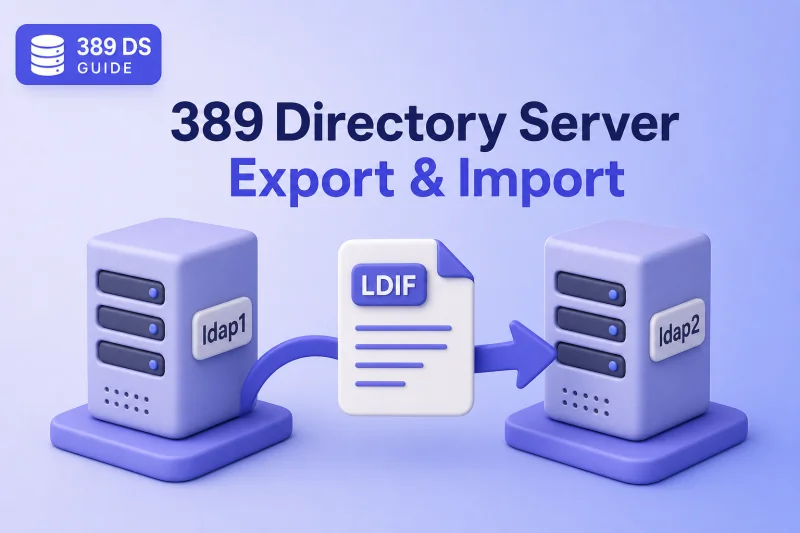
Portable LDIF export and import moves directory data between 389 Directory Server instances without copying raw database files. You can export one backend while the source instance remains online, transfer a UTF-8 LDIF file, and initialize a destination suffix on another host when you plan schema, disk space, and the destructive nature of backend import correctly.
This guide covers the complete data-transfer workflow: choosing LDIF export over native backup, online export with dsconf, offline export with dsctl, validating the LDIF, preparing the destination suffix and backend, online and offline import, encrypted attributes, USN considerations, post-import verification, and failed-import recovery.
Before you start:
- Install 389 Directory Server — source instance
ldap1and destination instanceldap2in this lab - Suffixes and backends — backend names, suffix DNs, and sub-suffix planning
- dsconf commands — online export and import tasks
- dsctl commands — offline
db2ldifandldif2db
Tested on: Rocky Linux 10.2; 389 Directory Server 3.2.0.
Entry updates in this section use the ldapmodify command.
Understand LDIF export, import, and native backup
| Operation | Format | Primary purpose |
|---|---|---|
| LDIF export and import | Portable text-based LDIF | Migration, inspection, and data transformation |
| Native backup and restore | Directory Server database backup | Fast recovery to a compatible instance |
ldapadd or ldapmodify |
LDIF change records | Incremental additions and modifications |
| Replication initialization | Replica transfer | Populate or rebuild a replicated server |
A product-native backup preserves database material that an ordinary LDIF export does not, including replication-specific state stored in the database. Native backups are also typically faster to restore than processing a large LDIF. Configuration, schema, certificates, and recovery scope still depend on the backup method; see backup and restore.
The most important behavioral distinction is how backend import differs from incremental LDAP updates:
New entries in this section are added with the ldapadd command.
Backend import:
Deletes the existing contents of the target database
and then loads the LDIF.

ldapadd:
Adds entries to the existing directory without first
clearing the complete backend.
Use backend import when you are initializing or replacing a complete database. Use ldapadd or ldapmodify when the objective is to add new entries or apply incremental changes without clearing the backend.
Directory Server online and offline backend imports initialize the target database rather than merging data. Treat every backend import as a planned cutover or rebuild, not as a routine user-provisioning step.
Plan the export and import
This lab uses two hosts:
Source instance:  ldap1 on ldap1.example.com (LDAP 389, LDAPS 636)
Destination:      ldap2 on ldap2.example.com (LDAP 1389, LDAPS 1636)

Suffix:           dc=example,dc=com
Backend:          userRoot
Export file:      /var/lib/dirsrv/slapd-ldap1/ldif/example.ldif
Before exporting, record the source environment:
Directory Server version
Backend implementation
Suffix DN
Backend name
Entry count
Custom schema files
Configured indexes
Attribute encryption
Enabled plug-ins
Replication role
Current database size
List suffixes on the source:
dsconf ldap1 backend suffix listdc=example,dc=com (userroot)List suffixes on the destination and confirm the target suffix and backend already exist before you import:
dsconf ldap2 backend suffix listdc=example,dc=com (userroot)This lab created an empty dc=example,dc=com backend on ldap2 with dsconf ldap2 backend create --suffix="dc=example,dc=com" --be-name="userroot" --create-suffix before the import. Import requires a matching suffix root in both the configuration and the LDIF file.
Count entries on the source with the same base and filter you will use after migration:
ldapsearch -LLL -o ldif-wrap=no -Y EXTERNAL -H ldapi://%2Frun%2Fslapd-ldap1.socket -b "dc=example,dc=com" "(objectClass=*)" dn | grep -Ec '^dn::? '764Understand what an LDIF export does not include
An ordinary backend export does not include:
cn=config
cn=schema
cn=monitor
Directory Manager configuration
TLS certificates and private keys
NSS database files
systemd overrides
instance-specific scripts
Replication changelog contents
Replication tombstone entries
Replica update vectors and other replication state
It normally includes data stored inside the exported backend, including:
Users
Groups
ACIs stored on data entries
Password hashes stored in userPassword
Roles and CoS entries inside the suffix
Plug-in policy entries stored inside the suffix
Before importing into another instance, separately prepare custom schema, plug-in configuration under cn=config, index definitions, password policies stored outside the data suffix, TLS certificates, attribute-encryption configuration, and replication agreements.
Ordinary export does not preserve changelog, tombstone, or replication metadata unless a replication-specific workflow and options are deliberately used.
Do not copy an old dse.ldif over a new installation. Recreate required configuration with dsconf, supported tooling, or an appropriate instance backup as described in backup and restore.
Export data while Directory Server is running
Online export keeps the instance available while a background task writes the LDIF file.
Export the userRoot backend with a specific file name in the instance LDIF directory:
dsconf ldap1 backend export -l /var/lib/dirsrv/slapd-ldap1/ldif/example.ldif userRootThe export task has finished successfullyBy default, online export writes below /var/lib/dirsrv/slapd-ldap1/ldif/. Using that directory avoids permission problems with /tmp or administrator home directories when the server runs with a private temporary directory.
Confirm the file size and ownership:
ls -lh /var/lib/dirsrv/slapd-ldap1/ldif/example.ldif-rw-------. 1 dirsrv dirsrv 1.5M Jul 18 06:19 /var/lib/dirsrv/slapd-ldap1/ldif/example.ldifReview the errors log when export behavior is unexpected:
grep -iE 'export|error|warning' /var/log/dirsrv/slapd-ldap1/errors | tail -5[18/Jul/2026:06:21:07.701164332 +0530] - INFO - task_export_thread - Beginning export of 'userroot'
[18/Jul/2026:06:21:07.757958471 +0530] - INFO - dbmdb_db2ldif - export userroot: Processed 764 entries (100%).
[18/Jul/2026:06:21:07.764373874 +0530] - INFO - task_export_thread - Export finished.Use online export when the directory must remain available, the dataset is moderate in size, and brief additional database and disk activity is acceptable.
Export data while Directory Server is offline
Offline export reads the database files directly while the instance is stopped. Use it when you prefer a quiet maintenance window or want to avoid concurrent writes during export.
Stop the instance cleanly:
dsctl ldap1 stopExport the backend to a named file:
dsctl ldap1 db2ldif userRoot /var/lib/dirsrv/slapd-ldap1/ldif/example-offline.ldifldiffile: /var/lib/dirsrv/slapd-ldap1/ldif/example-offline.ldif
db2ldif successfulThe errors log reports the processed entry count:
export userroot: Processed 764 entries (100%).Restart the instance:
dsctl ldap1 startDo not terminate ns-slapd with kill. Use dsctl stop so Directory Server shuts down its database cleanly.
Use offline export when a maintenance window is available, when you want a stable stopped-instance snapshot, or when a large export could interfere with production workload.
Prepare the LDIF file and destination instance
Record a checksum on the source before transfer. Run the command from the LDIF directory so the checksum file stores only the base file name:
cd /var/lib/dirsrv/slapd-ldap1/ldif && sha256sum example.ldif > example.ldif.sha256Checksum creation normally produces no terminal output because the result is redirected to the checksum file. The file then contains:
3abf3e2a267221d0e544617d366352bc73d5265bd406a4066bf52d596fb745a3 example.ldifCopy the LDIF and checksum file to the destination host:
scp /var/lib/dirsrv/slapd-ldap1/ldif/example.ldif /var/lib/dirsrv/slapd-ldap1/ldif/example.ldif.sha256 [email protected]:/var/lib/dirsrv/slapd-ldap2/ldif/Verify byte-for-byte integrity on the destination before you change ownership:
cd /var/lib/dirsrv/slapd-ldap2/ldifsha256sum -c example.ldif.sha256example.ldif: OKfile and iconv check file type and character decoding. They do not prove that the transfer is byte-for-byte identical; the checksum performs that verification.
On ldap2, set ownership with chown command, then permissions and SELinux context:On ldap2, set ownership, permissions, and SELinux context:
chown dirsrv:dirsrv /var/lib/dirsrv/slapd-ldap2/ldif/example.ldifchmod 600 /var/lib/dirsrv/slapd-ldap2/ldif/example.ldifrestorecon -v /var/lib/dirsrv/slapd-ldap2/ldif/example.ldifConfirm the file is UTF-8 text and decodes cleanly:
file /var/lib/dirsrv/slapd-ldap2/ldif/example.ldif/var/lib/dirsrv/slapd-ldap2/ldif/example.ldif: ASCII textASCII output from file is not a problem because ASCII is a valid subset of UTF-8.
iconv -f UTF-8 -t UTF-8 /var/lib/dirsrv/slapd-ldap2/ldif/example.ldif >/dev/null && echo iconv-okiconv-okConfirm the suffix root entry is present before child entries:
grep -n '^dn: dc=example,dc=com$' /var/lib/dirsrv/slapd-ldap2/ldif/example.ldif4:dn: dc=example,dc=comEstimate entry count:
grep -Ec '^dn::? ' /var/lib/dirsrv/slapd-ldap2/ldif/example.ldif764Before import, prepare the destination instance:
- Install required custom schema files under
/etc/dirsrv/slapd-ldap2/schema/. - Create the target suffix and backend if they do not already exist.
- Configure attribute encryption when the source stores encrypted attributes.
- Create required index definitions before import.
- Configure plug-ins needed after import.
- Back up any existing destination data.
- Verify disk space and LMDB capacity.
- Route all application reads and writes away from the target suffix during import. An online task keeps the Directory Server process running, but it does not provide uninterrupted access to a backend while that backend is being replaced.
Define required indexes before importing so the import builds them with the database. If you add an index definition after the import, run an online or offline reindex before relying on that filter in production.
Install custom schema files under /etc/dirsrv/slapd-ldap2/schema/, then reload or restart so Directory Server loads the definitions:
dsconf ldap2 schema reload -d /etc/dirsrv/slapd-ldap2/schema/ --waitSchema reload task (cn=schema_reload_2026-07-18T07:25:26.903463,cn=schema reload task,cn=tasks,cn=config) successfully finished.Alternatively, restart the instance after placing the schema files:
dsctl ldap2 restartVerify that required custom definitions are active, not merely present on disk:
ldapsearch -LLL -Y EXTERNAL -H ldapi://%2Frun%2Fslapd-ldap2.socket -b "cn=schema" -s base attributeTypes objectClasses | grep -iE 'directReport|glcDirectReport'attributeTypes: ( 1.3.6.1.4.1.32473.1.2.1 NAME 'directReport' DESC 'Direct rep
objectClasses: ( 1.3.6.1.4.1.32473.1.2.2 NAME 'glcDirectReport' DESC 'AuxiliarReplace the example names with the custom attributes and object classes used by the exported entries. Import only after each required definition appears in the active schema.
Check custom schema files on the destination:
ls -l /etc/dirsrv/slapd-ldap2/schema/Check LMDB capacity:
dsconf ldap2 backend config get | grep -E 'nsslapd-(backend-implement|mdb-max-size)'nsslapd-backend-implement: mdb
nsslapd-mdb-max-size: 9019432960Check free disk space:
df -h /var/lib/dirsrv/slapd-ldap2Filesystem Size Used Avail Use% Mounted on
/dev/mapper/rlm-root 14G 2.5G 11G 20%Importing entries before their object classes and attribute types exist causes object-class or attribute-type errors. Install or recreate custom schema before loading directory data.
Import LDIF while Directory Server is running
Online import keeps the ns-slapd process running but still replaces the complete backend contents. During the task:
- The server process remains running.
- Other backends and server functions may remain available.
- The target backend is cleared and repopulated.
- Reads against the target suffix may see missing or incomplete data.
- Writes must not be allowed during the cutover.
Back up the destination backend before you start. Then run the import task:
dsconf ldap2 backend import userRoot /var/lib/dirsrv/slapd-ldap2/ldif/example.ldifThe import task has finished successfullyMonitor the errors log while the task runs:
tail -f /var/log/dirsrv/slapd-ldap2/errorsAfter completion, verify that the suffix responds:
ldapsearch -LLL -x -H ldap://ldap2.example.com:1389 -D "cn=Directory Manager" -y /root/dm.pw -b "dc=example,dc=com" -s base "(objectClass=*)" dn objectClassdn: dc=example,dc=com
objectClass: top
objectClass: domainOnline import is appropriate when other backends or instance-level services must remain running. It does not make replacement of the target suffix nondisruptive.
Import LDIF while Directory Server is offline
Offline import is the preferred workflow for a large planned migration when you can stop the destination instance during cutover.
Back up the target backend, then stop the instance:
dsctl ldap2 stopImport the LDIF:
dsctl ldap2 ldif2db userRoot /var/lib/dirsrv/slapd-ldap2/ldif/example.ldifldif2db successfulThe errors log reports completion:
import userroot: Import complete. Processed 764 entries in 0 seconds. (0.00 entries/sec)Start the instance:
dsctl ldap2 startdsctl ldap2 statusInstance "ldap2" is runningReview warnings or skipped entries after import:
grep -iE 'import|error|warning|skip' /var/log/dirsrv/slapd-ldap2/errors | tail -10Use offline import when a maintenance window is available, when the database is large, or when the destination should not serve clients during replacement. Like online import, ldif2db clears the target backend before loading the file.
Choose backend import or incremental ldapadd
Use backend import for:
Initialize a new suffix
Replace the complete backend
Move a full dataset to another instance
Rebuild a disposable test database
Perform a controlled migration
Use ldapadd for:
Add new entries to an already populated suffix
without clearing the backend
Trigger normal LDAP add processing
Test plug-in behavior during provisioning
Apply a small portable dataset
Use ldapmodify for:
Modify existing DNs
Apply LDIF change records
Example incremental add without continue-on-error behavior:
ldapadd -x -H ldap://ldap2.example.com:1389 -D "cn=Directory Manager" -y /root/dm.pw -f selected-entries.ldifldapadd adds new DNs alongside existing entries. It does not merge attributes into an entry whose DN already exists; such an add normally fails with Entry already exists (68).
Add -c only when you deliberately want to continue after rejected entries. Capture the output and reconcile every failed DN, because the final directory may contain only part of the requested dataset.
Use ldapmodify when the LDIF contains change records such as changetype: add, changetype: modify, changetype: modrdn, or changetype: delete.
Do not use backend import merely to add a few users to an existing populated suffix.
Export and import encrypted attributes
When a backend stores attribute encryption for values such as telephoneNumber, a normal export preserves the stored encrypted representation. Configuring the same attribute names on another instance is not sufficient to decrypt source ciphertext because attribute-encryption keys are tied to the source instance's encryption key material. For a portable cross-host migration, export with -E, configure encryption on the destination, and import the decrypted migration LDIF with --encrypted.
Export decrypted sensitive values for migration:
dsconf ldap1 backend export -E -l /var/lib/dirsrv/slapd-ldap1/ldif/example-migrate.ldif userRootThe export task has finished successfullyThe resulting LDIF contains cleartext for encrypted attributes and must be protected accordingly.
Two destination outcomes are possible after you transfer the decrypted migration file:
- Import the decrypted LDIF without destination encryption configured: values are stored unencrypted.
- Import the decrypted LDIF with destination encryption configured and
--encrypted: values are encrypted using destination key material.
On the destination, configure the same encrypted attributes on the target backend:
dsconf ldap2 backend attr-encrypt --add-attr telephoneNumber userRootSuccessfully added encrypted attributeStop the instance so ldif2db can replace the backend offline:
dsctl ldap2 stopInstance "ldap2" has been stoppedImport the decrypted migration LDIF and write configured attributes back in encrypted form:
dsctl ldap2 ldif2db --encrypted userRoot /var/lib/dirsrv/slapd-ldap2/ldif/example-migrate.ldifldif2db successfulBring the instance back online:
dsctl ldap2 startInstance "ldap2" has been startedAfter you validate the destination, securely remove unencrypted migration LDIF files. shred exits silently when deletion succeeds:
shred -u /var/lib/dirsrv/slapd-ldap2/ldif/example-migrate.ldifWhere secure deletion is unreliable because of snapshots or copy-on-write storage, rely on encrypted storage, strict permissions, and a documented retention process.
Handle USN and replication metadata carefully
By default, imported entries receive an initial update sequence number of 0 unless you configure otherwise. The nsslapd-entryusn-import-initval attribute accepts an integer or next.
Where a documented migration design explicitly requires a different initial USN, set a temporary override before import:
dsconf ldap2 config replace nsslapd-entryusn-import-initval=12345The value 12345 is an exceptional example, not a general recommendation.
After the intended import completes, remove the override so it does not affect future imports:
dsconf ldap2 config delete nsslapd-entryusn-import-initvalVerify that the override is gone:
dsconf ldap2 config get nsslapd-entryusn-import-initvalnsslapd-entryusn-import-initval: 0When no override is configured, imported entries normally receive USN 0. Use next rather than an arbitrary integer only when your documented USN design explicitly requires it.
| Objective | Recommended method |
|---|---|
| Create an independent standalone server | Export ordinary directory data |
| Initialize a new replica | Use replica initialization or supported replication workflow |
| Restore a failed replicated server | Follow replicated-server restore procedure |
| Migrate to a new host | Use planned replication or export/import cutover |
| Preserve changelog state | Use replication-specific backup and recovery tools |
Do not preserve replication-specific metadata merely because the destination will later become a replica. Keep RUV, changelog, and supplier recovery details in restore replicated server procedures.
Replication-specific export behavior is separately controlled and should only be used as part of a validated replication recovery or initialization workflow.
Verify the imported data and rebuild derived attributes
Verify the suffix root
ldapsearch -LLL -x -H ldap://ldap2.example.com:1389 -D "cn=Directory Manager" -y /root/dm.pw -b "dc=example,dc=com" -s base "(objectClass=*)" dn objectClassdn: dc=example,dc=com
objectClass: top
objectClass: domainCompare entry counts
ldapsearch -LLL -o ldif-wrap=no -x -H ldap://ldap2.example.com:1389 -D "cn=Directory Manager" -y /root/dm.pw -b "dc=example,dc=com" "(objectClass=*)" dn | grep -Ec '^dn::? '764The destination count matched the source count of 764 entries in this lab when the same base DN and filter were used.
Verify representative objects
Confirm a user, group membership, and operational attributes:
ldapsearch -LLL -x -H ldap://ldap2.example.com:1389 -D "cn=Directory Manager" -y /root/dm.pw -b "uid=user1,ou=people,dc=example,dc=com" -s base uid cn memberOfdn: uid=user1,ou=people,dc=example,dc=com
uid: user1
cn: User One
memberOf: cn=developers,ou=Groups,dc=example,dc=com
memberOf: cn=engineering,ou=Groups,dc=example,dc=com
memberOf: cn=all-employees,ou=Groups,dc=example,dc=com
memberOf: cn=full-time-employees,ou=Groups,dc=example,dc=comTest password bind, static groups, nested groups, ACI-protected entries, custom-schema entries, and application search filters. Review access logs for notes=A, notes=U, and unexpected result codes.
An LDIF import loads stored values, but derived or plug-in-maintained attributes may still need verification or repair. Check memberOf, Linked Attributes managed values, Auto Membership assignments, CoS-generated attributes, Referential Integrity references, and DNA-managed numeric values.
Run only the fixup tasks your deployment requires. For MemberOf:
dsconf ldap2 plugin memberof fixup -f "(objectClass=inetOrgPerson)" "ou=People,dc=example,dc=com"Do not run every plug-in fixup simultaneously after a large import.
Recover from a failed import and troubleshoot
Backend import deletes existing database contents once replacement begins. In 389 DS 3.2, Directory Server validates the LDIF before erasing the backend for errors it can detect during pre-validation, but a later failure can still leave the backend empty or only partially populated. Prepare a recovery path before you start.
If import fails:
- Stop client traffic to the suffix.
- Save the error log.
- Identify the first rejected entry.
- Correct schema, syntax, parent-entry, or duplicate-DN problems.
- Do not rely on a partially imported backend.
- Restore the pre-import backup or rerun import from a corrected LDIF.
- Verify the suffix before reopening client access.
Review the log for rejection details:
grep -iE 'import|error|reject|duplicate|schema|syntax|skip' /var/log/dirsrv/slapd-ldap2/errorsCommon failure causes include a missing suffix root entry, missing parent entry, unknown object class, unknown attribute type, invalid attribute syntax, duplicate DN, incorrect LDIF folding, invalid UTF-8, unreadable file, incorrect SELinux context, and insufficient LMDB map or disk capacity.
| Symptom | Likely cause | Fix |
|---|---|---|
Export fails in /tmp or /root |
Path not writable by dirsrv |
Use /var/lib/dirsrv/slapd-INSTANCE/ldif/ |
| Import reports permission denied | Ownership, mode, or SELinux context | chown dirsrv:dirsrv, chmod 600, restorecon |
| Import reports missing suffix entry | LDIF lacks dn: dc=example,dc=com |
Add or export the suffix root before children |
| Object-class violations | Custom schema not installed on destination | Install schema, restart if required, reimport |
| Users exist but cannot authenticate | Password scheme, policy, or encryption mismatch | Verify userPassword, policy, and encryption configuration |
Groups exist but memberOf is missing |
MemberOf plug-in disabled or scope mismatch | Enable plug-in and run targeted fixup |
| Many entries skipped during import | Encrypted attributes without matching destination config | Export with -E, configure destination encryption, and import the decrypted migration LDIF with --encrypted |
| Imported searches are slow | Required index definition was absent during import, or an index was changed afterward | Create or correct the index definition, reindex the attribute, and inspect access-log notes=A / notes=U |
| Export file contains sensitive cleartext | -E was used |
Restrict access, transfer securely, delete after validation |
Do not repeatedly rerun a destructive import without first restoring or deliberately reinitializing the target backend.
Export and import recommendations
- Back up the destination before every backend import.
- Use the instance LDIF directory to avoid path and
PrivateTmpproblems. - Keep export files readable only by trusted administrators and
dirsrv. - Install custom schema before importing data.
- Remember that import replaces the complete target backend.
- Use
ldapaddto add new entries without clearing the backend. - Prefer offline import for large planned initialization.
- Keep encrypted or
-Emigration LDIF files on encrypted storage. - Do not use ordinary LDIF transfer as a substitute for replica recovery.
- Validate passwords, groups, ACIs, and custom-schema entries after import.
- Run only the required plug-in fixup tasks.
- Preserve the export command, source version, and checksum with the LDIF.
| Workflow | Correct tool |
|---|---|
| Export while running | dsconf backend export |
| Export while stopped | dsctl db2ldif |
| Replace backend while running | dsconf backend import |
| Replace backend while stopped | dsctl ldif2db |
| Add new entries to existing suffix | ldapadd |
| Apply LDIF change records | ldapmodify |
| Native backup while running | dsconf backup create |
| Native backup while stopped | dsctl db2bak |
| Online restore | dsconf backup restore |
| Offline restore | dsctl bak2db |
| Populate a replica | Replication initialization |
| Recover a replicated server | Replica restore or reinitialization workflow |
What's next
After you complete this guide, continue with:
- Back Up and Restore 389 Directory Server — native instance recovery alongside LDIF workflows
- Migrate 389 Directory Server to a New Server — host replacement with LDIF or replication
- Migrate OpenLDAP to 389 Directory Server — OpenLDAP to 389 DS migration
- Create a Custom Schema in 389 Directory Server — schema conflicts during import
- Configure 389 Directory Server Indexes for Faster LDAP Searches — destination indexes before large imports
Summary
- Record the source backend, suffix, schema, and plug-in configuration.
- Choose online or offline export.
- Protect and validate the generated LDIF.
- Create the destination suffix, backend, and schema.
- Back up the destination because import is destructive.
- Choose online or offline backend import.
- Use encryption-aware export and import for encrypted attributes.
- Handle USN and replication metadata according to the migration objective.
- Verify entry counts, passwords, groups, indexes, and application searches.
- Restore the backup or reimport from a corrected LDIF after any failure.
References
- Red Hat Directory Server 13 — Exporting and importing data
- Red Hat Directory Server 13 — Configuring directory databases and attribute encryption
- Red Hat Directory Server 13 — Configuring and managing replication
- Red Hat Directory Server 13.2 release notes
- IETF RFC 2849 — The LDAP Data Interchange Format
