
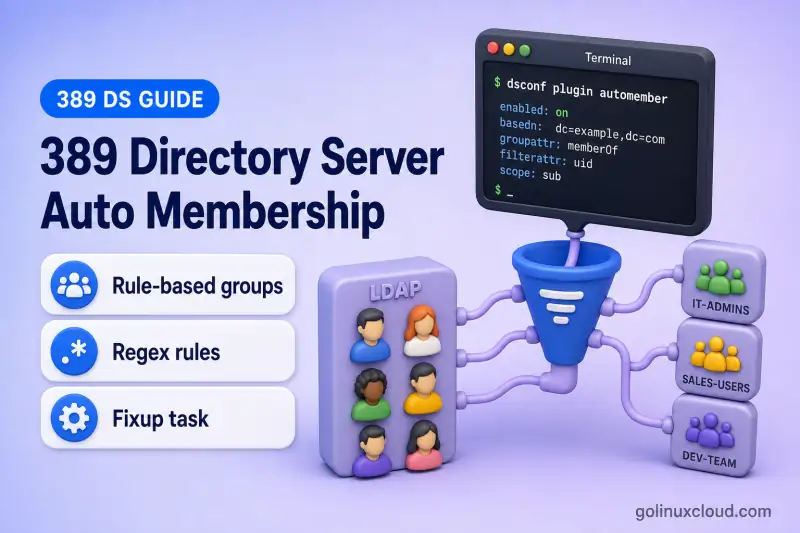
Static LDAP groups store explicit member DNs on the group entry. Without automation, every assignment is a manual member or uniqueMember change. The Auto Membership plug-in evaluates new and modified entries against administrator-defined rules and writes matching DNs into existing static groups.
This guide covers the complete rule-based static-group assignment workflow in 389 Directory Server:
- Auto Membership definitions
- Scope and LDAP entry filters
- Default or fallback groups
- Inclusive and exclusive regular expressions
- Target groups
memberversusuniqueMember- Processing new and modified entries
- Rebuilding membership for existing entries
- Testing rules without changing production groups
- Managing multiple definitions
- Troubleshooting incorrect or stale membership
Before you start:
- Install 389 Directory Server — running instance with a suffix (this lab uses
ldap1ondc=example,dc=com) - Manage users and groups —
ou=People,ou=Groups, and static group creation - dsconf commands — online plug-in configuration
memberOf values (memberOf plug-in), clean stale DN references (Referential Integrity), or configure dynamic groups evaluated at search time.
Tested on: Rocky Linux 10.2; 389 Directory Server 3.2.0.
The lab instance is ldap1 on ldap1.example.com with LDAP port 389.
How the Auto Membership plug-in works
New or modified user entry
        |
        v
Auto Membership definition checks:
scope + LDAP filter
        |
        +--> Does not match: no action
        |
        +--> Matches definition
                  |
                  v
           Evaluate regex rules
                  |
                  +--> Matches one or more target rules: add to matching target group(s)
                  |
+--> No target rule: add to default group| Component | Purpose |
|---|---|
| Definition | Selects entries by subtree and LDAP filter |
| Default group | Receives matching entries that match no regex rule |
| Regex rule | Applies additional attribute-based conditions |
| Target group | Receives entries matching that regex rule |
| Grouping attribute | Defines what is written to the group entry |
| Modify processing | Recalculates memberships after relevant entry changes |
The plug-in adds explicit values such as member: uid=user1,ou=People,dc=example,dc=com to a static group. It does not create the group entry itself. A definition contains the search scope, entry filter, grouping format, and optional default group, while child regex rules direct matching entries to additional target groups.
The LDAP definition filter decides whether Auto Membership evaluates an entry. Regex rules decide which target group or groups receive an entry that already matched the definition. A definition can have multiple child regex rules, and an entry can be added to more than one target group when multiple rules match.
Compare Auto Membership with related features
| Feature | Purpose |
|---|---|
| Auto Membership | Adds entries to static groups based on rules |
| MemberOf | Writes reverse group membership to member entries |
| Referential Integrity | Removes or updates stale DN references |
| Managed Entries | Creates a related entry automatically |
| Dynamic groups | Calculate membership at search time without storing members |
| Roles | Provide managed or filter-based role membership |
Auto Membership writes forward membership on the group entry. MemberOf maintains the reverse memberOf attribute on the member entry. Referential Integrity cleans forward DN references after delete, rename, or move.
Prepare users and target groups
Use one continuous lab tree under dc=example,dc=com:
dc=example,dc=com
├── ou=People
│   ├── uid=user1
│   ├── uid=user2
│   └── uid=user3
└── ou=Groups
    ├── cn=all-employees          (fallback only; not every employee)
    ├── cn=full-time-employees
    └── cn=temporary-employees
The three existing users have the following attributes before the Auto Membership rules are created:
| User | Object class | employeeType |
|---|---|---|
user1 |
inetOrgPerson |
full-time |
user2 |
inetOrgPerson |
contractor |
user3 |
inetOrgPerson |
intern |
The prerequisite article already created valid inetOrgPerson users. Assign employeeType before you create the Auto Membership definition and regex rules. Save add-employee-type.ldif:
dn: uid=user1,ou=People,dc=example,dc=com
changetype: modify
replace: employeeType
employeeType: full-time

dn: uid=user2,ou=People,dc=example,dc=com
changetype: modify
replace: employeeType
employeeType: contractor

dn: uid=user3,ou=People,dc=example,dc=com
changetype: modify
replace: employeeType
employeeType: intern
Apply it:
Entry updates in this section use the ldapmodify command.
ldapmodify -x -H ldap://ldap1.example.com:389 -D "cn=Directory Manager" -W -f add-employee-type.ldifmodifying entry "uid=user1,ou=People,dc=example,dc=com"
modifying entry "uid=user2,ou=People,dc=example,dc=com"
modifying entry "uid=user3,ou=People,dc=example,dc=com"Create all target groups before configuring the plug-in. On my Rocky Linux 10.2 lab I created three groupOfNames groups with dsidm:
Directory data changes in this section use dsidm commands.
dsidm ldap1 group create --cn all-employees --description "Fallback group for unmatched employees"The cn=all-employees group is a fallback only. Users who match a Full-time or Temporary regex rule are not also added to this default group.
Successfully created all-employeesdsidm ldap1 group create --cn full-time-employees --description "Full-time employees"dsidm ldap1 group create --cn temporary-employees --description "Temporary employees"Use member with groupOfNames or uniqueMember with groupOfUniqueNames.
Check and enable the Auto Membership plug-in
Check whether the plug-in is enabled:
dsconf ldap1 plugin automember showSample output:
dn: cn=Auto Membership Plugin,cn=plugins,cn=config
automemberprocessmodifyops: on
nsslapd-pluginEnabled: on
nsslapd-pluginInitfunc: automember_init
nsslapd-pluginPath: libautomember-plugin
List existing definitions:
dsconf ldap1 plugin automember list definitionsSample output on a fresh instance:
No Automember definitions were foundInspect one definition after you create it:
dsconf ldap1 plugin automember definition "Employee groups" showList regex rules for that definition:
dsconf ldap1 plugin automember list regexes "Employee groups"Record existing rules before changing them.
If the plug-in is disabled on your instance, enable it:
dsconf ldap1 plugin automember enableEnabled plugin 'Auto Membership Plugin'Current releases enable the plug-in online. Verify nsslapd-pluginEnabled: on. Only when your installed release explicitly requires a restart, run:
dsctl ldap1 restartConfigure modify-operation processing
autoMemberProcessModifyOps is a plug-in-level setting on cn=Auto Membership Plugin,cn=plugins,cn=config, not a definition attribute. It is enabled by default. When it is on, modify operations compare the entry before and after a change, add the new membership, and remove obsolete automatic memberships.
Verify the setting:
dsconf ldap1 plugin automember showSample output:
automemberprocessmodifyops: onWhen you must enable it manually, save enable-automember-modify-ops.ldif:
dn: cn=Auto Membership Plugin,cn=plugins,cn=config
changetype: modify
replace: autoMemberProcessModifyOps
autoMemberProcessModifyOps: on
Apply it:
ldapmodify -x -H ldap://ldap1.example.com:389 \
  -D "cn=Directory Manager" -W \
  -f enable-automember-modify-ops.ldif
Do not assume the default enabled state is identical in every distribution or 389 Directory Server release.
Create a default Auto Membership definition
A definition stores the primary assignment settings:
| Attribute | Purpose |
|---|---|
autoMemberScope |
Subtree containing candidate entries |
autoMemberFilter |
LDAP filter candidates must match |
autoMemberDefaultGroup |
Fallback group |
autoMemberGroupingAttr |
Group attribute and source value format |
Conceptual definition:
dn: cn=Employee groups,cn=Auto Membership Plugin,cn=plugins,cn=config
objectClass: autoMemberDefinition
cn: Employee groups
autoMemberScope: ou=People,dc=example,dc=com
autoMemberFilter: (objectClass=inetOrgPerson)
autoMemberDefaultGroup: cn=all-employees,ou=Groups,dc=example,dc=com
autoMemberGroupingAttr: member:dn
Create the definition:
dsconf ldap1 plugin automember definition "Employee groups" add --default-group "cn=all-employees,ou=Groups,dc=example,dc=com" --scope "ou=People,dc=example,dc=com" --filter "(objectClass=inetOrgPerson)" --grouping-attr "member:dn"Successfully created the cn=Employee groups,cn=Auto Membership Plugin,cn=plugins,cn=configVerify:
dsconf ldap1 plugin automember definition "Employee groups" showSample output:
autoMemberDefaultGroup: cn=all-employees,ou=Groups,dc=example,dc=com
autoMemberFilter: (objectClass=inetOrgPerson)
autoMemberGroupingAttr: member:dn
autoMemberScope: ou=People,dc=example,dc=com
cn: Employee groups
The default group is the fallback for entries that match the main definition but do not match a child regex rule. autoMemberDefaultGroup is multi-valued at the schema level, so an unmatched candidate can be added to every configured fallback group.
Understand the grouping attribute
The grouping format is group-attribute:entry-attribute.
| Target group type | Example grouping attribute |
|---|---|
groupOfNames |
member:dn |
groupOfUniqueNames |
uniqueMember:dn |
The value after the colon comes from the candidate entry. Using dn writes the entry's complete DN into the group membership attribute.
Do not configure a grouping attribute that the target group's object class does not permit.
Create inclusive and exclusive regex rules
Create a full-time employee rule:
dsconf ldap1 plugin automember definition "Employee groups" regex "Full-time employees" add --target-group "cn=full-time-employees,ou=Groups,dc=example,dc=com" --inclusive "employeeType=^full-time$"Successfully created the cn=Full-time employees,cn=Employee groups,cn=Auto Membership Plugin,cn=plugins,cn=configCreate the temporary employee rule with multiple inclusive expressions. Pass every value after one --inclusive option; dsconf defines --inclusive with nargs='+', so repeating the option can leave only the final value:
dsconf ldap1 plugin automember definition "Employee groups" \
  regex "Temporary employees" add \
  --target-group "cn=temporary-employees,ou=Groups,dc=example,dc=com" \
  --inclusive \
    "employeeType=^contractor$" \
    "employeeType=^intern$" \
"employeeType=^seasonal$"Successfully created the cn=Temporary employees,cn=Employee groups,cn=Auto Membership Plugin,cn=plugins,cn=configVerify the rule:
dsconf ldap1 plugin automember definition "Employee groups" regex "Temporary employees" showSample output:
autoMemberInclusiveRegex: employeeType=^contractor$
autoMemberInclusiveRegex: employeeType=^intern$
autoMemberInclusiveRegex: employeeType=^seasonal$
autoMemberTargetGroup: cn=temporary-employees,ou=Groups,dc=example,dc=com
You can also add additional autoMemberInclusiveRegex values with ldapmodify when you prefer LDIF-based changes.
A few regex rules apply:
- Expressions use an
attribute=regular-expressionformat. - Multiple inclusive expressions on one rule use OR-style matching.
- A candidate only reaches these rules after matching the definition scope and LDAP filter.
- Prefer anchored expressions such as
^contractor$instead of broad expressions such ascontract.
Exclude selected users from a target group
Add an exclusion to the temporary rule:
dsconf ldap1 plugin automember definition "Employee groups" \
  regex "Temporary employees" set \
  --target-group "cn=temporary-employees,ou=Groups,dc=example,dc=com" \
  --exclusive "uid=^service-.*" \
  --inclusive \
    "employeeType=^contractor$" \
    "employeeType=^intern$" \
    "employeeType=^seasonal$"
Exclusive expressions are evaluated before inclusive expressions. On my lab host, a user with employeeType: contractor and uid: service-build was added to the default cn=all-employees group instead of the temporary target group.
Test assignment and modify processing
The users and their employeeType values already existed before the Auto Membership definition and regex rules were created. No automatic group memberships were assigned at that time because the rules did not exist yet. Run fixup to process those existing entries:
dsconf ldap1 plugin automember fixup "ou=People,dc=example,dc=com" -f "(objectClass=inetOrgPerson)" -s sub --waitSample output:
Attempting to add task entry...
Waiting for fixup task "cn=automember_rebuild_2026-07-17T22:23:03.355598,cn=automember rebuild membership,cn=tasks,cn=config" to complete.
Fixup task successfully completed
Verify the target groups:
ldapsearch -x -H ldap://ldap1.example.com:389 -D "cn=Directory Manager" -W -b "ou=Groups,dc=example,dc=com" "(|(cn=all-employees)(cn=full-time-employees)(cn=temporary-employees))" dn memberSample output:
dn: cn=full-time-employees,ou=Groups,dc=example,dc=com
member: uid=user1,ou=People,dc=example,dc=com

dn: cn=temporary-employees,ou=Groups,dc=example,dc=com
member: uid=user2,ou=People,dc=example,dc=com
member: uid=user3,ou=People,dc=example,dc=com| User | employeeType |
Expected group |
|---|---|---|
user1 |
full-time |
cn=full-time-employees |
user2 |
contractor |
cn=temporary-employees |
user3 |
intern |
cn=temporary-employees |
Use a narrow LDAP filter in production so fixup does not process unrelated entries inside the scope.
Also query memberOf when the memberOf plug-in is enabled, but verify the forward member value on the target group to confirm Auto Membership behavior.
Recalculate membership after user modifications
With autoMemberProcessModifyOps enabled on the plug-in entry, test an attribute change from contractor to full-time on user2. Save change-user2-fulltime.ldif:
dn: uid=user2,ou=People,dc=example,dc=com
changetype: modify
replace: employeeType
employeeType: full-time
Apply it:
ldapmodify -x -H ldap://ldap1.example.com:389 -D "cn=Directory Manager" -W -f change-user2-fulltime.ldifQuery both target groups to confirm addition and removal:
ldapsearch -x -H ldap://ldap1.example.com:389 \
  -D "cn=Directory Manager" -W \
  -b "ou=Groups,dc=example,dc=com" \
  "(|(cn=full-time-employees)(cn=temporary-employees))" \
  dn member
Expected result:
dn: cn=full-time-employees,ou=Groups,dc=example,dc=com
member: uid=user1,ou=People,dc=example,dc=com
member: uid=user2,ou=People,dc=example,dc=com

dn: cn=temporary-employees,ou=Groups,dc=example,dc=com
member: uid=user3,ou=People,dc=example,dc=com
user2 was added to Full-time Employees and removed from Temporary Employees without running fixup again.
Keep modify processing enabled unless you have a measured performance reason to disable it. When autoMemberProcessModifyOps is off, new entries are still evaluated, but obsolete automatic memberships can remain until you run fixup with --cleanup.
Rebuild membership and test rules before production
Run ordinary fixup when:
- Rules were created after users already existed
autoMemberProcessModifyOpswas disabled and you need to add missing memberships- Users were imported
- You are processing previously existing entries under new rules
Run fixup with --cleanup when:
- Regex rules changed and obsolete memberships must be removed
- A regex rule was deleted
- Existing memberships no longer match current attributes
Use ordinary fixup when adding rules or processing previously existing entries:
dsconf ldap1 plugin automember fixup \
  "ou=People,dc=example,dc=com" \
  -f "(objectClass=inetOrgPerson)" \
  -s sub \
  --wait
Use cleanup when rules were removed or changed and obsolete memberships must be deleted:
dsconf ldap1 plugin automember fixup \
  "ou=People,dc=example,dc=com" \
  -f "(objectClass=inetOrgPerson)" \
  -s sub \
  --cleanup \
--wait--cleanup removes memberships from Auto Membership target groups and then rebuilds them from the active rules. Review manually assigned members before using it, because memberships that the current rules do not reproduce can be removed.
--timeout limits how long dsconf waits for the task. It does not define how many entries the task processes. The default is 0, which means no client-side timeout. Use fixup-status to confirm whether a task continued after the client stopped waiting.
When you start fixup without --wait, monitor the background task with:
dsconf ldap1 plugin automember fixup-statusSample output:
Found 1 fix-up tasks
 - Base DN:       ou=People,dc=example,dc=com
 - Filter:        (objectclass=inetorgperson)
 - Status:        Automember rebuild task finished. Processed (3) entries in 1 seconds
Some 389 Directory Server builds expose an abort-fixup subcommand, but the command-line implementation is not reliable across releases. Check dsconf ldap1 plugin automember abort-fixup -h and test the command on your installed build before depending on it. Otherwise, monitor the active task with fixup-status and allow it to finish.
Run one fixup task at a time and schedule large rebuilds during a maintenance window. Nested groups, broad filters, complex regular expressions, and interaction with other membership plug-ins can increase processing time.
Test existing directory entries
Use the cn=automember export updates,cn=tasks,cn=config task to evaluate current directory entries and write proposed changes to an LDIF file. Save automember-export-task.ldif:
dn: cn=lab-export,cn=automember export updates,cn=tasks,cn=config
objectClass: top
objectClass: extensibleObject
cn: lab-export
basedn: ou=People,dc=example,dc=com
filter: (objectClass=inetOrgPerson)
scope: sub
ldif: /tmp/automember-export.ldif
Apply it:
ldapadd -x -H ldap://ldap1.example.com:389 -D "cn=Directory Manager" -W -f automember-export-task.ldifReview the generated file on the server host:
sed -n '1,120p' /tmp/automember-export.ldifOn my lab host, the export file contained proposed group modifications such as:
dn: cn=full-time-employees,ou=Groups,dc=example,dc=com
changetype: modify
add: member
member: uid=user2,ou=People,dc=example,dc=com

dn: cn=full-time-employees,ou=Groups,dc=example,dc=com
changetype: modify
add: member
member: uid=user1,ou=People,dc=example,dc=com

dn: cn=temporary-employees,ou=Groups,dc=example,dc=com
changetype: modify
add: member
member: uid=user3,ou=People,dc=example,dc=com
Each block shows the target group DN, changetype: modify, the grouping attribute, and the candidate entry DN. The export task reads live directory entries and writes proposed updates without applying them to production groups.
Test entries from an import LDIF
Use cn=automember map updates,cn=tasks,cn=config to evaluate candidate entries from an input LDIF and produce proposed group updates.
Create the candidate input file at /var/lib/dirsrv/slapd-ldap1/ldif/candidate-users.ldif:
dn: uid=candidate1,ou=People,dc=example,dc=com
objectClass: top
objectClass: person
objectClass: organizationalPerson
objectClass: inetOrgPerson
cn: Candidate One
sn: One
uid: candidate1
employeeType: full-time
Save automember-map-task.ldif:
dn: cn=lab-map,cn=automember map updates,cn=tasks,cn=config
objectClass: top
objectClass: extensibleObject
cn: lab-map
ldif_in: /var/lib/dirsrv/slapd-ldap1/ldif/candidate-users.ldif
ldif_out: /tmp/automember-map-output.ldif
Place the input file under the instance LDIF directory on the server host. Submit the task:
ldapadd -x -H ldap://ldap1.example.com:389 -D "cn=Directory Manager" -W -f automember-map-task.ldifInspect the generated file:
sed -n '1,120p' /tmp/automember-map-output.ldifOn my lab host, the map output looked like:
dn: cn=full-time-employees,ou=Groups,dc=example,dc=com
changetype: modify
add: member
member: uid=candidate1,ou=People,dc=example,dc=com
The map task reads candidate entries from ldif_in and writes proposed updates to ldif_out. It does not import the candidate entries or update production groups.
Manage definitions and work with related plug-ins
Use separate definitions for clearly different entry classes such as employee groups, host groups, application accounts, or contractor groups. Each definition should have a narrow scope, a specific LDAP filter, its own fallback group where required, and clearly named regex rules.
Before changing a rule:
- Export or record its current configuration.
- Run a dry-run export or map task against existing entries.
- Update the regex or target group.
- Run fixup with
--cleanupwhen existing membership must be removed and rebuilt. - Verify both new and old target groups.
Deleting a regex rule does not remove historical membership values from its target group. Run a controlled fixup with --cleanup or clean the group explicitly when obsolete memberships must be removed.
Recommended combination with related plug-ins:
Auto Membership:
Adds the user DN to the static group

MemberOf:
Adds the group DN to the user's memberOf attribute

Referential Integrity:
Removes or updates the user DN after delete, rename, or move
Test all three directions when you deploy them together:
- Add or modify a user so an Auto Membership rule matches.
- Confirm the forward group membership.
- Confirm the reverse
memberOfvalue. - Rename or delete the user.
- Confirm stale references are cleaned.
Complete configuration for MemberOf and Referential Integrity belongs in their dedicated articles.
Replication and multiple write servers
Auto Membership definitions are stored under cn=Auto Membership Plugin,cn=plugins,cn=config. Treat them as per-instance configuration and keep the same rules on every server that can accept user add or modify operations.
Test:
- User creation through each writable supplier
- Attribute changes through each supplier
- Replication of resulting group membership
- Fixup execution and resulting replicated changes
- Behavior during bulk import or replica initialization
Avoid running different regex definitions on separate writable servers. The same user operation can produce different group assignments.
Troubleshooting
| Symptom | Likely cause | Fix |
|---|---|---|
| New users are not added to any group | Plug-in disabled, wrong scope, LDAP filter mismatch, missing target group, wrong grouping attribute | Enable the plug-in, verify scope and filter, confirm group exists, check autoMemberGroupingAttr |
| User goes to the default group unexpectedly | Definition matched but no inclusive regex matched | Review regex rules and attribute values |
| Inclusive rule appears correct but does not match | Wrong attribute name, value, anchors, or case behavior | Inspect the entry, tighten regex anchors, verify scope and filter |
| User matches inclusive rule but is excluded | Exclusive expression takes precedence | Review every exclusion on that rule |
Membership does not change after employeeType is modified |
autoMemberProcessModifyOps is off on the plug-in entry |
Enable modify processing, or run dsconf ldap1 plugin automember fixup "ou=People,dc=example,dc=com" -f "(objectClass=inetOrgPerson)" -s sub --cleanup --wait |
| User remains in an old group | Modify processing disabled, stale memberships after rule changes, manual membership, or another plug-in | Check autoMemberProcessModifyOps; run fixup with --cleanup, base DN, filter, and scope as shown in the fixup section; verify how the membership was created |
| Fixup task consumes high CPU | Broad filter, large groups, complex rules, other plug-ins | Narrow base DN and filter, schedule during lower activity, monitor task status |
| Target group receives an invalid membership value | Grouping attribute does not match group object class | Use member:dn or uniqueMember:dn as appropriate |
| Results differ between writable servers | Different definitions or regex rules under cn=config |
Compare dsconf ldap1 plugin automember list definitions and each regex rule on every supplier |
What's next
After you complete this guide, continue with:
- Configure the 389 Directory Server memberOf Plugin — reverse membership after Auto Membership writes groups
- Configure Referential Integrity in 389 Directory Server — cleanup when members are deleted
- Configure Managed Entries and Linked Attributes in 389 Directory Server — derived entry patterns
- Tune Large LDAP Groups and memberOf Performance in 389 Directory Server — membership at scale
- 389 Directory Server Roles vs Groups: Differences and Use Cases — roles when membership is policy-driven
Summary
- Create all target static groups first.
- Define a narrow scope and LDAP filter.
- Use a default group for unmatched candidates.
- Use inclusive regex rules for target groups.
- Use exclusions carefully because they take precedence.
- Keep modify processing enabled on the plug-in entry where possible.
- Run ordinary fixup for existing entries; use
--cleanupwhen rules changed or were removed and stale memberships must be deleted. - Test rules with export or map tasks before bulk changes.
- Keep configurations consistent across writable servers.
The grouping format is group_member_attribute:entry_attribute, such as member:dn or uniqueMember:dn. Inclusive and exclusive conditions use PCRE-style expressions. Multiple inclusive expressions can match independently, while any matching exclusion takes precedence.
References
- Red Hat Directory Server 13 — Automatically adding entries to groups
- 389 Directory Server — Auto Membership plug-in design
- 389 Directory Server — Automember modify-operation design
- 389 Directory Server — Automember fixup improvements
