
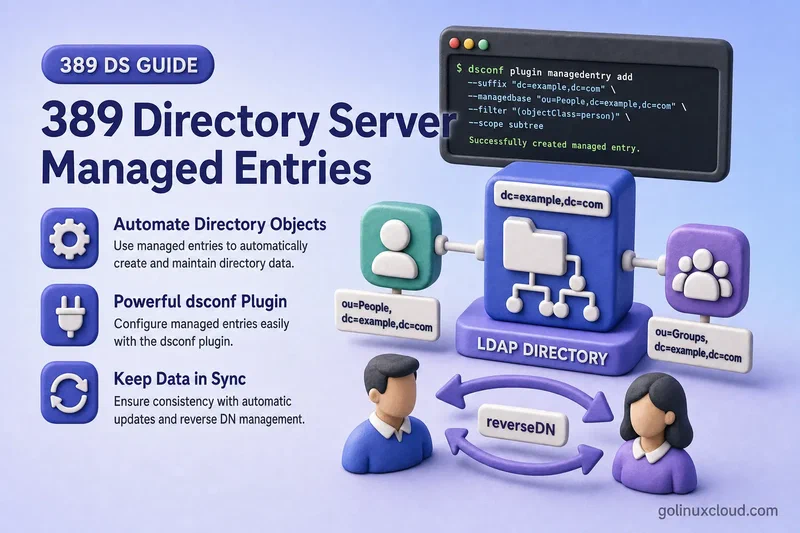
Two common directory automation problems look similar but need different plug-ins. Sometimes one entry should create and control a companion entry, such as a POSIX private group for each posixAccount user. Sometimes an administrator maintains a DN-valued link on one entry and the directory must keep the reverse DN attribute on the related entry in sync.
This guide covers both workflows in 389 Directory Server:
- Automatically create one related LDAP entry from another
- Keep mapped attributes synchronized with the originating entry
- Maintain reverse DN relationships without editing both entries manually
- Repair reverse DN relationships with the Linked Attributes fixup task
- Apply the correct replication design for generated attributes
Before you start:
- Install 389 Directory Server — running instance with a suffix (this lab uses
ldap1ondc=example,dc=com) - Manage users and groups —
ou=People,ou=Groups, and POSIX object classes - dsconf commands — online plug-in configuration
Tested on: Rocky Linux 10.2; 389 Directory Server 3.2.0.
The lab instance is ldap1 on ldap1.example.com with LDAP port 389. Directory Manager credentials are read from /root/dm.pw.
Managed Entries vs Linked Attributes
| Feature | Managed Entries | Linked Attributes |
|---|---|---|
| Creates a new entry | Yes | No |
| Maintains attributes on an existing entry | Yes | Yes |
| Uses a template | Yes | No |
| Uses a DN attribute pair | No | Yes |
| Primary example | User creates private group | Manager and direct-report relationship |
| Documented fixup task | No general fixup task | Yes |
Managed Entries:
Entry A causes Entry B to be created.

Linked Attributes:
A DN attribute on Entry A causes a reverse DN attribute on Entry B.
Managed Entries is the right choice when provisioning must create the companion object itself, such as a private posixGroup for each new posixAccount. Linked Attributes is the right choice when both entries already exist and only a reverse DN-valued attribute must track an administrator-maintained forward link.
Auto Membership adds matching users to existing static groups. Managed Entries creates the companion group entry itself. Those are different automation models.
Prepare the test directory
The lab suffix already contains ou=People and ou=Groups. This chapter adds ou=Templates for Managed Entries templates.
dc=example,dc=com
├── ou=People
│   ├── uid=user1
│   └── uid=manager1
├── ou=Groups
└── ou=Templates
Create the templates container:
New entries in this section are added with the ldapadd command.
ldapadd -x -H ldap://127.0.0.1:389 -D "cn=Directory Manager" -y /root/dm.pw <<'EOF'
dn: ou=Templates,dc=example,dc=com
objectClass: top
objectClass: organizationalUnit
ou: Templates
EOF
Sample output:
adding new entry "ou=Templates,dc=example,dc=com"The Managed Entries lab uses a posixAccount user with uid, uidNumber, and gidNumber. The destination subtree ou=Groups,dc=example,dc=com receives generated posixGroup entries. The Linked Attributes lab uses manager on employee entries and a custom directReport attribute on manager entries.
Check the plug-in configuration
Inspect the Managed Entries plug-in before you add a definition:
dsconf ldap1 plugin managed-entries showSample output:
dn: cn=Managed Entries,cn=plugins,cn=config
nsslapd-pluginEnabled: on
nsslapd-pluginPath: libmanagedentries-plugin
nsslapd-pluginVersion: 3.2.0
List available Managed Entries subcommands on the installed version:
dsconf ldap1 plugin managed-entries --helpThe config and template actions create definitions and templates. list configs and list templates show what is already present.
Inspect Linked Attributes the same way:
dsconf ldap1 plugin linked-attr showdsconf ldap1 plugin linked-attr --helpLinked Attributes exposes config, fixup, and fixup-status on 389 Directory Server 3.2.0.
List existing configuration entries under the plug-in DNs:
ldapsearch -LLL -Y EXTERNAL -H ldapi://%2Fvar%2Frun%2Fslapd-ldap1.socket -b "cn=Managed Entries,cn=plugins,cn=config" -s sub "(objectClass=*)" dnldapsearch -LLL -Y EXTERNAL -H ldapi://%2Fvar%2Frun%2Fslapd-ldap1.socket -b "cn=Linked Attributes,cn=plugins,cn=config" -s sub "(objectClass=*)" dnOn a fresh lab host the Managed Entries search returns only the plug-in entry itself until you add a definition. Record existing settings before you add a new instance.
How the Managed Entries plug-in works
Add posixAccount user
        |
        v
Origin scope and filter match
        |
        v
Managed Entries template is evaluated
        |
        v
New posixGroup entry is created
        |
        +--> Origin entry gets mepManagedEntry
        |
└--> Managed entry gets mepManagedBy| Component | Purpose |
|---|---|
originScope |
Subtree containing candidate origin entries |
originFilter |
LDAP filter that selects qualifying entries |
managedBase |
Destination subtree for generated entries |
managedTemplate |
Template used to build the new entry |
mepRDNAttr |
Naming attribute for the managed entry |
mepStaticAttr |
Fixed value added to every managed entry |
mepMappedAttr |
Value derived from the origin entry |
When a qualifying origin entry is added or modified, the plug-in evaluates the template, creates or updates the managed entry, and writes mepManagedEntry on the origin plus mepManagedBy on the generated entry.
Configure the Managed Entries plug-in
Create the managed entry template
Create a template for a POSIX private group. The RDN attribute must also appear as a mapped attribute.
dsconf -D "cn=Directory Manager" -y /root/dm.pw ldap1 plugin managed-entries template "cn=POSIX Private Group Template,ou=Templates,dc=example,dc=com" add --rdn-attr cn --static-attr "objectclass: posixGroup" --mapped-attr "cn: \${uid} Private Group" "gidNumber: \$gidNumber" "memberUid: \$uid"Sample output:
Successfully created the cn=POSIX Private Group Template,ou=Templates,dc=example,dc=com
Don't forget to assign the template to Managed Entry Plugin config attribute - managedTemplate
objectClass: posixGroupis static on every generated group.cn,gidNumber, andmemberUidare mapped from the origin user.${uid}and$gidNumberread values from the origin entry. Use one origin token per mapped value.
Verify the template:
ldapsearch -LLL -x -H ldap://127.0.0.1:389 -D "cn=Directory Manager" -y /root/dm.pw -b "cn=POSIX Private Group Template,ou=Templates,dc=example,dc=com" -s base objectClass mepRDNAttr mepStaticAttr mepMappedAttrSample output:
dn: cn=POSIX Private Group Template,ou=Templates,dc=example,dc=com
objectClass: mepTemplateEntry
mepRDNAttr: cn
mepStaticAttr: objectclass: posixGroup
mepMappedAttr: cn: ${uid} Private Group
mepMappedAttr: gidNumber: $gidNumber
mepMappedAttr: memberUid: $uid
Create the Managed Entries definition
Create the plug-in instance that ties the origin scope, filter, destination subtree, and template together:
dsconf -D "cn=Directory Manager" -y /root/dm.pw ldap1 plugin managed-entries config "POSIX Private Groups" add --scope "ou=People,dc=example,dc=com" --filter "(objectClass=posixAccount)" --managed-base "ou=Groups,dc=example,dc=com" --managed-template "cn=POSIX Private Group Template,ou=Templates,dc=example,dc=com"Sample output:
Successfully created the cn=POSIX Private Groups,cn=Managed Entries,cn=plugins,cn=configmepManagedEntry and the generated entry, and inspect the Directory Server error log when either is missing.
The Managed Entries plug-in was already enabled on this host. If your instance shows nsslapd-pluginEnabled: off, enable it and restart when dynamic plug-ins are not active:
dsconf ldap1 plugin managed-entries enabledsctl ldap1 restartVerify the definition:
dsconf ldap1 plugin managed-entries config "POSIX Private Groups" showSample output:
originScope: ou=People,dc=example,dc=com
originFilter: (objectClass=posixAccount)
managedBase: ou=Groups,dc=example,dc=com
managedTemplate: cn=POSIX Private Group Template,ou=Templates,dc=example,dc=com
List configured instances:
dsconf ldap1 plugin managed-entries list configsSample output:
POSIX Private GroupsTest automatic entry creation
Add a POSIX user with numeric IDs inside your normal provisioning range:
ldapadd -x -H ldap://127.0.0.1:389 -D "cn=Directory Manager" -y /root/dm.pw <<'EOF'
dn: uid=mep-test2,ou=people,dc=example,dc=com
objectClass: top
objectClass: person
objectClass: organizationalPerson
objectClass: inetOrgPerson
objectClass: posixAccount
objectClass: nsPerson
cn: MEP Test Two
sn: Test
displayName: MEP Test Two
uid: mep-test2
uidNumber: 10002
gidNumber: 10002
homeDirectory: /home/mep-test2
EOF
Sample output:
adding new entry "uid=mep-test2,ou=people,dc=example,dc=com"A successful ldapadd response confirms only the origin entry. Verify the companion group and mepManagedEntry before you treat provisioning as complete.
Verify the generated private group:
ldapsearch -LLL -x -H ldap://127.0.0.1:389 -D "cn=Directory Manager" -y /root/dm.pw -b "ou=Groups,dc=example,dc=com" "(memberUid=mep-test2)" dn cn gidNumber memberUid mepManagedBySample output:
dn: cn=mep-test2,ou=Groups,dc=example,dc=com
cn: mep-test2 Private Group
cn: mep-test2
gidNumber: 10002
memberUid: mep-test2
mepManagedBy: uid=mep-test2,ou=people,dc=example,dc=com
Verify the origin user link:
ldapsearch -LLL -x -H ldap://127.0.0.1:389 -D "cn=Directory Manager" -y /root/dm.pw -b "uid=mep-test2,ou=people,dc=example,dc=com" -s base mepManagedEntrySample output:
mepManagedEntry: cn=mep-test2,ou=Groups,dc=example,dc=comExpected relationship:
User:
mepManagedEntry: cn=mep-test2,ou=Groups,dc=example,dc=com

Group:
mepManagedBy: uid=mep-test2,ou=people,dc=example,dc=com
On the tested 389 Directory Server 3.2.0 instance, the managed entry uses the origin RDN value mep-test2 as its RDN. The rendered template value mep-test2 Private Group is added as an additional cn value. Do not assume that text surrounding the mapped token becomes part of the managed DN; verify this behaviour again when upgrading to a later 389 Directory Server release.
Test modify, rename, move, and delete behavior
Modify the origin entry
Change a mapped attribute on the origin entry:
ldapmodify -x -H ldap://127.0.0.1:389 -D "cn=Directory Manager" -y /root/dm.pw <<'EOF'
dn: uid=mep-test2,ou=people,dc=example,dc=com
changetype: modify
replace: gidNumber
gidNumber: 10012
EOF
Re-read the managed group:
ldapsearch -LLL -x -H ldap://127.0.0.1:389 -D "cn=Directory Manager" -y /root/dm.pw -b "ou=Groups,dc=example,dc=com" "(memberUid=mep-test2)" dn cn gidNumberSample output:
dn: cn=mep-test2,ou=Groups,dc=example,dc=com
cn: mep-test2 Private Group
cn: mep-test2
gidNumber: 10012
Only the mapped gidNumber changed in this operation, so the managed entry DN remains unchanged. Renaming the origin entry or changing the origin value used for the managed RDN can cause the plug-in to rename the managed entry.
The official behaviour distinguishes mapped-attribute updates from origin rename operations. A normal modify updates the relevant attributes, while an origin rename triggers managed-entry rename handling.
Change the template
Editing the template does not immediately rewrite every existing managed entry. The server evaluates the new template the next time a related origin entry is modified. Plan a controlled modify on representative origin entries after template changes.
Understand origin rename behavior
Renaming a qualifying origin entry updates the managed entry and link attributes according to the active template. Test modrdn in a lab before you apply it to production users.
Understand origin move behavior
Moving an origin entry outside originScope removes its managed entry. Moving an eligible entry into the scope creates a new managed entry.
Delete the origin entry
Delete the origin entry and confirm the managed group is removed:
ldapdelete -x -H ldap://127.0.0.1:389 -D "cn=Directory Manager" -y /root/dm.pw "uid=mep-test2,ou=people,dc=example,dc=com"ldapsearch -LLL -x -H ldap://127.0.0.1:389 -D "cn=Directory Manager" -y /root/dm.pw -b "ou=Groups,dc=example,dc=com" "(memberUid=mep-test2)" dnA successful empty search prints no entries.
The plug-in rejects direct managed-entry deletion, rename, and mapped-attribute modification from non-internal operations. Production deployments should still use ACIs to protect non-mapped attributes, origin link attributes, and other application-accessible data on generated entries.
Protect managed entries from manual changes
Attributes generated through mepMappedAttr are owned by the plug-in. The plug-in already rejects direct writes to mapped attributes and direct delete or rename operations on managed entries from ordinary client operations.
Other non-mapped attributes on the managed entry may remain manually editable depending on your template and schema. ACIs remain useful for protecting those non-mapped attributes, origin link attributes such as mepManagedEntry, and other application-accessible data.
Normal workflow:
- Modify the origin entry when mapped values must change.
- Delete, rename, or move the origin entry when the companion entry lifecycle must change.
- Treat
mepManagedEntryandmepManagedByas operational link attributes maintained by the plug-in.
Keep detailed ACI syntax in the ACI examples and advanced ACI chapters.
Handle existing entries and template changes
Managed Entries creates a companion entry after a qualifying add or when an entry is moved into the configured scope. A modify operation updates an already associated managed entry; when that managed entry is missing, the documented design logs an error and continues rather than creating it.
For origin entries that existed before the definition:
- Back up the affected users and destination subtree.
- Search for qualifying users that do not have
mepManagedEntry. - Do not rely on an ordinary modify operation to create the missing companion.
- Use a controlled migration or provisioning workflow tested on your exact release.
- A move from outside
originScopeinto the scope is documented to behave like an add and create a managed entry, but temporary DN moves can disrupt clients and should not be used in production without impact testing. - Verify that the expected destination DN does not already exist.
- Confirm both
mepManagedEntryandmepManagedByafter migration.
ldapsearch -LLL -x -H ldap://127.0.0.1:389 -D "cn=Directory Manager" -y /root/dm.pw -b "ou=people,dc=example,dc=com" "(&(objectClass=posixAccount)(!(mepManagedEntry=*)))" dn uid389 Directory Server 3.2.0 documents dsconf plugin linked-attr fixup, but not an equivalent general Managed Entries fixup task. Do not assume a hidden repair command exists without verifying it on your exact release.
Replicate Managed Entries correctly
Replicated origin-entry operations do not independently trigger Managed Entries processing on the receiving replica.
Recommended design:
- Configure the plug-in consistently on every writable supplier.
- Let the supplier that accepts the local write create both origin and managed entries.
- Replicate the resulting managed entry normally.
- Place templates inside a replicated suffix so every supplier uses the same template.
- Keep managed destination entries inside a replicated backend.
- Create the same Managed Entries definition on every writable supplier.
Definition entries under cn=plugins,cn=config are local server configuration. They do not replicate automatically. Either create identical definitions locally on each supplier, or point every supplier at the same replicated configuration area and maintain one shared definition there. Full replication agreement details belong in the replication chapters. The key operational rule is to replicate the final generated entry, not rely on a replica to generate it from a replicated origin write alone.
How the Linked Attributes plug-in works
Entry A:
directReport: uid=user1,ou=People,...

        |
        | Linked Attributes plug-in
        v

Entry B:
manager: uid=manager1,ou=People,...| Setting | Purpose |
|---|---|
linkType |
Attribute maintained by an administrator or application |
managedType |
Reverse attribute maintained by the plug-in |
linkScope |
Optional subtree restricting the relationship |
Both attributes must use Distinguished Name syntax, and managedType must be multi-valued because several source entries may point to the same target. The configured linkScope applies to both sides of the relationship. A linkType value pointing outside scope can remain on the source entry, but the plug-in does not create the managed backlink.
The linkType value points to the entry that receives managedType. The managed value points back to the original entry.
Prepare the Linked Attribute schema
Verify that both sides of the pair use DN syntax. The official example uses:
linkType: directReport
managedType: manager
manager is already available on inetOrgPerson. directReport is not loaded on a default 389 Directory Server schema, so this lab adds it through custom schema.
Add a DN-syntax attribute:
dsconf ldap1 schema attributetypes add directReport --oid 1.3.6.1.4.1.32473.1.2.1 --desc "Direct report DN link" --syntax 1.3.6.1.4.1.1466.115.121.1.12 --equality distinguishedNameMatch --x-origin "GoLinuxCloud lab schema"Sample output:
Successfully added the attributeTypeAdd an auxiliary object class that permits directReport on manager entries:
dsconf ldap1 schema objectclasses add glcDirectReport --oid 1.3.6.1.4.1.32473.1.2.2 --desc "Auxiliary class for directReport" --sup top --kind AUXILIARY --may directReport --x-origin "GoLinuxCloud lab schema"Sample output:
Successfully added the objectClassCreate a manager entry for the relationship test:
ldapadd -x -H ldap://127.0.0.1:389 -D "cn=Directory Manager" -y /root/dm.pw <<'EOF'
dn: uid=manager1,ou=people,dc=example,dc=com
objectClass: top
objectClass: person
objectClass: organizationalPerson
objectClass: inetOrgPerson
objectClass: posixAccount
objectClass: nsPerson
cn: Manager One
sn: Manager
displayName: Manager One
uid: manager1
uidNumber: 10050
gidNumber: 10050
homeDirectory: /home/manager1
EOF
Sample output:
adding new entry "uid=manager1,ou=people,dc=example,dc=com"The employee entry uid=user1,ou=people,dc=example,dc=com already exists from earlier chapters.
Configure the Linked Attributes plug-in
Enable the plug-in when required:
dsconf ldap1 plugin linked-attr enableIf the plug-in is already active, dsconf reports that state instead of enabling it again:
Plugin 'Linked Attributes' already enabledCreate the instance:
dsconf -D "cn=Directory Manager" -y /root/dm.pw ldap1 plugin linked-attr config "Manager Link" add --link-type directReport --managed-type manager --link-scope "ou=people,dc=example,dc=com"Sample output:
Successfully created the cn=Manager Link,cn=Linked Attributes,cn=plugins,cn=configRestart the instance so the new configuration is active:
dsctl ldap1 restartVerify the configuration:
dsconf ldap1 plugin linked-attr config "Manager Link" showSample output:
linktype: directReport
managedtype: manager
linkscope: ou=people,dc=example,dc=com
Test Linked Attribute updates
Add the manually maintained relationship on the manager entry:
ldapmodify -x -H ldap://127.0.0.1:389 -D "cn=Directory Manager" -y /root/dm.pw <<'EOF'
dn: uid=manager1,ou=people,dc=example,dc=com
changetype: modify
add: objectClass
objectClass: glcDirectReport
-
add: directReport
directReport: uid=user1,ou=people,dc=example,dc=com
EOF
Sample output:
modifying entry "uid=manager1,ou=people,dc=example,dc=com"Verify the employee entry received the managed reverse link:
ldapsearch -LLL -x -H ldap://127.0.0.1:389 -D "cn=Directory Manager" -y /root/dm.pw -b "uid=user1,ou=people,dc=example,dc=com" -s base managerSample output:
manager: uid=manager1,ou=people,dc=example,dc=comRemove the relationship by deleting the authoritative directReport value:
ldapmodify -x -H ldap://127.0.0.1:389 -D "cn=Directory Manager" -y /root/dm.pw <<'EOF'
dn: uid=manager1,ou=people,dc=example,dc=com
changetype: modify
delete: directReport
directReport: uid=user1,ou=people,dc=example,dc=com
EOF
Verify the reverse link is gone on the employee entry:
ldapsearch -LLL -x -H ldap://127.0.0.1:389 -D "cn=Directory Manager" -y /root/dm.pw -b "uid=user1,ou=people,dc=example,dc=com" -s base managerA successful empty result prints no manager value.
Then test these additional cases in a lab:
- Add another
directReportDN. - Replace one linked DN with another.
- Rename the referenced entry and confirm both sides update.
- Attempt to write
managerdirectly without a matchingdirectReport.
The manually maintained linkType remains the source of truth. Linked Attributes does not reject a direct write to managedType. Without an ACI, a client can add manager without creating a corresponding directReport, which is why the managed side must be protected.
Protect the managed linked attribute
Create an ACI that denies ordinary users and applications permission to write manager, or whichever attribute is configured as managedType. Only the plug-in should maintain that side of the relationship. Allowing applications to write manager directly can create a relationship that has no matching linkType.
Document which side of every configured pair is authoritative. In this lab, directReport on the manager entry is authoritative and manager on the employee entry is plug-in-owned.
Repair Linked Attributes with the Fixup Task
managedType values in the configured scope and recreates them from the authoritative linkType values. Back up and audit the link attributes before running fixup in production.
Run fixup for one configured pair:
dsconf -D "cn=Directory Manager" -y /root/dm.pw ldap1 plugin linked-attr fixup -l "cn=Manager Link,cn=Linked Attributes,cn=plugins,cn=config" --waitSample output:
Fixup task successfully completedOn 389 Directory Server 3.2.0, -l / --linkdn selects the Linked Attributes pair to repair. The pair's linkScope controls which directory subtree is processed. Omit -l to run fixup for every configured pair.
The fixup task first removes managed attribute values in scope and then rebuilds them from authoritative linkType values.
Run fixup after:
- Bulk imports
- Incorrect replication configuration
- Manual data repairs
- A restored database
- Introducing a new Linked Attributes instance
Configure Linked Attributes with replication
Supplier-consumer topology
Run the plug-in on the writable supplier. The managed result can replicate to read-only consumers according to your chosen topology design.
Multi-supplier topology
Use the local-calculation design from the official documentation:
- Create the same Linked Attributes instance on every writable supplier.
- Keep every instance configuration identical.
- Exclude the managed attribute from fractional replication.
- Replicate the administrator-maintained
linkType. - Let each supplier calculate its own
managedType.
Do not let both replication and the plug-in maintain the same derived attribute. Test writes through every supplier and compare the managed values.
Managed Entries replication differs: replicate the final managed entry created by the writing supplier. Linked Attributes replication relies on identical local configuration plus fractional exclusion of the managed side.
Compare with related directory features
| Feature | Use it when |
|---|---|
| Managed Entries | One entry should automatically create another entry |
| Linked Attributes | One DN relationship needs a reverse DN attribute |
| MemberOf | Static group membership needs group-specific reverse membership |
| Auto Membership | Users should be added to existing groups based on rules |
| Referential Integrity | Old DNs should be removed or updated after delete or rename |
| CoS | Many entries should receive shared or virtual attribute values |
Managed Entries creates the companion object. Auto Membership only adds DNs to groups that already exist. DNA assigns numbers but does not create related entries or reverse DN links.
Troubleshoot managed and linked entries
| Symptom | Likely cause | Fix |
|---|---|---|
| Managed entry is not created | Plug-in disabled, origin outside scope, filter mismatch, missing template, or destination DN already exists | Verify show, scope, filter, template DN, and destination subtree |
| Origin user exists but no managed group was created | Destination DN collision, invalid template output, missing required attribute, or schema failure during the post-operation add | Search for the expected destination DN, inspect the error log, correct the template or collision, and trigger a controlled origin-entry operation |
| Generated entry has incorrect attributes | Wrong mepStaticAttr, mepMappedAttr, or token syntax |
Fix the template and modify the origin entry to trigger reevaluation |
| Template changed but existing entries unchanged | Template edits apply on later origin operations | Modify representative origin entries after the template change |
| Managed entry cannot be deleted by an application | Expected plug-in ownership behavior | Delete or move the origin entry, or change the definition through a controlled configuration workflow |
| Replicated user has no generated companion entry | Managed Entries does not generate from replicated origin writes alone | Confirm the writing supplier created and replicated the managed entry |
| Linked managed value is missing | Wrong pair, DN syntax, scope, object class, or disabled plug-in | Verify linkType, managedType, schema, and plug-in state |
directReport is present but manager is not created |
The source or referenced entry is outside linkScope |
Expand the scope or keep both sides of the relationship inside the configured subtree |
| Managed attribute contains stale values | Orphaned reverse links after import or manual repair | Run dsconf plugin linked-attr fixup and inspect authoritative linkType values |
| Values differ between suppliers | Drifted configuration, missing fractional exclusion, or direct writes to managedType |
Align configs, exclude managed attributes from fractional replication, and rerun fixup on each supplier |
What's next
After you complete this guide, continue with:
- Automatically Add Users to Groups with 389 DS Auto Membership — automatic group membership
- Configure the 389 Directory Server memberOf Plugin — reverse membership on static groups
- Configure Referential Integrity in 389 Directory Server — referential cleanup
- Assign Unique UID and GID Numbers with the 389 DS DNA Plugin — shared identifier allocation
- Create a Custom Schema in 389 Directory Server — schema for derived entries
Summary
- Use Managed Entries when one entry must create and control another.
- Define a template before you create the Managed Entries definition.
- Test add, modify, rename, move, and delete behavior in a lab.
- Replicate the final managed entries, not only the origin entries.
- Use Linked Attributes for generic reverse DN relationships.
- Treat
linkTypeas authoritative andmanagedTypeas plug-in-owned. - Protect generated attributes with ACIs.
- Run Linked Attributes fixup after imports or inconsistencies.
- Apply the correct multi-supplier replication exclusions for Linked Attributes.
The Managed Entries template can contain static values and mapped values derived from the origin entry. It writes mepManagedEntry to the origin and mepManagedBy to the generated entry. Modifying the origin causes mapped values to be reevaluated, while modifying the template alone does not immediately update existing managed entries.
Linked Attributes requires both attributes to have DN syntax, managedType must be multi-valued, and linkScope applies to both sides of the relationship. The administrator-maintained link points to the entry that receives the managed reverse attribute, and the managed side should not be edited directly in production.
References
- 389 Directory Server project
- Red Hat Directory Server 13 — Managed Entries plug-in
- 389 Directory Server — Managed Entry Design
- 389 Directory Server — Linked Attributes Design
