
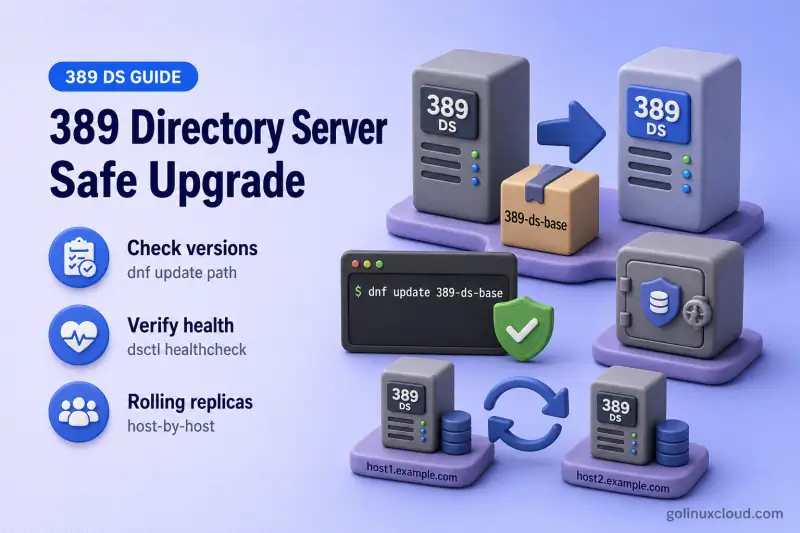
A routine 389 Directory Server update is normally performed through the operating-system package manager. Supported updates install newer 389-ds-base RPMs and related dependencies; there is no separate manual upgrade utility for a standard minor package refresh.
Administrators typically need answers to these questions before maintenance:
- Is this a package update or a migration?
- Does
dnf update 389-ds-baserestart Directory Server? - Can every replica be updated at once?
- What should I back up first?
- How do I verify LDAP, TLS, and replication after the RPM transaction?
- What is a safe rollback path when startup fails?
This guide answers those with a step-by-step workflow for standalone and replicated deployments.
On Red Hat Directory Server and equivalent RHEL-family RPM deployments, the package transaction restarts the dirsrv services for every instance on the host. On Debian, SUSE, or another packaging system, confirm the package's restart behavior and explicitly verify every instance after the update.
You do not need two physical servers for the standalone update path. You do need a backup, baseline, and validation for every Directory Server instance on the host being updated.
Lab layout
| Host | What this guide uses it for |
|---|---|
ldap1.example.com |
Main walkthrough in Steps 2–5 and 7. The RPM transaction restarts every instance dsctl -l reports on this host. |
ldap2.example.com |
Rolling update example in Step 6 only |
Steps 2–5 and 7 use ldap1 as the primary instance name. When this host runs more than one instance, the examples use a loop over dsctl -l instead of naming each instance in prose.
In production, give each instance a unique short name on every host. Reusing the same name on two hosts, as this lab does with ldap2, makes tutorials harder to follow than the software requires.
The safe workflow is: classify the change, check health, create a verified backup, update one host at a time in replicated topologies, and validate before returning clients.
Before you start:
- Install 389 Directory Server — baseline instance layout
- Back Up and Restore 389 Directory Server — verified native backup before you update packages
Tested on: Rocky Linux 10.2; 389 Directory Server 3.2.0.
Step 1: Decide whether you need an update or migration
Administrators search for both update and upgrade. In this article, update means a supported package refresh on the same host and instance layout. Upgrade also refers to that routine package path unless the table below points to migration.
| Current situation | Required approach |
|---|---|
| New package from the existing supported repository | In-place package update |
| Minor release update on the same supported OS | In-place package update |
| Multiple replicated servers on separate hosts | Step 6 rolling host-by-host update |
| Major Red Hat Directory Server generation change | Migrate to a new server or export and import LDIF |
| Moving to a new operating-system major version | Migrate to a new server |
| Moving the instance to another server | Migrate to a new server |
If your situation matches a migration row, use that guide instead of continuing with the package-update steps below.
Use in-place package update when the target 389-ds-base build is supported on your current OS and you are not changing database backend or product generation.
Step 2: Check the installed and available versions
Record the installed build before any maintenance. Directory Server does not provide a separate dsctl --version subcommand; read the package NEVRA instead.
Check the installed 389-ds-base build:
rpm -q 389-ds-base389-ds-base-3.2.0-8.el10_2.x86_64The NEVRA confirms the installed minor release on this host.
List the Directory Server packages included in the update transaction:
rpm -q 389-ds-base 389-ds-base-libs python3-lib389389-ds-base-3.2.0-8.el10_2.x86_64
389-ds-base-libs-3.2.0-8.el10_2.x86_64
python3-lib389-3.2.0-8.el10_2.noarchAll three packages move together during a routine dnf update 389-ds-base transaction.
Check Cockpit integration separately. It is optional but updated together with Directory Server on Red Hat deployments when installed:
rpm -q cockpit-389-dspackage cockpit-389-ds is not installedThe package cockpit-389-ds is not installed message means the optional Cockpit integration is absent. Update only 389-ds-base in that case. When Cockpit is installed, include cockpit-389-ds in the same dnf update transaction.
Review repository metadata for the installed build:
dnf info 389-ds-baseName : 389-ds-base
Version : 3.2.0
Release : 8.el10_2
Repository : @System
Summary : 389 Directory Server (base)Repository: @System identifies the package currently installed on the host. It does not show whether an update is available; use dnf check-update or the corresponding DNF5 check-upgrade command for that decision.
Ask the package manager whether a newer build is available:
dnf --refresh check-update 389-ds-baseDNF documents these exit codes for update checks:
0— no updates are available100— updates are available- any other value — a command or repository error
A robust interactive example:
dnf --refresh check-update 389-ds-base
rc=$?
case "$rc" in
0)
echo "No 389-ds-base update is available"
;;
100)
echo "A 389-ds-base update is available"
;;
*)
echo "DNF update check failed with exit code $rc" >&2
exit "$rc"
;;
esacWhen the check returns exit code 0 with no output, the installed build already matches the newest package in the enabled repositories.
Confirm the host operating-system release because package compatibility is tied to the platform:
grep -E '^(NAME|VERSION)=' /etc/os-releaseNAME="Rocky Linux"
VERSION="10.2 (Red Quartz)"Rocky Linux 10.2 is the platform this lab used for the tested upgrade path.
Use dnf command to compare installed and available versions before scheduling the maintenance window. If the update check reports exit code 100, read the release notes for the newer 389-ds-base NEVRA before proceeding.
List every 389-ds-base build published in the enabled repositories:
dnf repoquery 389-ds-base --qf '%{version}-%{release}'3.2.0-6.el10
3.2.0-7.el10_2
3.2.0-8.el10_2Install the newest supported NEVRA for your platform. Older builds remain in the repository history, but production hosts should move forward to the current supported release.
The newest Rocky Linux 10.2 AppStream build in this lab is 3.2.0-8.el10_2. Upstream may publish newer releases such as 3.2.1 for Fedora before your distribution repository carries them. Routine updates come from the distribution repository you have enabled, not directly from the Port389 download page.
Step 3: Prepare a pre-upgrade checklist
Complete these checks on every host you plan to update.
Review release notes and known issues for the target 389-ds-base build. Confirm the build is supported on your OS subscription and repository set.
Check free disk space under database, backup, and log paths:
df -h /var/lib/dirsrv/slapd-ldap1/db /var/lib/dirsrv/slapd-ldap1/bak /var/log/dirsrv/slapd-ldap1Filesystem Size Used Avail Use% Mounted on
/dev/mapper/rlm-root 14G 11G 2.4G 83% /
/dev/mapper/rlm-root 14G 11G 2.4G 83% /
/dev/mapper/rlm-root 14G 11G 2.4G 83% /du -sh /var/lib/dirsrv/slapd-*/db9.0M /var/lib/dirsrv/slapd-ldap1/db
4.9M /var/lib/dirsrv/slapd-ldap2/dbThis lab had approximately 2.4 GiB free on /. That was sufficient only because the measured backup and package transaction were small. Do not use 2.4 GiB as a general threshold. Confirm space for a complete backup of every affected instance, the DNF download and cache, temporary database activity, and expected log growth.
After the DNF preview in Step 5, use its reported download size together with the measured backup sizes and a reasonable safety margin. Native backup operates independently for each instance, so a multi-instance host needs capacity for each required recovery point.
Record custom schema files under /etc/dirsrv/slapd-INSTANCE/schema/ and any third-party plug-ins you enabled.
List every Directory Server instance on the host:
Offline instance work in this section uses dsctl commands.
dsctl -lslapd-ldap1
slapd-ldap2This host runs more than one instance in the lab. The dsctl -l output lists every short name the package transaction will restart. Use that list rather than assuming a single instance. Retired instance directories can remain in the list even when their dirsrv@ unit is inactive.
Record every production instance on the host before you change packages:
| Host | Instance from dsctl -l |
Backup required | Baseline required |
|---|---|---|---|
ldap1.example.com |
Every name returned by dsctl -l on that host |
Yes | Yes |
Save pre-upgrade baselines
Save timestamped evidence before changing packages. Dynamic counters and timestamps can differ after restart; the comparison is intended to surface new warnings, missing entries, disabled agreements, or changed package versions.
Create a baseline directory. Mode 700 limits read access to root:
baseline="/root/389ds-upgrade-baseline-$(date +%Y%m%d-%H%M%S)"
mkdir -m 700 "$baseline"printf '%s\n' "$baseline" > /root/389ds-upgrade-baseline.latestThe command exits silently when the directory is created. The .latest file lets you reload the baseline path after the maintenance window.
Record every instance that is active before the update. RHDS package updates restart the Directory Server services for all instances on the host, so every instance that was active beforehand must be accounted for afterward:
active_instances="$baseline/active-instances.txt"
: > "$active_instances"
while IFS= read -r listed_instance; do
instance="${listed_instance#slapd-}"
if systemctl is-active --quiet "dirsrv@${instance}.service"; then
printf '%s\n' "$instance" >> "$active_instances"
dsctl "$instance" status
fi
done < <(dsctl -l)
test -s "$active_instances" || {
echo "No active Directory Server instances found" >&2
exit 1
}Instance "ldap1" is running
Instance "ldap2" is runningThe sample output shows two local instances. After the package transaction, verify every name saved in $active_instances restarted successfully.
Save host-level package state once per host:
rpm -q 389-ds-base 389-ds-base-libs python3-lib389 | tee "$baseline/packages.txt"389-ds-base-3.2.0-8.el10_2.x86_64
389-ds-base-libs-3.2.0-8.el10_2.x86_64
python3-lib389-3.2.0-8.el10_2.noarchThe saved NEVRAs record the build installed before the update transaction.
Save health-check output for the primary supplier instance:
dsctl ldap1 healthcheck | tee "$baseline/ldap1-healthcheck.txt"Healthcheck complete.
No issues found.Save the entry count for the suffix your applications use:
ldapsearch -LLL -o ldif-wrap=no -Y EXTERNAL -H ldapi://%2Frun%2Fslapd-ldap1.socket -b "dc=example,dc=com" "(objectClass=*)" dn | grep -Ec '^dn::? ' | tee "$baseline/ldap1-entry-count.txt"769Repeat status, health-check, and entry-count checks for every additional instance dsctl -l reports on the same host. Store each result in a separate file under $baseline/.
Save replication state for the supplier instance:
Online configuration in this section uses dsconf commands.
dsconf -D "cn=Directory Manager" -y /root/dm.pw ldap1 replication status --suffix "dc=example,dc=com" | tee "$baseline/ldap1-replication.txt"{'agmt-name': ['ldap1-to-consumer1'], 'replica': ['ldap1.example.com:1389'], 'replica-enabled': ['on'], 'replication-status': ['In Synchronization'], 'replication-lag-time': ['00:00:00'], 'last-update-status': ['Error (0) Replica acquired successfully: Incremental update succeeded']}
{'agmt-name': ['ldap1-to-supplier2'], 'replica': ['ldap2.example.com:1389'], 'replica-enabled': ['on'], 'replication-status': ['In Synchronization'], 'replication-lag-time': ['00:00:00'], 'last-update-status': ['Error (0) Replica acquired successfully: Incremental update succeeded']}The ldap1-to-supplier2 agreement targets the remote host ldap2.example.com:1389. Step 6 covers that host separately.
After updating, capture equivalent post-upgrade evidence and compare it against the baseline in Step 7.
The health check detects selected known potential problems across configuration, backends, plug-ins, TLS, replication, and related subsystems. It does not replace application-specific validation.
The health-check tool analyzes the instance for potential known issues; it is not an exhaustive proof of every feature or application workflow. Treat a new warning after update as a regression until you confirm otherwise.
For replicated deployments, also confirm:
- Every replication agreement reports a healthy state.
- No replica shows unexplained lag.
- At least one other supplier can accept writes while one host is updated.
- The host being updated can be removed from load balancers or application connection lists.
List agreements and read synchronization state on ldap1 in this lab:
dsconf -D "cn=Directory Manager" -y /root/dm.pw ldap1 replication status --suffix dc=example,dc=com{'agmt-name': ['ldap1-to-consumer1'], 'replica': ['ldap1.example.com:1389'], 'replica-enabled': ['on'], 'replication-status': ['In Synchronization'], 'replication-lag-time': ['00:00:00'], 'last-update-status': ['Error (0) Replica acquired successfully: Incremental update succeeded']}
{'agmt-name': ['ldap1-to-supplier2'], 'replica': ['ldap2.example.com:1389'], 'replica-enabled': ['on'], 'replication-status': ['In Synchronization'], 'replication-lag-time': ['00:00:00'], 'last-update-status': ['Error (0) Replica acquired successfully: Incremental update succeeded']}Both agreements show In Synchronization with zero lag in this lab snapshot.
Schedule a maintenance window and confirm applications can tolerate a service restart on standalone hosts or a brief host removal in replicated topologies.
Step 4: Create and verify a pre-upgrade backup
Create a native backup before updating. The complete online, offline, checksum, and recovery workflow lives in Back Up and Restore 389 Directory Server.
Native backup is instance-specific, while the RPM transaction restarts every Directory Server instance on the host. Create and verify a backup for each instance listed in $baseline/active-instances.txt:
baseline="$(cat /root/389ds-upgrade-baseline.latest)"
active_instances="$baseline/active-instances.txt"
while IFS= read -r instance; do
stamp="$(date +%Y%m%d-%H%M%S)"
backup="/var/lib/dirsrv/slapd-${instance}/bak/${instance}-${stamp}-pre-upgrade"
dsconf "$instance" backup create "$backup"
test -s "$backup/data.mdb"
test -s "$backup/INFO.mdb"
test -s "$backup/config_files/dse.ldif"
(
cd "$backup"
find . -type f ! -name SHA256SUMS -print0 |
sort -z |
xargs -0 sha256sum > SHA256SUMS
sha256sum -c SHA256SUMS
)
done < "$active_instances"The official RHDS procedure uses dsconf INSTANCE backup create for a running local instance. Run the backup as root on the host that owns the instance. If your environment requires explicit Directory Manager authentication, maintain a separate password file or .dsrc configuration for each instance rather than reusing one shared file such as /root/dm.pw.
The backup create task has finished successfully
./INFO.mdb: OK
./data.mdb: OK
./config_files/dse.ldif: OK
...
The backup create task has finished successfully
./INFO.mdb: OK
./data.mdb: OK
./config_files/dse.ldif: OK
...Excerpt: each instance prints its own backup task result and checksum verification.
List backups to confirm the archives exist on the primary instance:
dsctl ldap1 backupsBackup: /var/lib/dirsrv/slapd-ldap1/bak/ldap1-20260718-pre-upgrade - 2026-07-18 11:41:21 (9.3M)Run dsctl INSTANCE backups for every other instance name dsctl -l returned on the host.
Checking expected files and validating the checksum manifest confirms that the local archive is readable. A periodic isolated restore remains the strongest proof of recoverability.
Step 5: Update a standalone 389 Directory Server
This lab uses instance ldap1 on Rocky Linux 10.2 with dnf. Adapt the package names on Debian (apt), SUSE (zypper), or other distributions while keeping the same preparation and verification sequence.
Red Hat documents package installation as the supported minor-update procedure. Installing newer 389-ds-base RPMs is the upgrade step. There is no separate Directory Server upgrade command after a routine package refresh.
Preview the update
Preview the transaction without installing packages.
When your repository offers a newer build, dnf lists the target NEVRA:
dnf update 389-ds-base --assumenoSample output when updating from 3.2.0-7.el10_2 to 3.2.0-8.el10_2:
Upgrading:
389-ds-base x86_64 3.2.0-8.el10_2 appstream 2.9 M
389-ds-base-libs x86_64 3.2.0-8.el10_2 appstream 1.5 M
python3-lib389 noarch 3.2.0-8.el10_2 appstream 1.3 M
Transaction Summary
================================================================================
Upgrade 3 Packages
Total download size: 5.7 M
Operation aborted.When the host already matches the newest repository build, preview instead shows:
Dependencies resolved.
Nothing to do.
Complete!Read the transaction summary for the target 389-ds-base NEVRA, dependency changes, and repository source. If Cockpit is installed, include it in the same preview:
dnf update 389-ds-base cockpit-389-ds --assumenoWhen Cockpit is installed, the preview lists the same Directory Server packages plus cockpit-389-ds.
Install the update
Install the update during the maintenance window.
Without Cockpit:
dnf update 389-ds-base -yWith Cockpit installed:
dnf update 389-ds-base cockpit-389-ds -yThis lab host used the path without Cockpit. When a newer build is pending, the transaction upgrades 389-ds-base, 389-ds-base-libs, and python3-lib389.
Sample output when updating from 3.2.0-7.el10_2 to 3.2.0-8.el10_2:
Upgrading:
389-ds-base x86_64 3.2.0-8.el10_2 appstream 2.9 M
389-ds-base-libs x86_64 3.2.0-8.el10_2 appstream 1.5 M
python3-lib389 noarch 3.2.0-8.el10_2 appstream 1.3 M
Upgraded:
389-ds-base-3.2.0-8.el10_2.x86_64
389-ds-base-libs-3.2.0-8.el10_2.x86_64
python3-lib389-3.2.0-8.el10_2.noarch
Complete!On RHEL-family RPM deployments, the transaction automatically restarts the dirsrv services for every instance on the host. Do not run dscreate or recreate existing instances after a routine package update.
Confirm that every instance restarted
Check that systemd restarted each instance during the package transaction:
journalctl -u [email protected] --since "5 minutes ago" --no-pagerJul 18 11:49:25 ldap1.example.com systemd[1]: Stopping [email protected] - 389 Directory Server ldap1....
Jul 18 11:49:29 ldap1.example.com systemd[1]: Stopped [email protected] - 389 Directory Server ldap1..
Jul 18 11:49:32 ldap1.example.com systemd[1]: Starting [email protected] - 389 Directory Server ldap1....
Jul 18 11:49:34 ldap1.example.com systemd[1]: Started [email protected] - 389 Directory Server ldap1..
Jul 18 11:49:34 ldap1.example.com ns-slapd[107370]: [18/Jul/2026:11:49:34.012451217 +0530] - INFO - slapd_daemon - slapd started. Listening on All Interfaces port 389 for LDAP requestsThe stop and start lines confirm systemd restarted ldap1 during the RPM transaction.
Confirm every instance that was active before the update restarted successfully:
baseline="$(cat /root/389ds-upgrade-baseline.latest)"
active_instances="$baseline/active-instances.txt"
failed=0
while IFS= read -r instance; do
if ! systemctl is-active --quiet "dirsrv@${instance}.service"; then
echo "ERROR: dirsrv@${instance}.service did not restart" >&2
failed=1
continue
fi
dsctl "$instance" status || failed=1
done < "$active_instances"
if [ "$failed" -ne 0 ]; then
exit 1
fiInstance "ldap1" is running
Instance "ldap2" is runningEvery instance saved in $active_instances is active and running after the RPM transaction.
Confirm the transaction installed the target NEVRAs:
rpm -q 389-ds-base 389-ds-base-libs python3-lib389389-ds-base-3.2.0-8.el10_2.x86_64
389-ds-base-libs-3.2.0-8.el10_2.x86_64
python3-lib389-3.2.0-8.el10_2.noarchAll three packages now show release 8.el10_2.
Step 6: Perform a rolling update in a replicated topology
A 389 Directory Server rolling upgrade works at the host level. On RHEL-family RPM deployments, updating 389-ds-base on one server restarts every Directory Server instance on that host, not a single suffix in isolation.
This lab uses ldap1.example.com as the primary supplier and ldap2.example.com as a remote supplier. Update one host at a time: prepare and verify the remote host first, confirm replication, then repeat on ldap1.example.com. Each host reuses the backup, baseline, package-update, and validation commands from Step 3 through Step 5 and Step 7.
Confirm replication health before the first host
From a supplier that will stay online while you update the remote host, list agreements and read synchronization state:
dsconf -D "cn=Directory Manager" -y /root/dm.pw ldap1 replication status --suffix dc=example,dc=com{'agmt-name': ['ldap1-to-supplier2'], 'replica': ['ldap2.example.com:1389'], 'replica-enabled': ['on'], 'replication-status': ['In Synchronization'], 'replication-lag-time': ['00:00:00'], 'last-update-status': ['Error (0) Replica acquired successfully: Incremental update succeeded']}Confirm the supplier and the host you plan to update first are synchronized. Use the hostname and LDAP port from your agreement output:
ds-replcheck state -D "cn=Directory Manager" -y /root/dm.pw -m ldap://ldap1.example.com:389 -r ldap://ldap2.example.com:1389 -b "dc=example,dc=com"Replication State: Supplier and Replica are in perfect synchronizationDo not start the package transaction while agreements report unexplained lag or a disabled replica.
Update the remote host first
Remove ldap2.example.com from the load balancer or application connection list. On the remote host, list every instance the RPM transaction will restart:
# Run on ldap2.example.com:
dsctl -lslapd-ldap2Create and verify a pre-upgrade backup for each production instance on that host, using the loop from Step 4. Save a baseline directory on the remote host the same way you did in Step 3.
Preview and install the package update during the maintenance window:
# Run on ldap2.example.com:
dnf update 389-ds-base --assumenoWhen the host already matches the newest repository build, preview shows:
Dependencies resolved.
Nothing to do.
Complete!When a newer build is pending, install it with dnf update 389-ds-base -y, including cockpit-389-ds when Cockpit is installed.
Confirm systemd restarted the instance during the transaction:
# Run on ldap2.example.com:
systemctl is-active [email protected]activedsctl ldap2 statusInstance "ldap2" is runningReview the recent service journal for a stop and start pair:
journalctl -u [email protected] --since "1 hour ago" --no-pagerJul 18 22:16:28 ldap2.example.com systemd[1]: Stopped [email protected] - 389 Directory Server ldap2..
Jul 18 22:16:29 ldap2.example.com systemd[1]: Starting [email protected] - 389 Directory Server ldap2....
Jul 18 22:16:30 ldap2.example.com systemd[1]: Started [email protected] - 389 Directory Server ldap2..Verify replication before you update the next host
From ldap1.example.com, confirm the updated supplier caught up before you return it to client traffic:
dsconf -D "cn=Directory Manager" -y /root/dm.pw ldap1 replication status --suffix dc=example,dc=com{'agmt-name': ['ldap1-to-supplier2'], 'replica': ['ldap2.example.com:1389'], 'replica-enabled': ['on'], 'replication-status': ['In Synchronization'], 'replication-lag-time': ['00:00:00'], 'last-update-status': ['Error (0) Replica acquired successfully: Incremental update succeeded']}ds-replcheck state -D "cn=Directory Manager" -y /root/dm.pw -m ldap://ldap1.example.com:389 -r ldap://ldap2.example.com:1389 -b "dc=example,dc=com"Replication State: Supplier and Replica are in perfect synchronizationIn Synchronization with zero lag and a successful ds-replcheck result mean the updated host can rejoin client traffic. Complete Step 7 on that host before you move to the next one.
Update the remaining host
Repeat the same sequence on ldap1.example.com:
- Confirm surviving suppliers are healthy
- Drain the host from client traffic
- Back up and baseline every instance saved in
$baseline/active-instances.txton that host - Run
dnf update 389-ds-base - Confirm every
dirsrv@unit restarted - Verify replication and application connectivity before you update another host
Important points:
- Update one host at a time
- Do not update every supplier simultaneously
- Mixed-version operation should be temporary
- Do not enable version-specific features until required replicas run the new build
- A rolling update minimizes interruption but does not guarantee zero downtime; availability depends on healthy replicas and client failover
Run restore and reinitialization workflows from Restore a replicated server only when an updated replica cannot be returned to service.
Step 7: Verify the upgrade
Compare before-and-after state even when the package NEVRA does not change. A failed restart or plug-in regression is easier to spot against a saved baseline.
Reload the baseline path you saved in Step 3:
baseline="$(cat /root/389ds-upgrade-baseline.latest)"

test -d "$baseline" || {
    echo "Baseline directory not found: $baseline" >&2
    exit 1
}
Create a post-upgrade evidence directory using the same layout:
post="/root/389ds-upgrade-post-$(date +%Y%m%d-%H%M%S)"
mkdir -m 700 "$post"
Save post-upgrade package state:
rpm -q 389-ds-base 389-ds-base-libs python3-lib389 | tee "$post/packages.txt"Compare package NEVRAs explicitly. They should change only when an update was available:
echo "Before:"
cat "$baseline/packages.txt"

echo "After:"
cat "$post/packages.txt"
Save the post-upgrade health check for ldap1:
dsctl ldap1 healthcheck | tee "$post/ldap1-healthcheck.txt"Healthcheck complete.
No issues found.Save the post-upgrade entry count for the primary instance:
ldapsearch -LLL -o ldif-wrap=no -Y EXTERNAL -H ldapi://%2Frun%2Fslapd-ldap1.socket -b "dc=example,dc=com" "(objectClass=*)" dn | grep -Ec '^dn::? ' | tee "$post/ldap1-entry-count.txt"769Repeat health-check and entry-count comparisons for every additional instance dsctl -l reports. Store each result under $post/ with the instance name in the filename.
Save replication state:
dsconf -D "cn=Directory Manager" -y /root/dm.pw ldap1 replication status --suffix "dc=example,dc=com" | tee "$post/ldap1-replication.txt"{'agmt-name': ['ldap1-to-consumer1'], 'replica': ['ldap1.example.com:1389'], 'replica-enabled': ['on'], 'replication-status': ['In Synchronization'], 'replication-lag-time': ['00:00:00'], 'last-update-status': ['Error (0) Replica acquired successfully: Incremental update succeeded']}
{'agmt-name': ['ldap1-to-supplier2'], 'replica': ['ldap2.example.com:1389'], 'replica-enabled': ['on'], 'replication-status': ['In Synchronization'], 'replication-lag-time': ['00:00:00'], 'last-update-status': ['Error (0) Replica acquired successfully: Incremental update succeeded']}Compare stable results with exact diff:
diff -u "$baseline/ldap1-healthcheck.txt" "$post/ldap1-healthcheck.txt"diff -u "$baseline/ldap1-entry-count.txt" "$post/ldap1-entry-count.txt"In this lab, the ldap1 entry-count comparison produced no output, which confirms the primary supplier kept the same directory data after the package transaction.
Replication output contains state that may change during restart and catch-up. Save both reports, but validate the meaningful fields rather than requiring byte-for-byte equality:
- Every expected agreement still exists
replica-enabledison- Status returns to
In Synchronization - Lag returns to the accepted threshold
- No new last-update error remains
| Check | What to confirm |
|---|---|
| Package version | Installed NEVRAs match the target build from the transaction summary |
| Instance status | Every local instance reports running |
| Health check | No new material errors compared with the baseline for each instance you checked |
| LDAP search | Entry counts match the saved baseline for each instance |
| LDAPS connection | ldapwhoami succeeds with your client trust anchor |
| STARTTLS | ldapwhoami -ZZ succeeds |
| Authentication | Application bind DNs still work |
| Replication | Agreements return to In Synchronization before the next host is updated |
| Error log | No unexplained startup or plug-in errors after restart |
Confirm the installed packages match the target build:
rpm -q 389-ds-base 389-ds-base-libs python3-lib389389-ds-base-3.2.0-8.el10_2.x86_64
389-ds-base-libs-3.2.0-8.el10_2.x86_64
python3-lib389-3.2.0-8.el10_2.noarchThe post-upgrade NEVRAs match the target build from the transaction summary.
Confirm every instance that was active before the update is still running:
active_instances="$baseline/active-instances.txt"
failed=0

while IFS= read -r instance; do
    if ! systemctl is-active --quiet "dirsrv@${instance}.service"; then
        echo "ERROR: dirsrv@${instance}.service did not restart" >&2
        failed=1
        continue
    fi

    dsctl "$instance" status || failed=1
done < "$active_instances"

if [ "$failed" -ne 0 ]; then
    exit 1
fiInstance "ldap1" is running
Instance "ldap2" is runningRun the health check again and confirm no new warnings appeared:
dsctl ldap1 healthcheckHealthcheck complete.
No issues found.The result still matches the pre-upgrade baseline.
Test directory data with an authenticated search and compare against the saved baseline entry count for ldap1:
ldapsearch -LLL -o ldif-wrap=no -x -H ldap://127.0.0.1:389 -D "cn=Directory Manager" -y /root/dm.pw -b "dc=example,dc=com" "(objectClass=*)" dn | grep -Ec '^dn::? '769Repeat the same search for every other instance on the host. Use each instance's LDAP port or its ldapi socket path from dsctl -l.
The count for ldap1 matches the value saved in the baseline.
Test LDAPS and STARTTLS
A successful anonymous TCP connection is not enough. Certificate validation and an authenticated LDAP operation should succeed with the same trust anchor your clients use.
For LDAPS:
Identity checks in this section use the ldapwhoami command.
LDAPTLS_CACERT="/tmp/389ds-selfsigned-ca.pem" \
ldapwhoami -x -H ldaps://ldap1.example.com:636 -D "cn=Directory Manager" -y /root/dm.pwdn: cn=directory managerThe server accepted the LDAPS connection and authenticated the bind.
For STARTTLS:
LDAPTLS_CACERT="/tmp/389ds-selfsigned-ca.pem" \
ldapwhoami -x -ZZ -H ldap://ldap1.example.com:389 -D "cn=Directory Manager" -y /root/dm.pwdn: cn=directory managerSTARTTLS upgraded the plain LDAP connection before authentication succeeded.
Point LDAPTLS_CACERT at the CA file your clients trust.
Re-check replication on suppliers:
dsconf -D "cn=Directory Manager" -y /root/dm.pw ldap1 replication status --suffix dc=example,dc=com{'agmt-name': ['ldap1-to-consumer1'], 'replica': ['ldap1.example.com:1389'], 'replica-enabled': ['on'], 'replication-status': ['In Synchronization'], 'replication-lag-time': ['00:00:00'], 'last-update-status': ['Error (0) Replica acquired successfully: Incremental update succeeded']}
{'agmt-name': ['ldap1-to-supplier2'], 'replica': ['ldap2.example.com:1389'], 'replica-enabled': ['on'], 'replication-status': ['In Synchronization'], 'replication-lag-time': ['00:00:00'], 'last-update-status': ['Error (0) Replica acquired successfully: Incremental update succeeded']}Review recent service and error logs for configuration, schema, plug-in, database, TLS, permission, and replication failures:
journalctl -u [email protected] --since "30 minutes ago" --no-pagerJul 18 11:49:32 ldap1.example.com systemd[1]: Starting [email protected] - 389 Directory Server ldap1....
Jul 18 11:49:34 ldap1.example.com systemd[1]: Started [email protected] - 389 Directory Server ldap1..
Jul 18 11:49:34 ldap1.example.com ns-slapd[107370]: [18/Jul/2026:11:49:34.012451217 +0530] - INFO - slapd_daemon - slapd started. Listening on All Interfaces port 389 for LDAP requestsThen read the Directory Server errors log:
tail -n 5 /var/log/dirsrv/slapd-ldap1/errors[18/Jul/2026:11:49:34.012451217 +0530] - INFO - slapd_daemon - slapd started. Listening on All Interfaces port 389 for LDAP requests
[18/Jul/2026:11:49:34.020255238 +0530] - INFO - slapd_daemon - Listening on All Interfaces port 636 for LDAPS requestsAfter the tested upgrade, replication agreements returned to In Synchronization with zero lag.
Step 8: Recover from a failed update
Use this decision sequence when a package update does not return the directory to service:
- Keep the affected host out of client rotation.
- Save
journalctl, Directory Server errors logs, and the DNF transaction details. - Determine whether the failure is package installation, startup configuration, custom plug-in compatibility, TLS, replication, or database-related.
- Do not restore database files merely because the service failed to start; first determine whether the existing database remains intact.
- On a failed replica, prefer reinitialization from a healthy supplier when the topology remains current.
- On a standalone server, restore the verified backup only with a compatible Directory Server package and database implementation.
- Do not use
dnf downgradeordnf history undoas an automatic rollback. Obtain a distribution-supported rollback plan when the newer package may have changed configuration or database state.
| Failure | First response |
|---|---|
| Service fails to start | Review journalctl -u dirsrv@INSTANCE and the Directory Server errors log |
| Configuration attribute rejected | Compare dse.ldif and release notes for the target build |
| Custom plug-in fails | Check plug-in compatibility with the new package |
| LDAPS fails | Review certificates, trust stores, protocols, and ciphers |
| One replica fails | Keep it out of service and use a healthy supplier |
| Data or database failure | Restore from the verified pre-upgrade backup |
| Package regression | Follow the distribution-supported rollback procedure |
Capture the package transaction:
dnf history info lastCommand Line : update -y 389-ds-base
Packages Altered:
Upgrade 389-ds-base-3.2.0-8.el10_2.x86_64 @appstream
Upgraded 389-ds-base-3.2.0-7.el10_2.x86_64 @@SystemThe Packages Altered section records the exact NEVRA change for support tickets.
Capture service logs to a file for later review:
journalctl -u [email protected] --since "1 hour ago" --no-pager > /root/ldap1-failed-upgrade-journal.txtThe redirect exits silently when the journal file is written.
Preserve the Directory Server errors log:
cp -a /var/log/dirsrv/slapd-ldap1/errors /root/ldap1-failed-upgrade-errors.logcp -a also exits silently when the copy completes.
Red Hat documents package installation as the entire supported minor-update procedure. Major product-generation changes require migration to a separately created instance. Upstream 3.2.0 likewise states that routine RPM upgrades require no separate post-install upgrade step.
For a failed replica in a replicated topology, reinitializing from a healthy supplier is often safer than restoring an old replicated database. Use Restore a replicated server when in-place recovery is not appropriate.
Troubleshoot common upgrade problems
| Symptom | Likely cause | Fix |
|---|---|---|
dirsrv@INSTANCE inactive after update |
Configuration, schema, plug-in, port, permission, or SELinux error | Read journalctl and /var/log/dirsrv/slapd-INSTANCE/errors |
| LDAP works but LDAPS fails | Certificate expiry, hostname mismatch, or TLS policy change | Review certificate management and TLS settings |
| Replication stops on one updated host | Agreement disabled, network/TLS failure, clock skew, or version mismatch | Check dsconf replication status, time sync, and connectivity before reinitializing |
| Cockpit shows stale data | cockpit-389-ds not updated or browser cache |
Update the Cockpit package and verify with dsctl / dsconf |
| New health-check warning | Regression or previously ignored condition | Compare with the pre-upgrade health-check output |
Directory Server does not start after the update
Check systemd first:
systemctl status [email protected] --no-pager● [email protected] - 389 Directory Server ldap1.
Loaded: loaded (/usr/lib/systemd/system/[email protected]; enabled; preset: disabled)
Active: active (running) since Sat 2026-07-18 11:49:34 IST; 2h ago
Main PID: 107370 (ns-slapd)An active (running) state with a recent start time points to a successful restart; failed or inactive means you should read the errors log next.
Then read the errors log for schema, plug-in, database, and permission messages.
Replication stops after one server is updated
Inspect agreement state before reinitializing:
dsconf -D "cn=Directory Manager" -y /root/dm.pw ldap1 replication status --suffix dc=example,dc=com{'agmt-name': ['ldap1-to-supplier2'], 'replica': ['ldap2.example.com:1389'], 'replica-enabled': ['on'], 'replication-status': ['In Synchronization'], 'replication-lag-time': ['00:00:00'], 'last-update-status': ['Error (0) Replica acquired successfully: Incremental update succeeded']}Look for replica-enabled: off, non-zero lag, or a last-update error before you reinitialize. Mixed-version operation is expected briefly during a rolling update, but agreements should return to In Synchronization before you update the next host.
Health check reports new warnings
Compare the post-update report with the baseline you saved before maintenance. Resolve only warnings that are new or that block directory service.
What's next
After you complete this guide, continue with:
- Migrate 389 Directory Server from Berkeley DB to LMDB — BDB to LMDB conversion on supported releases
- Restore a Replicated 389 Directory Server Safely — replica recovery after a failed update
- Migrate 389 Directory Server to a New Server — major moves that exceed a package refresh
- Configure TLS, STARTTLS and LDAPS in 389 Directory Server — certificate validation after upgrade
Summary
- Decide whether the change is a supported package update or a separate migration.
- Record installed and available
389-ds-baseversions and list every instance withdsctl -l. - Save timestamped baselines for packages, per-instance health or status evidence, entry counts, and replication.
- Create and verify a native backup for every production instance on the host.
- Preview and install
dnf update 389-ds-baseon one host at a time, includingcockpit-389-dswhen installed. - In replicated topologies, update hosts one at a time and confirm synchronization before continuing.
- Reload the saved baseline, compare post-upgrade evidence, and validate LDAP, TLS, plug-ins, and replication for every affected instance.
- Use verified backup restore or replica reinitialization when rollback requires it.
Routine package updates are straightforward when preparation and verification are disciplined. Major product, platform, server, and database-backend changes require separate migration procedures.
References
- 389 Directory Server 3.2.0 release notes
- 389 Directory Server 3.2.1 release notes
- Red Hat Directory Server 13 — Updating Directory Server to a new minor version
- Red Hat Directory Server 13 — Backing up and restoring Red Hat Directory Server
- Red Hat Directory Server 13 — Migrating Directory Server 12 to Directory Server 13
- Red Hat Enterprise Linux 10.2 release notes
- 389 Directory Server — Health-check design
