
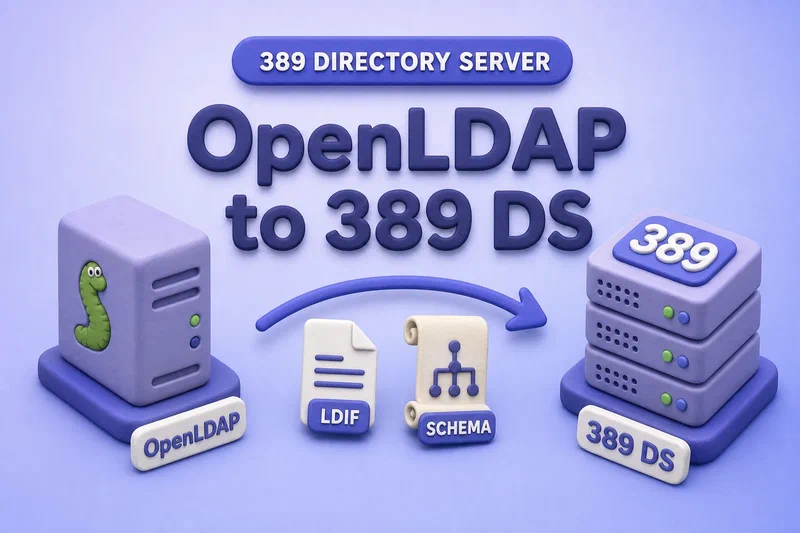
OpenLDAP and 389 Directory Server both speak LDAP, but they are not interchangeable products. Read OpenLDAP vs 389 Directory Server when you are still comparing stacks, and Migrate OpenLDAP to a new server when the destination remains OpenLDAP rather than 389 DS. You cannot copy slapd.d, database files, or cn=config from OpenLDAP into 389 Directory Server and expect a working directory. A production OpenLDAP to 389 Directory Server migration maps features first, runs a pilot on isolated hosts, then freezes writes for a final slapcat export and import.
The primary upstream migration helper is openldap_to_ds, available with 389-ds-base on supported distributions. It is best-effort tooling: always run a pilot, review the dry-run plan, and expect manual work for ACLs, password policy, replication, and unsupported overlays. The analysis-only invocation is safe by default; --confirm can modify or remove data on the destination instance.
Before you start:
- Install 389 Directory Server — target packages and
dscreatebasics - dscreate INF file reference — repeatable test-instance creation
- Export and import LDIF — manual fallback when
openldap_to_dscannot complete
Tested on: Rocky Linux 10.2; OpenLDAP 2.6.10; 389 Directory Server 3.2.0.
ldap:// examples use an isolated migration lab. Use StartTLS or LDAPS for remote inventory, validation, and application testing so administrator and service-account credentials are not sent over an unencrypted network path.
The lab uses OpenLDAP on ldap1.example.com (192.168.56.108, LDAP port 10389, suffix dc=example,dc=com) and a target 389 DS instance openldap-migrate on ldap-client.example.com (192.168.56.109, LDAP port 20391, LDAPS port 20641). Replace hostnames, instance names, and ports with your values.
Step 1  Understand what can and cannot migrate
Step 2  Inventory OpenLDAP
Step 3  Build an isolated 389 DS pilot
Step 4  Export and transfer OpenLDAP data
Step 5  Dry-run openldap_to_ds and clean LDIF
Step 6  Apply migration on the pilot instance
Step 7  Resolve manual mappings and validate
Step 8  Production cutover and retire OpenLDAP
Follow the steps in order. Step 5 branches when the raw LDIF import is incomplete; Step 7 covers schema, ACIs, plug-ins, and application binds before you redirect clients in Step 8.
Step 1: Understand what can and cannot migrate
Plan the migration around feature equivalence, not file copy.
| OpenLDAP component | 389 Directory Server equivalent | Migration handling |
|---|---|---|
| LDAP entries | LDAP entries | slapcat LDIF export, then openldap_to_ds or manual import |
| Custom schema | Custom schema | Tool-assisted; review skipped OIDs and syntax |
| Database indexes | Backend indexes | Tool-assisted from olcDbIndex |
memberof overlay |
MemberOf plug-in | Supported for simple configurations |
refint overlay |
Referential Integrity plug-in | Tool-assisted |
unique overlay |
Attribute Uniqueness plug-in | Tool-assisted or manual |
syncrepl |
389 DS replication | Rebuild topology — not copied |
| Proxy or chaining overlays | Chaining backend | Manual design |
| Dynamic groups or lists | Roles or dynamic lists | Manual redesign |
TLS settings in cn=config |
NSS/TLS in 389 DS | Manual — see certificate management |
cn=config itself |
389 DS cn=config |
Not imported as data |
Unsupported overlays may have no direct plug-in equivalent. Document each one in a migration worksheet before you schedule production downtime.
Step 2: Inventory the OpenLDAP environment
Collect version, suffixes, overlays, ACL intent, hash formats, replication, TLS, service accounts, and upstream feeds. The inventory drives manual work after the automated tool runs.
Create the migration directory on the source host before you redirect inventory output into it:
install -d -m 700 /root/openldap-migrationConfirm the OpenLDAP build on the source host:
slapd -VV@(#) $OpenLDAP: slapd 2.6.10 (Jan 28 2026 00:00:00) $
openldapThe version line confirms which slapcat and ldapsearch behavior you are exporting from.
Record the installed package NEVRA beside the migration bundle:
rpm -q openldap-serversopenldap-servers-2.6.10-1.el10_2.x86_64These inventory steps on the OpenLDAP source use sudo command with ldapsearch over LDAPI.
List database suffixes and overlays from cn=config over LDAPI on the source host:
Directory queries in this section use the ldapsearch command.
sudo ldapsearch -LLL -Y EXTERNAL -H ldapi:/// -b "cn=config" '(|(olcDatabase=*)(olcOverlay=*))' olcDatabase olcSuffix olcOverlaydn: olcDatabase={2}mdb,cn=config
olcSuffix: dc=example,dc=com
dn: olcOverlay={0}syncprov,olcDatabase={2}mdb,cn=config
olcOverlay: {0}syncprov
dn: olcOverlay={1}memberof,olcDatabase={2}mdb,cn=config
olcOverlay: {1}memberof
dn: olcOverlay={2}refint,olcDatabase={2}mdb,cn=config
olcOverlay: {2}refint
dn: olcOverlay={3}ppolicy,olcDatabase={2}mdb,cn=config
olcOverlay: {3}ppolicyThis lab suffix uses memberof, refint, ppolicy, and syncprov. Expect manual follow-up for password policy, replication, and ACLs even when openldap_to_ds succeeds.
Count entries in each production suffix before migration. Use -o ldif-wrap=no and a pattern that matches both dn: and base64 dn:: lines:
ldapsearch -LLL -o ldif-wrap=no -x -H ldap://ldap1.example.com:10389 -D "cn=admin,dc=example,dc=com" -W -b "dc=example,dc=com" "(objectClass=*)" dn | grep -Ec '^dn::? '36Record the baseline count and store it beside checksums for the LDIF files you export later.
Document indexes configured on each backend. Save the output beside your migration worksheet:
sudo ldapsearch -Y EXTERNAL -H ldapi:/// -b "cn=config" "(olcDatabase=*)" olcDbIndexExport ACL intent from olcAccess for later ACI redesign. The rules do not migrate automatically. Redirect the output to a file you can reference when you rebuild ACIs:
sudo ldapsearch -Y EXTERNAL -H ldapi:/// -b "cn=config" "(olcDatabase=*)" olcAccessList schema files on disk as a secondary filesystem inventory:
ls /etc/openldap/schema/collective.ldif
collective.schema
corba.ldif
corba.schema
core.ldif
...Export the schema actually loaded in cn=config. Custom definitions can live only inside slapd.d:
sudo ldapsearch -LLL -Y EXTERNAL -H ldapi:/// -b "cn=schema,cn=config" -s one "(objectClass=olcSchemaConfig)" cn olcAttributeTypes olcObjectClasses > /root/openldap-migration/loaded-schema.ldifThe redirect creates loaded-schema.ldif on disk. A successful export contains one dn: line per loaded schema file under cn=schema,cn=config.
Record TLS certificate paths from cn=config and note which applications, service accounts, HR feeds, and provisioning jobs write to OpenLDAP. Those clients become part of your cutover and validation matrix.
Step 3: Build an isolated 389 Directory Server pilot
Create a dedicated 389 DS instance on a separate host or VLAN. The pilot must not share client traffic with production OpenLDAP.
Install 389-ds-base on the target host using Install 389 Directory Server. Create a test instance with the same suffix you plan to use in production. This lab uses instance openldap-migrate on LDAP port 20391.
Store the Directory Manager password in a restricted file without a trailing newline. Some ldapsearch -y builds treat a newline as part of the password, which breaks binds after migration:
umask 077
read -rsp 'Directory Manager password: ' DM_PASSWORD
printf '\n'
printf '%s' "$DM_PASSWORD" > /root/openldap-migrate-dm.pw
unset DM_PASSWORD
chmod 600 /root/openldap-migrate-dm.pw
Point dscreate at that file in the INF:
cat > /root/openldap-migrate.inf << 'EOF'
[general]
config_version = 2
full_machine_name = ldap-client.example.com
start = True
strict_host_checking = False

[slapd]
instance_name = openldap-migrate
root_dn = cn=Directory Manager
root_password_file = /root/openldap-migrate-dm.pw
port = 20391
secure_port = 20641
self_sign_cert = True
db_lib = mdb

[backend-userroot]
suffix = dc=example,dc=com
create_suffix_entry = True
sample_entries = no
EOF
Create the disposable pilot instance from that INF file:
dscreate from-file /root/openldap-migrate.infCompleted installation for instance: slapd-openldap-migrateConfirm the empty instance is running before you copy OpenLDAP exports to the host:
Offline instance work in this section uses dsctl commands.
dsctl openldap-migrate statusInstance "openldap-migrate" is runningInstall or confirm openldap_to_ds is available on the 389 DS host (it ships with 389-ds-base on Rocky Linux 10):
openldap_to_ds --helpThe help text states the tool is best-effort, lists overlays it can and cannot migrate, and warns that confirmed runs can modify or remove data in the target instance. Read it on the target host before your first pilot.
Reset the pilot target before every applied run
Recreate the disposable target instance from the same INF file before every openldap_to_ds --confirm attempt, or restore a known clean pre-run backup. Do not assess a second migration attempt on top of schema, indexes, plug-ins, or entries left by an earlier failed or partial run.
dsctl openldap-migrate remove --do-itdscreate from-file /root/openldap-migrate.infBoth commands exit silently on success. Confirm the instance is running again with dsctl openldap-migrate status before the next pilot.
The analysis-only run (without --confirm) is safe. A confirmed run is potentially destructive to the target instance.
Step 4: Export and transfer OpenLDAP data
Use two clearly separated workflows.
Pilot copy (early testing only)
For an early pilot, copy slapd.d only while no administrator or automation is changing cn=config. Recreate the destination directory each time so a repeat copy cannot nest slapd.d/slapd.d/:
rm -rf -- /root/openldap-migration/slapd.d-pilot
cp -a -- /etc/openldap/slapd.d /root/openldap-migration/slapd.d-pilot
The copy completes without terminal output when it succeeds.
This copy is acceptable for learning the tool. It is not your production recovery point. The production write-freeze export uses separate slapd.d-final files in Step 8.
Convert legacy slapd.conf when the source does not already use slapd.d. slaptest writes a new tree and exits without output when the conversion succeeds:
rm -rf -- /root/openldap-migration/slapd.d-pilot
slaptest -f /etc/openldap/slapd.conf -F /root/openldap-migration/slapd.d-pilot
Export one LDIF file per backend suffix from the pilot snapshot:
slapcat -F /root/openldap-migration/slapd.d-pilot -b "dc=example,dc=com" -l /root/openldap-migration/example-com.ldifslapcat also exits silently on success. Confirm the export size matches your inventory baseline:
grep -Ec '^dn::? ' /root/openldap-migration/example-com.ldif36The export count should match the inventory search. Protect LDIF files like database backups: they contain userPassword hashes and other sensitive attributes.
Inventory stored password schemes
List hash prefixes from the exported LDIF without printing complete password values. Unfold continuation lines before you decode base64 userPassword:: values:
python3 << 'PY'
import base64, re
from pathlib import Path

def unfold(lines):
    logical = []
    for line in lines:
        if line.startswith((" ", "\t")) and logical:
            logical[-1] += line[1:]
        else:
            logical.append(line)
    return logical

schemes = {}
for line in unfold(
    Path("/root/openldap-migration/example-com.ldif").read_text().splitlines()
):
    if not line.startswith("userPassword"):
        continue
    val = base64.b64decode(line.split(":: ", 1)[1]).decode("utf-8", "replace") if line.startswith("userPassword:: ") else line.split(": ", 1)[1]
    key = re.match(r"(\{[^}]+\})", val)
    key = key.group(1) if key else "(cleartext)"
    schemes[key] = schemes.get(key, 0) + 1
for k, v in sorted(schemes.items()):
    print(f"{k}: {v}")
PY(cleartext): 1
{SSHA}: 9This lab has nine {SSHA} hashes and one cleartext value that still needs a supported hash or a password reset before production cutover.
Count base64-encoded password attributes separately:
grep -c '^userPassword:: ' /root/openldap-migration/example-com.ldif10All ten userPassword values in this export use base64 encoding in the LDIF file.
| Source password type | Migration action |
|---|---|
Compatible stored hash ({SSHA}, {CRYPT}, and similar) |
Import and test binds in the pilot |
{SASL} passthrough |
Configure and test PAM Pass Through or saslauthd |
| Argon2 | Password reset or another supported migration plan |
| Custom or unknown scheme | Pilot testing required before production |
External authentication without userPassword |
Recreate the external authentication path |
Upstream migration guidance treats most stored formats as migratable except Argon2, which needs a separate authentication plan.
Do not import cn=config from OpenLDAP as 389 DS configuration.
Archive the pilot slapd.d copy with tar command, then copy the bundle to the 389 DS host with ssh command (scp uses the same authentication).
Checksum and transfer the migration bundle
Archive the configuration copy and create a checksum manifest on the OpenLDAP host:
cd /root/openldap-migrationtar -czf slapd.d-pilot.tar.gz slapd.d-pilotsha256sum slapd.d-pilot.tar.gz example-com.ldif > SHA256SUMS-pilotchmod 700 /root/openldap-migrationchmod 600 /root/openldap-migration/*.ldif /root/openldap-migration/SHA256SUMS-pilotThe archive and permission commands complete without output when they succeed.
Copy the bundle to the 389 DS host. Create the destination directory first:
ssh [email protected] 'install -d -m 700 /root/openldap-migration'install -d creates /root/openldap-migration with mode 700 on the destination host. It produces no output on success.
scp /root/openldap-migration/slapd.d-pilot.tar.gz \
  /root/openldap-migration/example-com.ldif \
  /root/openldap-migration/SHA256SUMS-pilot \
  ldap-client.example.com:/root/openldap-migration/
scp also exits silently when the transfer completes.
Verify integrity on the destination before you transform or import anything:
cd /root/openldap-migration
sha256sum -c SHA256SUMS-pilotslapd.d-pilot.tar.gz: OK
example-com.ldif: OKExtract the configuration archive on the 389 DS host. Remove any previous pilot tree first so stale files cannot remain:
rm -rf -- /root/openldap-migration/slapd.d-pilot
tar -xzf slapd.d-pilot.tar.gz -C /root/openldap-migration
tar recreates slapd.d-pilot beside the LDIF files. It exits without output when extraction succeeds.
The cleaned LDIF and transformation script are created later, after the first openldap_to_ds dry run on the raw export reveals what must change.
Step 5: Dry-run openldap_to_ds and clean LDIF
Run openldap_to_ds on the 389 Directory Server host. The commands in this guide run it as root because the migration bundle and password files are stored under /root. To run it as dirsrv, move the files to a directory readable by dirsrv and protect their ownership and permissions appropriately. The tool officially supports execution as either root or dirsrv.
Dry-run against the raw LDIF
Save the migration plan before you change any LDIF files:
openldap_to_ds -y /root/openldap-migrate-dm.pw openldap-migrate \
  /root/openldap-migration/slapd.d-pilot \
  /root/openldap-migration/example-com.ldif \
| tee /root/openldap-migration/migration-plan-raw.txtExamining OpenLDAP Configuration ...
Completed OpenLDAP Configuration Parsing.
Examining Ldifs ...
Completed Ldif Metadata Parsing.
The following migration steps will be performed:
* Schema Skip Unsupported Attribute -> otherMailbox (0.9.2342.19200300.100.1.22)
...
* Plugin:MemberOf Enable
* Plugin:MemberOf Add Suffix -> dc=example,dc=com
* Plugin:MemberOf Regenerate (Fixup) -> dc=example,dc=com
* Plugin:Referential Integrity Enable
* Database Import Ldif -> dc=example,dc=com from /root/openldap-migration/example-com.ldif ...
No actions taken. To apply migration plan, use '--confirm'Review the plan for schema skips, unsupported overlays such as syncprov, index creation, plug-in enablement, and LDIF import paths. Archive the output in your migration artifact manifest.
When the source has multiple backends, pass one raw LDIF per suffix in the dry run. The command prints the same style of plan for each suffix:
openldap_to_ds -y /root/openldap-migrate-dm.pw openldap-migrate \
  /root/openldap-migration/slapd.d-pilot \
  /root/openldap-migration/example-com.ldif \
  /root/openldap-migration/internal-example.ldif
The plan still ends with No actions taken. To apply migration plan, use '--confirm' until you add --confirm.
Identify what the pilot must transform
Not every OpenLDAP deployment needs the same LDIF cleanup. Use the dry-run output and, when necessary, one disposable applied pilot against the raw export to discover blockers.
In this lab, the first applied pilot with the raw LDIF imported only 25 of 36 entries. Run a disposable --confirm pass when the dry-run plan alone does not reveal every skipped entry:
openldap_to_ds --confirm -y /root/openldap-migrate-dm.pw openldap-migrate \
  /root/openldap-migration/slapd.d-pilot \
/root/openldap-migration/example-com.ldifldapsearch -LLL -o ldif-wrap=no -x -H ldap://127.0.0.1:20391 \
-D "cn=Directory Manager" -y /root/openldap-migrate-dm.pw \
-b "dc=example,dc=com" "(objectClass=*)" dn | grep -Ec '^dn::? '25The import result showed that OpenLDAP-specific password-policy entries and operational password state still present in the raw export had to be removed before a complete migration. Reset the pilot instance before you test cleaned LDIF.
openldap_to_ds does not convert OpenLDAP password-policy configuration into an equivalent 389 DS policy. The tool documentation classifies password-policy migration as manual work. When raw LDIF still contains pwdPolicy entries or operational attributes such as pwdFailureTime and pwdPolicySubentry, entries can be skipped during import and must be addressed in a tested transformation.
Removing that state is not only LDIF syntax cleanup. It can reset or discard:
- Lockout history and failed-login counters
- Password expiry and grace-login state (
pwdGraceUseTime,pwdExpirationWarnedwhen present) - Per-user policy references (
pwdPolicySubentry) - Forced-reset state (
pwdReset,pwdAccountLockedTime)
Recreate password-policy behavior on 389 DS with password policies and validate locked or disabled accounts explicitly.
Create an LDIF transformation manifest
Before you finalize the approved attribute allowlist, inventory every password-policy attribute in the raw export:
grep -Eio '^pwd[^:]*:' /root/openldap-migration/example-com.ldif |
tr '[:upper:]' '[:lower:]' |
sort -upwdaccountlockedtime:
pwdchangedtime:
pwdfailuretime:
pwdgraceauthnlimit:
pwdhistory:
pwdpolicysubentry:
pwdreset:Assign each discovered pwd* attribute one outcome in the manifest: preserve, remove, convert manually, or recreate through 389 DS policy. Do not automatically strip every attribute beginning with pwd; some may be part of intentional directory data or policy definitions.
In this lab, pwdGraceAuthNLimit is a password-policy definition attribute. It appears only on the two pwdPolicy entries that the cleaner drops entirely. It is not stripped from surviving user entries, and it does not belong in SKIP_ATTRS.
Record every deliberate change before you generate cleaned LDIF files:
| Category | Lab handling |
|---|---|
| Entire entries removed | cn=default,ou=policies,dc=example,dc=com, cn=service-accounts,ou=policies,dc=example,dc=com |
| Policy-definition attributes removed with those entries | pwdGraceAuthNLimit and the other settings stored on those pwdPolicy entries |
| Operational attributes stripped from retained entries | pwdHistory, pwdFailureTime, pwdChangedTime, pwdAccountLockedTime, pwdReset, pwdPolicySubentry, pwdGraceUseTime, pwdExpirationWarned |
| Recreated manually | Equivalent global, subtree, or user password-policy behaviour in 389 DS |
| Manifest item | Lab value |
|---|---|
| OpenLDAP package | openldap-servers-2.6.10-1.el10_2.x86_64 |
| 389 DS package | 389-ds-base-3.2.0-8.el10_2.x86_64 |
| Source suffixes | dc=example,dc=com |
| Raw LDIF | example-com.ldif (36 entries) |
| Cleaned LDIF | example-com-clean.ldif (34 entries) |
| Transformation script | clean-ldif-for-389ds.py |
| Unsupported overlays | syncprov |
| Password schemes found | {SSHA} (9), cleartext (1) |
| Expected destination count | 34 |
Add script and cleaned-LDIF checksums to SHA256SUMS-pilot after you generate them. When the pilot script is approved, also create a dedicated checksum file that proves the production run uses the same cleaner:
Generate the cleaned LDIF
Use an LDIF-aware transformation only when the pilot shows it is required. The script below processes complete LDIF records, including folded continuation lines and base64 values (dn::, userPassword::). It drops only DNs on an explicit reviewed allowlist, prints every removed DN and stripped attribute, and fails if the removed DN set differs from the approved manifest.
Save the cleaner to disk:
cat > /root/openldap-migration/clean-ldif-for-389ds.py << 'PY'
#!/usr/bin/env python3
"""Remove approved OpenLDAP policy DNs and operational attrs before openldap_to_ds."""
from pathlib import Path
import base64
import sys

SKIP_ATTRS = {
    "pwdhistory", "pwdfailuretime", "pwdchangedtime", "pwdaccountlockedtime",
    "pwdreset", "pwdpolicysubentry", "pwdgraceusetime", "pwdexpirationwarned",
    "entrycsn", "contextcsn", "memberof",
    "structuralobjectclass", "creatorsname", "modifiersname",
    "createtimestamp", "modifytimestamp",
}

APPROVED_DROP_DNS = {
    "cn=default,ou=policies,dc=example,dc=com",
    "cn=service-accounts,ou=policies,dc=example,dc=com",
}

APPROVED_DROP_NORM = {dn.casefold() for dn in APPROVED_DROP_DNS}

def decode_dn(dn_line: str) -> str:
    if dn_line.lower().startswith("dn::"):
        raw = dn_line.split("::", 1)[1].strip()
        return base64.b64decode(raw).decode("utf-8")
    return dn_line.split(":", 1)[1].strip()

def iter_records(lines):
    record = []
    for line in lines:
        if line.startswith((" ", "\t")) and record:
            record[-1] += line[1:]
            continue
        if record and (line == "" or line.lower().startswith("dn:")):
            yield record
            record = []
        if line.lower().startswith("dn:"):
            record = [line]
        elif line == "":
            continue
        elif record:
            record.append(line)
    if record:
        yield record

def main():
    if len(sys.argv) != 3:
        sys.exit("usage: clean-ldif-for-389ds.py SOURCE.ldif DEST.ldif")
    src, dst = Path(sys.argv[1]), Path(sys.argv[2])
    out_lines = []
    removed_dns = []
    for rec in iter_records(src.read_text().splitlines()):
        dn_line = next(line for line in rec if line.lower().startswith("dn:"))
        dn_value = decode_dn(dn_line)
        if dn_value.casefold() in APPROVED_DROP_NORM:
            removed_dns.append(dn_value)
            print(f"REMOVED ENTRY: {dn_value}")
            continue
        stripped = []
        kept = []
        for line in rec:
            attr = line.split(":", 1)[0].strip().lower()
            if attr in SKIP_ATTRS:
                stripped.append(attr)
            else:
                kept.append(line)
        for attr in sorted(set(stripped)):
            print(f"STRIPPED ATTR: {dn_value}: {attr}")
        if kept:
            out_lines.extend(kept)
            out_lines.append("")
    removed_norm = {dn.casefold() for dn in removed_dns}
    if removed_norm != APPROVED_DROP_NORM:
        sys.exit(
            "Removed DN set does not match approved manifest: "
            f"removed={sorted(removed_dns)} approved={sorted(APPROVED_DROP_DNS)}"
        )
    dst.write_text("\n".join(out_lines).rstrip() + "\n")

if __name__ == "__main__":
    main()
PY
Restrict the script so only root can read or execute it:
chmod 700 /root/openldap-migration/clean-ldif-for-389ds.pyRun the cleaner against the raw export. Review the printed audit lines before you trust the output file:
python3 /root/openldap-migration/clean-ldif-for-389ds.py \
  /root/openldap-migration/example-com.ldif \
/root/openldap-migration/example-com-clean.ldifREMOVED ENTRY: cn=default,ou=policies,dc=example,dc=com
REMOVED ENTRY: cn=service-accounts,ou=policies,dc=example,dc=com
STRIPPED ATTR: dc=example,dc=com: contextcsn
STRIPPED ATTR: dc=example,dc=com: entrycsn
STRIPPED ATTR: cn=app-developers,ou=groups,dc=example,dc=com: memberof
...REMOVED ENTRY lines show DNs dropped from the LDIF. STRIPPED ATTR lines show operational or OpenLDAP-only attributes removed from entries that remain. The script exits with an error if the removed DN set does not match the approved manifest.
Count entries in the cleaned file. The result should equal the source count minus the approved policy DNs:
grep -Ec '^dn::? ' /root/openldap-migration/example-com-clean.ldif34Record checksums for the script and cleaned LDIF in your migration manifest:
cd /root/openldap-migrationsha256sum clean-ldif-for-389ds.py example-com-clean.ldif >> SHA256SUMS-pilotsha256sum -c SHA256SUMS-pilotslapd.d-pilot.tar.gz: OK
example-com.ldif: OK
clean-ldif-for-389ds.py: OK
example-com-clean.ldif: OKEvery line should report OK. A mismatch means the bundle changed after you created the manifest.
Pin the approved cleaner on the 389 DS host so the production run can verify the script before it touches the final LDIF:
cd /root/openldap-migration
sha256sum clean-ldif-for-389ds.py > CLEANER.sha256
Preserve CLEANER.sha256 with your migration artifacts. SHA256SUMS-final-clean records the cleaned production LDIF after transformation; it detects later modification but does not prove that the production run used the pilot-approved script.
The openldap_to_ds --ignore-attribute option can skip individual attributes during import, but entries that should not be imported still require LDIF-aware preprocessing.
Step 6: Apply migration on the pilot instance
After the failed 25-entry raw import, this lab deleted and recreated the target instance from the same INF file before testing the cleaned LDIF. Do not run a second applied pilot over configuration, indexes, plug-ins, or entries left by an earlier attempt.
Reset the disposable target
dsctl openldap-migrate remove --do-itdscreate from-file /root/openldap-migrate.infConfirm the empty instance is running before you dry-run the cleaned bundle:
dsctl openldap-migrate statusInstance "openldap-migrate" is runningDry-run the revised bundle
Confirm the cleaned plan before you apply it:
openldap_to_ds -y /root/openldap-migrate-dm.pw openldap-migrate \
  /root/openldap-migration/slapd.d-pilot \
  /root/openldap-migration/example-com-clean.ldif \
| tee /root/openldap-migration/migration-plan-clean.txtExamining OpenLDAP Configuration ...
Completed OpenLDAP Configuration Parsing.
Examining Ldifs ...
Completed Ldif Metadata Parsing.
The following migration steps will be performed:
* Database Import Ldif -> dc=example,dc=com from /root/openldap-migration/example-com-clean.ldif ...
No actions taken. To apply migration plan, use '--confirm'The cleaned LDIF path should appear in the import step. Archive this plan beside migration-plan-raw.txt.
When multiple suffixes need migration, pass one cleaned LDIF per backend in the revised dry run:
openldap_to_ds -y /root/openldap-migrate-dm.pw openldap-migrate \
  /root/openldap-migration/slapd.d-pilot \
  /root/openldap-migration/example-com-clean.ldif \
  /root/openldap-migration/internal-example-clean.ldif
Run openldap_to_ds against the first 389 DS instance only. After you validate that migrated instance, configure 389 DS replication and initialize additional replicas from it.
--confirm only against a dedicated empty or backed-up target instance. A confirmed run can modify or remove existing target configuration and data. The analysis-only run is safe.
Apply when the revised plan is acceptable
Single-suffix apply. This is the destructive step that imports data into the target instance:
openldap_to_ds --confirm -y /root/openldap-migrate-dm.pw openldap-migrate \
  /root/openldap-migration/slapd.d-pilot \
  /root/openldap-migration/example-com-clean.ldif
Multi-suffix apply:
openldap_to_ds --confirm -y /root/openldap-migrate-dm.pw openldap-migrate \
  /root/openldap-migration/slapd.d-pilot \
  /root/openldap-migration/example-com-clean.ldif \
/root/openldap-migration/internal-example-clean.ldifpost: 41 / 41 complete ...
🎉 Migration complete!
----------------------
You should now review your instance configuration and data:
* [ ] - Create/Migrate Database Access Controls (ACI)
* [ ] - Enable and Verify TLS (LDAPS) Operation
...
* [ ] - Review Unsupported Overlay:syncprov:['olcOverlayConfig', 'olcSyncProvConfig'] Configuration and Possible Alternatives for 389 Directory ServerThe checklist at the end is part of the upstream tool output. Treat every unchecked item as required manual work before production cutover.
Step 7: Resolve manual mappings and validate
Custom schema
When the plan reports Schema Skip or Schema Create lines, compare each OID with schema already present in 389 DS. A common pilot finding is a custom attribute OID that already exists under a different name in 389 DS; remove the duplicate definition from the transformation manifest and import only the entries that depend on the surviving definition. See Manage custom schema for loading and conflict resolution.
ACLs and ACIs
Export OpenLDAP olcAccess rules as documentation only. Rebuild equivalent access on 389 DS with ACIs and test each role independently. See 389 Directory Server ACI Configuration with Practical Examples.
Save the exported ACL text from Step 2 beside your migration worksheet, then test anonymous access on the migrated instance:
ldapsearch -LLL -x -H ldap://127.0.0.1:20391 -b "dc=example,dc=com" -s base "(objectClass=*)" dn 2>&1 | head -3A successful anonymous base search returns the suffix DN when your ACIs allow it. Denied access prints Insufficient access instead. Rebuild ACIs on 389 DS until each role in the matrix below passes.
| Role to test | OpenLDAP expectation | 389 DS validation |
|---|---|---|
| Anonymous read | Document whether anonymous binds are allowed | ldapwhoami and a limited search without credentials |
| Application service account | Read-only access to groups or people | Bind and run the application's production search filter |
| Directory administrator | Full suffix management | Directory Manager or delegated admin bind |
| Password administrator | Manage userPassword on people entries |
Perform a controlled password reset, verify that the new password can bind, and confirm that the delegated administrator still cannot read userPassword |
| Delegated helpdesk | Limited attribute write on people | Bind and verify allowed and denied attributes |
Overlays and plug-ins
| OpenLDAP overlay (lab) | 389 DS result in this run |
|---|---|
memberof |
MemberOf plug-in enabled on dc=example,dc=com |
refint |
Referential Integrity plug-in enabled for member |
ppolicy |
Not migrated — recreate with 389 DS password policy |
syncprov |
Not migrated — design new 389 DS replication |
Stored hashes versus {SASL} / PAM Pass Through
The migration may enable the PAM Pass Through Auth plug-in when the OpenLDAP configuration referenced PAM. Transport security and authentication backend are separate decisions. Do not disable PAM Pass Through blindly; that can break accounts migrated from {SASL} credentials.
Inspect the plug-in first:
Online configuration in this section uses dsconf commands.
dsconf openldap-migrate plugin pam-pass-through-auth statusPlugin 'PAM Pass Through Auth' is enableddsconf openldap-migrate plugin pam-pass-through-auth showcn: PAM Pass Through Auth
nsslapd-pluginEnabled: onSearch for migrated passthrough accounts:
ldapsearch -LLL -o ldif-wrap=no -x -H ldap://127.0.0.1:20391 -D "cn=Directory Manager" -y /root/openldap-migrate-dm.pw -b "dc=example,dc=com" "(objectClass=nsSaslauthAccount)" dn nsSaslauthIdNo output means the search found no nsSaslauthAccount entries in this suffix. In this lab, every account uses stored userPassword values.
Use two branches:
- Stored-hash migration: Disable PAM Pass Through only after you confirm no account or application requires it, then test representative imported hashes such as
{SSHA}. For every cleartext source value, reset or convert the account through an approved process before production cutover, then test the resulting stored-password bind. {SASL}passthrough migration: Configure the PAM orsaslauthdpath, verify plug-in scope, and test representative accounts before cutover.
This lab used stored {SSHA} hashes. After confirming no nsSaslauthAccount entries were required, the pilot disabled PAM Pass Through, restarted the instance, and tested hash-based binds:
dsconf openldap-migrate plugin pam-pass-through-auth disabledsctl openldap-migrate restartThe restart applies the plug-in state change. dsconf reports that a restart is required when nsslapd-dynamic-plugins is off.
dsconf openldap-migrate plugin pam-pass-through-auth statusPlugin 'PAM Pass Through Auth' is disabledReplication
Do not copy syncrepl configuration. Build a new 389 DS replication topology after data validation. OpenLDAP cannot act as a native supplier to 389 DS replication.
Reconcile entry counts
| Category | Count |
|---|---|
| Raw OpenLDAP suffix entries | 36 |
| Intentionally excluded policy entries | 2 |
| Expected migrated entries | 34 |
| Cleaned LDIF entries | 34 |
| Destination entries | 34 |
| Unexplained missing entries | 0 |
| Unexpected destination entries | 0 |
Excluded DNs:
cn=default,ou=policies,dc=example,dc=comcn=service-accounts,ou=policies,dc=example,dc=com
Count entries on the destination. The result should match the cleaned LDIF count:
ldapsearch -LLL -o ldif-wrap=no -x -H ldap://127.0.0.1:20391 -D "cn=Directory Manager" -y /root/openldap-migrate-dm.pw -b "dc=example,dc=com" "(objectClass=*)" dn | grep -Ec '^dn::? '34A matching count alone is not sufficient. Compare expected DNs from the cleaned LDIF against the destination and verify representative entries from every important class.
Compare DN lists using the same ldapsearch client on both sides during the pilot. A raw LDIF line diff can report false differences when DNs use plain text, base64, or folding. Remove the two approved excluded policy DNs from the source list before you compare:
cat > /root/openldap-migration/excluded-dns.txt << 'EOF'
dn: cn=default,ou=policies,dc=example,dc=com
dn: cn=service-accounts,ou=policies,dc=example,dc=com
EOF
Store the two approved policy DNs in the same dn: format that ldapsearch prints.
Build the source DN list from the OpenLDAP host while slapd is still running, then remove the two approved policy DNs:
ldapsearch -LLL -o ldif-wrap=no -x -H ldap://ldap1.example.com:10389 \
  -D "cn=admin,dc=example,dc=com" -W \
  -b "dc=example,dc=com" "(objectClass=*)" dn |
grep -E '^dn::? ' | sort > /tmp/source-all-dns.txtgrep -v -F -f /root/openldap-migration/excluded-dns.txt /tmp/source-all-dns.txt | sort > /tmp/expected-dns.txtDuring the production cutover in Step 8, capture source-final-dns.txt before you stop OpenLDAP, then compare that checksum-verified file with the destination inventory instead of querying a stopped server.
Collect the destination DN list with the same ldapsearch options and compare:
ldapsearch -LLL -o ldif-wrap=no -x -H ldap://127.0.0.1:20391 \
  -D "cn=Directory Manager" -y /root/openldap-migrate-dm.pw \
  -b "dc=example,dc=com" "(objectClass=*)" dn |
grep -E '^dn::? ' | sort > /tmp/actual-dns.txtdiff -u /tmp/expected-dns.txt /tmp/actual-dns.txtNo output from diff means every expected DN is present on the destination.
Validate representative entries and application behavior:
| Check | Example in this lab |
|---|---|
| Standard user | uid=jdoe,ou=people,dc=example,dc=com |
| Service account | uid=sssd-reader,ou=service-accounts,dc=example,dc=com |
| Group membership | cn=app-developers,ou=groups,dc=example,dc=com |
| Nested or sudo-related entry | cn=jdoe-httpd-status,ou=sudoers,dc=example,dc=com |
| Automount data | ou=automount,dc=example,dc=com subtree |
| Previously policy-linked user | uid=jdoe after policy-state removal |
| Application search filter | Run the production filter your app uses against both directories |
| ACI role tests | See the role matrix in the manual-mapping section |
Health, plug-ins, and TLS-authenticated binds
Confirm the instance is healthy:
dsctl openldap-migrate healthcheckHealthcheck complete.
No issues found.Verify MemberOf plug-in configuration:
dsconf openldap-migrate plugin memberof showcn: MemberOf Plugin
memberofattr: memberOf
memberofentryscope: dc=example,dc=com
memberofgroupattr: member
nsslapd-pluginEnabled: onumask 077
read -rsp "Password for uid=jdoe: " user_password
printf '\n'
printf '%s' "$user_password" > /root/jdoe.pw
unset user_password
chmod 600 /root/jdoe.pwStore the password without a trailing newline so ldapwhoami -y reads the same value you typed.
Bind through StartTLS using the instance CA and the certificate hostname:
Identity checks in this section use the ldapwhoami command.
LDAPTLS_CACERT=/etc/dirsrv/slapd-openldap-migrate/ca.crt \
ldapwhoami -x -ZZ -H ldap://ldap-client.example.com:20391 \
-D "uid=jdoe,ou=people,dc=example,dc=com" -y /root/jdoe.pwdn:uid=jdoe,ou=people,dc=example,dc=comA successful bind prints the authenticated DN. Use the instance CA file and the certificate hostname (ldap-client.example.com), not 127.0.0.1, so TLS hostname verification succeeds.
Review messages generated during the migration and validation window:
tail -n 5 /var/log/dirsrv/slapd-openldap-migrate/errorsInvestigate every schema, import, bind, TLS, or plug-in error before cutover. Your log lines will differ by instance name, plug-in activity, and validation steps.
Test real applications and service-account binds, not only Directory Manager searches. Import success alone does not prove client compatibility.
Step 8: Production cutover and retire OpenLDAP
Complete at least one successful pilot on isolated hosts before you schedule production downtime. The production window reuses the export, transfer, clean, and openldap_to_ds --confirm workflow from Steps 4 through 6, but every file must come from a write-frozen source taken during the cutover window.
Lower DNS TTL and pause writers
Lower the DNS TTL for your LDAP service name several hours before cutover if clients resolve a CNAME. Stop provisioning jobs, HR feeds, and applications that modify directory data on every host that writes to OpenLDAP:
systemctl stop your-ldap-provisioner.serviceReplace the unit name with the service or timer that updates your directory. Document which systems you paused so you can confirm they stay quiet until validation finishes.
Freeze OpenLDAP and capture the final bundle
OpenLDAP allows slapcat against an active MDB database, but concurrent application activity can still produce an application-level inconsistent snapshot. Freeze all writers first, then capture the final source DN inventory while slapd is still running:
ldapsearch -LLL -o ldif-wrap=no -x -H ldap://ldap1.example.com:10389 \
  -D "cn=admin,dc=example,dc=com" -W \
  -b "dc=example,dc=com" "(objectClass=*)" dn |
grep -E '^dn::? ' | sort > /root/openldap-migration/source-final-dns.txt
Stop OpenLDAP on the source host so slapd.d-final and every slapcat export represent the same point in time:
sudo systemctl stop slapdCopy the frozen configuration tree and export each production suffix. Recreate the destination directory deliberately so a repeat copy cannot nest slapd.d-final/slapd.d/:
rm -rf -- /root/openldap-migration/slapd.d-final
cp -a -- /etc/openldap/slapd.d /root/openldap-migration/slapd.d-final
slapcat -F /root/openldap-migration/slapd.d-final -b "dc=example,dc=com" -l /root/openldap-migration/example-com-final.ldif
Record versions, entry counts, and checksums in a manifest beside the bundle:
{
  echo "openldap-servers=$(rpm -q openldap-servers)"
  echo "389-ds-base=$(ssh ldap-client.example.com rpm -q 389-ds-base)"
  echo "raw_entries=$(grep -Ec '^dn::? ' /root/openldap-migration/example-com-final.ldif)"
} >> /root/openldap-migration/MANIFEST.txt
cd /root/openldap-migration
tar -czf slapd.d-final.tar.gz slapd.d-final
sha256sum slapd.d-final.tar.gz example-com-final.ldif source-final-dns.txt > SHA256SUMS-final
Transfer the final bundle from the OpenLDAP source host to the 389 DS host. Include source-final-dns.txt in the transfer. Do not copy CLEANER.sha256 from the OpenLDAP host unless you explicitly archived the approved pilot artifacts there:
scp /root/openldap-migration/slapd.d-final.tar.gz \
  /root/openldap-migration/example-com-final.ldif \
  /root/openldap-migration/source-final-dns.txt \
  /root/openldap-migration/SHA256SUMS-final \
  ldap-client.example.com:/root/openldap-migration/
When the pilot and production migration use the same 389 DS host, the approved clean-ldif-for-389ds.py and CLEANER.sha256 from Step 5 already exist under /root/openldap-migration on that host. Do not edit or replace the cleaner between pilot approval and production migration.
When production uses a different 389 DS host, transfer both approved files from the pilot artifact repository or pilot host before you transform the final LDIF:
scp /root/openldap-migration/clean-ldif-for-389ds.py \
  /root/openldap-migration/CLEANER.sha256 \
  production-389ds.example.com:/root/openldap-migration/
Run that scp from the pilot 389 DS host or from wherever you stored the approved artifacts, not from the OpenLDAP source host unless you copied them there deliberately.
On the 389 DS host, verify the transferred bundle before you delete or extract anything:
cd /root/openldap-migration
sha256sum -c SHA256SUMS-finalslapd.d-final.tar.gz: OK
example-com-final.ldif: OK
source-final-dns.txt: OKOnly then remove any previous final tree and extract the archive:
rm -rf -- /root/openldap-migration/slapd.d-final
tar -xzf slapd.d-final.tar.gz -C /root/openldap-migration
When your pilot required LDIF preprocessing, verify the approved transformation script on the 389 DS host before you run it against the final export:
cd /root/openldap-migration
test -f clean-ldif-for-389ds.py
test -f CLEANER.sha256
sha256sum -c CLEANER.sha256clean-ldif-for-389ds.py: OKReview the printed audit lines again after you transform the production LDIF. Do not assume that a cleaner approved against the pilot export will remove exactly the same DNs and attributes from a later production export:
python3 /root/openldap-migration/clean-ldif-for-389ds.py \
  /root/openldap-migration/example-com-final.ldif \
  /root/openldap-migration/example-com-final-clean.ldif
Confirm the final cleaned entry count:
grep -Ec '^dn::? ' /root/openldap-migration/example-com-final-clean.ldifRecord checksums for the script and cleaned final LDIF:
cd /root/openldap-migration
sha256sum clean-ldif-for-389ds.py example-com-final-clean.ldif > SHA256SUMS-final-clean
sha256sum -c SHA256SUMS-final-cleanclean-ldif-for-389ds.py: OK
example-com-final-clean.ldif: OKApply the rehearsed migration on production 389 DS
Reset or restore the production target instance, dry-run the plan against the final LDIF, then apply with --confirm:
dsctl openldap-migrate remove --do-it
dscreate from-file /root/openldap-migrate.inf
openldap_to_ds -y /root/openldap-migrate-dm.pw openldap-migrate \
  /root/openldap-migration/slapd.d-final \
  /root/openldap-migration/example-com-final-clean.ldif \
  | tee /root/openldap-migration/migration-plan-final.txt
openldap_to_ds --confirm -y /root/openldap-migrate-dm.pw openldap-migrate \
  /root/openldap-migration/slapd.d-final \
  /root/openldap-migration/example-com-final-clean.ldif
Recreating the instance removes every manual change from the pilot. openldap_to_ds migrates data, schema, indexes, and selected overlays on a best-effort basis, but access controls, password policy, replication, and unsupported overlays still require manual work. Reapply every rehearsed manual configuration from Step 7 to the newly created production instance, including ACIs translated from olcAccess, 389 DS password policies replacing ppolicy, production TLS material, PAM Pass Through decisions, schema corrections, indexes, and other recorded settings. Then repeat every Step 7 validation check.
The pilot INF uses self_sign_cert = True, so each dscreate run generates fresh self-signed TLS material. Install the intended production certificate or distribute the newly generated CA to clients before StartTLS or LDAPS validation and client cutover.
Recreate target instance
        ↓
Run openldap_to_ds
        ↓
Reapply rehearsed ACIs, password policies, TLS,
plug-in settings, schema fixes, and indexes
        ↓
Configure 389 DS replication when required
        ↓
Run count, DN, bind, ACI, plug-in, TLS, and application tests
        ↓
Make the go/no-go decision
Compare the frozen source DN list with the destination:
grep -v -F -f /root/openldap-migration/excluded-dns.txt \
  /root/openldap-migration/source-final-dns.txt | sort > /tmp/expected-final-dns.txt
ldapsearch -LLL -o ldif-wrap=no -x -H ldap://127.0.0.1:20391 \
  -D "cn=Directory Manager" -y /root/openldap-migrate-dm.pw \
  -b "dc=example,dc=com" "(objectClass=*)" dn |
grep -E '^dn::? ' | sort > /tmp/actual-final-dns.txt
diff -u /tmp/expected-final-dns.txt /tmp/actual-final-dns.txt
No output from diff means every expected DN is present on the production destination.
Keep OpenLDAP stopped or read-only until Step 7 validation passes on the production instance. Compare the checksum-verified source-final-dns.txt from this step with the destination DN inventory instead of querying OpenLDAP after slapd has been stopped. There is no supported incremental catch-up between a final slapcat export and client cutover.
Abort before you enable production writes on 389 DS when validation still shows an unexplained DN or count difference, a required bind failure, a failed ACI role test, missing TLS trust, or incomplete password-policy recreation.
Preserve dry-run plans, transformation scripts, checksum manifests, and validation output alongside the final LDIF files. Restrict permissions with chmod 700 on the migration directory and chmod 600 on LDIF files.
Safe sequence:
Freeze all writers
        ↓
Capture final OpenLDAP bundle and source-final-dns.txt
        ↓
Migrate and validate data, binds, ACIs, and TLS
        ↓
Make the go/no-go decision
        ↓
Enable production writes on 389 DS
After the final step, rollback is a separate data-migration operation rather than a DNS reversal.
Cut over clients
After Step 7 validation succeeds, point clients at the 389 DS endpoints. Test the new URL with the same bind DN and search filter your application uses:
ldapsearch -LLL -x -H ldap://ldap-client.example.com:20391 \
  -D "uid=sssd-reader,ou=service-accounts,dc=example,dc=com" -W \
  -b "dc=example,dc=com" "(objectClass=posixAccount)" uid dn | head
On an SSSD client, inspect the current LDAP URI before you edit connection settings:
grep -E '^ldap_uri' /etc/sssd/sssd.confUpdate SSSD, PAM, application connection strings, load balancers, and monitoring probes to the new host and port (ldap-client.example.com:20391 in this lab). Monitor bind failures while applications reconnect:
tail -f /var/log/dirsrv/slapd-openldap-migrate/accessAfter production writes begin on 389 DS, treat OpenLDAP as a read-only archive until decommission. Resume upstream data feeds only after application validation finishes, then decommission OpenLDAP and archive the final backup, exported LDIF files, schema and ACL documentation, and migration artifact manifest.
Troubleshoot common migration problems
| Symptom | Likely cause | Fix |
|---|---|---|
openldap_to_ds cannot read configuration |
Invalid or incomplete slapd.d copy, or nested slapd.d/slapd.d/ from repeat cp -a |
Use rm -rf before each snapshot; keep slapd.d-pilot and slapd.d-final separate |
| LDIF import count lower than source | OpenLDAP password-policy entries or operational attrs still present | Run the LDIF-aware preprocessing script; reconcile counts explicitly |
openldap_to_ds reports unknown subcommand |
Package too old or tool not installed | Install current 389-ds-base; read openldap_to_ds --help on the target host |
| Users exist but cannot bind | Unsupported hash, PAM path required, or policy state removed | Inventory schemes before migration; configure PAM when {SASL} accounts exist; test with -y and TLS |
| Access differs after migration | ACLs not migrated | Rebuild ACIs; test each role independently |
memberOf missing on users or other group members |
Stored OpenLDAP memberOf values were stripped and fix-up did not run or had wrong scope |
Verify MemberOf scope and group attributes; run a targeted fix-up — see MemberOf plug-in |
| Slow searches | Indexes not migrated completely | Compare olcDbIndex with dsconf index list; add missing indexes |
syncrepl missing |
Expected — overlay unsupported | Design new 389 DS replication topology |
| Second pilot behaves differently | Target not reset between --confirm runs |
Remove and recreate the pilot instance before each applied attempt |
ldapsearch -y bind fails but -w works |
Trailing newline in the password file | Write the file with printf '%s' and no newline; restart the instance after DM password changes |
| Hash bind fails after disabling PAM | Plug-in state not applied until restart | Run dsctl INSTANCE restart after dsconf plug-in disable |
| Production DN validation fails against live OpenLDAP | slapd stopped before source-final-dns.txt was captured |
Capture the final source DN list before systemctl stop slapd in Step 8 |
What's next
After you complete this guide, continue with:
- Migrate 389 Directory Server to a New Server — move an existing 389 DS instance to new hardware
- Back Up and Restore 389 Directory Server — native backup before major directory changes
- Configure TLS, STARTTLS and LDAPS in 389 Directory Server — production TLS after migration validation
- Configure Global, Subtree and User Password Policies in 389 Directory Server — recreate password-policy behavior on 389 DS
- 389 Directory Server ACI Configuration with Practical Examples — rebuild access control after migration
Summary
- Understand feature equivalence and document gaps before you schedule downtime.
- Inventory OpenLDAP suffixes, overlays, ACL intent, indexes, password schemes, and entry counts.
- Build an isolated 389 DS pilot instance on the target host and reset it before each applied run.
- Export pilot
slapd.d-pilotand suffix LDIF files withslapcat; checksum, transfer, and verify the bundle. - Dry-run
openldap_to_dson the raw export, create a transformation manifest, and clean LDIF when the pilot requires it. - Reset the target, dry-run the revised bundle, then apply with
--confirmon the first instance only. - Rebuild ACIs, TLS, password policy, and replication manually; reconcile counts, DNs, and application binds.
- Freeze production OpenLDAP, capture
source-final-dns.txt, rerun the rehearsed workflow, validate, cut over clients, then retire the source.
A successful LDIF import is one milestone. Security behavior, plug-ins, password compatibility, replication, and application filters must pass validation before you retire OpenLDAP.
References
- 389 Directory Server — OpenLDAP migration how-to
- openldap_to_ds manual page
- OpenLDAP 2.6 — Database creation and maintenance tools
- OpenLDAP 2.6 — Maintaining slapd databases
- SUSE — Migrating from OpenLDAP to 389 Directory Server (SLES 15 SP7)
- Port389 — OpenLDAP migration design notes
