
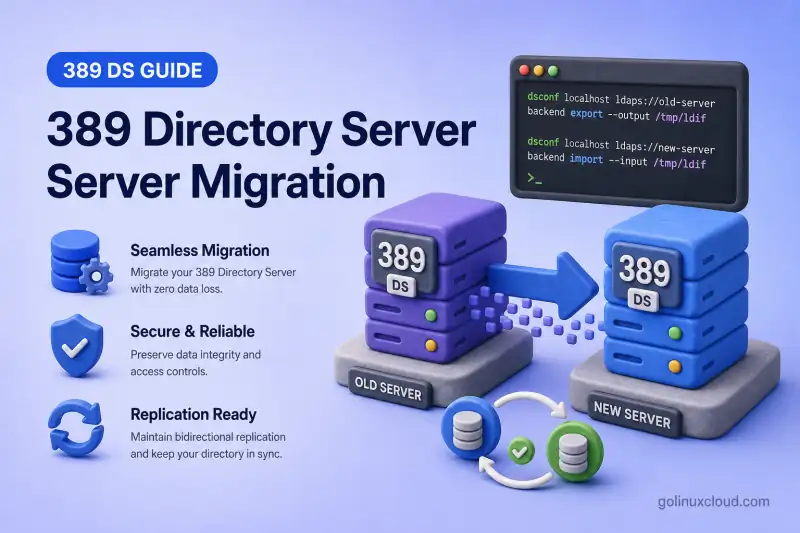
Moving 389 Directory Server to a new host is a planned replacement, not a file copy. You do it when the current server reaches end of life, the platform changes, capacity or security requirements shift, or clients must bind to a new hostname, certificate, or network location. The work is successful when directory data, access control, and day-to-day administration behave the same on the replacement host after cutover.
A migration has two layers:
- Suffix data — entries and many ACIs travel with replication or LDIF export and import
- Instance configuration — schema files, indexes, plug-in tuning, TLS material, replication agreements, password-policy layout, and host automation must be prepared on the destination separately
Treat the source server as your inventory. Recreate what you still need with dsconf and dsctl on the new host.
Most deployments use one of these data paths:
| Approach | When it fits |
|---|---|
| Replication | The source can stay online; you want the destination to catch up before cutover |
| LDIF export and import | The source is standalone, disconnected, or replication cannot be enabled temporarily |
Do not migrate by copying /var/lib/dirsrv/slapd-INSTANCE/db/ between hosts. Database files are tied to the source instance, version, and backend. Use replication, supported LDIF transfer, or a documented backup and restore procedure that matches your exact environment.
Before you start:
- Install 389 Directory Server — destination packages and instance creation
- Export and import LDIF — LDIF path when replication is not an option
- Back Up and Restore 389 Directory Server — recovery point before cutover
Tested on: Rocky Linux 10.2; 389 Directory Server 3.2.0.
The lab used ldap1.example.com:389 (source, instance ldap1) and ldap2.example.com (destination instances ldap-migrate on port 3590 for replication migration and ldap-ldif on port 3490 for LDIF migration). Directory Server instance names are local to each host; run dsctl and instance-name-based dsconf commands on the host named in each step.
ldap:// examples use an isolated lab network. Use LDAPS or StartTLS for production migration operations so Directory Manager and replication credentials are not exposed in transit.
Step 1  Choose replication or LDIF
Step 2  Inventory the source
Step 3  Prepare the destination (schema, indexes, plug-ins, TLS)
Step 4  Move directory data
Step 5  Promote and create reverse agreement (replication only)
Step 6  Validate the destination
Step 7  Cut over clients
Step 8  Remove the old server
Jump links: Step 1 · Step 2 · Step 3 · Step 4 (replication · LDIF) · Step 5 · Step 6 · Step 7 · Step 8
Follow the steps in order. Steps 4, 5, and 7 branch slightly between replication and LDIF migration; the headings call out which path applies.
Step 1: Choose the migration method
| Environment | Recommended method |
|---|---|
| Existing replicated topology | Add the new server as a replica, then cut over |
| Standalone server where temporary replication is possible | Temporary replication migration |
| Standalone or disconnected source | Offline or online LDIF export and import |
| Minimal interruption required | Replication migration |
| Major product or OS change | New instance plus replication or LDIF |
| Different database backend | LDIF or replication migration |
| Identical supported environment with verified compatible backup | Native backup and restore only when documented as compatible |
Replication is generally preferred when the source can remain online. The destination synchronizes while you validate, and a reverse agreement can keep the source current during the rollback window. Continue with the Replication path in Step 4.
LDIF export and import fits standalone servers, air-gapped sources, or environments where replication cannot be enabled temporarily. See Export and import LDIF for every export and import flag, then continue with the LDIF path in Step 4.
Step 2: Inventory the existing server
Record the source environment before you create the destination instance or open replication paths.
| Item | Record |
|---|---|
| Package and product version | rpm -q 389-ds-base |
| Instance name and status | dsctl -l, dsctl INSTANCE status |
| Suffixes and backends | dsconf INSTANCE backend get-tree |
| Hostname, LDAP and LDAPS ports | dsconf INSTANCE config get nsslapd-port |
| Replication role, replica ID, agreements | dsconf INSTANCE repl-agmt list |
| Custom schema files | /etc/dirsrv/slapd-INSTANCE/schema/ |
| TLS certificates and trust stores | Certificate management |
| Plug-ins, indexes, password policies | dsconf plug-in and backend configuration |
| Backup and monitoring jobs | Cron, systemd timers, automation playbooks |
Check the installed package build on the source:
rpm -q 389-ds-baseSample output:
389-ds-base-3.2.0-8.el10_2.x86_64List local instances:
Offline instance work in this section uses dsctl commands.
dsctl -lSample output:
slapd-ldap1
slapd-ldap2
Confirm the source instance is running:
dsctl ldap1 statusSample output:
Instance "ldap1" is runningList suffixes on the source:
Online configuration in this section uses dsconf commands.
dsconf -y /root/dm.pw ldap1 backend get-treeSample output:
- dc=example,dc=comRun a health check before you plan the migration window:
dsctl ldap1 healthcheckSample output:
Healthcheck complete.
No issues found.
LDAP entries alone do not represent the complete server configuration. Plan separate migration steps for:
- Plug-ins and their tuning
- Indexes
- Global password policies
- Certificates and trust stores
- Replication metadata
Record every application backend from backend get-tree, not only userRoot. Configuration or monitoring backends are not automatically application data, but each business suffix you migrate must be exported, transferred, and imported deliberately.
Step 3: Prepare the destination server
Prepare the replacement host before you open replication or import data. Install a supported 389 Directory Server package on the destination OS, confirm version compatibility with the source, configure hostname and DNS, synchronize time, and open LDAP, LDAPS, and replication ports in the firewall when the destination is remote. Create a new instance with dscreate and a matching suffix as described in Install 389 Directory Server.
dse.ldif with the source file. It contains host-, version-, and instance-specific configuration, and its layout can change between releases. Use the source configuration as an inventory reference and recreate required settings with supported dsconf commands.
In the lab, the replication destination instance ldap-migrate listens on ldap2.example.com:3590. The LDIF destination instance ldap-ldif listens on ldap2.example.com:3490.
Suffix data and ACIs stored below the suffix move with replication or LDIF in Step 4. Recreate or transfer these on the destination before cutover:
cn=configsettings and plug-in tuning- NSS certificate database and server certificate material
- Host-specific
dse.ldifvalues - Replication agreements for the new topology
- Systemd overrides, monitoring, and backup jobs
| Item | Migration handling |
|---|---|
| User and group entries | Replication or LDIF (Step 4) |
| ACIs stored below the suffix | Replication or LDIF (Step 4) |
| Custom schema | Install on destination before LDIF import |
| Backend and suffix configuration | Recreate on destination with dsconf |
| Index configuration | Recreate and verify |
| Plug-in configuration | Recreate with dsconf |
| TLS trust certificates | Import on destination |
| Server certificate | Reissue when the hostname changes |
| Password policies | Verify global and subtree policy location |
| Replication agreements | Recreate for the new topology (Step 4–5) |
| Systemd overrides | Recreate only when still required |
| Monitoring and backup jobs | Update for the new host |
Set the destination instance name to match the migration path you will use in Step 4:
# Run on ldap2.example.com:
# Replication migration:
TARGET_INSTANCE=ldap-migrate

# LDIF migration:
# TARGET_INSTANCE=ldap-ldif
Install custom schema on the destination
Install custom schema before LDIF import in Step 4, or before you validate application entries that depend on non-standard attributes. The failed-import example in Step 4 showed warning code 8 when PerfBench entries required schema that was not yet present on ldap-ldif.
List schema files on the source and note any file beyond the distribution defaults:
# Run on ldap1.example.com:
ls -1 /etc/dirsrv/slapd-ldap1/schema/
Sample output when a managed custom file is present:
00core.ldif
99glc-custom.ldif
99user.ldif
Copy only the custom files your deployment manages. Do not overwrite the destination 99user.ldif unless you are following a documented schema merge procedure:
# Run on ldap2.example.com:
scp ldap1.example.com:/etc/dirsrv/slapd-ldap1/schema/99glc-custom.ldif /etc/dirsrv/slapd-${TARGET_INSTANCE}/schema/chown root:root /etc/dirsrv/slapd-${TARGET_INSTANCE}/schema/99glc-custom.ldifchmod 644 /etc/dirsrv/slapd-${TARGET_INSTANCE}/schema/99glc-custom.ldifrestorecon -v /etc/dirsrv/slapd-${TARGET_INSTANCE}/schema/99glc-custom.ldifRoot ownership prevents the service account from altering administrator-managed schema files. Mode 644 allows Directory Server to read the file.
Reload schema on the running destination instance:
dsconf -y /root/dm.pw "$TARGET_INSTANCE" schema reload --waitSample output:
Schema reload task (cn=schema_reload_2026-07-18T20:01:12.441203,cn=schema reload task,cn=tasks,cn=config) successfully finished.Confirm the attribute or object class exists before you import or validate dependent entries:
dsconf -y /root/dm.pw "$TARGET_INSTANCE" schema attributetypes | grep -i employeeBadgeNumberSee create a custom schema for OID planning and dsconf schema add when you prefer API-driven deployment over file copy.
Recreate backend settings and indexes
Backend tuning, cache sizes, and index definitions live in cn=config. They do not replicate as ordinary suffix data.
Capture the source backend and index inventory:
# Run on ldap1.example.com:
dsconf -y /root/dm.pw ldap1 backend suffix get userroot > /root/ldap1-userroot-suffix.txtdsconf -y /root/dm.pw ldap1 backend index list userroot > /root/ldap1-userroot-indexes.txtCompare the destination before cutover:
# Run on ldap2.example.com:
dsconf -y /root/dm.pw "$TARGET_INSTANCE" backend index list userroot
Recreate any missing index on the destination. The example below adds an equality index on member when the MemberOf plug-in is enabled:
dsconf -y /root/dm.pw "$TARGET_INSTANCE" backend index add --attr member --index-type eq --reindex userrootSample output:
Successfully added eq index for memberVerify the index list matches the source inventory for every application backend you migrated.
Mirror plug-in configuration
Plug-in enablement and tuning are instance-local. Replication moves suffix entries; it does not copy plug-in configuration from cn=config.
List enabled plug-ins on the source and destination:
# Run on ldap1.example.com:
dsconf -y /root/dm.pw ldap1 plugin list | grep -i ': on'# Run on ldap2.example.com:
dsconf -y /root/dm.pw "$TARGET_INSTANCE" plugin list | grep -i ': on'When a plug-in is enabled on the source but not on the destination, read its active settings and recreate them. The MemberOf example below shows the pattern:
# Run on ldap1.example.com:
dsconf -y /root/dm.pw ldap1 plugin show "MemberOf Plugin"# Run on ldap2.example.com:
dsconf -y /root/dm.pw "$TARGET_INSTANCE" plugin memberof enabledsconf -y /root/dm.pw "$TARGET_INSTANCE" plugin memberof set --scope "dc=example,dc=com" --groupattr member uniqueMemberRepeat for every plug-in your applications depend on, including Referential Integrity, DNA, and Attribute Uniqueness. Plug-in chapters document the exact dsconf subcommands for each product feature.
Import TLS trust and server certificates
TLS material lives in the instance NSS database. Treat certificate migration as a deliberate procedure, not an automatic part of LDIF or suffix replication.
List trust anchors and the active server certificate on the source:
# Run on ldap1.example.com:
dsconf -y /root/dm.pw ldap1 security ca-certificate listdsconf -y /root/dm.pw ldap1 security certificate listdsconf -y /root/dm.pw ldap1 security rsa getImport each required CA on the destination before you enable LDAPS or replication over TLS:
# Run on ldap2.example.com:
dsconf -y /root/dm.pw "$TARGET_INSTANCE" security ca-certificate add --file /root/example-ca.crt --name "Example-CA"
Sample output:
Successfully added CA certificate Example-CAWhen the destination hostname matches the source and the key material is compatible, you can export a PKCS#12 bundle on the source and import it offline on the destination. Stop the destination instance first because pk12util modifies NSS files directly:
dsctl "$TARGET_INSTANCE" stoppk12util -i /root/ldap1-server-cert-backup.p12 \
-d /etc/dirsrv/slapd-${TARGET_INSTANCE} \
-w /root/pk12-export.pw \
-k /etc/dirsrv/slapd-${TARGET_INSTANCE}/pwdfile.txtStart the instance before you run dsconf. security rsa set communicates with the running Directory Server and cannot be used while the instance remains stopped:
dsctl "$TARGET_INSTANCE" startdsconf -y /root/dm.pw "$TARGET_INSTANCE" security rsa set \
--tls-allow-rsa-certificates on \
--nss-token "internal (software)" \
--nss-cert-name Server-Certdsctl "$TARGET_INSTANCE" restartAlternatively, use the documented dsctl "$TARGET_INSTANCE" tls import-server-key-cert workflow for importing an external certificate and private key. The active certificate nickname and RSA configuration are then managed while the server is running.
Choose the certificate approach that matches your hostname plan:
- Same hostname and compatible key material — PKCS#12 import with
pk12util, ordsctl tls import-server-key-cert - New hostname or SAN — issue a new certificate whose subject or SAN includes the DNS name clients will use; do not copy the old server certificate blindly
Copying a certificate database is appropriate only when key material, hostname, permissions, and target version are compatible.
Verify TLS on the hostname and port clients will use. When the destination keeps a non-default LDAP port, read the secure listener with dsconf "$TARGET_INSTANCE" config get nsslapd-secureport or test StartTLS on the LDAP port:
openssl s_client -starttls ldap -connect ldap2.example.com:3590 -servername ldap2.example.com -verify_return_error -CAfile /root/example-ca-chain.pem </dev/nullSee certificate management for PKCS#12 export, backup timing, and nickname conflict checks.
Compare password policies
Password policy work splits between cn=config and suffix data:
- Does not move with suffix data — global policy configuration and switches such as
nsslapd-pwpolicy-local - May move through replication or LDIF — local subtree or user-policy entries stored below the migrated suffix
- Still requires verification — destination local-policy enablement, inheritance settings, and policy references
Verify migrated policy entries on the destination, confirm nsslapd-pwpolicy-local and inheritance settings, and recreate only the components that are missing. Avoid creating duplicate local policies when the suffix already contains migrated policy entries.
Save comparable policy output from both hosts:
# Run on ldap1.example.com:
dsconf -y /root/dm.pw ldap1 pwpolicy get > /root/ldap1-pwpolicy.txtdsconf -y /root/dm.pw ldap1 config get nsslapd-pwpolicy-local nsslapd-pwpolicy-inherit-global >> /root/ldap1-pwpolicy.txt# Run on ldap2.example.com:
dsconf -y /root/dm.pw "$TARGET_INSTANCE" pwpolicy get > /root/${TARGET_INSTANCE}-pwpolicy.txtdsconf -y /root/dm.pw "$TARGET_INSTANCE" config get nsslapd-pwpolicy-local nsslapd-pwpolicy-inherit-global >> /root/${TARGET_INSTANCE}-pwpolicy.txtReview differences and recreate missing subtree policies with dsconf localpwp before you cut over password-change flows. Test a controlled password modify on the destination after policy alignment.
Update systemd overrides, monitoring, and backups
Host-specific automation does not move with directory data. Inspect overrides on the source and recreate only what the destination still needs:
# Run on ldap1.example.com:
systemctl cat "[email protected]"
Update these items for the destination hostname and instance name:
- Monitoring probes and alerting rules
- Log shipping and backup jobs
- Firewall rules for LDAP, LDAPS, and replication ports
- Service discovery entries clients and operators use
Confirm backup archives land on storage that includes the new host identity:
# Run on ldap2.example.com:
dsconf -y /root/dm.pw "$TARGET_INSTANCE" backup create
Sample output:
The backup create task has finished successfullyls /var/lib/dirsrv/slapd-${TARGET_INSTANCE}/bak/The backup directory should contain config_files/ with cert9.db, key4.db, and schema/ when you need a recovery point on the new host.
Entry updates in the replication and validation steps use the ldapmodify command.
Step 4: Move directory data
Complete Step 3 on the destination before you move suffix data. Choose one path: Replication path when the source stays online, or LDIF path for standalone or disconnected sources.
These items do not transfer as ordinary suffix data:
- Configuration under
cn=config - Local certificate databases
- Host-specific
dse.ldifvalues
Do not reuse the source replica ID on a second active supplier.
Replication path
Use this path when the source can remain online and you need continuous synchronization before cutover.
Verify or enable replication on the source
Before you create a migration agreement, confirm whether the source already participates in replication. If the source is standalone, enable it as a supplier first.
# Run on ldap1.example.com:
dsconf -y /root/dm.pw ldap1 replication get --suffix "dc=example,dc=com"
Sample output when the source is already a supplier:
dn: cn=replica,cn=dc\3Dexample\2Cdc\3Dcom,cn=mapping tree,cn=config
nsDS5ReplicaId: 1
nsDS5ReplicaRoot: dc=example,dc=com
nsDS5ReplicaType: 3
nsDS5ReplicaType: 3 means the suffix is a supplier. If the source already belongs to a replication topology, retain its existing role and replica ID.
Enable replication on a standalone source only when it is not already configured:
# Run on ldap1.example.com only when replication is not already enabled:
dsconf -y /root/dm.pw ldap1 replication enable --suffix "dc=example,dc=com" --role supplier --replica-id 1
Never assign a second active supplier the same replica ID. Choose an unused ID from your topology plan.
Create the replication manager password file
The replication workflow uses /root/replmgr.pw on both hosts. Create the file before the first replication enable or repl-agmt create command that references it.
umask 077

read -rsp 'Replication manager password: ' REPL_PASSWORD
echo

printf '%s' "$REPL_PASSWORD" > /root/replmgr.pw
unset REPL_PASSWORD

chmod 600 /root/replmgr.pw
Create the password file on both ldap1.example.com and ldap2.example.com. Write the password without a trailing newline so dsconf -y reads the same value on every host. The contents must match because agreements on each host use the same replication manager credentials. Remove the file securely after the temporary migration topology is dismantled.
The destination replication enable command creates the replication manager account when the bind DN and password file are supplied.
Enable replication on the destination consumer
On the destination host, enable the consumer role. The replication enable command configures the replica and creates the replication manager account.
# Run on ldap2.example.com:
# local instance ldap-migrate is the migration target
dsconf -y /root/dm.pw ldap-migrate replication enable --suffix "dc=example,dc=com" --role consumer --bind-dn "cn=replication manager,cn=config" --bind-passwd-file /root/replmgr.pw
Verify the destination configuration:
# Run on ldap2.example.com:
dsconf -y /root/dm.pw ldap-migrate replication get --suffix "dc=example,dc=com"
Sample output:
dn: cn=replica,cn=dc\3Dexample\2Cdc\3Dcom,cn=mapping tree,cn=config
nsDS5ReplicaId: 65535
nsDS5ReplicaRoot: dc=example,dc=com
nsDS5ReplicaType: 2
nsDS5ReplicaType: 2 means the destination is a read-only consumer until you promote it.
Create and initialize the migration agreement on the source
On the source host, create the supplier-owned agreement to the destination and initialize it.
dsconf -y /root/dm.pw ldap1 repl-agmt create ldap1-to-ldap-migrate --suffix "dc=example,dc=com" --host ldap2.example.com --port 3590 --conn-protocol LDAP --bind-method SIMPLE --bind-dn "cn=replication manager,cn=config" --bind-passwd-file /root/replmgr.pwSample output:
Successfully created replication agreement "ldap1-to-ldap-migrate"dsconf -y /root/dm.pw ldap1 repl-agmt init --suffix "dc=example,dc=com" ldap1-to-ldap-migrateSample output:
Agreement initialization started...Monitor initialization:
dsconf -y /root/dm.pw ldap1 repl-agmt init-status --suffix "dc=example,dc=com" ldap1-to-ldap-migrateSample output:
Agreement successfully initialized.Check agreement status:
dsconf -y /root/dm.pw ldap1 repl-agmt status --suffix "dc=example,dc=com" ldap1-to-ldap-migrateSample output:
Status For Agreement: "ldap1-to-ldap-migrate" (ldap2.example.com:3590)
Replica Enabled: on
Last Init Status: Error (0) Total update succeeded
Last Update Status: Error (0) Replica acquired successfully: Incremental update succeeded
The Error (0) prefix is normal; read the message after it.
Validate replication migration
Add a marker entry on the source and poll until it appears on the destination. Replication is asynchronous; entry-count comparisons alone can match when one entry is missing and another is unexpected.
New entries in this section are added with the ldapadd command.
ldapadd -x -H ldap://ldap1.example.com:389 -D "cn=Directory Manager" -y /root/dm.pw <<'EOF'
dn: cn=migrate-repl-test,ou=People,dc=example,dc=com
objectClass: top
objectClass: person
cn: migrate-repl-test
sn: repltest
description: replication migration validation
EOF
Poll the destination until the marker entry converges:
TARGET_DN="cn=migrate-repl-test,ou=People,dc=example,dc=com"
CONVERGED=0

for attempt in $(seq 1 30); do
    COUNT=$(ldapsearch -LLL -x -H ldap://ldap2.example.com:3590 -D "cn=Directory Manager" -y /root/dm.pw -b "$TARGET_DN" -s base dn 2>/dev/null | grep -c '^dn:')

    if [ "$COUNT" -eq 1 ]; then
        echo "Destination replication converged"
        CONVERGED=1
        break
    fi

    sleep 2
done

if [ "$CONVERGED" -ne 1 ]; then
    echo "Destination did not converge before timeout" >&2
    exit 1
fi
Sample output:
Destination replication convergedCompare person entry counts on source and destination:
ldapsearch -LLL -x -H ldap://ldap1.example.com:389 -D "cn=Directory Manager" -y /root/dm.pw -b "ou=People,dc=example,dc=com" "(objectClass=person)" dn | grep -c '^dn:'ldapsearch -LLL -x -H ldap://ldap2.example.com:3590 -D "cn=Directory Manager" -y /root/dm.pw -b "ou=People,dc=example,dc=com" "(objectClass=person)" dn | grep -c '^dn:'Sample output when synchronization is complete:
519
519
Check replication lag with ds-replcheck state. Use -W so the utility prompts for the Directory Manager password instead of exposing it on the command line:
ds-replcheck state -D "cn=Directory Manager" -W -m ldap://ldap1.example.com:389 -r ldap://ldap2.example.com:3590 -b "dc=example,dc=com"Sample output:
Replication State: Supplier and Replica are in perfect synchronizationFor a deeper entry comparison, use ds-replcheck online:
ds-replcheck online -D "cn=Directory Manager" -W -m ldap://ldap1.example.com:389 -r ldap://ldap2.example.com:3590 -b "dc=example,dc=com"In both commands, -m is the supplier and -r is the compared replica.
Delete the marker entry on the source and poll until it disappears from the destination:
ldapdelete -x -H ldap://ldap1.example.com:389 -D "cn=Directory Manager" -y /root/dm.pw "cn=migrate-repl-test,ou=People,dc=example,dc=com"TARGET_DN="cn=migrate-repl-test,ou=People,dc=example,dc=com"
REMOVED=0
for attempt in $(seq 1 30); do
COUNT=$(ldapsearch -LLL -x -H ldap://ldap2.example.com:3590 -D "cn=Directory Manager" -y /root/dm.pw -b "$TARGET_DN" -s base dn 2>/dev/null | grep -c '^dn:')
if [ "$COUNT" -eq 0 ]; then
echo "Marker entry removed from destination"
REMOVED=1
break
fi
sleep 2
done
if [ "$REMOVED" -ne 1 ]; then
echo "Marker entry still present on destination" >&2
exit 1
fiLDIF path
Use LDIF export and import when the source is standalone, disconnected, or replication cannot be configured.
Export the source data
Stop application writes to the source suffix. Take a verified backup before export.
An online export is deterministic for migration only when writes to the exported suffix remain frozen through export and cutover. Otherwise, changes accepted after the export begins may be absent from the destination.
Export each application backend recorded during inventory. The example below exports userRoot:
dsconf -y /root/dm.pw ldap1 backend export userRoot -l /var/lib/dirsrv/slapd-ldap1/ldif/migrate-ldif-e2e.ldifWhen the source backend uses attribute encryption, the -E flag means different things on export and import:
- Export
-E— writes encrypted attributes as plain text in the LDIF so they can be migrated - Import
-E— encrypts configured attributes as they enter the destination database
Without export -E, the destination import can skip hundreds of entries with attribute syntax errors even though ldapadd of the same entry succeeds. Without destination encryption configuration before import, attributes that were encrypted on the source can be stored as plaintext on the destination.
Inventory encrypted attributes on the source before you export:
# Run on ldap1.example.com:
dsconf -y /root/dm.pw ldap1 backend attr-encrypt --list userRoot
Sample output when telephoneNumber is encrypted on the source:
dn: cn=telephoneNumber,cn=encrypted attributes,cn=userroot,cn=ldbm database,cn=plugins,cn=config
cn: telephoneNumber
nsEncryptionAlgorithm: AES
The transfer LDIF will contain plaintext values for those attributes. Treat it as sensitive data and archive or remove it under your backup controls after successful validation.
dsconf -y /root/dm.pw ldap1 backend export userRoot -E -l /var/lib/dirsrv/slapd-ldap1/ldif/migrate-ldif-e2e.ldifExclude benchmark subtrees you do not plan to migrate:
dsconf -y /root/dm.pw ldap1 backend export userRoot -E -l /var/lib/dirsrv/slapd-ldap1/ldif/migrate-ldif-e2e.ldif \
  -x "ou=PerfBench,dc=example,dc=com" \
  -x "ou=WriteBench,dc=example,dc=com"
Sample output:
The export task has finished successfullyRepeat the export for every additional application backend in your inventory.
Create a basename-based checksum manifest so verification works on the destination host:
cd /var/lib/dirsrv/slapd-ldap1/ldifsha256sum migrate-ldif-e2e.ldif > migrate-ldif-e2e.ldif.sha256A normal export does not create SHA256SUMS automatically. Create and protect the manifest as part of your migration workflow.
Transfer the LDIF and checksum
Transfer the LDIF, checksum file, custom schema files, certificate material that can be reused, and your configuration inventory to the destination host.
scp /var/lib/dirsrv/slapd-ldap1/ldif/migrate-ldif-e2e.ldif /var/lib/dirsrv/slapd-ldap1/ldif/migrate-ldif-e2e.ldif.sha256 ldap2.example.com:/var/lib/dirsrv/slapd-ldap-ldif/ldif/Verify the checksum on the destination:
# Run on ldap2.example.com:
cd /var/lib/dirsrv/slapd-ldap-ldif/ldif && sha256sum -c migrate-ldif-e2e.ldif.sha256
Sample output:
migrate-ldif-e2e.ldif: OKSet ownership, mode, and SELinux context before import:
# Run on ldap2.example.com:
chown dirsrv:dirsrv /var/lib/dirsrv/slapd-ldap-ldif/ldif/migrate-ldif-e2e.ldifchmod 600 /var/lib/dirsrv/slapd-ldap-ldif/ldif/migrate-ldif-e2e.ldifrestorecon -v /var/lib/dirsrv/slapd-ldap-ldif/ldif/migrate-ldif-e2e.ldifImport into the destination
Complete custom schema installation in Step 3 before you import suffix data that depends on it.
ldapadd or ldapmodify when existing data must be retained.
Failed import when schema is missing
In the lab, a full backend import completed with warning code 8 because PerfBench test data required custom schema that was not yet installed on the destination:
# Run on ldap2.example.com:
# local instance ldap-ldif is the LDIF migration target
dsconf -y /root/dm.pw ldap-ldif backend import userRoot /var/lib/dirsrv/slapd-ldap-ldif/ldif/migrate-ldif-e2e.ldif
Sample output:
The import task has finished successfully, with warning code 8, check the logs for more detailWarning code 8 means the import task completed but one or more entries were skipped. Do not continue to cutover validation.
Review /var/log/dirsrv/slapd-ldap-ldif/errors. The lab log reported skipped entries such as:
Skipping entry "uid=user183,ou=PerfBench,dc=example,dc=com" which violates attribute syntaxInstall the missing custom schema or correct the invalid LDIF, reset the destination backend, and repeat the import until it completes without skipped entries. A healthcheck can succeed while expected directory entries are still absent.
Configure attribute encryption before import
When the source uses attribute encryption, complete this sequence on the destination after TLS is configured in Step 3:
- List encrypted attributes on the source with
backend attr-encrypt --list - Recreate each required attribute on the destination with
backend attr-encrypt --add-attr - Import the LDIF with
-Eso values are encrypted as they enter the database
# Run on ldap2.example.com:
# Example when telephoneNumber was encrypted on the source:
dsconf -y /root/dm.pw ldap-ldif backend attr-encrypt --add-attr telephoneNumber userRoot
For very large databases or a maintenance window that allows stopping the source, the offline alternative is dsctl ldap-ldif ldif2db --encrypted.
Successful import and verification
After schema alignment and attribute-encryption configuration, record the error-log position before you rerun the import:
# Run on ldap2.example.com:
ERROR_LOG=/var/log/dirsrv/slapd-ldap-ldif/errors
START_LINE=$(wc -l < "$ERROR_LOG")
Rerun the import with -E when the source export used attribute encryption:
dsconf -y /root/dm.pw ldap-ldif backend import -E userRoot /var/lib/dirsrv/slapd-ldap-ldif/ldif/migrate-ldif-e2e.ldifWhen the source does not use attribute encryption, omit -E:
dsconf -y /root/dm.pw ldap-ldif backend import userRoot /var/lib/dirsrv/slapd-ldap-ldif/ldif/migrate-ldif-e2e.ldifSample output:
The import task has finished successfullyInspect only lines written by the latest import task:
sed -n "$((START_LINE + 1)),\$p" "$ERROR_LOG" | grep -i 'Skipping entry'The command should produce no output. Any matching line generated after START_LINE means the latest import still skipped entries and must not be used for cutover.
Count people entries on source and destination after a clean import:
ldapsearch -LLL -x -H ldap://ldap1.example.com:389 -D "cn=Directory Manager" -y /root/dm.pw -b "ou=People,dc=example,dc=com" "(objectClass=person)" dn | grep -c '^dn:'ldapsearch -LLL -x -H ldap://ldap2.example.com:3490 -D "cn=Directory Manager" -y /root/dm.pw -b "ou=People,dc=example,dc=com" "(objectClass=person)" dn | grep -c '^dn:'519
519Search a group subtree and a custom-schema entry your applications require. The filters should match what you recorded during inventory:
ldapsearch -LLL -x -H ldap://ldap2.example.com:3490 -D "cn=Directory Manager" -y /root/dm.pw -b "ou=groups,dc=example,dc=com" "(objectClass=groupOfNames)" dn | grep -c '^dn:'Test a representative user bind on the LDIF destination before you continue to Step 6:
ldapsearch -LLL -x -H ldap://ldap2.example.com:3490 -D "uid=user1,ou=People,dc=example,dc=com" -W -b "ou=People,dc=example,dc=com" "(uid=user1)" dnMatching counts on one subtree alone do not prove a complete migration. Compare every critical application filter before cutover.
For very large databases or a maintenance window that allows stopping the source, use offline dsctl db2ldif and dsctl ldif2db as documented in export and import LDIF.
Step 5: Promote the destination and create a reverse agreement (replication only)
Skip this step for LDIF migration. Continue with Step 6 after the LDIF path import completes.
Promotion changes the destination role before write-capable clients connect:
- A consumer accepts read-only replication traffic
- A supplier can accept application writes after promotion with a unique replica ID
- Promotion does not create replication agreements automatically
Create a reverse agreement when the promoted supplier must send updates back to the old source during the rollback window.
# Run on ldap2.example.com:
dsconf -y /root/dm.pw ldap-migrate replication promote --suffix "dc=example,dc=com" --newrole supplier --replica-id 2
Sample output:
Successfully promoted replica to "supplier"Confirm the new role:
# Run on ldap2.example.com:
dsconf -y /root/dm.pw ldap-migrate replication get --suffix "dc=example,dc=com" | grep -E 'nsDS5ReplicaId|nsDS5ReplicaType'
Sample output:
nsDS5ReplicaId: 2
nsDS5ReplicaType: 3
Ensure the old source can accept replication updates from the promoted destination. On a standalone source that has no replication manager entry yet, create one first:
# Run on ldap1.example.com when the manager does not already exist:
dsconf -y /root/dm.pw ldap1 replication create-manager --name "replication manager" --bind-passwd-file /root/replmgr.pw --suffix "dc=example,dc=com"
Create the reverse agreement from the destination to the source. Do not pass --init here. The source was already authoritative, and the destination was initialized from it. Multi-supplier setup creates the reverse agreement without reinitializing the existing supplier.
# Run on ldap2.example.com:
dsconf -y /root/dm.pw ldap-migrate repl-agmt create ldap-migrate-to-ldap1 --suffix "dc=example,dc=com" --host ldap1.example.com --port 389 --conn-protocol LDAP --bind-method SIMPLE --bind-dn "cn=replication manager,cn=config" --bind-passwd-file /root/replmgr.pw
Sample output:
Successfully created replication agreement "ldap-migrate-to-ldap1"Test a write on the destination and poll until it appears on the source. This proves the old source remains synchronized during the rollback window.
ldapadd -x -H ldap://ldap2.example.com:3590 -D "cn=Directory Manager" -y /root/dm.pw <<'EOF'
dn: cn=migrate-write-test,ou=People,dc=example,dc=com
objectClass: top
objectClass: person
cn: migrate-write-test
sn: writetest
description: post-promote write validation
EOFTARGET_DN="cn=migrate-write-test,ou=People,dc=example,dc=com"
CONVERGED=0
for attempt in $(seq 1 30); do
COUNT=$(ldapsearch -LLL -x -H ldap://ldap1.example.com:389 -D "cn=Directory Manager" -y /root/dm.pw -b "$TARGET_DN" -s base dn 2>/dev/null | grep -c '^dn:')
if [ "$COUNT" -eq 1 ]; then
echo "Source received destination write"
CONVERGED=1
break
fi
sleep 2
done
if [ "$CONVERGED" -ne 1 ]; then
echo "Source did not receive destination write before timeout" >&2
exit 1
fiWhen the reverse agreement is healthy, the loop prints Source received destination write. If it times out, check repl-agmt status on the destination and the promoted supplier changelog before cutover.
The add on the destination should succeed without ldap_*: unwilling to perform or read-only errors. Remove the test entry after validation.
If you do not create the reverse agreement, the source is not a direct rollback target after the destination accepts its first write:
- Reinitialize or restore the source from the destination before sending clients back
- Switching DNS or a load balancer alone does not preserve post-cutover changes
Step 6: Validate the destination before cutover
Set the destination instance and LDAP endpoint to match the migration method you used:
| Method | Instance | LDAP endpoint |
|---|---|---|
| Replication | ldap-migrate |
ldap2.example.com:3590 |
| LDIF | ldap-ldif |
ldap2.example.com:3490 |
# Run on ldap2.example.com:
# Replication migration:
TARGET_INSTANCE=ldap-migrate
LDAP_URL=ldap://ldap2.example.com:3590

# LDIF migration:
# TARGET_INSTANCE=ldap-ldif
# LDAP_URL=ldap://ldap2.example.com:3490
Check instance health
Confirm the destination instance is running and passes a health check:
dsctl "$TARGET_INSTANCE" statusInstance "ldap-migrate" is runningdsctl "$TARGET_INSTANCE" healthcheckHealthcheck complete.
No issues found.Compare entry counts
Compare representative subtrees on the source and destination. Matching one filter alone does not prove a complete migration, but large mismatches catch missing backends or skipped import rows early.
Count people entries on both hosts:
ldapsearch -LLL -x -H ldap://ldap1.example.com:389 -D "cn=Directory Manager" -y /root/dm.pw -b "ou=People,dc=example,dc=com" "(objectClass=person)" dn | grep -c '^dn:'ldapsearch -LLL -x -H "$LDAP_URL" -D "cn=Directory Manager" -y /root/dm.pw -b "ou=People,dc=example,dc=com" "(objectClass=person)" dn | grep -c '^dn:'519
519Repeat the same pattern for groups, service accounts, and any application-specific subtree your inventory recorded in Step 2.
Test LDAP connectivity and application binds
Confirm the suffix is reachable on the destination endpoint clients will use:
ldapsearch -LLL -x -H "$LDAP_URL" -D "cn=Directory Manager" -y /root/dm.pw -b "dc=example,dc=com" -s base dndn: dc=example,dc=comTest the same bind DN and search filter your application uses. The example below prompts for the user password instead of storing it in a file:
ldapsearch -LLL -x -H "$LDAP_URL" -D "uid=user1,ou=People,dc=example,dc=com" -W -b "ou=People,dc=example,dc=com" "(uid=user1)" dn maildn: uid=user1,ou=People,dc=example,dc=com
mail: [email protected]When clients use StartTLS or LDAPS, repeat the bind with the same transport security you configured in Step 3.
Confirm replication state (replication migration only)
Skip this subsection for LDIF migration. After Step 5, confirm the supplier and promoted destination are synchronized:
ds-replcheck state -D "cn=Directory Manager" -y /root/dm.pw -m ldap://ldap1.example.com:389 -r ldap://ldap2.example.com:3590 -b "dc=example,dc=com"Replication State: Supplier and Replica are in perfect synchronizationAlso verify:
- The reverse agreement reports a successful last update
- A test write on the destination reached the source during the rollback window, as shown in Step 5
- No replication errors appear in
/var/log/dirsrv/slapd-*/errorson either host
Review password policies and plug-ins
Before you test password changes on the destination:
- Compare the password-policy files you saved in Step 3
- Recreate any missing subtree policy entries
- Confirm
nsslapd-pwpolicy-localand inheritance settings match the source
Confirm plug-ins your applications depend on are enabled on the destination. MemberOf is a common example:
dsconf -y /root/dm.pw "$TARGET_INSTANCE" plugin memberof statusThe status line reports whether the plug-in is enabled. Enable and scope it on the destination when your source deployment depended on memberOf values or the MemberOf plug-in.
Replication is asynchronous. Poll each replica until test entries converge during Step 4 and Step 5 validation; do not assume immediate visibility after ldapadd or ldapmodify returns.
Step 7: Cut over clients to the new server
After Step 5 promotion and reverse replication are healthy, redirect production traffic to the destination.
Replication cutover
Lower the DNS TTL for ldap.example.com or your service name several hours before the window if clients resolve a CNAME instead of connecting to ldap2.example.com directly.
Work through the cutover in this order:
- Freeze application writes on the old source while the forward agreement remains enabled
- Confirm the forward agreement is healthy and the destination has caught up
- Prove the promoted destination accepts writes
- Redirect clients to the destination endpoint
- Keep the reverse agreement enabled during the rollback window
Stop application writes to the old source. In the lab, freeze changes on ldap1.example.com while the forward agreement ldap1-to-ldap-migrate remains enabled so the destination can receive the last updates:
# Run on application hosts: stop jobs and services that write to ldap1.example.com:389Confirm the forward agreement is still healthy:
# Run on ldap1.example.com:
dsconf -y /root/dm.pw ldap1 repl-agmt status --suffix "dc=example,dc=com" ldap1-to-ldap-migrateSample output:
Status For Agreement: "ldap1-to-ldap-migrate" (ldap2.example.com:3590)
Replica Enabled: on
Last Update Status: Error (0) Replica acquired successfully: Incremental update succeededVerify the destination has caught up before you send new client writes there:
ds-replcheck state -D "cn=Directory Manager" -W -m ldap://ldap1.example.com:389 -r ldap://ldap2.example.com:3590 -b "dc=example,dc=com"Sample output:
Replication State: Supplier and Replica are in perfect synchronizationProve the promoted destination accepts writes. The add should succeed without read-only errors:
ldapadd -x -H ldap://ldap2.example.com:3590 -D "cn=Directory Manager" -y /root/dm.pw <<'EOF'
dn: cn=cutover-write-test,ou=People,dc=example,dc=com
objectClass: top
objectClass: person
cn: cutover-write-test
sn: cutover
description: client cutover write validation
EOFRedirect clients to the destination endpoint. Test the new LDAP URL with the same bind and search your application uses:
ldapsearch -LLL -x -H ldap://ldap2.example.com:3590 -D "uid=user1,ou=People,dc=example,dc=com" -W -b "ou=People,dc=example,dc=com" "(uid=user1)" dn mailSample output when the client path is correct:
dn: uid=user1,ou=People,dc=example,dc=com
mail: [email protected]Update service discovery in the same order you use in production:
- Load-balancer pool members
- SSSD or PAM LDAP URIs
- Application connection strings
- Monitoring probes
Point them at ldap2.example.com:3590 rather than ldap1.example.com:389.
During the rollback window, keep ldap-migrate-to-ldap1 enabled so writes on the destination still replicate back to the old source. Monitor the promoted instance while applications reconnect:
# Run on ldap2.example.com:
tail -f /var/log/dirsrv/slapd-ldap-migrate/errorsdsconf -y /root/dm.pw ldap-migrate repl-agmt status --suffix "dc=example,dc=com" ldap-migrate-to-ldap1Remove the cutover test entry after validation:
ldapdelete -x -H ldap://ldap2.example.com:3590 -D "cn=Directory Manager" -y /root/dm.pw "cn=cutover-write-test,ou=People,dc=example,dc=com"After the destination accepts production writes, the source is stale unless the reverse agreement keeps it synchronized. Do not treat the source as a rollback target unless destination writes are replicating back to it.
LDIF cutover
LDIF migration has no continuous synchronization path. Complete these prerequisites before you redirect clients:
- Stop writes to
ldap1.example.com - Confirm the final import on
ldap-ldiffinished without warning code8 - Complete Step 6 with
TARGET_INSTANCE=ldap-ldif - Redirect clients to
ldap2.example.com:3490only after counts and binds pass
Test the LDIF destination endpoint before you change production clients:
ldapsearch -LLL -x -H ldap://ldap2.example.com:3490 -D "cn=Directory Manager" -y /root/dm.pw -b "ou=People,dc=example,dc=com" "(objectClass=person)" dn | grep -c '^dn:'Compare the count with the source while writes remain frozen on ldap1:
ldapsearch -LLL -x -H ldap://ldap1.example.com:389 -D "cn=Directory Manager" -y /root/dm.pw -b "ou=People,dc=example,dc=com" "(objectClass=person)" dn | grep -c '^dn:'Matching counts alone do not prove every subtree migrated. Repeat representative filters for groups, service accounts, and ACIs your applications use.
Reusing the old hostname on the new server can reduce client changes, but you must still update:
- TLS certificates and trust material
- Replication agreements for the final topology
- Monitoring and backup jobs
- Firewall rules for the new host
Do not allow both servers to accept independent writes after replication has been disconnected.
Step 8: Remove the old server safely
Decommission the source only after the destination has operated successfully through your agreed validation period.
Replication migration and LDIF migration follow different teardown paths:
- Replication migration — remove agreements, replace temporary migration agreements with your final production topology when needed, and run RUV cleanup on the surviving topology
- LDIF migration — skip replication steps because the source was not synchronized continuously with the destination
The examples below retire ldap1.example.com (instance ldap1, replica ID 1) after a successful replication migration to ldap-migrate on ldap2.example.com. Adjust hostnames, instance names, agreement names, and replica IDs to match your inventory.
Freeze writes on the old supplier
Stop application writes to the source before you remove replication paths. Remove ldap1 from the load balancer and drain connection pools first.
When you retire a replicated supplier, make the backend read-only on the host being removed so the surviving supplier can receive final changes. This follows the documented supplier-removal procedure:
# Run on ldap1.example.com:
dsconf -y /root/dm.pw ldap1 backend suffix set --enable-readonly userroot
Verify the surviving destination has received every change from the supplier being retired before you remove agreements:
ds-replcheck online -D "cn=Directory Manager" -y /root/dm.pw -m ldap://ldap1.example.com:389 -r ldap://ldap2.example.com:3590 -b "dc=example,dc=com"Review the synchronization report and continue only when the surviving destination contains all required changes from the supplier being retired and no unexplained entry differences remain.
After convergence is confirmed:
- Remove agreements referencing the retired supplier
- Disable replication on the retired suffix
- Run
cleanallruvfrom a surviving supplier - Stop and archive the retired instance
You can still block writes at the application or load-balancer layer in parallel. Backend read-only mode on the retiring supplier is part of the supported removal workflow, not a shortcut to avoid.
Confirm the promoted destination is the write target clients use:
ldapsearch -LLL -x -H ldap://ldap2.example.com:3590 -D "cn=Directory Manager" -y /root/dm.pw -b "dc=example,dc=com" -s base objectClassConfirm synchronization before agreement removal
Verify the surviving supplier contains every change you still need from the old host. Run the check from a host that can reach both endpoints:
ds-replcheck state -D "cn=Directory Manager" -W -m ldap://ldap1.example.com:389 -r ldap://ldap2.example.com:3590 -b "dc=example,dc=com"Sample output when the rollback window is caught up:
Replication State: Supplier and Replica are in perfect synchronizationSave RUV output from every surviving server before you delete agreements:
# Run on ldap2.example.com:
dsconf -y /root/dm.pw ldap-migrate replication get-ruv --suffix "dc=example,dc=com"# Run on ldap1.example.com:
dsconf -y /root/dm.pw ldap1 replication get-ruv --suffix "dc=example,dc=com"The retired supplier replica ID (1 in this lab) must not receive new writes after this point.
Remove replication agreements
List every agreement that still references the old supplier on both hosts:
# Run on ldap1.example.com:
dsconf -y /root/dm.pw ldap1 repl-agmt list --suffix "dc=example,dc=com"# Run on ldap2.example.com:
dsconf -y /root/dm.pw ldap-migrate repl-agmt list --suffix "dc=example,dc=com"Disable each agreement before you delete it. Start with the path that still allows the promoted destination to finish sending updates, then remove the inbound and outbound agreements that reference the retired host.
On the old supplier, disable and delete the migration agreement to the destination:
# Run on ldap1.example.com:
dsconf -y /root/dm.pw ldap1 repl-agmt disable --suffix "dc=example,dc=com" ldap1-to-ldap-migrate
Sample output:
Agreement has been disableddsconf -y /root/dm.pw ldap1 repl-agmt delete --suffix "dc=example,dc=com" ldap1-to-ldap-migrateSample output:
Successfully deleted replication agreement "ldap1-to-ldap-migrate"On the promoted destination, remove the reverse agreement when you no longer need synchronized rollback to the old source:
# Run on ldap2.example.com:
dsconf -y /root/dm.pw ldap-migrate repl-agmt disable --suffix "dc=example,dc=com" ldap-migrate-to-ldap1dsconf -y /root/dm.pw ldap-migrate repl-agmt delete --suffix "dc=example,dc=com" ldap-migrate-to-ldap1Confirm no agreement still points at the retired host:
dsconf -y /root/dm.pw ldap-migrate repl-agmt list --suffix "dc=example,dc=com"Disable replication on the retired instance
After every agreement is gone, disable replication on the suffix you are retiring:
# Run on ldap1.example.com:
dsconf -y /root/dm.pw ldap1 replication disable --suffix "dc=example,dc=com"
Verify the suffix no longer appears in the replication list:
dsconf -y /root/dm.pw ldap1 replication listThe command should return no replicated suffix on the retired host.
Remove obsolete RUV metadata with cleanallruv
When a supplier is permanently removed and its replica ID will not be reused, run cleanallruv from a surviving supplier. In this lab, replica ID 1 belonged to ldap1.
Run cleanallruv only when all of these are true:
- Every valid change from the retired supplier has replicated
- Its replica ID will not be reused by an active supplier
- Every remaining replica needed by the cleanup task is reachable
# Run on ldap2.example.com:
dsconf -y /root/dm.pw ldap-migrate repl-tasks cleanallruv --suffix "dc=example,dc=com" --replica-id 1
Monitor the task on the supplier that initiated cleanup:
dsconf -y /root/dm.pw ldap-migrate repl-tasks list-cleanruv-tasksAfter the task completes, confirm the retired replica ID no longer appears in the surviving RUV:
dsconf -y /root/dm.pw ldap-migrate replication get-ruv --suffix "dc=example,dc=com"See restore a replicated server for cleanallruv timing and topology cleanup when more than one supplier remains.
Confirm no clients still connect to the source
Inspect active connections and recent binds on the retired host before you power it off:
# Run on ldap1.example.com:
dsconf -y /root/dm.pw ldap1 monitor server | grep -i current
Review the access log for unexpected LDAP URLs:
tail -n 50 /var/log/dirsrv/slapd-ldap1/access | grep -v '127.0.0.1'When monitoring still shows client traffic, trace the application, cron job, or load-balancer pool that references ldap1.example.com before you continue.
Update DNS, load balancers, monitoring, and backups
Point service discovery at the destination hostname and port clients use after cutover (ldap2.example.com:3590 in this lab). Update health checks, backup jobs, and alerting rules that still target ldap1.
# Example: confirm the surviving instance backup path on the new host
# Run on ldap2.example.com:
dsconf -y /root/dm.pw ldap-migrate backup create
Archive migration records with agreement names, replica IDs, final RUV output, and cutover time.
Take a final backup and retire certificates
Create one last backup on the old host before you stop the instance:
# Run on ldap1.example.com:
dsconf -y /root/dm.pw ldap1 backup createls /var/lib/dirsrv/slapd-ldap1/bak/Revoke or retire certificates issued for ldap1.example.com when no service should present that identity. Keep the backup archive according to your retention policy even after the instance is removed.
Stop and disable the old instance
Stop the retired instance after backups and logs are preserved:
# Run on ldap1.example.com:
dsctl ldap1 stopdsctl ldap1 statusSample output:
Instance "ldap1" is not runningPrevent the instance from starting at boot:
systemctl disable [email protected]When the host will be rebuilt or the instance must be destroyed completely, preview removal first:
dsctl ldap1 removedsctl remove without --do-it is a dry run. Run dsctl ldap1 remove --do-it only when you intend to delete configuration, databases, certificates, and logs for that instance.
Decommission after LDIF migration
When you migrated with LDIF export and import, skip the replication agreement and cleanallruv steps above. After clients use ldap-ldif on ldap2.example.com:3490 and Step 6 passes, stop writes to the source suffix and take a final backup:
# Run on ldap1.example.com:
dsconf -y /root/dm.pw ldap1 backup create
Confirm no application still binds to the old endpoint:
tail -n 50 /var/log/dirsrv/slapd-ldap1/access | grep -v '127.0.0.1'Update DNS, load balancers, monitoring, and backup jobs to ldap2.example.com:3490, then stop the retired instance:
dsctl ldap1 stopsystemctl disable "[email protected]"Remove the test instance only when you are certain nothing on the host still needs it:
dsctl ldap1 remove --do-itDo not shut down a supplier permanently while other servers still contain replication agreements pointing to it.
Troubleshoot migration problems
| Symptom | Likely cause | Fix |
|---|---|---|
| Import fails with schema violations | Custom schema missing on destination | Install schema before import; review failing DN in the error log |
| Import reports warning code 8 | Custom schema missing or invalid LDIF entries | Do not cut over; install schema or fix LDIF, reset backend, re-import until no skipped entries remain |
| Authentication works on source but not destination | Password policy, ACI, TLS, or wrong LDAP URL | Verify bind DN, policy location, and client target host |
| Replication initialization fails | Firewall, credentials, TLS trust, or disabled agreement | Open replication ports; enable agreement before init; check both error logs |
| Destination writes do not reach source | Missing reverse agreement or changelog error on promoted supplier | Create reverse agreement without init; check repl-agmt status and changelog health before cutover |
| LDAPS fails after cutover | Certificate SAN, chain, or permissions | Reissue certificate for new hostname; verify trust store |
| Destination contains fewer entries | Skipped import rows, wrong subtree, or missing backend export | Compare filters; review import warnings; re-export every backend |
| Writes fail after replication cutover | Destination still a consumer | Promote to supplier with a unique replica ID before redirecting write-capable clients |
| Rollback to source loses recent changes | No reverse agreement after promotion | Create destination-to-source agreement and verify replication, or reinitialize the source from the destination |
| Supplier removal leaves stale RUV metadata | Agreements removed but RUV not cleaned | Run cleanallruv only after all valid changes replicated and replica ID is retired |
ldapsearch -y or dsconf -y bind fails but -w works |
Trailing newline in the password file | Write the file with printf '%s' and no newline |
| Applications still use old server | DNS TTL, connection pools, static URLs | Drain pools; update service discovery; keep source controlled |
Import reports skipped entries
When dsconf backend import returns warning code 8, inspect /var/log/dirsrv/slapd-INSTANCE/errors, identify every skipped DN, install missing schema or fix the LDIF, reset the destination backend, and repeat the import until the task finishes without skipped-entry messages. Do not proceed to client cutover while warning code 8 remains unresolved.
Replication initialization cannot contact the destination
Confirm the destination LDAP port is reachable from the source host, the agreement is enabled before initialization, and the replication manager exists on the destination consumer.
What's next
After you complete this guide, continue with:
- Restore a Replicated 389 Directory Server Safely — replica recovery if migration validation fails
- Update and Upgrade 389 Directory Server Safely — package updates on the new host
- Migrate 389 Directory Server from Berkeley DB to LMDB — backend conversion on the destination instance
- Migrate OpenLDAP to 389 Directory Server — cross-product migration from OpenLDAP
Summary
Migrate 389 Directory Server to a new server in eight steps: choose replication or LDIF, inventory the source, prepare the destination with schema and TLS, move directory data, promote with a reverse agreement when using replication, validate the destination, cut over clients, and remove the old server only after agreements, RUV metadata, and monitoring no longer depend on it.
Replication migration keeps the source online while the destination synchronizes, then promotes the destination before write cutover. LDIF export and import fits standalone or disconnected sources when you plan schema, checksums, and skipped-entry review before cutover.
References
- Red Hat Directory Server 13 — configuring multi-supplier replication using the command line
- Red Hat Directory Server 13 — changing the role of a replica
- Red Hat Directory Server 13 — comparing two Directory Server instances
- Red Hat Directory Server 13 — removing an instance from a replication topology
- Red Hat Directory Server 13 — migrating from Directory Server 12
- Red Hat Directory Server 13 — migrating from Directory Server 11
- 389 Directory Server documentation
- Red Hat Directory Server 13 — exporting and importing data
- 389ds issue #2562 — host-specific backup and dse.ldif
