
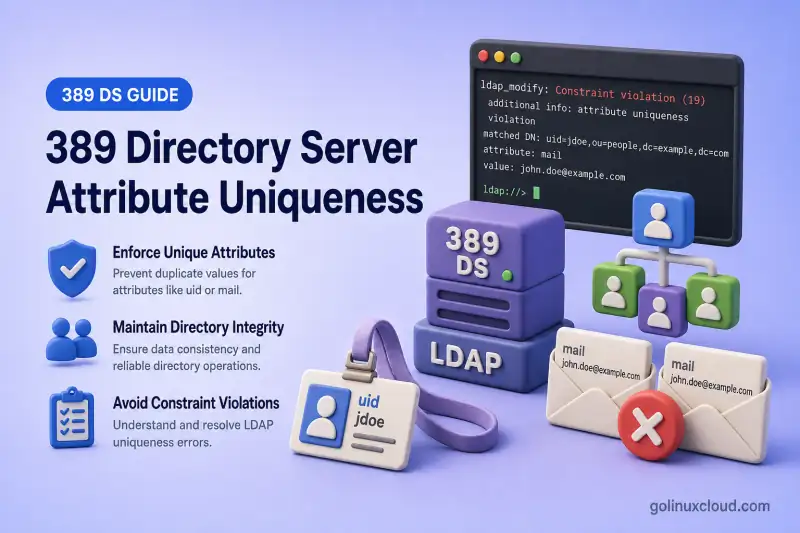
LDAP directories often require unique mail, uid, employeeNumber, or custom attribute values across part of the tree. Without enforcement, provisioning scripts, imports, and parallel administrators can create collisions that break login, HR sync, or license assignment.
This guide covers the complete duplicate-value prevention workflow in 389 Directory Server:
- Enforcing uniqueness for one attribute in one subtree or across several branches
- Excluding test or staging areas
- Restricting checks by entry object class
- Defining independent domains with a parent object class
- Testing adds, modifications, and moves into enforced scopes
- Auditing existing duplicates
- Equality indexes for performance
- Multi-supplier replication limitations
Before you start:
- Install 389 Directory Server — running instance with a suffix (this lab uses
ldap1ondc=example,dc=com) - Manage users and groups — organizational units and
inetOrgPersonentries - dsconf commands — online plug-in configuration
Tested on: Rocky Linux 10.2; 389 Directory Server 3.2.0.
The lab instance is ldap1 on ldap1.example.com with LDAP port 389.
How the Attribute Uniqueness plug-in works
LDAP add, modify, rename, or move request
        |
        v
Attribute Uniqueness plug-in checks:
attribute + scope + object-class conditions
        |
        +--> No matching value: operation continues
        |
+--> Matching value exists: operation is rejected| Component | Purpose |
|---|---|
| Configuration entry | Names one or more attributes and the search scope |
uniqueness-subtrees |
Subtrees searched for existing values |
uniqueness-across-all-subtrees |
Whether listed subtrees share one namespace |
uniqueness-exclude-subtrees |
Branches skipped during the search |
uniqueness-subtree-entries-oc |
Entry object class required for the check |
uniqueness-top-entry-oc |
Parent object class that defines an independent domain |
The plug-in runs as a pre-operation validation step. It prevents a local write from completing when the configured value already exists in the effective search scope. The plug-in uses the listed uniqueness attributes to build searches and relies on their equality matching behavior when finding duplicates.
Existing user:
mail: [email protected]

New user attempts:
mail: [email protected]

Result:
The operation is rejected
On my lab host, a rejected add returned:
ldap_add: Constraint violation (19)
	additional info: Another entry with the same attribute value already exists (attribute: "mail ")
Directory Server supports multiple Attribute Uniqueness configuration entries. Each enabled configuration is evaluated independently. Use separate entries when attributes or business rules need independent scopes, exclusions, or object-class conditions. Do not create overlapping rules for the same attribute and subtree unless you intend every configuration to apply.
Compare Attribute Uniqueness with related features
| Feature | Purpose |
|---|---|
| Attribute Uniqueness | Rejects duplicate attribute values |
| DNA plug-in | Generates numeric values from managed ranges |
Schema SINGLE-VALUE |
Limits an entry to one value, not one value across the directory |
| Naming attribute | Makes an RDN unique below one parent |
| Database index | Improves lookup performance but does not enforce uniqueness |
When uid is the entry RDN, LDAP already prevents two identical uid=<value> RDNs below the same parent. Attribute Uniqueness is still useful when uid must be unique across multiple organizational units, when uid is not always the naming attribute, or when several independent containers use object-class-based domains.
SINGLE-VALUE means:
One value per entry

Attribute Uniqueness means:
The same value cannot appear on another matching entry
DNA and Attribute Uniqueness complement each other:
DNA generates uidNumber values
        +
Attribute Uniqueness rejects manually introduced duplicates
Plan uniqueness rules and audit existing duplicates
Use one continuous lab tree under dc=example,dc=com:
dc=example,dc=com
├── ou=Sales
│   ├── uid=sales1
│   └── ou=Internal
│       └── uid=internal1
├── ou=Accounting
│   └── uid=acct1
└── ou=ServiceAccounts
    └── uid=service1
Plan these rules:
| Attribute | Required uniqueness |
|---|---|
mail |
Across Sales and Accounting |
employeeNumber |
Within each listed subtree independently |
uid |
Within each independently managed container |
uidNumber |
Across POSIX users where required |
Each business rule should normally use a clearly named, independent configuration entry such as Employee Mail Uniqueness or Employee Number Uniqueness.
The lab users have the following attributes before the Attribute Uniqueness rules are created:
| User | Location | Attributes and notes |
|---|---|---|
sales1 |
ou=Sales |
mail: [email protected], employeeNumber: E1001 |
acct1 |
ou=Accounting |
mail: [email protected], employeeNumber: E2001 |
internal1 |
ou=Internal,ou=Sales |
mail: [email protected] |
service1 |
ou=ServiceAccounts |
service account from the prerequisite article |
Create the organizational units and inetOrgPerson entries first, following Manage users and groups. Then assign the test attribute values. Save add-employee-attributes.ldif:
dn: uid=sales1,ou=Sales,dc=example,dc=com
changetype: modify
replace: mail
mail: [email protected]
-
replace: employeeNumber
employeeNumber: E1001

dn: uid=acct1,ou=Accounting,dc=example,dc=com
changetype: modify
replace: mail
mail: [email protected]
-
replace: employeeNumber
employeeNumber: E2001

dn: uid=internal1,ou=Internal,ou=Sales,dc=example,dc=com
changetype: modify
replace: mail
mail: [email protected]
Apply it:
ldapmodify -x -H ldap://ldap1.example.com:389 -D "cn=Directory Manager" -W -f add-employee-attributes.ldifmodifying entry "uid=sales1,ou=Sales,dc=example,dc=com"
modifying entry "uid=acct1,ou=Accounting,dc=example,dc=com"
modifying entry "uid=internal1,ou=Internal,ou=Sales,dc=example,dc=com"Before enabling strict rules, export the relevant attributes and look for duplicates:
ldapsearch -x -H ldap://ldap1.example.com:389 -D "cn=Directory Manager" -W -b "dc=example,dc=com" "(mail=*)" dn mailFor simple single-line values such as mail, list duplicate plain-text values outside the directory:
ldapsearch -LLL -x -H ldap://ldap1.example.com:389 -D "cn=Directory Manager" -W -b "dc=example,dc=com" "(mail=*)" mail | awk '/^mail: / {print tolower(substr($0, 7))}' | sort | uniq -dNo output means no duplicate case-normalized, plain-text mail values were found. This simple pipeline approximates the case-insensitive mail comparison but is not a universal matching-rule-aware LDIF parser. Custom attributes must be audited according to their configured equality matching rule.
Repeat the export and duplicate check for uid, employeeNumber, and uidNumber. Take care not to expose sensitive directory data in shared logs.
Enabling the plug-in prevents future duplicate local writes. It does not automatically remove historical duplicates. Resolve existing collisions before you enable strict enforcement.
Check existing Attribute Uniqueness configurations
List configuration entries:
dsconf ldap1 plugin attr-uniq listSample output on a fresh instance:
attribute uniquenessAfter creating rules, the same command lists each configuration name:
attribute uniqueness
Employee Mail Uniqueness
Employee Number Uniqueness
Inspect one configuration:
dsconf ldap1 plugin attr-uniq show "Employee Mail Uniqueness"Review these attributes:
nsslapd-pluginEnabled
uniqueness-attribute-name
uniqueness-subtrees
uniqueness-across-all-subtrees
uniqueness-exclude-subtrees
uniqueness-subtree-entries-oc
uniqueness-top-entry-oc
Check for an existing UID or mail uniqueness configuration before you create another overlapping rule for the same attribute and subtree.
Enforce unique mail in one subtree
Use one continuous Employee Mail Uniqueness configuration and expand it as the lab progresses. Do not create a second overlapping mail rule for ou=Sales.
Create the initial Sales-only rule:
dsconf ldap1 plugin attr-uniq add "Employee Mail Uniqueness" --attr-name mail --subtree "ou=Sales,dc=example,dc=com"Successfully created the cn=Employee Mail Uniqueness,cn=plugins,cn=configEnable it:
dsconf ldap1 plugin attr-uniq enable "Employee Mail Uniqueness"Successfully enabled the cn=Employee Mail Uniqueness,cn=plugins,cn=configRestart the instance after enabling or changing an Attribute Uniqueness configuration:
dsctl ldap1 restartOn my Rocky Linux 10.2 lab, enforcement did not begin until after that restart.
Verify the configuration:
dsconf ldap1 plugin attr-uniq show "Employee Mail Uniqueness"Sample output:
nsslapd-pluginEnabled: on
uniqueness-attribute-name: mail
uniqueness-subtrees: ou=Sales,dc=example,dc=com
This rule checks duplicate mail values only among entries inside ou=Sales,dc=example,dc=com. A matching value under Accounting can still be accepted until Accounting is added to the same configuration.
Cross-subtree rules, exclusions, and object-class scope
Expand the same Employee Mail Uniqueness configuration to cover Accounting and enable cross-subtree validation:
dsconf ldap1 plugin attr-uniq set "Employee Mail Uniqueness" --subtree "ou=Sales,dc=example,dc=com" "ou=Accounting,dc=example,dc=com" --across-all-subtrees ondsctl ldap1 restart| Setting | Behavior |
|---|---|
uniqueness-across-all-subtrees: off |
Value must be unique only within its own listed subtree |
uniqueness-across-all-subtrees: on |
Value must be unique across every listed subtree |
On my lab host, an Accounting add with mail: [email protected] was rejected after sales1 already held that address in Sales:
ldap_add: Constraint violation (19)
	additional info: Another entry with the same attribute value already exists (attribute: "mail ")
Exclude a subtree from uniqueness checks
Exclude the internal test area on the same configuration entry:
dsconf ldap1 plugin attr-uniq set "Employee Mail Uniqueness" --exclude-subtree "ou=Internal,ou=Sales,dc=example,dc=com"dsctl ldap1 restartVerify the full configuration:
dsconf ldap1 plugin attr-uniq show "Employee Mail Uniqueness"Add a duplicate mail value inside the excluded subtree so the move test later has a concrete example:
dn: uid=internal2,ou=Internal,ou=Sales,dc=example,dc=com
objectClass: inetOrgPerson
objectClass: organizationalPerson
objectClass: person
objectClass: top
cn: Internal Two
sn: Two
uid: internal2
mail: [email protected]ldapadd -x -H ldap://ldap1.example.com:389 -D "cn=Directory Manager" -W -f internal2-dup-mail.ldifThe add succeeds because ou=Internal,ou=Sales,dc=example,dc=com is excluded. Excluded entries can still contain values duplicated elsewhere, so an application searching the complete directory can receive multiple matches.
Limit uniqueness to selected entry object classes
Require unique mail values only for inetOrgPerson entries on the same configuration:
dsconf ldap1 plugin attr-uniq set "Employee Mail Uniqueness" --subtree-entries-oc inetOrgPersondsctl ldap1 restartAn entry whose structural object class was not inetOrgPerson, and which used nsContainer with extensibleObject to permit the mail attribute, was accepted with the same value. Save shared-alias.ldif:
dn: cn=shared-alias,ou=Accounting,dc=example,dc=com
objectClass: top
objectClass: nsContainer
objectClass: extensibleObject
cn: shared-alias
mail: [email protected]ldapadd -x -H ldap://ldap1.example.com:389 -D "cn=Directory Manager" -W -f shared-alias.ldifadding new entry "cn=shared-alias,ou=Accounting,dc=example,dc=com"A duplicate inetOrgPerson add with mail: [email protected] remained rejected.
Test two cases after enabling object-class scope:
- An
inetOrgPersonentry with a duplicate value - A different structural object class using the same attribute
Define independent uniqueness domains with a parent object class
Use object-class-based scoping when several organizational containers should each have their own uniqueness domain.
Example layout:
dn: cn=Tenant1,dc=example,dc=com
objectClass: top
objectClass: nsContainer
cn: Tenant1

dn: cn=Tenant2,dc=example,dc=com
objectClass: top
objectClass: nsContainer
cn: Tenant2
Object-class mode requires a top-marker class and a class identifying the entries that participate. Directory Server searches upward for the nearest parent carrying the top-entry class and treats that parent's subtree as the uniqueness domain.
Create a configuration:
dsconf ldap1 plugin attr-uniq add "Tenant Mail Uniqueness" --attr-name mail --top-entry-oc nsContainer --subtree-entries-oc inetOrgPersonEnable it in its own subsection when you use this pattern in production:
dsconf ldap1 plugin attr-uniq enable "Tenant Mail Uniqueness"dsctl ldap1 restartThe lookup works like this:
- A user entry is added or modified.
- Directory Server searches upward for a parent containing
uniqueness-top-entry-oc. - That parent defines the subtree in which uniqueness is checked.
- Only entries matching
uniqueness-subtree-entries-ocparticipate.
Use this approach for separate tenants, independent customer branches, departments allowed to reuse identifiers, or hosted directory domains. Keep explicit subtree-based configuration as the main example in production unless parent-based domains are required.
Enforce multiple unique attributes and create equality indexes
Directory Server allows uniqueness-attribute-name to contain multiple attributes in one configuration entry. When several attribute names are listed in one configuration, the plug-in enforces uniqueness across the combined set of those attributes, not merely within each attribute independently. A value already used in mail is also rejected when the same value is supplied through mailAlternateAddress.
Multiple configuration entries are supported, but every enabled entry is evaluated independently. Multi-valued uniqueness-attribute-name applies the check across the listed attribute set.
For unrelated attributes such as mail and employeeNumber, use separate configuration entries with independent scopes, exclusions, and object-class conditions.
The following is an alternative configuration for deployments that require one namespace across mail and mailAlternateAddress. Do not apply it alongside the current Employee Mail Uniqueness lab rule unless overlapping enforcement is intentional:
dsconf ldap1 plugin attr-uniq add "Mail Address Uniqueness" --attr-name mail mailAlternateAddress --subtree "ou=Sales,dc=example,dc=com"dsconf ldap1 plugin attr-uniq enable "Mail Address Uniqueness"dsctl ldap1 restartFor employeeNumber with independent per-subtree checks, create and enable a separate rule:
dsconf ldap1 plugin attr-uniq add "Employee Number Uniqueness" --attr-name employeeNumber --subtree "ou=Sales,dc=example,dc=com" "ou=Accounting,dc=example,dc=com" --across-all-subtrees offdsconf ldap1 plugin attr-uniq enable "Employee Number Uniqueness"dsctl ldap1 restartWith uniqueness-across-all-subtrees: off, the same employeeNumber value was accepted in Accounting while sales1 already used E1001 in Sales. A second Sales entry with E1001 was rejected.
Create an equality index for every attribute used in a broad uniqueness search, such as mail, employeeNumber, or uidNumber. The plug-in searches for existing matching values before allowing the write. An equality index helps Directory Server locate exact matches without scanning the entire configured subtree.
Full index creation, reindexing, and index-status checks are covered in index design and maintenance. An index improves the search the plug-in performs; it does not enforce uniqueness by itself.
Test duplicate add, modify, and move operations
Reject a duplicate add
sales1 already contains mail: [email protected]. Attempt another Sales user with the same address:
dn: uid=sales4,ou=Sales,dc=example,dc=com
objectClass: inetOrgPerson
objectClass: organizationalPerson
objectClass: person
objectClass: top
cn: Sales Four
sn: Four
uid: sales4
mail: [email protected]ldapadd -x -H ldap://ldap1.example.com:389 -D "cn=Directory Manager" -W -f dup-sales-mail.ldifldap_add: Constraint violation (19)
additional info: Another entry with the same attribute value already exists (attribute: "mail ")Confirm that the second entry was not created.
Reject a duplicate modify
Attempt to change acct1 to the shared address:
dn: uid=acct1,ou=Accounting,dc=example,dc=com
changetype: modify
replace: mail
mail: [email protected]ldapmodify -x -H ldap://ldap1.example.com:389 -D "cn=Directory Manager" -W -f mod-dup-mail.ldifldap_modify: Constraint violation (19)
additional info: Another entry with the same attribute value already exists (attribute: "mail ")The original mail value remains unchanged after the rejected modify.
Multi-valued attributes and schema matching
For a multi-valued add such as mail: [email protected] and mail: [email protected], one duplicate value caused the entire LDAP add to fail on my lab host.
Test case-equivalent values against the attribute schema. For mail, [email protected] was treated as a duplicate of [email protected] because mail uses case-insensitive equality matching. Do not assume every custom attribute is case-insensitive; verify the equality matching rule in custom schema.
Reject a move into an enforced scope
389 Directory Server 3.2.0 fixed a bug where Attribute Uniqueness was not enforced during ModRDN operations. Test a move from the excluded Internal subtree into enforced Sales when the entry carries a duplicate mail value.
internal2 already contains mail: [email protected] in the excluded area. Save move-internal2-to-sales.ldif:
dn: uid=internal2,ou=Internal,ou=Sales,dc=example,dc=com
changetype: modrdn
newrdn: uid=internal2
deleteoldrdn: 1
newsuperior: ou=Sales,dc=example,dc=com
Apply it:
ldapmodify -x -H ldap://ldap1.example.com:389 -D "cn=Directory Manager" -W -f move-internal2-to-sales.ldifldap_rename: Constraint violation (19)
additional info: Another entry with the same attribute value already exists (attribute: "mail ")Verify that internal2 remains under ou=Internal,ou=Sales,dc=example,dc=com:
ldapsearch -x -H ldap://ldap1.example.com:389 -D "cn=Directory Manager" -W -b "dc=example,dc=com" "(uid=internal2)" dndn: uid=internal2,ou=Internal,ou=Sales,dc=example,dc=comChaining, replication limitations, and troubleshooting
Use Attribute Uniqueness with chained databases
When uniqueness checks must follow a database link, add the Attribute Uniqueness component to the chaining configuration:
dsconf ldap1 chaining config-set --add-comp="cn=attribute uniqueness,cn=plugins,cn=config"Restart the instance after changing chaining components:
dsctl ldap1 restartThe chained identity needs read, search, and compare permissions to evaluate values in the remote directory. In configuration data, the same component appears on one line:
nsActiveChainingComponents: cn=attribute uniqueness,cn=plugins,cn=configKeep credentials, security, and full link configuration in the dedicated database chaining article.
Multi-supplier replication limitations
Example race:
Supplier 1 accepts:
mail: [email protected]

Supplier 2 simultaneously accepts:
mail: [email protected]

Both local checks pass because the other change has not replicated yet.
After replication converges, both values can exist.
Therefore:
- Enable an equivalent configuration on every writable supplier.
- Do not claim that this guarantees global real-time uniqueness.
- Route writes for critical unique attributes through one authoritative supplier where possible.
- Use application-level coordination or an external allocation process for strict distributed uniqueness.
- Monitor for replication conflicts and duplicate values.
- Do not enable the plug-in only on read-only consumers.
Periodically audit critical attributes across the replicated suffix:
ldapsearch -x -H ldap://ldap1.example.com:389 -D "cn=Directory Manager" -W -b "dc=example,dc=com" "(employeeNumber=*)" dn employeeNumberCheck for duplicates created by simultaneous supplier writes, imported pre-existing values, excluded-subtree values, configuration differences between suppliers, and values introduced while the plug-in was disabled.
Modify or remove a configuration
Update a configuration:
dsconf ldap1 plugin attr-uniq set "Employee Mail Uniqueness" --exclude-subtree "ou=Internal,ou=Sales,dc=example,dc=com"Disable it:
dsconf ldap1 plugin attr-uniq disable "Employee Mail Uniqueness"Remove it only after recording the configuration:
dsconf ldap1 plugin attr-uniq delete "Employee Mail Uniqueness"Restart the instance after disabling or deleting a configuration, then test whether duplicate writes are accepted so the operational effect is understood:
dsctl ldap1 restartTroubleshooting table
| Symptom | Likely cause | Fix |
|---|---|---|
| Duplicate value is accepted | Configuration disabled, missing restart, wrong attribute, subtree, exclusion, or object class; overlapping rule gap; write on another supplier; replicated update | Verify dsconf ldap1 plugin attr-uniq show; restart after changes; confirm which supplier accepted the write |
| Unique value is rejected | Case-equivalent value, multi-valued attribute, hidden entry, overlapping configuration, or value in a non-excluded subtree | Search every configured subtree; review uniqueness-subtree-entries-oc and overlapping rules |
| Duplicate rejected in Sales but accepted in Accounting | uniqueness-across-all-subtrees is off |
Enable cross-subtree checking when both branches must share one namespace |
| Exclusion or object-class change has no effect | Another enabled configuration still covers the same attribute and subtree | List every dsconf ldap1 plugin attr-uniq show output; remove overlapping rules |
| Entries outside the intended class are checked | Missing or wrong uniqueness-subtree-entries-oc |
Set the object class explicitly; review overlapping configurations |
| Results differ between suppliers | Different configuration under cn=plugins,cn=config |
Compare dsconf ldap1 plugin attr-uniq list and every show output on each writable supplier |
| Existing duplicates remain | Historical data predates enforcement | Audit and repair duplicates separately; the plug-in prevents future local writes only |
| DNA-generated values collide with manual values | DNA does not reject manual duplicates | Add an Attribute Uniqueness rule for the managed numeric attribute |
| Move into enforced scope succeeds with duplicate value | Older release without ModRDN enforcement fix | Upgrade to 389 DS 3.2.0 or later; retest ModRDN after restart |
What's next
After you complete this guide, continue with:
- Assign Unique UID and GID Numbers with the 389 DS DNA Plugin — allocate numeric identifiers safely
- Create a Custom Schema in 389 Directory Server — custom attributes with uniqueness requirements
- Configure 389 Directory Server Indexes for Faster LDAP Searches — equality indexes for uniqueness checks
- Configure Managed Entries and Linked Attributes in 389 Directory Server — coordinated derived entries
- Configure the 389 Directory Server memberOf Plugin — group membership integrity
Summary
- Audit existing attribute values before enabling enforcement.
- Define the attribute and effective uniqueness scope.
- Enable
uniqueness-across-all-subtreesonly where values must be shared across listed branches. - Exclude intentional exception branches carefully.
- Restrict checks by object class when appropriate.
- Create equality indexes for performance.
- Test duplicate adds, replaces, multi-valued modifications, and moves into enforced scopes.
- Keep identical configurations on writable suppliers.
- Account for the replication race limitation.
- Audit historical and replicated data periodically.
References
- Red Hat Directory Server 13 — Enforcing attribute uniqueness (§5.4)
- Red Hat Directory Server 13 — Attribute Uniqueness plug-in configuration reference (§6.3.8)
- 389 Directory Server — Howto: UID and attribute uniqueness
- Red Hat Directory Server 13 — Configuring the chaining policy (§4.11)
- 389 Directory Server 3.2.0 release notes — ModRDN enforcement fix (issue 6846)
