
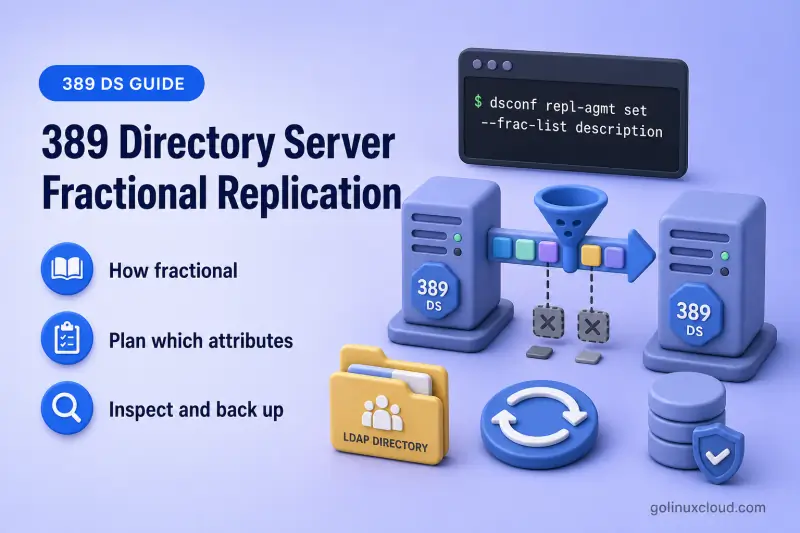
Fractional replication lets you exclude selected LDAP attributes from replication updates on a per-agreement basis. You configure it on the supplier that owns the agreement, validate the effect on the consumer, and roll back if an exclusion breaks authentication, authorization, or application behavior.
This guide covers planning attribute exclusions, dsconf repl-agmt set with --frac-list, --frac-list-total, and --strip-list, memberOf patterns, replication keep-alive entries, validation, and rollback. For agreement lifecycle commands, see manage replication agreements. For total initialization, see initialize and reinitialize replicas. For MemberOf plug-in setup and fixup, see configure the memberOf plug-in.
Tested on: Rocky Linux 10.2; 389 Directory Server 3.2.0.
How fractional replication works
Fractional replication is configured per replication agreement and per direction. The supplier that owns ldap1-to-consumer1 decides which attributes are filtered before they leave that server toward the consumer. A separate agreement in the reverse direction, if you have one, needs its own exclusion list.
The exclusion list applies to every entry covered by that agreement. You name attributes to leave out, not entries to skip. Common reasons to exclude attributes include large values such as jpegPhoto, sensitive fields that a remote site does not need, frequently changing operational attributes, and plug-in-generated values such as memberOf.
| Update type | What happens |
|---|---|
| Incremental replication | Ongoing changes replayed from the supplier changelog after initialization |
| Total initialization | Full suffix copy during repl-agmt init or the --init path at agreement creation |
--frac-list controls exclusions from incremental updates. When --frac-list-total is not set, the same --frac-list exclusions also apply during total initialization. Set --frac-list-total when incremental and total updates need different exclusion lists.
Each repl-agmt set call replaces the complete stored value for that list. Include every attribute you still want excluded; --frac-list is not an append operation.
Fractional replication options at a glance
| dsconf option | Stored as | Primary effect |
|---|---|---|
--frac-list |
nsDS5ReplicatedAttributeList |
Exclude attributes from incremental updates; also applies to total updates when --frac-list-total is unset |
--frac-list-total |
nsDS5ReplicatedAttributeListTotal |
Separate exclusion list used only during total initialization |
--strip-list |
nsds5ReplicaStripAttrs |
Strip operational attributes from updates that would otherwise be empty after fractional filtering |
Plan which attributes to exclude
Start with a short list and test on a read-only consumer before you touch a writable peer or production traffic.
Good candidates:
- Large attributes such as
jpegPhotoor custom binary fields - Sensitive attributes not required on a remote consumer
- Frequently changing local or operational attributes that add noise without business value
- Plug-in-generated attributes such as
memberOfwhen each site maintains its own copy
Before you exclude an attribute, confirm nothing on the destination depends on it: application searches, authentication binds, password policy, ACIs, and group membership lookups.
Enabling an exclusion does not scrub data already stored on a consumer. If you exclude a sensitive attribute for data minimization, values copied before the exclusion remain on the destination until you reinitialize that replica or run a controlled cleanup. Removing an exclusion does not backfill historical values automatically.
objectClass values, replication metadata, authentication attributes, or fields your applications require without testing. A bad exclusion can break binds, searches, or authorization on the consumer while replication still reports success.
Map every incoming replication path
Exclusions are directional. In a multi-supplier or cascading topology, every agreement that can deliver updates to the target replica must apply the same restrictions when you rely on fractional replication for security or data minimization. A gap on one supplier path can still populate excluded attributes on the consumer. See multi-supplier replication and cascading replication for topology patterns.
Inspect and back up the agreement settings
Examples use the existing supplier-to-consumer agreement ldap1-to-consumer1 from single-supplier replication. Fractional settings are easier to validate on a read-only consumer because you can compare supplier and consumer values directly.
In this lab, both instances run on one host. The table lists logical hostnames; commands use 127.0.0.1 with distinct ports so you can reach each instance locally without crossing a network.
| Setting | Value |
|---|---|
| Source supplier | ldap1.example.com (instance ldap1, port 389) |
| Destination consumer | consumer1.example.com (instance ldap2, port 1389) |
| Agreement | ldap1-to-consumer1 |
| Suffix | dc=example,dc=com |
| Lab LDAP URLs | ldap://127.0.0.1:389 (supplier), ldap://127.0.0.1:1389 (consumer) |
Password files in this lab:
| File | Purpose |
|---|---|
/root/dm.pw |
Directory Manager on ldap1 |
/root/consumer1-dm.pw |
Directory Manager on consumer1 (ldap2) |
/root/consumer1-repl.pw |
Replication manager bind used by the agreement |
Ensure consumer1.example.com resolves to the consumer host in /etc/hosts on every system that runs these commands. In production, replace 127.0.0.1 with ldap1.example.com:389 and consumer1.example.com:1389 (or your LDAPS URLs).
List agreements for the suffix
List every agreement on ldap1 for dc=example,dc=com:
dsconf -y /root/dm.pw ldap1 repl-agmt list --suffix "dc=example,dc=com"Sample output (trimmed):
cn: ldap1-to-consumer1
cn: ldap1-to-supplier2
This lab uses ldap1-to-consumer1 for fractional replication exercises.
Display the agreement and record fractional settings
Read the stored agreement before you change it:
dsconf -y /root/dm.pw ldap1 repl-agmt get --suffix "dc=example,dc=com" ldap1-to-consumer1When no fractional lists are configured, repl-agmt get does not show the fractional attributes. The cn: line confirms the agreement name; there is no nsDS5ReplicatedAttributeList line yet. The same output can still list schedules, timeouts, and other configured properties.
Save the full get output before you modify fractional settings so you can roll back quickly.
Confirm synchronization before you change exclusions
Check runtime health with consumer credentials so lag and last-update status reflect the destination:
dsconf -y /root/dm.pw ldap1 repl-agmt status --suffix "dc=example,dc=com" --bind-dn "cn=Directory Manager" --bind-passwd-file /root/consumer1-dm.pw ldap1-to-consumer1Sample output when replication is healthy:
Status For Agreement: "ldap1-to-consumer1" (consumer1.example.com:1389)
Replica Enabled: on
Last Update Status: Error (0) Replica acquired successfully: Incremental update succeeded
Last Init Status: Error (0) Total update succeeded
Replication Status: Not in Synchronization: supplier (6a5d80f6000000010000) consumer (6a5d80f6000400010000) State (green) Reason (error (0) replica acquired successfully: incremental update succeeded)
Replication Lag Time: 00:00:00
The Replication Status line can look contradictory: it may say Not in Synchronization while State (green) and Error (0) report success. Treat Last Update Status and Last Init Status as the primary signals — both should show Error (0) with a successful message, and Replication Lag Time should be acceptable. Then compare a known entry on supplier and consumer before you change exclusions. If status reports generation ID or RUV errors, reinitialize the consumer from the authoritative supplier before you tune exclusions — see initialize and reinitialize replicas.
Validate incremental replication behavior
Start from a clean agreement with no fractional lists configured.
Run this reset only in the disposable lab used by this walkthrough. Clearing a production exclusion list can send previously restricted attributes to the consumer.
dsconf -y /root/dm.pw ldap1 repl-agmt set --suffix "dc=example,dc=com" ldap1-to-consumer1 --frac-list "" --frac-list-total "" --strip-list ""Sample output:
Successfully updated agreementCreate and verify the baseline entry
Add a test user on the supplier before you enable any exclusions:
ldapmodify -x -H ldap://127.0.0.1:389 -D "cn=Directory Manager" -y /root/dm.pw <<'EOF'
dn: uid=frac-test,ou=People,dc=example,dc=com
changetype: add
objectClass: inetOrgPerson
objectClass: organizationalPerson
objectClass: person
objectClass: top
uid: frac-test
cn: Fractional Test User
sn: Test
description: baseline description on supplier
mail: [email protected]
EOF
Sample output:
adding new entry "uid=frac-test,ou=People,dc=example,dc=com"Push the new entry to the consumer:
dsconf -y /root/dm.pw ldap1 repl-agmt poke --suffix "dc=example,dc=com" ldap1-to-consumer1Sample output:
Agreement has been pokedConfirm the entry exists on the consumer with both attributes:
ldapsearch -LLL -x -H ldap://127.0.0.1:1389 -D "cn=Directory Manager" -y /root/consumer1-dm.pw -b "uid=frac-test,ou=People,dc=example,dc=com" -s base description mailSample output:
dn: uid=frac-test,ou=People,dc=example,dc=com
description: baseline description on supplier
mail: [email protected]
Enable incremental exclusion and test updates
Apply --frac-list only after the baseline entry exists on the consumer. Use --frac-list when the same attributes should be excluded from both incremental replication and total initialization (until you set --frac-list-total separately). This walkthrough excludes description because it is easy to compare on supplier and consumer:
dsconf -y /root/dm.pw ldap1 repl-agmt set --suffix "dc=example,dc=com" ldap1-to-consumer1 --frac-list "description"Sample output:
Successfully updated agreementConfirm the stored filter:
dsconf -y /root/dm.pw ldap1 repl-agmt get --suffix "dc=example,dc=com" ldap1-to-consumer1 | grep -i nsDS5ReplicatedSample output:
nsDS5ReplicatedAttributeList: (objectclass=*) $ EXCLUDE descriptionDirectory Server stores the full filter syntax (objectclass=*) $ EXCLUDE attr .... If you edit this value with direct LDAP modifies, preserve that format.
Change the excluded attribute on the supplier:
ldapmodify -x -H ldap://127.0.0.1:389 -D "cn=Directory Manager" -y /root/dm.pw <<'EOF'
dn: uid=frac-test,ou=People,dc=example,dc=com
changetype: modify
replace: description
description: excluded incremental update
EOF
Sample output:
modifying entry "uid=frac-test,ou=People,dc=example,dc=com"Change a permitted attribute:
ldapmodify -x -H ldap://127.0.0.1:389 -D "cn=Directory Manager" -y /root/dm.pw <<'EOF'
dn: uid=frac-test,ou=People,dc=example,dc=com
changetype: modify
replace: mail
mail: [email protected]
EOF
Sample output:
modifying entry "uid=frac-test,ou=People,dc=example,dc=com"Poke the agreement again:
dsconf -y /root/dm.pw ldap1 repl-agmt poke --suffix "dc=example,dc=com" ldap1-to-consumer1Sample output:
Agreement has been pokedRead the test entry on the consumer:
ldapsearch -LLL -x -H ldap://127.0.0.1:1389 -D "cn=Directory Manager" -y /root/consumer1-dm.pw -b "uid=frac-test,ou=People,dc=example,dc=com" -s base description mailSample output after incremental replication:
dn: uid=frac-test,ou=People,dc=example,dc=com
description: baseline description on supplier
mail: [email protected]
The consumer kept the original description while mail updated. That is the expected incremental result when description is excluded.
Compare the supplier:
ldapsearch -LLL -x -H ldap://127.0.0.1:389 -D "cn=Directory Manager" -y /root/dm.pw -b "uid=frac-test,ou=People,dc=example,dc=com" -s base description mailSample output on the supplier:
dn: uid=frac-test,ou=People,dc=example,dc=com
description: excluded incremental update
mail: [email protected]
Check agreement status after the test:
dsconf -y /root/dm.pw ldap1 repl-agmt status --suffix "dc=example,dc=com" --bind-dn "cn=Directory Manager" --bind-passwd-file /root/consumer1-dm.pw ldap1-to-consumer1Confirm Last Update Status shows Error (0) with a successful incremental message and compare supplier and consumer attribute values. A green State alone is not enough when fractional replication intentionally leaves excluded attributes unchanged on the consumer.
Configure different lists for incremental and total updates
Set --frac-list-total when total initialization should follow a different exclusion list than incremental updates. The example below continues with the uid=frac-test entry from the validation section.
| Configuration | Incremental behavior | Total initialization behavior |
|---|---|---|
--frac-list description only |
description excluded |
description excluded (inherits --frac-list) |
--frac-list description and --frac-list-total mail |
description excluded |
mail excluded; description included |
Attribute in --frac-list but not in --frac-list-total |
Excluded incrementally | Included during total init |
Apply separate lists:
dsconf -y /root/dm.pw ldap1 repl-agmt set --suffix "dc=example,dc=com" ldap1-to-consumer1 --frac-list "description" --frac-list-total "mail"Sample output:
Successfully updated agreementVerify both stored attributes:
dsconf -y /root/dm.pw ldap1 repl-agmt get --suffix "dc=example,dc=com" ldap1-to-consumer1 | grep -i nsDS5ReplicatedSample output:
nsDS5ReplicatedAttributeList: (objectclass=*) $ EXCLUDE description
nsDS5ReplicatedAttributeListTotal: (objectclass=*) $ EXCLUDE mail
Test total initialization on the consumer
Total initialization is destructive on the destination suffix. Run it only on a disposable consumer or during an approved reinitialization window.
Reinitialize ldap1-to-consumer1 while the lists above are in place:
dsconf -y /root/dm.pw ldap1 repl-agmt init --suffix "dc=example,dc=com" ldap1-to-consumer1Sample output:
Agreement initialization started...Poll until initialization completes:
dsconf -y /root/dm.pw ldap1 repl-agmt init-status --suffix "dc=example,dc=com" ldap1-to-consumer1Sample output:
Agreement successfully initialized.Read the test entry on the consumer. With incremental exclusion description and total exclusion mail, the initialized consumer should carry description from the supplier but not mail:
ldapsearch -LLL -x -H ldap://127.0.0.1:1389 -D "cn=Directory Manager" -y /root/consumer1-dm.pw -b "uid=frac-test,ou=People,dc=example,dc=com" -s base description mailSample output:
dn: uid=frac-test,ou=People,dc=example,dc=com
description: excluded incremental update
description replicated during total init because only --frac-list-total excludes mail. The absence of mail confirms the total-update exclusion list took effect.
Prevent empty replication updates with strip attributes
Changing only an excluded attribute can still produce a replication event that carries operational metadata. --strip-list names attributes Directory Server removes from updates that would otherwise be empty after fractional filtering.
Strip attributes are not a second permanent exclusion list. When an update still contains replicated user data, stripped operational attributes can travel with it.
Add a strip list alongside the fractional lists. Red Hat’s procedural example includes internalModifiersName:
dsconf -y /root/dm.pw ldap1 repl-agmt set --suffix "dc=example,dc=com" ldap1-to-consumer1 --strip-list "modifiersName modifyTimestamp internalModifiersName"Sample output:
Successfully updated agreementInspect the stored value:
dsconf -y /root/dm.pw ldap1 repl-agmt get --suffix "dc=example,dc=com" ldap1-to-consumer1 | grep -i nsds5ReplicaStripSample output:
nsds5ReplicaStripAttrs: modifiersName modifyTimestamp internalModifiersNameChange only the excluded description on the supplier:
ldapmodify -x -H ldap://127.0.0.1:389 -D "cn=Directory Manager" -y /root/dm.pw <<'EOF'
dn: uid=frac-test,ou=People,dc=example,dc=com
changetype: modify
replace: description
description: strip-list validation excluded only
EOF
Sample output:
modifying entry "uid=frac-test,ou=People,dc=example,dc=com"Poke the agreement:
dsconf -y /root/dm.pw ldap1 repl-agmt poke --suffix "dc=example,dc=com" ldap1-to-consumer1Sample output:
Agreement has been pokedThe pass/fail check is on the consumer. description should remain at its previous value because fractional replication still excludes that attribute incrementally:
ldapsearch -LLL -x -H ldap://127.0.0.1:1389 -D "cn=Directory Manager" -y /root/consumer1-dm.pw -b "uid=frac-test,ou=People,dc=example,dc=com" -s base description mailSample output:
dn: uid=frac-test,ou=People,dc=example,dc=com
description: excluded incremental update
Handle memberOf and other plugin-generated attributes
Plug-in-generated attributes need a topology-wide plan. Red Hat documents two supported memberOf designs:
- Enable MemberOf on every supplier and consumer, then exclude
memberOffrom all relevant agreements so each instance maintains its own reverse membership values locally. - Enable MemberOf only on suppliers, exclude
memberOfon agreements between writable suppliers, and do not excludememberOfon agreements to plug-in-disabled consumers. Those consumers receivememberOfthrough normal incremental replication so later membership changes stay current.
Do not exclude memberOf on supplier-to-consumer agreements when the consumer does not run the MemberOf plug-in. Total initialization alone cannot keep membership current; ongoing replication must deliver memberOf updates.
Plug-in installation, scope, and fixup commands belong in the configure the memberOf plug-in guide. Apply the same directional mapping rule here: every agreement that could deliver memberOf to a destination must match your chosen design.
Understand replication keep-alive entries
389 Directory Server automatically creates or updates keep-alive entries when either condition is true:
- The agreement skips more than 100 updates and sends no normal update during the session
- A supplier initializes a consumer
After more than 100 skipped updates, an existing keep-alive entry is updated rather than recreated.
Keep-alive entries let the consumer replication state advance even when fractional filtering suppresses user-data changes. They use the ldapsubentry object class. Their DN includes the supplier replica ID, for example cn=repl keep alive 1,dc=example,dc=com. No manual configuration is required.
Search for them on the consumer:
ldapsearch -LLL -x -H ldap://127.0.0.1:1389 -D "cn=Directory Manager" -y /root/consumer1-dm.pw -b "dc=example,dc=com" "(objectClass=ldapsubentry)" dnSample output (trimmed):
dn: cn=repl keep alive 1,dc=example,dc=com

dn: cn=repl keep alive 2,dc=example,dc=com

dn: cn=repl keep alive 3,dc=example,dc=com
Other ldapsubentry objects can appear in the same result set. Match the cn=repl keep alive pattern when you look for replication keep-alive entries specifically. See the Port389 keep-alive design note for background; this article does not cover full RUV or CSN architecture.
Remove or troubleshoot fractional replication
Review effective lists
Read the agreement again and grep for fractional and strip attributes:
dsconf -y /root/dm.pw ldap1 repl-agmt get --suffix "dc=example,dc=com" ldap1-to-consumer1 | grep -iE 'nsDS5Replicated|nsds5ReplicaStrip'When no fractional replication is configured, the command prints no matching lines.
Clear fractional settings
Pass empty strings to remove exclusions and strip lists:
dsconf -y /root/dm.pw ldap1 repl-agmt set --suffix "dc=example,dc=com" ldap1-to-consumer1 --frac-list "" --frac-list-total "" --strip-list ""Sample output:
Successfully updated agreementConfirm the lists are gone:
dsconf -y /root/dm.pw ldap1 repl-agmt get --suffix "dc=example,dc=com" ldap1-to-consumer1 | grep -iE 'nsDS5Replicated|nsds5ReplicaStrip'The command returns no output when fractional settings were cleared successfully.
Modify previously excluded attributes and confirm they replicate. The earlier total initialization excluded mail on the consumer, so update both attributes after you clear the lists:
ldapmodify -x -H ldap://127.0.0.1:389 -D "cn=Directory Manager" -y /root/dm.pw <<'EOF'
dn: uid=frac-test,ou=People,dc=example,dc=com
changetype: modify
replace: description
description: replicates after rollback
-
replace: mail
mail: [email protected]
EOF
Sample output:
modifying entry "uid=frac-test,ou=People,dc=example,dc=com"Poke the agreement:
dsconf -y /root/dm.pw ldap1 repl-agmt poke --suffix "dc=example,dc=com" ldap1-to-consumer1Sample output:
Agreement has been pokedRead the consumer entry:
ldapsearch -LLL -x -H ldap://127.0.0.1:1389 -D "cn=Directory Manager" -y /root/consumer1-dm.pw -b "uid=frac-test,ou=People,dc=example,dc=com" -s base description mailSample output:
dn: uid=frac-test,ou=People,dc=example,dc=com
description: replicates after rollback
mail: [email protected]
Remove the lab test entry when you finish troubleshooting. ldapdelete exits silently on success:
ldapdelete -x -H ldap://127.0.0.1:389 -D "cn=Directory Manager" -y /root/dm.pw "uid=frac-test,ou=People,dc=example,dc=com"Poke the agreement so the delete replicates:
dsconf -y /root/dm.pw ldap1 repl-agmt poke --suffix "dc=example,dc=com" ldap1-to-consumer1Sample output:
Agreement has been pokedTroubleshooting
| Symptom | Likely cause | Fix |
|---|---|---|
| Excluded attribute still changes on consumer | Update arrived through a different agreement or supplier path | Map every incoming path; align --frac-list on each agreement that can reach the consumer |
| Excluded attribute missing on new consumer after init | --frac-list-total excludes it during total init |
Adjust --frac-list-total, or reinitialize from a supplier with the intended total list |
| Attribute remains on consumer after you add an exclusion | Fractional replication filters future updates only | Reinitialize a disposable consumer, or run a controlled update if the stale value is unacceptable |
| Replication healthy but application searches fail | Excluded attribute required for binds, groups, or ACIs | Remove the attribute from the exclusion list and test again |
| Many skipped updates, lag looks odd | Normal with fractional filtering; keep-alive entries advance state | Search for cn=repl keep alive entries; distinguish expected CSN movement from genuine lag using repl-agmt status |
| Inconsistent behavior between suppliers | Agreement lists differ across peers | Export repl-agmt get from each supplier and compare nsDS5ReplicatedAttributeList values |
Capture the original repl-agmt get output before every fractional change so you can restore the prior lists quickly.
References
- Red Hat Directory Server 13: Managing attributes within fractional replication
- Red Hat Directory Server 13: Planning fractional replication
- Red Hat Directory Server 13: Configuration and schema reference
- Red Hat Directory Server 13: MemberOf considerations in a replication topology
- Port389: Replication keep-alive entry design
Summary
Fractional replication excludes named attributes per agreement and per direction using --frac-list, with optional --frac-list-total for total initialization and --strip-list to suppress empty operational updates. Plan every incoming replication path, back up agreement settings with repl-agmt get, validate on a read-only consumer, and roll back by passing empty values to --frac-list, --frac-list-total, and --strip-list when an exclusion breaks application behavior. Exclusions filter future updates; they do not automatically remove values already stored on an established consumer.
