
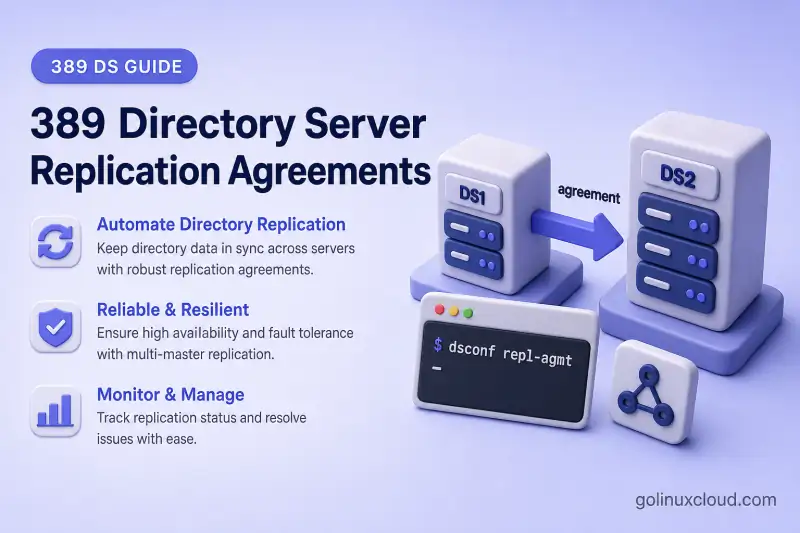
A replication agreement tells one 389 Directory Server replica how to send updates to another replica for a suffix. You create and manage agreements on the server that initiates replication sessions, not on the destination. This guide focuses on individual agreement lifecycle tasks with dsconf repl-agmt: list, inspect, create, modify, schedule, enable, verify, and delete.
For replication roles, changelog behavior, and topology design, read 389 Directory Server replication. For full supplier-to-consumer deployment, see single-supplier replication, multi-supplier replication, or cascading replication.
Tested on: Rocky Linux 10.2; 389 Directory Server 3.2.0.
Choose your task:
- Inspect an existing agreement
- Create a new agreement
- Change host, TLS, or bind settings
- Configure schedules or timeouts
- Pause or force replication
- Read agreement status fields
- Delete an agreement safely
How 389 Directory Server replication agreements work
A replication agreement is a directional link from one replica to another. The supplier (or hub) that owns the agreement connects to the destination, authenticates, and pushes updates recorded in its changelog.
Important points:
- Agreements are configured on the server that sends updates.
- Each agreement is directional. Multi-supplier replication needs a separate agreement in each direction.
- Creating
ldap1-to-ldap2does not createldap2-to-ldap1. - Agreements are per suffix. The same hosts can hold different agreements for different suffixes.
- Most agreement changes take effect without restarting Directory Server.
Typical agreement administration follows this order: inspect → create → tune → operate → verify → delete. You do not need to read every section in sequence; use the task links above to jump to the command you need.
Keep RUV, CSN, and topology theory in the replication architecture article. This page stays focused on agreement commands.
get versus status versus init-status
| Command | Shows |
|---|---|
repl-agmt get |
Stored configuration in cn=config — host, port, protocol, bind DN, schedule, timeouts |
repl-agmt status |
Runtime state — last update result, lag, synchronization summary |
repl-agmt init-status |
Total initialization task progress after repl-agmt init |
Use get before you change settings. Use status to see whether the last replication session succeeded. Use init-status only around initialization or reinitialization.
When Directory Manager passwords differ between the supplier and destination, pass consumer credentials to repl-agmt status so synchronization state and lag are read from the destination replica:
dsconf -y /root/dm.pw ldap1 repl-agmt status \
  --suffix "dc=example,dc=com" \
  --bind-dn "cn=Directory Manager" \
  --bind-passwd-file /root/consumer1-dm.pw \
  ldap1-to-consumer1
For the disposable agreement, use /root/agmt-delete-dm.pw instead.
dsconf repl-agmt command reference
| Task | Command |
|---|---|
| List agreements | dsconf ldap1 repl-agmt list --suffix <SUFFIX_DN> |
| Show configuration | dsconf ldap1 repl-agmt get --suffix <SUFFIX_DN> <AGMT_NAME> |
| Show runtime status | dsconf ldap1 repl-agmt status --suffix <SUFFIX_DN> <AGMT_NAME> |
| Create agreement | dsconf ldap1 repl-agmt create <AGMT_NAME> --suffix <SUFFIX_DN> ... |
| Modify settings | dsconf ldap1 repl-agmt set --suffix <SUFFIX_DN> ... <AGMT_NAME> |
| Enable agreement | dsconf ldap1 repl-agmt enable --suffix <SUFFIX_DN> <AGMT_NAME> |
| Disable agreement | dsconf ldap1 repl-agmt disable --suffix <SUFFIX_DN> <AGMT_NAME> |
| Force incremental update | dsconf ldap1 repl-agmt poke --suffix <SUFFIX_DN> <AGMT_NAME> |
| Delete agreement | dsconf ldap1 repl-agmt delete --suffix <SUFFIX_DN> <AGMT_NAME> |
Initialization uses repl-agmt init and repl-agmt init-status. See initialize and reinitialize replicas for the full procedure; this guide mentions init only where creation and verification require it. Role changes use replication promote and replication demote — see promote or demote a replica.
Lab environment and prerequisites
Examples use the shared replication lab with hostnames mapped in /etc/hosts (no DNS). Most tasks operate on an existing supplier-to-consumer agreement. Create and delete exercises use a separate disposable destination so you do not disturb live replication paths.
| Setting | Value |
|---|---|
| Source supplier | ldap1.example.com (instance ldap1, port 389) |
| Primary destination | consumer1.example.com (instance ldap2, port 1389) |
| Primary agreement | ldap1-to-consumer1 |
| Primary LDAPS port | 1636 |
| Replicated suffix | dc=example,dc=com |
| Disposable destination (create/delete only) | agmt-delete.example.com (instance agmt-del, port 2390) |
| Disposable agreement | ldap1-to-agmt-delete |
In this lab, ldap1 and ldap2 run on the same host (192.168.56.108). consumer1.example.com and agmt-delete.example.com both resolve to that address through /etc/hosts.
Map hostnames in /etc/hosts
Add matching entries on every host that runs dsconf or LDAP client commands for these examples. Edit the existing /etc/hosts line for 192.168.56.108 rather than appending a duplicate. Remove any conflicting mappings for consumer1.example.com or agmt-delete.example.com (for example 127.0.0.1 aliases) before you test replication.
Required mapping for this lab:
192.168.56.108 ldap1.example.com ldap1 consumer1.example.com agmt-delete.example.comConfirm name resolution before you create or modify agreements:
for host in ldap1.example.com consumer1.example.com agmt-delete.example.com; do
  printf '%s: ' "$host"
  getent ahostsv4 "$host" | awk 'NR == 1 {print $1}'
done
Sample output:
ldap1.example.com: 192.168.56.108
consumer1.example.com: 192.168.56.108
agmt-delete.example.com: 192.168.56.108
Commands run on ldap1.example.com against instance ldap1 unless noted. Password files live under /root with mode 600:
| File | Purpose |
|---|---|
/root/dm.pw |
Directory Manager password on ldap1 |
/root/consumer1-repl.pw |
Replication manager password for consumer1.example.com |
/root/consumer1-dm.pw |
Directory Manager password on consumer1.example.com (ldap2 instance) |
/root/agmt-delete-repl.pw |
Replication manager password for agmt-delete.example.com |
/root/agmt-delete-dm.pw |
Directory Manager password on agmt-delete.example.com (agmt-del instance) |
If you already completed a topology guide and ldap1-to-consumer1 exists, start at List and inspect replication agreements. Use Create a replication agreement only when you need a new directional link on a destination that is not already covered.
Confirm the basics before you modify agreements:
- Replication is enabled on the suffix with
dsconf ldap1 replication get --suffix "dc=example,dc=com". - The destination replica is prepared (consumer, hub, or supplier role as required by your topology).
- The supplier can reach the destination hostname and LDAP port configured in the agreement. If your topology also has a separate return agreement, that peer must reach its supplier in turn.
- Clocks are synchronized on both hosts.
- The replication manager account or certificate identity exists on the destination.
- TLS is configured and CA trust is in place before you switch an agreement to LDAPS or StartTLS.
- For a new empty consumer, plan to run
repl-agmt init(or pass--initat create time). Red Hat states that replication does not begin until a new consumer is initialized. For an already initialized destination, do not reinitialize; incremental replication resumes once the agreement is enabled and connectivity works.
If ou=People,dc=example,dc=com does not exist on your supplier, create it or change the test entry DNs in the verification section.
List and inspect replication agreements
List agreements for a suffix
List every agreement configured on ldap1 for dc=example,dc=com:
dsconf -y /root/dm.pw ldap1 repl-agmt list --suffix "dc=example,dc=com"Sample output (trimmed):
cn: ldap1-to-consumer1The same instance can hold different agreements for other suffixes. Always pass --suffix so you inspect the correct replicated area.
Display agreement configuration
repl-agmt get shows stored settings: destination host and port, connection protocol, bind DN and method, enabled state, schedule, timeouts, and fractional attribute lists when configured.
dsconf -y /root/dm.pw ldap1 repl-agmt get --suffix "dc=example,dc=com" ldap1-to-consumer1Sample output (trimmed):
cn: ldap1-to-consumer1
nsDS5ReplicaHost: consumer1.example.com
nsDS5ReplicaPort: 1389
nsDS5ReplicaTransportInfo: LDAP
nsDS5ReplicaBindDN: cn=replication manager,cn=config
nsDS5ReplicaBindMethod: simple
nsds5ReplicaEnabled: on
Record agreement settings before destructive changes. get is the authoritative view of what Directory Server will use on the next replication session.
Check initialization progress
After repl-agmt init, poll total initialization with init-status:
dsconf -y /root/dm.pw ldap1 repl-agmt init-status --suffix "dc=example,dc=com" ldap1-to-consumer1Sample output when initialization completed earlier:
Agreement successfully initialized.For runtime health checks and sample status output, see Verify an individual replication agreement.
Create a replication agreement
The lab already includes ldap1-to-consumer1 toward consumer1.example.com. The example below creates ldap1-to-agmt-delete on a disposable destination used only for the create-and-delete exercises in this guide. For full supplier, consumer, or multi-supplier deployment, follow the topology guide that matches your design.
Review required settings
Before you run repl-agmt create, decide:
| Setting | Example value (ldap1-to-agmt-delete) |
|---|---|
| Suffix DN | dc=example,dc=com |
| Destination hostname | agmt-delete.example.com |
| Destination port | 2390 |
| Connection protocol | LDAP, LDAPS, or StartTLS |
| Bind DN | cn=replication manager,cn=config |
| Bind method | SIMPLE (or certificate/SASL in advanced setups) |
| Agreement name | ldap1-to-agmt-delete |
Use a directional agreement name that states the source and destination role, such as ldap1-to-consumer1 or ldap1-to-agmt-delete.
Prepare the disposable destination
Provision a minimal consumer on agmt-delete.example.com before you create the agreement. In this lab, instance agmt-del listens on port 2390 on the same host as ldap1. Follow the consumer steps in single-supplier replication on the disposable instance only: enable the consumer role, create the replication manager, and leave the suffix empty. Do not point a second agreement at a live replica that already receives updates from another supplier.
Create the agreement with dsconf
Create a mode-600 password file on the supplier that matches the replication manager password configured on the disposable destination:
umask 077
read -rsp 'Replication manager password (agmt-delete): ' REPL_PASSWORD
echo
printf '%s' "$REPL_PASSWORD" > /root/agmt-delete-repl.pw
unset REPL_PASSWORD
chmod 600 /root/agmt-delete-repl.pw
Create the agreement on the supplier:
dsconf -y /root/dm.pw ldap1 repl-agmt create ldap1-to-agmt-delete --suffix "dc=example,dc=com" --host agmt-delete.example.com --port 2390 --conn-protocol LDAP --bind-method SIMPLE --bind-dn "cn=replication manager,cn=config" --bind-passwd-file /root/agmt-delete-repl.pwSample output:
Successfully created replication agreement "ldap1-to-agmt-delete"Decide whether to initialize immediately
repl-agmt create accepts --init to run total initialization right after the agreement is created. Use it when the destination suffix is empty or must be replaced from the supplier.
Do not pass --init when the destination already holds authoritative data, when you are adding the return path in multi-supplier replication, or when another agreement already initialized the replica. For a new empty consumer such as agmt-delete.example.com, initialization is required before incremental replication can begin. For complete initialization and reinitialization procedures, see initialize and reinitialize replicas.
Initialize the disposable consumer after creation:
dsconf -y /root/dm.pw ldap1 repl-agmt init --suffix "dc=example,dc=com" ldap1-to-agmt-deleteSample output:
Agreement initialization started...Poll until initialization completes:
dsconf -y /root/dm.pw ldap1 repl-agmt init-status --suffix "dc=example,dc=com" ldap1-to-agmt-deleteSample output:
Agreement successfully initialized.Verify the new agreement
Confirm stored settings with repl-agmt get — hostname, port, protocol, bind DN, and enabled state should match your plan.
Run repl-agmt status after initialization completes. Last Update Status should end with Incremental update succeeded when replication is working.
For sample status output, field meanings, and an LDAP convergence test on the primary agreement, see Verify an individual replication agreement below.
Modify connection and authentication settings
Back up or record the current agreement with repl-agmt get before you change connection settings.
Confirm the destination hostname and port
Before you change connection settings, verify the destination is reachable:
nc -zv consumer1.example.com 1389Sample output:
Ncat: Connected to 192.168.56.108:1389.To update the stored hostname or port, pass both values to repl-agmt set. The replacement must identify the same prepared replica, or a destination you have intentionally migrated and validated:
read -rp 'New destination hostname: ' NEW_DESTINATION_HOST
read -rp 'New destination port: ' NEW_DESTINATION_PORT

dsconf -y /root/dm.pw ldap1 repl-agmt set \
  --suffix "dc=example,dc=com" \
  --host "$NEW_DESTINATION_HOST" \
  --port "$NEW_DESTINATION_PORT" \
  ldap1-to-consumer1

unset NEW_DESTINATION_HOST NEW_DESTINATION_PORT
Sample output:
Successfully updated agreementConfirm the stored values:
dsconf -y /root/dm.pw ldap1 repl-agmt get --suffix "dc=example,dc=com" ldap1-to-consumer1Confirm that nsDS5ReplicaHost and nsDS5ReplicaPort contain the exact hostname and port you passed to repl-agmt set.
Pointing an agreement at the wrong host or an uninitialized replica can introduce generation or topology problems. Verify get output and run a small LDAP write test after every connection change.
Change LDAP, LDAPS, or StartTLS settings
Update the connection protocol when TLS trust and hostname validation are already working on both hosts. On consumer1.example.com, instance ldap2 listens for LDAPS on port 1636, not the default 636.
dsconf -y /root/dm.pw ldap1 repl-agmt set --suffix "dc=example,dc=com" --conn-protocol LDAPS --port 1636 ldap1-to-consumer1Sample output:
Successfully updated agreementConfirm the stored protocol and port:
dsconf -y /root/dm.pw ldap1 repl-agmt get --suffix "dc=example,dc=com" ldap1-to-consumer1Sample output (trimmed):
nsDS5ReplicaHost: consumer1.example.com
nsDS5ReplicaPort: 1636
nsDS5ReplicaTransportInfo: SSL
dsconf accepts --conn-protocol LDAPS, but Directory Server stores the transport as SSL in nsDS5ReplicaTransportInfo. StartTLS is stored as TLS.
Check runtime health after the switch:
dsconf -y /root/dm.pw ldap1 repl-agmt status \
  --suffix "dc=example,dc=com" \
  --bind-dn "cn=Directory Manager" \
  --bind-passwd-file /root/consumer1-dm.pw \
  ldap1-to-consumer1
If LDAPS validation fails, roll back to plain LDAP on the lab port before you leave the agreement in a broken state:
dsconf -y /root/dm.pw ldap1 repl-agmt set --suffix "dc=example,dc=com" --conn-protocol LDAP --port 1389 ldap1-to-consumer1Test LDAPS on a lab agreement before you apply the change in production. This lab switched ldap1-to-consumer1 to LDAPS on port 1636 and rolled back to LDAP on port 1389 successfully. Confirm the destination certificate matches consumer1.example.com and that the supplier trusts the issuing CA. Certificate-based replication authentication is covered in Secure replication with certificate-based authentication.
Change the replication bind identity
Update the bind DN and password together when you rotate the replication manager credential:
dsconf -y /root/dm.pw ldap1 repl-agmt set --suffix "dc=example,dc=com" --bind-dn "cn=replication manager,cn=config" --bind-passwd-file /root/consumer1-repl.pw ldap1-to-consumer1Sample output:
Successfully updated agreementUse mode-600 password files instead of passing passwords on the command line. In 389 Directory Server 3.2.0, replication create-manager deletes and recreates an existing manager entry, which resets its password. Check whether the manager exists before you run it on the destination replica.
Coordinate credential rotation across every agreement that authenticates with the same destination identity. A safer production pattern is to create a new authorized replication identity, update each agreement to use it, verify replication, and only then remove the old identity.
Confirm changes without restarting
Run repl-agmt get to confirm the stored values, then repl-agmt status to confirm the last session succeeded. Agreement changes do not require an instance restart. See Verify an individual replication agreement for how to read status output.
Configure replication schedules
Understand schedule syntax
nsDS5ReplicaUpdateSchedule uses HHMM-HHMM DDDDDDD, where each D is a day number (0 = Sunday through 6 = Saturday). Example: 0800-1700 12345 allows replication updates Monday through Friday between 08:00 and 17:00.
When the schedule is * or the attribute is absent, no custom restriction is applied and replication can run continuously.
Configure a custom schedule
Set a weekday business-hours window on ldap1-to-consumer1:
dsconf -y /root/dm.pw ldap1 repl-agmt set --suffix "dc=example,dc=com" --schedule "0800-1700 12345" ldap1-to-consumer1Sample output:
Successfully updated agreementConfirm the effective schedule:
dsconf -y /root/dm.pw ldap1 repl-agmt get --suffix "dc=example,dc=com" ldap1-to-consumer1Sample output (trimmed):
nsDS5ReplicaUpdateSchedule: 0800-1700 12345Remove or replace a schedule
Return the agreement to continuous replication:
dsconf -y /root/dm.pw ldap1 repl-agmt set --suffix "dc=example,dc=com" --schedule "*" ldap1-to-consumer1Sample output:
Successfully updated agreementdsconf -y /root/dm.pw ldap1 repl-agmt get --suffix "dc=example,dc=com" ldap1-to-consumer1Sample output (trimmed):
nsDS5ReplicaUpdateSchedule: *Test scheduled replication
To validate a schedule in a lab:
- Set a narrow window that excludes the current time.
- Write a directory change on the supplier outside the window.
- Confirm the change does not appear on the destination immediately.
- Wait until the window opens or temporarily restore
--schedule '*'for testing. - Confirm queued changes replicate and
repl-agmt statusreports a successful update.
Full window testing can take hours. Record the schedule with get before and after each test.
Configure agreement timeouts and retry behavior
Set the connection timeout
--conn-timeout sets the per-agreement connection timeout in seconds. Derive the value from observed connection and replication times on your network rather than copying an arbitrary default.
dsconf -y /root/dm.pw ldap1 repl-agmt set --suffix "dc=example,dc=com" --conn-timeout 120 ldap1-to-consumer1Sample output:
Successfully updated agreementdsconf -y /root/dm.pw ldap1 repl-agmt get --suffix "dc=example,dc=com" ldap1-to-consumer1Sample output (trimmed):
nsds5replicaTimeout: 120Configure busy-wait and session-pause intervals
When destinations frequently return busy responses, tune retry spacing on the agreement. Red Hat’s monopolization guidance uses a shorter busy-wait interval and a longer session pause between retries:
dsconf -y /root/dm.pw ldap1 repl-agmt set --suffix "dc=example,dc=com" --busy-wait-time 5 --session-pause-time 15 ldap1-to-consumer1Sample output:
Successfully updated agreementdsconf -y /root/dm.pw ldap1 repl-agmt get --suffix "dc=example,dc=com" ldap1-to-consumer1Sample output (trimmed):
nsds5replicaBusyWaitTime: 5
nsds5replicaSessionPauseTime: 15
Distinguish agreement and replica-level timeouts
--conn-timeout, --busy-wait-time, and --session-pause-time are agreement settings. --repl-release-timeout applies to the suffix replica and limits how long a supplier holds a replication session before yielding to other agreements. The documented default is 60 seconds; Red Hat warns that values above 120 seconds slow replication in most cases.
Raise the release timeout only when a supplier monopolizes replication sessions and shorter values did not help. This example sets 90 seconds:
dsconf -y /root/dm.pw ldap1 replication set --suffix "dc=example,dc=com" --repl-release-timeout 90Sample output:
Successfully updated replication configurationRed Hat requires an instance restart after changing this replica-level setting:
dsctl ldap1 restartAfter the instance is back online, confirm the stored value:
dsconf -y /root/dm.pw ldap1 replication get --suffix "dc=example,dc=com"Sample output (trimmed):
nsds5ReplicaReleaseTimeout: 90This section covers agreement administration only, not full replication performance tuning.
Control agreement runtime behavior
Temporarily disable an agreement
Disable one agreement during planned maintenance on the destination:
dsconf -y /root/dm.pw ldap1 repl-agmt disable --suffix "dc=example,dc=com" ldap1-to-consumer1Sample output:
Agreement has been disableddsconf -y /root/dm.pw ldap1 repl-agmt get --suffix "dc=example,dc=com" ldap1-to-consumer1Sample output (trimmed):
nsds5ReplicaEnabled: offdsconf repl-agmt disable disables one agreement. dsconf replication disable disables suffix replication and deletes the suffix's replication agreements. Do not confuse the two commands during maintenance.
Re-enable an agreement
dsconf -y /root/dm.pw ldap1 repl-agmt enable --suffix "dc=example,dc=com" ldap1-to-consumer1Sample output:
Agreement has been enabledQueued updates are processed on the next replication session after the agreement is enabled.
Force an immediate incremental update
If the agreement is enabled and no custom schedule blocks replication, use repl-agmt poke to push pending incremental updates without reinitializing the destination:
dsconf -y /root/dm.pw ldap1 repl-agmt poke --suffix "dc=example,dc=com" ldap1-to-consumer1Sample output:
Agreement has been pokedVerify the last session succeeded:
dsconf -y /root/dm.pw ldap1 repl-agmt status \
  --suffix "dc=example,dc=com" \
  --bind-dn "cn=Directory Manager" \
  --bind-passwd-file /root/consumer1-dm.pw \
  ldap1-to-consumer1
Sample output (trimmed):
Last Update Status: Error (0) Replica acquired successfully: Incremental update succeededWhen a custom schedule is active, follow the Red Hat force-update procedure:
- Record the current schedule with
repl-agmt get. - If a custom schedule is set, temporarily set
--schedule '*'. - Disable the agreement.
- Re-enable the agreement.
- Restore the original schedule.
- Verify
Last Update Statusinrepl-agmt status.
Example when a weekday schedule was active:
dsconf -y /root/dm.pw ldap1 repl-agmt set --suffix "dc=example,dc=com" --schedule "*" ldap1-to-consumer1dsconf -y /root/dm.pw ldap1 repl-agmt disable --suffix "dc=example,dc=com" ldap1-to-consumer1dsconf -y /root/dm.pw ldap1 repl-agmt enable --suffix "dc=example,dc=com" ldap1-to-consumer1Restore the original schedule:
dsconf -y /root/dm.pw ldap1 repl-agmt set --suffix "dc=example,dc=com" --schedule "0800-1700 12345" ldap1-to-consumer1Confirm replication resumed:
dsconf -y /root/dm.pw ldap1 repl-agmt status \
  --suffix "dc=example,dc=com" \
  --bind-dn "cn=Directory Manager" \
  --bind-passwd-file /root/consumer1-dm.pw \
  ldap1-to-consumer1
Sample output (trimmed):
Last Update Status: Error (0) Replica acquired successfully: Incremental update succeeded
Replication Status: In Synchronization
This workflow forces pending incremental updates when a schedule blocked them. It is not the same as repl-agmt init, which performs a total update. Do not use repl-winsync-agmt poke for standard Directory Server replication agreements; that command applies to Windows synchronization agreements.
Verify an individual replication agreement
repl-agmt status is the primary runtime check for one agreement. Run it on the supplier that owns the agreement. When supplier and destination Directory Manager passwords differ, pass the destination credentials so lag and synchronization fields are populated from the consumer:
dsconf -y /root/dm.pw ldap1 repl-agmt status \
  --suffix "dc=example,dc=com" \
  --bind-dn "cn=Directory Manager" \
  --bind-passwd-file /root/consumer1-dm.pw \
  ldap1-to-consumer1
Useful fields in the output:
Replica Enabled— agreement enabled stateUpdate In Progress— active replication sessionLast Update Start/Last Update End— timestamps for the latest sessionLast Update Status— result of the latest incremental updateNumber Of Changes Sent— changes pushed in the last sessionLast Init Status— result of the last total initializationReplication Status— summarized synchronization stateReplication Lag Time— time behind the supplier when available- Destination host and port in the agreement title line
Healthy example (trimmed):
Status For Agreement: "ldap1-to-consumer1" (consumer1.example.com:1389)
Replica Enabled: on
Last Update Status: Error (0) Replica acquired successfully: Incremental update succeeded
Replication Status: In Synchronization
Replication Lag Time: 00:00:00
Connection failure when an agreement points at an unreachable destination port. Illustrative status output (do not run this against a production agreement):
Status For Agreement: "ldap1-to-consumer1" (consumer1.example.com:9999)
Replica Enabled: on
Last Update Status: Error (-1) Problem connecting to replica - LDAP error: Can't contact LDAP server (connection error)
Replication Status: Not in Synchronization: supplier (Unknown) consumer (Unknown) State (red) Reason (Consumer can not be contacted)
In a disposable lab only, you can reproduce this by setting --port 9999, running repl-agmt poke, capturing status, then restoring port 1389 and disabling and re-enabling the agreement before you trust status again.
Confirm data convergence with LDAP, not status text alone. Add or modify a marker entry on the supplier:
ldapadd -x -H ldap://ldap1.example.com:389 -D "cn=Directory Manager" -y /root/dm.pw <<'EOF'
dn: cn=agmt-test-entry,ou=People,dc=example,dc=com
objectClass: top
objectClass: person
cn: agmt-test-entry
sn: agmt
description: replication agreement validation
EOF
Sample output:
adding new entry "cn=agmt-test-entry,ou=People,dc=example,dc=com"After a short wait, search for the entry on the destination. When Directory Manager passwords differ between hosts, store the consumer password in /root/consumer1-dm.pw on the supplier (mode 600) and pass it to destination LDAP commands:
ldapsearch -LLL -x -H ldap://consumer1.example.com:1389 -D "cn=Directory Manager" -y /root/consumer1-dm.pw -b "cn=agmt-test-entry,ou=People,dc=example,dc=com" -s base descriptionSample output:
dn: cn=agmt-test-entry,ou=People,dc=example,dc=com
description: replication agreement validation
Modify the entry on the supplier and confirm the change replicates. If the agreement is enabled and no custom schedule blocks replication, run repl-agmt poke when the destination still shows the old value after a short wait:
ldapmodify -x -H ldap://ldap1.example.com:389 -D "cn=Directory Manager" -y /root/dm.pw <<'EOF'
dn: cn=agmt-test-entry,ou=People,dc=example,dc=com
changetype: modify
replace: description
description: agreement status verification
EOF
Sample output:
modifying entry "cn=agmt-test-entry,ou=People,dc=example,dc=com"ldapsearch -LLL -x -H ldap://consumer1.example.com:1389 -D "cn=Directory Manager" -y /root/consumer1-dm.pw -b "cn=agmt-test-entry,ou=People,dc=example,dc=com" -s base descriptionSample output (trimmed):
description: agreement status verificationFor deeper entry comparison between two hosts, use ds-replcheck online as described in Comparing two Directory Server instances. Topology-wide monitoring belongs in dedicated operations documentation, not in per-agreement administration.
Delete an agreement safely
This section removes the disposable ldap1-to-agmt-delete agreement created earlier. Do not create a second live agreement to the same destination solely to demonstrate deletion.
Check the agreement before deletion
Record the configuration and status:
dsconf -y /root/dm.pw ldap1 repl-agmt get --suffix "dc=example,dc=com" ldap1-to-agmt-deletedsconf -y /root/dm.pw ldap1 repl-agmt status \
--suffix "dc=example,dc=com" \
--bind-dn "cn=Directory Manager" \
--bind-passwd-file /root/agmt-delete-dm.pw \
ldap1-to-agmt-deleteConfirm no other supplier or hub depends on this agreement as its only path to a destination.
Disable and validate before deleting
In production, disable the agreement first and confirm you are removing the intended replication path:
dsconf -y /root/dm.pw ldap1 repl-agmt disable --suffix "dc=example,dc=com" ldap1-to-agmt-deleteSample output:
Agreement has been disabledDelete the agreement
dsconf -y /root/dm.pw ldap1 repl-agmt delete --suffix "dc=example,dc=com" ldap1-to-agmt-deleteSample output:
Agreement has been successfully deletedConfirm it no longer appears in the list:
dsconf -y /root/dm.pw ldap1 repl-agmt list --suffix "dc=example,dc=com"Sample output (trimmed):
cn: ldap1-to-consumer1ldap1-to-agmt-delete should be absent from the list.
Disable replication on the disposable consumer
Deleting the supplier agreement does not remove the consumer role from agmt-del. Because this instance exists only for the create-and-delete exercise, disable replication on the disposable destination:
dsconf -y /root/agmt-delete-dm.pw agmt-del replication disable --suffix "dc=example,dc=com"Sample output:
Replication disabled for "dc=example,dc=com"If the instance is no longer needed, remove it separately after replication is disabled, following Removing an instance from a replication topology.
Understand what deletion does not remove
Deleting an agreement does not:
- Disable replication for the suffix
- Delete directory data on the destination
- Remove the destination server from the topology
- Clean a replica ID or RUV
- Delete agreements configured on other servers
To remove a server from a topology safely, see Removing an instance from a replication topology.
Clean up marker entries
Remove test entries created during verification:
ldapdelete -x -H ldap://ldap1.example.com:389 -D "cn=Directory Manager" -y /root/dm.pw "cn=agmt-test-entry,ou=People,dc=example,dc=com"The command exits without output when the entry is deleted successfully.
Common agreement-management problems
| Symptom | Likely cause | Fix |
|---|---|---|
| Agreement created on wrong server | Agreements belong on the sending replica | Delete the agreement; recreate it on the supplier that should initiate sessions |
| Reverse agreement missing | Multi-supplier needs two directional agreements | Create the return agreement without initializing the populated supplier |
repl-agmt commands target wrong suffix |
Typo in --suffix |
Match backend suffix list and replication get output exactly |
| Destination unreachable | Hostname, port, firewall, or instance stopped | Test with nc or ldapsearch; fix network path before tuning timeouts |
| Authentication failure | Wrong replication manager password or bind DN | Compare repl-agmt get with replication get on the destination |
| LDAPS connection fails | Missing CA trust or hostname mismatch | Import CA certificates; align agreement hostname with certificate SAN |
| Agreement still disabled | Maintenance step not reversed | repl-agmt get; repl-agmt enable |
| Changes not sent during expected window | Custom schedule excludes current time | Inspect nsDS5ReplicaUpdateSchedule; test with --schedule '*' |
| Frequent disconnects | --conn-timeout too low for WAN latency |
Increase timeout based on observed session duration |
| Agreement healthy but data missing | Wrong suffix or search base, fractional replication, rejected updates, schema mismatch, stale status, or uninitialized destination | Confirm suffix DN, agreement get output, init-status, logs, RUV, and entry filters first. Run repl-agmt init only on an empty or explicitly replaceable destination from the confirmed authoritative supplier |
| Deleted agreement but server remains | Deletion removes one link only | Remove or re-role the replica separately per topology removal docs |
For log analysis, error-code investigation, and recovery after extended outages, see 389 Directory Server replication troubleshooting and Red Hat Directory Server 13: Troubleshooting replication-related problems.
References
- Red Hat Directory Server 13: Configuring and managing replication
- Red Hat Directory Server 13: Forcing replication updates
- Red Hat Directory Server 13: Preventing monopolization of a replica in a multi-supplier replication topology
- Red Hat Directory Server 13: Removing an instance from a replication topology
- 389 Directory Server: dsctl, dsconf, and dsidm design
- 389 DS upstream issue: Scheduled replication problem
Summary
389 Directory Server replication agreements are directional links configured on the sending replica with dsconf repl-agmt. Use list and get to inspect stored settings, status and init-status for runtime state, create and set to add or change connection and schedule options, enable / disable to control individual agreements without disabling suffix-wide replication, and poke to force an immediate incremental update when no schedule blocks replication. Verify changes with LDAP write tests and, when you need entry-level proof, ds-replcheck. Record configuration before destructive changes, and distinguish deleting an agreement from removing a server from the topology.
