
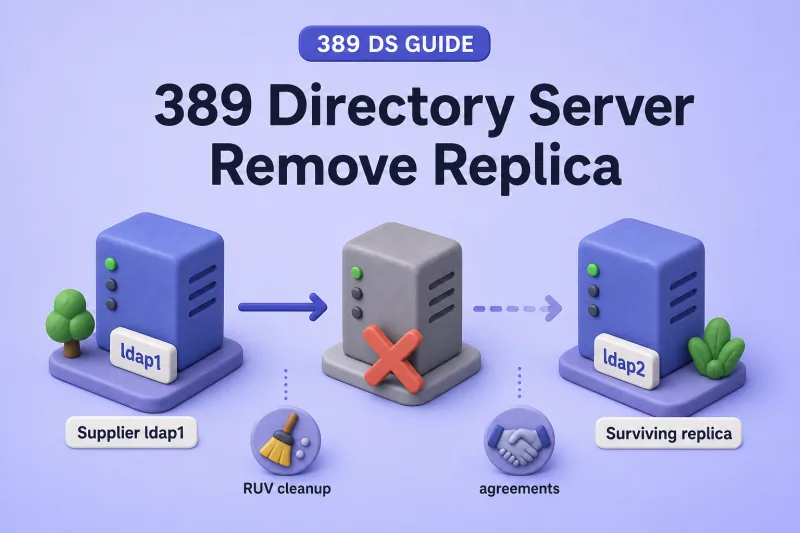
Removing a server from replication takes more than deleting one agreement. You drain client traffic, confirm updates reached every surviving replica, remove agreements on each peer, disable replication on the host you retire, and clean the supplier replica ID from the RUV when that host was a supplier. Skip a step and you can strand downstream consumers or leave stale metadata that blocks the next topology change.
This guide covers consumer, hub, and supplier removal on one suffix. For agreement work, see manage replication agreements. For supplier RUV cleanup, see CleanAllRUV. To compare two hosts before cutover, see ds-replcheck.
Tested on: Rocky Linux 10.2; 389 Directory Server 3.2.0.
What removing a replica changes
Replication membership is suffix-specific. Repeat these steps for every replicated suffix on the instance you retire.
| Action | Scope | Typical use |
|---|---|---|
| Delete one agreement | One directional path on the server that owns the agreement | Stop sending updates to one peer |
| Disable one agreement | Same as delete, but reversible with repl-agmt enable |
Maintenance window on one hop |
replication disable |
Entire suffix on one instance; removes local outgoing agreements for that suffix | Detach a server from replication |
| Remove server from topology | Agreements on all peers + disable replication + client/DNS updates (+ RUV cleanup for suppliers) | Planned decommission |
dsctl instance remove |
Deletes the local instance files | Only after replication detachment |
Deleting ldap1-to-hub1 on ldap1 does not remove hub1-to-branch1 on the hub or any agreement configured on another host. Supplier removal additionally requires CleanAllRUV when the supplier replica ID will not return.
Which steps apply by role
| Step | Consumer | Hub | Supplier |
|---|---|---|---|
| Drain application traffic | Yes | Yes | Yes |
| Block new local writes | Already read-only | Already read-only | Yes |
| Replace downstream paths | No | If applicable | If applicable |
| Delete incoming agreements on peers | Yes | Yes | Yes |
| Delete outgoing agreements on retiring host | No | If present | If present |
replication disable on retired host |
Yes | Yes | Yes |
| Record supplier replica ID | No | No | Yes |
| CleanAllRUV | No | No | Permanent removal only |
Consumers and hubs do not need RUV cleanup because they do not hold a unique supplier replica ID for the suffix. Suppliers do. See replication architecture for how the RUV fits together.
dsconf replication disable is not the same as dsconf repl-agmt disable. Suffix-wide disable deletes local outgoing agreements for that suffix. Plan agreement changes before you disable replication on a hub that still forwards to branch consumers.
Plan the removal and map topology dependencies
Before you change production replication, capture what the topology looks like today.
On the server you plan to remove, and on every peer that replicates the suffix, run:
dsconf -y /root/dm.pw ldap1 replication get --suffix "dc=example,dc=com"dsconf -y /root/dm.pw ldap1 repl-agmt list --suffix "dc=example,dc=com"dsconf -y /root/dm.pw ldap1 replication get-ruv --suffix "dc=example,dc=com"Save repl-agmt get output for any agreement you might need to recreate during rollback. Take a backup of every instance you will touch before you delete agreements, disable replication, or remove an instance. Write down the replica role (nsDS5ReplicaType and nsDS5Flags), replica ID, every hostname and port clients use, and any downstream replicas that still depend on this server.
Select replacement replication paths
When you remove a hub or supplier, every remaining replica still needs a working upstream source before you delete the old path. If a hub forwards to branch consumers, create replacement agreements first and initialize them only when the branch is empty or you accept a total update. See cascading replication and initialize and reinitialize replicas.
The consumer, hub, and supplier sections below are separate exercises on the disposable bdb-consumer instance. Reset replication on bdb-consumer between exercises if you work through more than one scenario on the same host.
Lab environment
This guide uses disposable instances on one host. In production you use separate hosts, LDAPS, and hostnames that match your certificates.
| Role | Instance | LDAP URL (lab) | Replica ID | Notes |
|---|---|---|---|---|
| Supplier | ldap1 |
ldap://127.0.0.1:389 |
1 |
Keeps ldap1-to-supplier2 unchanged |
| Disposable target | bdb-consumer |
ldap://127.0.0.1:21389 |
65535 / 3 when promoted |
Consumer and supplier removal exercises |
| Branch consumer | bdb-lab |
ldap://127.0.0.1:20389 |
65535 |
Hub reroute example only |
| External supplier | ldap2 on ldap2.example.com |
ldap://ldap2.example.com:1389 |
2 |
Final ds-replcheck online comparison target |
Password files: /root/dm.pw (ldap1 and ldap2 Directory Manager in this lab), /root/hub1-dm.pw (bdb-consumer), /root/branch1-dm.pw (bdb-lab), /root/hub1-repl.pw, /root/ldap1-repl.pw.
Drain client traffic and replication updates
Pull the retiring server out of load balancers, application pools, and monitoring probes, even when it is a read-only consumer that still answers LDAP reads. Leave the instance running until pending updates have time to replicate.
On a supplier you plan to retire, stop new writes to that host. Backend read-only mode blocks LDAP modifications on one suffix without tearing down replication sessions:
dsconf -y /root/hub1-dm.pw bdb-consumer backend suffix set --enable-readonly userrootConfirm the flag:
dsconf -y /root/hub1-dm.pw bdb-consumer backend suffix get userroot | grep -i readonlySample output:
nsslapd-readonly: onKeep the suffix read-only until replication has caught up and you have disabled replication on the retiring host. Use backend suffix set --disable-readonly userroot only during rollback or after you isolate the detached instance for reuse. See read-only databases and instances for backend versus instance-wide read-only mode.
Check agreement health from the side that sends updates:
dsconf -y /root/dm.pw ldap1 repl-agmt status --suffix "dc=example,dc=com" --bind-dn "cn=replication manager,cn=config" --bind-passwd-file /root/hub1-repl.pw ldap1-to-remove-consumerWhen initialization succeeded, Last Init Status should end in Total update succeeded and Last Update Status in Incremental update succeeded. The 0 in Error (0) is only the LDAP result code. Read the full status line before you trust it.
For a quick lag check before you delete paths, ds-replcheck state compares replication state between two URLs:
ds-replcheck state -m ldap://127.0.0.1:389 -r ldap://127.0.0.1:21389 -b "dc=example,dc=com" -D "cn=Directory Manager" -y /root/dm.pwSample output:
Replication State: Supplier and Replica are in perfect synchronizationstate does not compare individual entries. Use the same Directory Manager password on both endpoints (/root/dm.pw in this lab), or bind with credentials that work on both replicas.
Remove a consumer from the topology
Use this path when the server is a read-only consumer (nsDS5ReplicaType: 2, nsDS5Flags: 0) and has no downstream replicas.
Delete agreements that point to the consumer
On every supplier that sends updates to the consumer, delete the outgoing agreement:
dsconf -y /root/dm.pw ldap1 repl-agmt delete --suffix "dc=example,dc=com" ldap1-to-remove-consumerSample output:
Agreement has been successfully deletedMake sure no supplier still lists the consumer:
dsconf -y /root/dm.pw ldap1 repl-agmt list --suffix "dc=example,dc=com"The retired agreement name should be gone. ldap1-to-supplier2 stays in this lab.
Disable replication on the consumer
After every incoming path is gone, disable replication on the consumer suffix:
dsconf -y /root/hub1-dm.pw bdb-consumer replication disable --suffix "dc=example,dc=com"Sample output:
Replication disabled for "dc=example,dc=com"Confirm the suffix no longer appears:
dsconf -y /root/hub1-dm.pw bdb-consumer replication listSample output:
There are no replicated suffixesCleanAllRUV is not required. Consumers do not own a supplier replica ID. Test writes and reads through the remaining topology before you repurpose or delete the instance.
Remove a hub without isolating consumers
When you remove a hub, every consumer that only received updates through it needs a new upstream path first. Delete the hub agreements only after that path works.
This example uses ldap1 → bdb-consumer (hub) → bdb-lab (branch). Set up bdb-lab as a consumer on dc=example,dc=com and create ldap1-to-hub1 and hub1-to-branch1 before you start. See cascading replication.
Build and test the replacement path
Create a direct supplier-to-branch agreement on ldap1:
dsconf -y /root/dm.pw ldap1 repl-agmt create ldap1-to-branch1 --suffix "dc=example,dc=com" --host 127.0.0.1 --port 20389 --conn-protocol LDAP --bind-method SIMPLE --bind-dn "cn=replication manager,cn=config" --bind-passwd-file /root/hub1-repl.pwInitialize only when the branch consumer is empty or you accept a total update:
dsconf -y /root/dm.pw ldap1 repl-agmt init --suffix "dc=example,dc=com" ldap1-to-branch1Confirm the direct agreement is healthy before you rely on it:
dsconf -y /root/dm.pw ldap1 repl-agmt status --suffix "dc=example,dc=com" --bind-dn "cn=replication manager,cn=config" --bind-passwd-file /root/hub1-repl.pw ldap1-to-branch1Sample output (trimmed):
Last Init Status: Error (0) Total update succeeded
Last Update Status: Error (0) Replica acquired successfully: Incremental update succeeded
While the old hub path is still up, ds-replcheck state cannot tell you whether the new direct agreement delivered a specific change. Temporarily disable hub forwarding, add a disposable write on ldap1, and confirm it reaches bdb-lab through ldap1-to-branch1 only:
dsconf -y /root/hub1-dm.pw bdb-consumer repl-agmt disable --suffix "dc=example,dc=com" hub1-to-branch1ldapmodify -x -H ldap://127.0.0.1:389 -D "cn=Directory Manager" -y /root/dm.pw <<'EOF'
dn: uid=user1,ou=People,dc=example,dc=com
changetype: modify
add: description
description: remove-replica-hub-direct-check
EOFdsconf -y /root/dm.pw ldap1 repl-agmt poke --suffix "dc=example,dc=com" ldap1-to-branch1ldapsearch -LLL -x -H ldap://127.0.0.1:20389 -D "cn=Directory Manager" -y /root/branch1-dm.pw -b "uid=user1,ou=People,dc=example,dc=com" -s base descriptionSample output:
dn: uid=user1,ou=people,dc=example,dc=com
description: remove-replica-hub-direct-check
The search should return the test description value. That confirms the direct path carried the update.
Remove the disposable value on ldap1, poke the direct agreement, and confirm description: remove-replica-hub-direct-check is gone on bdb-lab. Other description values on the entry can stay.
ldapmodify -x -H ldap://127.0.0.1:389 -D "cn=Directory Manager" -y /root/dm.pw <<'EOF'
dn: uid=user1,ou=People,dc=example,dc=com
changetype: modify
delete: description
description: remove-replica-hub-direct-check
EOFdsconf -y /root/dm.pw ldap1 repl-agmt poke --suffix "dc=example,dc=com" ldap1-to-branch1ldapsearch -LLL -x -H ldap://127.0.0.1:20389 \
-D "cn=Directory Manager" -y /root/branch1-dm.pw \
-b "uid=user1,ou=People,dc=example,dc=com" -s base \
"(description=remove-replica-hub-direct-check)" dnA successful deletion returns no output and exit status 0. Treat any LDAP bind, network, or search error as a failure. Do not continue until the command succeeds with an empty result.
Delete the old hub agreements in the next subsection.
Delete hub agreements and disable replication
After the replacement path is healthy, delete agreements that still point at the hub. Include hub1-to-branch1 if you disabled it while proving the direct path:
dsconf -y /root/dm.pw ldap1 repl-agmt delete --suffix "dc=example,dc=com" ldap1-to-hub1dsconf -y /root/hub1-dm.pw bdb-consumer repl-agmt delete --suffix "dc=example,dc=com" hub1-to-branch1Disable replication on the hub suffix:
dsconf -y /root/hub1-dm.pw bdb-consumer replication disable --suffix "dc=example,dc=com"Sample output:
Replication disabled for "dc=example,dc=com"replication disable on the hub removes its local outgoing agreements for that suffix. Create and verify replacement paths before you disable replication on a hub that still forwards updates.
Remove a supplier safely
Retiring a supplier means draining writes, confirming every peer is caught up, removing agreements on each side, disabling replication on the host you retire, and running RUV cleanup when that supplier ID is gone for good.
This lab promotes disposable bdb-consumer to supplier replica ID 3, then removes it. IDs 1 and 2 belong to surviving suppliers and stay untouched.
Prepare the disposable supplier
Enable the consumer role and create an agreement from ldap1:
dsconf -y /root/hub1-dm.pw bdb-consumer replication enable --suffix "dc=example,dc=com" --role consumer --bind-dn "cn=replication manager,cn=config" --bind-passwd-file /root/hub1-repl.pwdsconf -y /root/dm.pw ldap1 repl-agmt create ldap1-to-supplier3 --suffix "dc=example,dc=com" --host 127.0.0.1 --port 21389 --conn-protocol LDAP --bind-method SIMPLE --bind-dn "cn=replication manager,cn=config" --bind-passwd-file /root/hub1-repl.pwSample output:
Successfully created replication agreement "ldap1-to-supplier3"Initialize the disposable supplier:
dsconf -y /root/dm.pw ldap1 repl-agmt init --suffix "dc=example,dc=com" ldap1-to-supplier3Poll until initialization completes:
dsconf -y /root/dm.pw ldap1 repl-agmt init-status --suffix "dc=example,dc=com" ldap1-to-supplier3Sample output:
Agreement successfully initialized.Promote to supplier with an unused replica ID:
dsconf -y /root/hub1-dm.pw bdb-consumer replication promote --suffix "dc=example,dc=com" --newrole supplier --replica-id 3Sample output:
Successfully promoted replica to "supplier"Check the supplier role and replica ID:
dsconf -y /root/hub1-dm.pw bdb-consumer replication get --suffix "dc=example,dc=com" | grep -E 'nsDS5Replica(Id|Type)'Sample output:
nsDS5ReplicaId: 3
nsDS5ReplicaType: 3
For multi-supplier layouts, add the return agreement from the retiring supplier back to its peers. Do not initialize the peer that already holds the data. Red Hat's procedure expects the reverse agreement to complete an incremental update on its own. See multi-supplier replication.
Create the return agreement:
dsconf -y /root/hub1-dm.pw bdb-consumer repl-agmt create supplier3-to-ldap1 --suffix "dc=example,dc=com" --host 127.0.0.1 --port 389 --conn-protocol LDAP --bind-method SIMPLE --bind-dn "cn=replication manager,cn=config" --bind-passwd-file /root/ldap1-repl.pwSample output:
Successfully created replication agreement "supplier3-to-ldap1"If repl-agmt status complains that no changelog is available, check the error log on that host. On my 389 DS 3.2.0 lab I cleared it with a controlled restart, then recreated and poked the return agreement. Treat a restart as a last resort in production until you know why the changelog was not ready:
dsctl bdb-consumer restartSample output:
Instance "bdb-consumer" has been restartedRecreate the return agreement if you deleted it during troubleshooting, then continue with the bidirectional test below.
Prove bidirectional replication before you retire the supplier. Add a disposable write on supplier 3, poke the return agreement, and confirm the value shows up on ldap1:
ldapmodify -x -H ldap://127.0.0.1:21389 -D "cn=Directory Manager" -y /root/hub1-dm.pw <<'EOF'
dn: uid=user1,ou=People,dc=example,dc=com
changetype: modify
add: description
description: remove-replica-supplier3-check
EOFdsconf -y /root/hub1-dm.pw bdb-consumer repl-agmt poke --suffix "dc=example,dc=com" supplier3-to-ldap1dsconf -y /root/hub1-dm.pw bdb-consumer repl-agmt status --suffix "dc=example,dc=com" --bind-dn "cn=replication manager,cn=config" --bind-passwd-file /root/ldap1-repl.pw supplier3-to-ldap1Sample output (trimmed):
Last Update Status: Error (0) Replica acquired successfully: Incremental update succeededldapsearch -LLL -x -H ldap://127.0.0.1:389 -D "cn=Directory Manager" -y /root/dm.pw -b "uid=user1,ou=People,dc=example,dc=com" -s base descriptionSample output:
dn: uid=user1,ou=people,dc=example,dc=com
description: remove-replica-supplier3-check
Last Update Status should end in Incremental update succeeded. If you see a changelog or incremental failure, stop here. Do not retire the supplier until the return agreement reports a successful incremental update. On my lab a controlled restart cleared a transient error, but check your changelog configuration and logs before you rely on that in production.
Remove the test value and poke the agreement again before you delete paths:
ldapmodify -x -H ldap://127.0.0.1:21389 -D "cn=Directory Manager" -y /root/hub1-dm.pw <<'EOF'
dn: uid=user1,ou=People,dc=example,dc=com
changetype: modify
delete: description
description: remove-replica-supplier3-check
EOFdsconf -y /root/hub1-dm.pw bdb-consumer repl-agmt poke --suffix "dc=example,dc=com" supplier3-to-ldap1ldapsearch -LLL -x -H ldap://127.0.0.1:389 \
-D "cn=Directory Manager" -y /root/dm.pw \
-b "uid=user1,ou=People,dc=example,dc=com" -s base \
"(description=remove-replica-supplier3-check)" dnA successful deletion returns no output and exit status 0. Other description values on the entry do not affect this check. The filter matches only remove-replica-supplier3-check.
Record the supplier replica ID
Before you disable replication on the supplier, note its replica ID and confirm it appears in the RUV on a surviving supplier. I captured the block below after the test add and deletion above:
dsconf -y /root/dm.pw ldap1 replication get-ruv --suffix "dc=example,dc=com"Sample output from this lab (trimmed):
RUV:        {replica 3 ldap://ldap1.example.com:21389} 6a5d064c000000030000 6a5d064e000000030000
Replica ID: 3
LDAP URL:   ldap://ldap1.example.com:21389
Min CSN:    2026-07-19 17:15:56 (6a5d064c000000030000)
Max CSN:    2026-07-19 17:15:58 (6a5d064e000000030000)
You need replica ID 3 for CleanAllRUV. In a single-host lab the RUV LDAP URL may show ldap1.example.com even when you manage the instance as bdb-consumer. Use the replica ID, not the URL hostname, when you plan cleanup.
Delete agreements and disable replication
Delete agreements on peers first, then disable replication on the retired supplier:
dsconf -y /root/dm.pw ldap1 repl-agmt delete --suffix "dc=example,dc=com" ldap1-to-supplier3dsconf -y /root/hub1-dm.pw bdb-consumer repl-agmt delete --suffix "dc=example,dc=com" supplier3-to-ldap1dsconf -y /root/hub1-dm.pw bdb-consumer replication disable --suffix "dc=example,dc=com"Each delete should report Agreement has been successfully deleted. Disable should report Replication disabled for "dc=example,dc=com".
Confirm another supplier still accepts writes and reaches every remaining replica before you run RUV cleanup.
Clean the removed supplier's RUV
Run CleanAllRUV only when the supplier is permanently removed and its replica ID will not come back on the same server identity. Start the task from one surviving supplier while every replica you need for cleanup is online.
dsconf -y /root/dm.pw ldap1 repl-tasks cleanallruv --suffix "dc=example,dc=com" --replica-id 3Sample output:
Created task cleanallruv_2026-07-19T20:48:17.000687Monitor progress on the supplier that started the task:
dsconf -y /root/dm.pw ldap1 repl-tasks list-cleanruv-tasksSample output when the task completes:
dn: cn=cleanallruv_2026-07-19T20:48:17.000687,cn=cleanallruv,cn=tasks,cn=config
cn: cleanallruv_2026-07-19T20:48:17.000687
nsTaskStatus: Successfully cleaned rid(3)
replica-id: 3
Verify replica ID 3 no longer appears in the RUV on every surviving replica. Check suppliers, hubs, and consumers that remain online:
dsconf -y /root/dm.pw ldap1 replication get-ruv --suffix "dc=example,dc=com"dsconf -y /root/dm.pw ldap://ldap2.example.com:1389 replication get-ruv --suffix "dc=example,dc=com"After cleanup on ldap1 and ldap2, only surviving supplier identities should remain. In this lab that means IDs 1 and 2.
For task monitoring, abort procedures, --force-cleaning, and offline-replica risks, see CleanAllRUV. For recovery after a partial cleanup, see restore a replicated server.
Check the remaining replication topology
When removal and RUV cleanup are done, check the following:
- No agreement lists the retired hostname or port.
- The retired supplier ID is absent from the RUV on every surviving replica.
repl-agmt statusreports successful incremental updates on remaining paths.- A test write on the primary supplier replicates to every consumer you still serve.
- Access and error logs show no repeated connection failures to the retired host.
- DNS, certificates, load balancers, and monitoring target surviving instances only.
Run ds-replcheck online when you need entry-level comparison between surviving hosts. In this lab, /root/dm.pw works on both ldap1 and ldap2:
ds-replcheck online -D "cn=Directory Manager" -y /root/dm.pw -m ldap://127.0.0.1:389 -r ldap://ldap2.example.com:1389 -b "dc=example,dc=com"Sample output (trimmed):
Result
```output
=====================================================

No replication differences between Supplier and Replica
Use ds-replcheck state only for a lightweight replication-state or lag check. It is not entry-level proof. See Comparing two Directory Server instances.
Remove or repurpose the local instance
dsctl instance_name remove --do-it deletes the instance only after replication is disabled and no peer still expects updates from that server identity. Removing the instance does not clean agreements on remote hosts or RUV entries on suppliers.
If you keep the instance for lab work, disable replication, isolate it from production clients, and make sure it cannot rejoin the topology with a stale supplier ID. A server that returns after CleanAllRUV should be treated as a new replica. Assign an unused supplier ID and reinitialize. See initialize and reinitialize replicas.
dsctl remove is not a substitute for replication disable and agreement cleanup on peers.
Rollback and common removal problems
Rollback is straightforward before CleanAllRUV. Restore agreements from saved repl-agmt get output, reinitialize only when required, and verify both directions. After RUV cleanup, treat the returning server as a new replica with a new or previously cleaned supplier ID.
| Symptom | Likely cause | Fix |
|---|---|---|
| Downstream consumer stopped updating | Hub or supplier removed before replacement path worked | Restore or create upstream agreement; initialize if required |
replication disable deleted hub forwarding |
Disabled replication on hub while branch still depended on it | Reroute branch consumers first; see hub removal section |
| CleanAllRUV task waits indefinitely | Required replica offline | Bring every peer online or follow forced-cleanup guidance in CleanAllRUV |
| Wrong replica ID cleaned | Recorded ID from wrong suffix or stale get-ruv |
Confirm ID with replication get and RUV on an authoritative supplier before cleanup |
| Clients still hit retired host | DNS or load balancer not updated | Update service discovery and health checks |
Can't acquire replica during init |
Consumer role missing or wrong suffix on destination | Enable consumer on the suffix; confirm backend exists. See initialize replicas |
| Changelog or incremental failure on return agreement | Reverse agreement created before supplier changelog is ready, or agreement disabled | Confirm Incremental update succeeded. On my 389 DS 3.2.0 lab a controlled restart cleared a transient error. Check changelog configuration and logs before you rely on that in production. See multi-supplier replication |
| Agreement gone but server still replicates | Only deleted one directional path | Inspect agreements on every peer; agreements are directional |
For failed or permanently unreachable suppliers, see restore a replicated server and replication troubleshooting in the product documentation.
References
- Red Hat Directory Server 13: Removing an instance from a replication topology
- Red Hat Directory Server 13: Comparing two Directory Server instances
- Red Hat Directory Server 13: Monitoring the replication topology
- Red Hat Directory Server 13: Solving common replication problems
- Red Hat Directory Server 13: Removing a Directory Server instance
- Port389: Replication update status reference
Summary
Match the workflow to the role: drain application traffic, delete peer agreements, disable suffix replication on the retired host, and run CleanAllRUV only after permanent supplier removal. Replace hub paths before you disable a forwarding hub. Use ds-replcheck state for quick lag checks and ds-replcheck online when you need entry-level comparison. Check the surviving topology before you delete the instance or update production routing.
