
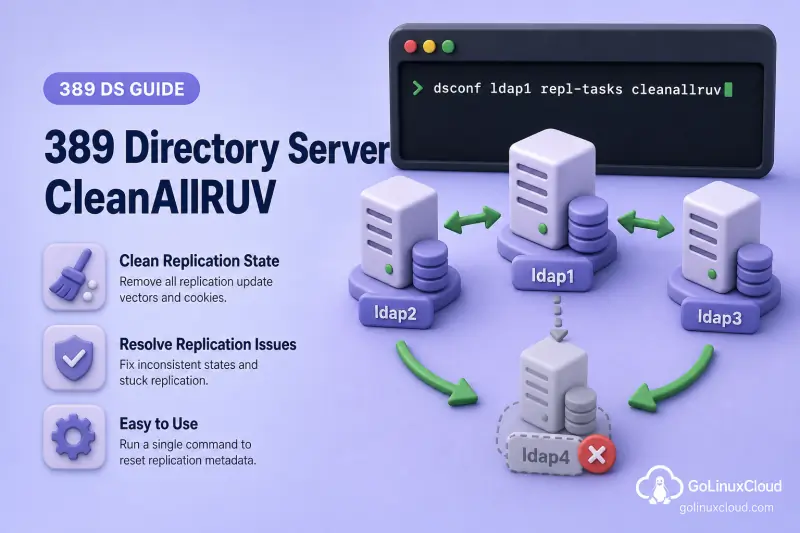
When a supplier leaves the topology permanently, its replica ID can remain in the Replication Update Vector (RUV) long after the server is gone. Directory Server then reports obsolete supplier metadata, changelog mismatches, or blocked cleanup until you run CleanAllRUV. This is corrective metadata work, not routine maintenance.
This runbook covers identifying a stale supplier replica ID, running dsconf repl-tasks cleanallruv, monitoring the task across the topology, aborting a stuck cleanup, and using --force-cleaning only when you accept the data-loss risk. For draining traffic, deleting agreements, and disabling replication on the retired host, complete remove a replica from the topology first. For RUV and replica-ID theory, see replication architecture. For live monitoring while cleanup runs, see monitor replication and lag.
Tested on: Rocky Linux 10.2; 389 Directory Server 3.2.0.
What CleanAllRUV removes—and when to use it
The RUV stores each supplier's replica ID, LDAP URL, and minimum and maximum CSNs for a suffix. CleanAllRUV removes the RUV element for one retired supplier replica ID and propagates that cleanup through the topology.
CleanAllRUV cleans the retired replica ID from both the database RUV and replication-changelog RUV. In normal mode, it first verifies that surviving replicas have processed the retired supplier's maximum CSN. During cleanup, Directory Server blocks updates carrying that replica ID from repopulating the RUV and subsequently trims obsolete changelog state.
Do not substitute the older local CLEANRUV task. It does not coordinate cleanup across the topology and can allow the retired replica ID to repopulate other RUVs. Use CleanAllRUV for topology-wide cleanup.
Use CleanAllRUV when:
- A supplier has been permanently removed
- Its replica ID still appears in
replication get-ruv - Logs report an obsolete supplier or database/changelog RUV mismatch
- A previous removal did not finish metadata cleanup
Do not use it for:
- A supplier that is temporarily offline
- Ordinary replication lag
- Agreement connection failures
- Replication conflicts
- Generation-ID mismatches
- The reserved read-only replica ID 65535 used by consumers and hubs
The cleanup is permanent. There is no true rollback after RUV elements are removed.
Lab environment
This runbook continues the supplier-removal exercise from remove a replica from the topology. Supplier bdb-consumer (replica ID 3 on port 21389) was permanently removed from dc=example,dc=com. Two replicas remain: ldap1 (replica ID 1) and ldap2 on consumer1.example.com:1389. The second host keeps the consumer1.example.com hostname from earlier lab chapters; it is a consumer in this topology and still stores supplier RUV elements that CleanAllRUV must clean.
| Setting | Value |
|---|---|
| Task starter | ldap1 (ldap://127.0.0.1:389) |
| Second surviving replica | ldap2 (ldap://127.0.0.1:1389) |
| Retired supplier replica ID | 3 (ldap1.example.com:21389 in the RUV) |
| Suffix | dc=example,dc=com |
| Password file | /root/dm.pw (Directory Manager on ldap1 and ldap2 in this lab) |
In production you use separate hosts and LDAPS. The RUV LDAP URL may show ldap1.example.com:21389 even when you managed the retired instance as bdb-consumer. Plan cleanup by replica ID and suffix, not by the URL hostname alone.
Find and confirm the stale replica ID
Replica IDs are suffix-specific. Always verify the ID together with the correct replicated suffix.
List RUV elements on the supplier that will start the task:
dsconf -y /root/dm.pw ldap1 replication get-ruv --suffix "dc=example,dc=com"Sample output before cleanup (trimmed):
RUV:        {replica 1 ldap://ldap1.example.com:389} 6a5d05cc000000010000 6a5db4ba000000010000
Replica ID: 1
LDAP URL:   ldap://ldap1.example.com:389
Min CSN:    2026-07-19 17:13:48 (6a5d05cc000000010000)
Max CSN:    2026-07-20 05:40:10 (6a5db4ba000000010000)

RUV:        {replica 3 ldap://ldap1.example.com:21389} 6a5d064c000000030000 6a5d76df000000030000
Replica ID: 3
LDAP URL:   ldap://ldap1.example.com:21389
Min CSN:    2026-07-19 17:15:56 (6a5d064c000000030000)
Max CSN:    2026-07-20 01:16:15 (6a5d76df000000030000)
Confirm the same ID appears on every other surviving replica for this suffix:
dsconf -y /root/dm.pw ldap2 replication get-ruv --suffix "dc=example,dc=com"Sample output:
RUV:        {replica 1 ldap://ldap1.example.com:389} 6a5d05cc000000010000 6a5db4ba000000010000
Replica ID: 1
LDAP URL:   ldap://ldap1.example.com:389
...
RUV:        {replica 3 ldap://ldap1.example.com:21389} 6a5d064c000000030000 6a5d76df000000030000
Replica ID: 3
LDAP URL:   ldap://ldap1.example.com:21389
Replica ID 3 appears on both surviving replicas, which confirms the stale element is topology-wide rather than local to ldap1.
Compare the RUV against your active topology. No agreement should still point at the retired host, and replication disable should already be set on the removed supplier if that instance is still running. For a broader supplier and replica RUV summary, run ds-replcheck as described in compare replicas with ds-replcheck.
Search the error log on each surviving replica for obsolete-supplier or RUV mismatch messages:
grep -iE 'ruv_compare_ruv|replica_check_for_data_reload|cleanallruv|obsolete' /var/log/dirsrv/slapd-ldap1/errors | tail -10An empty result does not prove the RUV is clean; it only means those exact phrases did not appear recently. The get-ruv output is the authoritative pre-check.
Complete the CleanAllRUV prechecks
Before you start the task, confirm that:
- The supplier is permanently removed and will not rejoin with the same replica ID
- No clients can still write to the removed supplier
- Agreements pointing at that supplier are deleted on every peer
- Replication is disabled on the removed server if it remains accessible
- Required updates from the removed supplier reached another supplier
- Remaining replicas report
In Synchronizationfor their agreements - Every surviving configured replica that should participate in the cleanup is online; the permanently retired supplier itself is expected to be absent
- No existing CleanAllRUV task is already processing the same replica ID
- You recorded
repl-agmt get,replication get-ruv, andrepl-agmt statusoutput
Process one stale replica ID and one suffix at a time.
Confirm no task is already running:
dsconf -y /root/dm.pw ldap1 repl-tasks list-cleanruv-tasksSample output when no task is active:
No CleanAllRUV tasks foundRun a normal CleanAllRUV task
Start the task from one surviving supplier only. The task propagates through the topology; do not launch the same cleanup independently on every server.
dsconf -y /root/dm.pw ldap1 repl-tasks cleanallruv --suffix "dc=example,dc=com" --replica-id 3Sample output:
Created task cleanallruv_2026-07-20T11:30:28.412309Normal cleaning waits until surviving replicas have processed the retired supplier's maximum CSN before deleting its RUV metadata. Poll list-cleanruv-tasks on the same host to watch progress — the next section shows the status fields you will see.
Monitor CleanAllRUV across the topology
Poll the supplier that started the task:
dsconf -y /root/dm.pw ldap1 repl-tasks list-cleanruv-tasksSample output while the task is running (trimmed):
dn: cn=cleanallruv_2026-07-20T11:30:28.412309,cn=cleanallruv,cn=tasks,cn=config
cn: cleanallruv_2026-07-20T11:30:28.412309
nsTaskCreated: 20260720060028Z
nsTaskStatus: Waiting to process all the updates from the deleted replica...
nsTaskWarning: 0
replica-base-dn: dc=example,dc=com
replica-id: 3
That status means the task is waiting for the local or remote RUV to cover the retired supplier's maximum CSN. It is a safety check, not a command failure.
When normal cleaning completes without abort or force, nsTaskStatus becomes Successfully cleaned rid(3) with nsTaskExitCode: 0. Completed task entries can disappear from cn=tasks — confirm the replica ID is gone from replication get-ruv on every peer instead of relying on the task list alone.
Useful fields:
| Field | Meaning |
|---|---|
replica-base-dn |
Suffix being cleaned |
replica-id |
Obsolete supplier replica ID |
nsTaskCreated |
Task creation timestamp |
nsTaskStatus |
Current phase or final result |
nsTaskExitCode |
Exit code when the task finishes |
nsTaskWarning |
Warning count from the task |
Common nsTaskStatus values:
| Status | Meaning |
|---|---|
Waiting to process all the updates from the deleted replica... |
Waiting for local or remote RUV to cover the retired supplier's max CSN |
Not all replicas online, retrying... |
A required surviving peer is unreachable |
Successfully cleaned rid(N) |
Cleanup completed |
Task aborted for rid(N). |
An administrator aborted the task |
| Task failed messages | Check errors log and peer connectivity |
Handle a CleanAllRUV task waiting for replicas
When nsTaskStatus reports:
Not all replicas online, retrying in 20 seconds...check:
- Server availability and service state on every surviving configured peer, excluding the retired supplier being cleaned
- DNS, ports, and firewall paths between replicas
- TLS or authentication failures on replication agreements
- Whether another server was also permanently removed but still appears in the RUV
- Replication errors on each reachable replica
Restore connectivity and let normal cleanup finish when possible. A wait of several minutes is not, by itself, a reason to use --force-cleaning.
If the task is waiting to process updates from the deleted replica and no progress appears after you confirm every surviving peer is online, inspect the changelog and errors log before you escalate to forced cleaning.
Abort a stuck CleanAllRUV task
Abort stops the running cleanup operation. It does not restore RUV elements already removed on any replica and can leave cleanup partially completed.
dsconf -y /root/dm.pw ldap1 repl-tasks abort-cleanallruv --suffix "dc=example,dc=com" --replica-id 3Sample output from the aborted CleanAllRUV task entry:
nsTaskStatus: Task aborted for rid(3).
nsTaskExitCode: 0
replica-id: 3
The abort task itself is listed separately:
dsconf -y /root/dm.pw ldap1 repl-tasks list-abortruv-tasksSample output (trimmed):
nsTaskStatus: Successfully aborted task for rid(3)
replica-id: 3
After any abort, run replication get-ruv on every surviving replica before you restart cleanup.
Use --certify when the abort must reach every replica
--certify makes the abort wait for confirmation from all replicas. It does not force data cleanup or accept update loss. If a replica is offline, a certified abort can remain pending while it waits for that server.
dsconf -y /root/dm.pw ldap1 repl-tasks abort-cleanallruv --suffix "dc=example,dc=com" --replica-id 3 --certifyUse --force-cleaning only as an emergency option
--force-cleaning skips the safety check that surviving replicas have processed the retired supplier's maximum CSN before deleting its database and changelog RUV metadata.
Use it only when:
- The supplier is permanently lost
- Remaining updates cannot be recovered
- You accept possible data loss
- Restoring or reinitializing from another healthy supplier is the recovery plan
Forced cleaning does not prove that an unreachable replica has been cleaned. Inspect every replica when it becomes available again.
In this lab, normal cleaning remained in the waiting phase and the retired supplier could not contribute further updates. Force cleaning completed the task:
dsconf -y /root/dm.pw ldap1 repl-tasks cleanallruv --suffix "dc=example,dc=com" --replica-id 3 --force-cleaningSample output:
Created task cleanallruv_2026-07-20T11:32:09.568741Sample completed task (trimmed):
replica-force-cleaning: yes
nsTaskStatus: Successfully cleaned rid(3)
nsTaskExitCode: 0
replica-id: 3| Option | Purpose | Main risk |
|---|---|---|
| Normal CleanAllRUV | Safely remove an obsolete supplier ID | Waits for required replicas and updates |
--force-cleaning |
Skip outstanding-update safety checks | Remaining updates can be lost |
abort-cleanallruv |
Stop a running cleanup | Cleanup may remain partial |
abort-cleanallruv --certify |
Confirm abort on all replicas | Can wait indefinitely for offline servers |
Verify that cleanup completed safely
On every remaining replica, confirm:
dsconf -y /root/dm.pw ldap1 replication get-ruv --suffix "dc=example,dc=com"Sample output after cleanup on ldap1:
RUV:        {replica 1 ldap://ldap1.example.com:389} 6a5d05cc000000010000 6a5db9e2000000010000
Replica ID: 1
LDAP URL:   ldap://ldap1.example.com:389
Min CSN:    2026-07-19 17:13:48 (6a5d05cc000000010000)
Max CSN:    2026-07-20 06:02:10 (6a5db9e2000000010000)
Replica ID 3 no longer appears. Repeat on ldap2:
dsconf -y /root/dm.pw ldap2 replication get-ruv --suffix "dc=example,dc=com"The retired supplier URL should be absent from every RUV block.
Confirm no active cleanup task remains:
dsconf -y /root/dm.pw ldap1 repl-tasks list-cleanruv-tasksCheck that no agreement still points at the removed host, replication reports In Synchronization, and controlled writes from each remaining supplier reach every expected replica. Use monitor replication and lag for agreement status during verification.
Do not reuse replica ID 3 until this verification passes on every surviving server and error logs no longer report obsolete RUV elements for that ID.
Reintroduce a server after CleanAllRUV
A supplier cleaned from the topology must not reconnect with its old database and former replica ID.
To return a host to service:
- Treat it as a new topology member
- Assign a verified unique supplier replica ID — see promote or demote a replica
- Recreate the required agreements
- Reinitialize from a healthy supplier — see initialize and reinitialize replicas
- Verify RUVs and bidirectional replication
If an offline surviving replica missed the cleanup while it was down, inspect its RUV before you allow it to resume normal participation. Run replication get-ruv and compare the output with peers that were online during cleanup. If the returning replica still contains the retired replica ID, keep its replication agreements disabled and reinitialize it from a healthy supplier before allowing it to participate again.
Triage CleanAllRUV problems
| Symptom | First checks |
|---|---|
| Task waits for deleted-replica updates | Changelog retention, whether the supplier is truly gone, errors log on the task starter |
Not all replicas online, retrying... |
Peer reachability on surviving replicas, DNS, TLS, agreements, accidental second removal |
| Abort leaves stale ID on one peer | get-ruv on every server; restart cleanup or plan force-cleaning |
| Force-cleaning succeeded but data differs | Reinitialize affected replicas from a healthy supplier; compare with monitoring tools |
| Task entry disappeared | Verify RUV on every peer — absence in cn=tasks is not proof |
| Cannot start cleanup — task already exists | list-cleanruv-tasks; abort or wait for the existing task |
For agreement repair and broader replication failures, see manage replication agreements and the Red Hat replication troubleshooting guide in References.
References
- Red Hat Directory Server 13: Identifying and solving obsolete or missing supplier errors
- Red Hat Directory Server 13: Removing a supplier from a replication topology
- Red Hat Directory Server 13: CleanAllRUV and abort-task configuration reference
- Port389: CleanRUV and CleanAllRUV procedure
Summary
CleanAllRUV removes a permanently retired supplier replica ID from the RUV after decommission steps are complete. Start the task from one surviving supplier, monitor list-cleanruv-tasks, and verify replication get-ruv on every peer before you reuse the ID. Prefer normal cleaning, abort only when you must, and reserve --force-cleaning for cases where you accept possible data loss. A server that returns after cleanup is a new replica, not a continuation of the old identity.
