
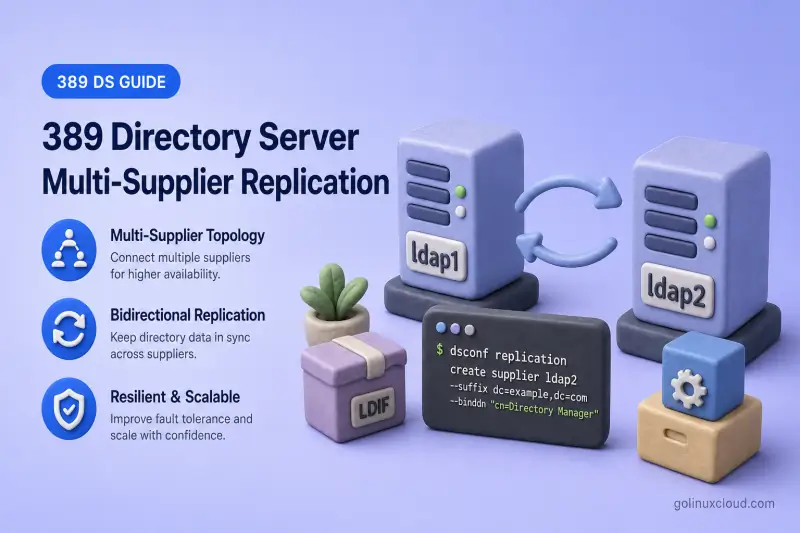
Multi-supplier replication lets two or more 389 Directory Server instances accept LDAP writes for the same suffix. Each supplier also receives updates from the other suppliers, so directory data stays convergent across the topology. Administrators still search for multi-master replication; that is the legacy name for what current documentation calls multi-supplier replication.
This guide walks through the full CLI setup for two writable suppliers: enable supplier roles, create directional agreements, initialize the new supplier from the authoritative host, verify bidirectional replication, and rehearse supplier failure. For replication roles, changelog behavior, and topology design, read 389 Directory Server replication first. For a single writable supplier with read-only consumers, use single-supplier replication instead.
Tested on: Rocky Linux 10.2; 389 Directory Server 3.2.0.
How multi-supplier replication works
In a multi-supplier topology, every supplier in the mesh can accept client writes for the replicated suffix. Each supplier records changes in its replication changelog and pushes them to remote replicas through replication agreements. Suppliers also receive updates from peer suppliers, so data converges across the topology. For topology patterns and when to choose multi-supplier over single-supplier or cascading designs, see 389 Directory Server replication.
Two writable suppliers require two directional agreements between ldap1.example.com and ldap2.example.com:
ldap1→ldap2(initializeldap2fromldap1)ldap2→ldap1(do not initializeldap1fromldap2)
Replication is asynchronous and eventually consistent. A write on one supplier may take a few seconds to appear on the other. Concurrent updates to the same entry can produce conflicts that Directory Server resolves automatically or flags for operator attention. For naming and orphan entry conflicts that need manual cleanup, see Solving common replication problems.
Multi-supplier replication improves directory write availability when one supplier is offline, but it does not redirect LDAP clients automatically. Applications still need multiple LDAP URIs, DNS failover, or a load balancer to switch servers.
Lab environment and prerequisites
Lab topology
This walkthrough adds a second writable supplier to an existing deployment where ldap1 already holds the authoritative data. Adjust hostnames, ports, and instance names to match your environment, but keep replica IDs unique across every supplier for the suffix.
| Item | ldap1 (existing supplier) |
ldap2 (new supplier) |
|---|---|---|
| Hostname | ldap1.example.com |
ldap2.example.com |
| Instance name | ldap1 |
ldap2 |
| LDAP port | 389 |
1389 |
| Replicated suffix | dc=example,dc=com |
dc=example,dc=com |
| Backend database | userroot (LMDB) |
userroot (LMDB) |
| Replica ID | 1 |
2 |
| Replication manager DN | cn=replication manager,cn=config |
cn=replication manager,cn=config |
| Outgoing agreement | ldap1-to-supplier2 |
supplier2-to-ldap1 |
Commands below use /root/dm.pw and /root/replmgr.pw, mode-600 password files on each host.
Preconfiguration checks
Confirm 389 Directory Server is installed on both hosts. On RPM-based Rocky Linux or RHEL-family systems:
rpm -q 389-ds-baseSample output:
389-ds-base-3.2.0-8.el10_2.x86_64On ldap1.example.com, confirm instance ldap1 is running:
dsctl ldap1 statusSample output:
Instance "ldap1" is runningOn ldap2.example.com, confirm instance ldap2 is running:
dsctl ldap2 statusSample output:
Instance "ldap2" is runningCheck that each host resolves the other by hostname. Agreements store hostnames, and TLS validation depends on consistent naming.
getent hosts ldap1.example.com ldap2.example.comSample output:
192.168.56.108  ldap1.example.com
192.168.56.109  ldap2.example.com ldap2
Replication ordering relies on synchronized clocks. Compare time on both servers before you proceed.
timedatectl status | head -3Sample output:
Local time: Sun 2026-07-19 13:00:38 IST
           Universal time: Sun 2026-07-19 07:30:38 UTC
                 RTC time: Sun 2026-07-19 07:30:38
Confirm the LDAP port on ldap2 is reachable from ldap1:
nc -zv ldap2.example.com 1389Sample output:
Ncat: Connected to ldap2.example.com:1389.Confirm the LDAP port on ldap1 is reachable from ldap2:
nc -zv ldap1.example.com 389Sample output:
Ncat: Connected to ldap1.example.com:389.Verify the suffix exists on both instances:
dsconf -y /root/dm.pw ldap1 backend suffix listSample output:
dc=example,dc=com (userroot)dsconf -y /root/dm.pw ldap2 backend suffix listSample output:
dc=example,dc=com (userroot)Confirm a container exists for the LDAP test entries used later in this guide. The examples below use ou=People,dc=example,dc=com. On ldap1, search for that organizational unit:
ldapsearch -LLL -x -H ldap://ldap1.example.com:389 -D "cn=Directory Manager" -y /root/dm.pw -b "ou=People,dc=example,dc=com" -s base dnSample output:
dn: ou=People,dc=example,dc=comIf the search returns No such object (32), create the OU, choose an existing container, or change every test entry DN in the verification sections to match your tree.
Before you initialize, back up any existing data on ldap2. Online initialization replaces directory content under the replicated suffix with a copy from ldap1. It does not copy every local cn=config setting. Align TLS, indexes, search limits, logging, and replication-relevant plug-in configuration separately on each supplier. If the agreement will use LDAPS or StartTLS, configure TLS on both instances first. Take a current backup of ldap1 as well; replicated mistakes propagate to every supplier.
Enable the supplier role on both servers
Every writable supplier needs a unique replica ID between 1 and 65534 for the suffix. Duplicate IDs break replication metadata and make RUV inspection unreliable.
Enable replication on the new supplier
Run these steps on ldap2.example.com against instance ldap2.
Create the replication manager password file if it does not already exist:
umask 077
read -rsp 'Replication manager password: ' REPL_PASSWORD
echo
printf '%s' "$REPL_PASSWORD" > /root/replmgr.pw
unset REPL_PASSWORD
chmod 600 /root/replmgr.pw
Enable the supplier role on the suffix with replica ID 2. The command creates the replication manager entry when you pass --bind-dn and --bind-passwd-file.
dsconf -y /root/dm.pw ldap2 replication enable --suffix "dc=example,dc=com" --role supplier --replica-id 2 --bind-dn "cn=replication manager,cn=config" --bind-passwd-file /root/replmgr.pwSample output:
Replication successfully enabled for "dc=example,dc=com"The replication manager bind DN is the identity the peer supplier uses when it connects during replication. Protect the password file; each agreement stores encrypted credentials for the remote bind.
Enable replication on the existing supplier
On ldap1.example.com, enable the supplier role if it is not already configured from an earlier single-supplier deployment:
dsconf -y /root/dm.pw ldap1 replication enable --suffix "dc=example,dc=com" --role supplier --replica-id 1Sample output:
Replication successfully enabled for "dc=example,dc=com"If ldap1 already replicates to read-only consumers, it may already be a supplier with replica ID 1. In that case, verify the existing configuration instead of re-running enable.
Ensure ldap1 accepts incoming replication from ldap2. Check whether the replication manager entry already exists before you create it. In 389 Directory Server 3.2.0, replication create-manager deletes and recreates an existing manager, which resets its password and can break agreements that still store the old credential.
ldapsearch -LLL -x -H ldap://ldap1.example.com:389 -D "cn=Directory Manager" -y /root/dm.pw -b "cn=replication manager,cn=config" -s base dnWhen the manager is missing, ldapsearch returns No such object (32). Create it only in that case:
dsconf -y /root/dm.pw ldap1 replication create-manager --name "replication manager" --bind-passwd-file /root/replmgr.pw --suffix "dc=example,dc=com"Sample output:
Successfully created replication manager: cn=replication manager,cn=configDo not run replication create-manager against an existing manager unless you intend to rotate the password and update every agreement that binds with the old credential.
Verify both supplier roles
On ldap1, read the replica settings:
dsconf -y /root/dm.pw ldap1 replication get --suffix "dc=example,dc=com"Sample output (trimmed):
dn: cn=replica,cn=dc\3Dexample\2Cdc\3Dcom,cn=mapping tree,cn=config
cn: replica
nsDS5ReplicaBindDN: cn=Replication Manager
nsDS5ReplicaBindDN: cn=replication manager,cn=config
nsDS5ReplicaId: 1
nsDS5ReplicaRoot: dc=example,dc=com
nsDS5ReplicaType: 3
ldap1 may list more than one nsDS5ReplicaBindDN when the replication manager was created at different times. The important fields are replica ID 1 and supplier type 3.
On ldap2, confirm replica ID 2 and the supplier role:
dsconf -y /root/dm.pw ldap2 replication get --suffix "dc=example,dc=com"Sample output (trimmed):
dn: cn=replica,cn=dc\3Dexample\2Cdc\3Dcom,cn=mapping tree,cn=config
cn: replica
nsDS5ReplicaBindDN: cn=replication manager,cn=config
nsDS5ReplicaId: 2
nsDS5ReplicaRoot: dc=example,dc=com
nsDS5ReplicaType: 3
nsDS5ReplicaType: 3 identifies a writable supplier. Record each replica ID in your topology documentation before you add more suppliers.
Create the first agreement and initialize ldap2
Initialize only the new or empty supplier from the host that already holds authoritative data. Never initialize a populated supplier from an empty peer.
Create the ldap1-to-ldap2 agreement
On ldap1.example.com, create a password file that matches the replication manager password configured on ldap2:
umask 077
read -rsp 'Replication manager password (same as ldap2): ' REPL_PASSWORD
echo
printf '%s' "$REPL_PASSWORD" > /root/ldap2-repl.pw
unset REPL_PASSWORD
chmod 600 /root/ldap2-repl.pw
Create the agreement that points from ldap1 to ldap2:
dsconf -y /root/dm.pw ldap1 repl-agmt create ldap1-to-supplier2 --suffix "dc=example,dc=com" --host ldap2.example.com --port 1389 --conn-protocol LDAP --bind-method SIMPLE --bind-dn "cn=replication manager,cn=config" --bind-passwd-file /root/ldap2-repl.pwSample output:
Successfully created replication agreement "ldap1-to-supplier2"Inspect the agreement before you initialize:
dsconf -y /root/dm.pw ldap1 repl-agmt get --suffix "dc=example,dc=com" ldap1-to-supplier2Sample output (trimmed):
cn: ldap1-to-supplier2
nsDS5ReplicaHost: ldap2.example.com
nsDS5ReplicaPort: 1389
nsDS5ReplicaTransportInfo: LDAP
nsDS5ReplicaBindDN: cn=replication manager,cn=config
nsDS5ReplicaBindMethod: simple
nsds5ReplicaEnabled: on
Confirm the hostname, port, protocol, bind method, and enabled state match your plan.
Initialize ldap2 from ldap1
Run initialization from the supplier that owns the agreement and holds the authoritative dataset:
dsconf -y /root/dm.pw ldap1 repl-agmt init --suffix "dc=example,dc=com" ldap1-to-supplier2Sample output:
Agreement initialization started...Poll initialization until the task completes. Large directories take much longer than a small lab suffix.
dsconf -y /root/dm.pw ldap1 repl-agmt init-status --suffix "dc=example,dc=com" ldap1-to-supplier2Sample output when initialization finishes:
Agreement successfully initialized.Initialization copies suffix data and replication metadata from ldap1 to ldap2. Existing data under the suffix on ldap2 is replaced.
ldap1 supplier from an empty or uninitialized ldap2 server. Initializing in the wrong direction can replace the authoritative database with an empty or incorrect dataset.
For offline initialization, timeout tuning, and reinitialization, see initialize and reinitialize replicas.
Verify initialization
Compare entry counts on both suppliers after initialization completes:
ldapsearch -LLL -x -H ldap://ldap1.example.com:389 -D "cn=Directory Manager" -y /root/dm.pw -b "dc=example,dc=com" -s sub "(objectclass=*)" dn | grep -c "^dn:"Sample output:
769ldapsearch -LLL -x -H ldap://ldap2.example.com:1389 -D "cn=Directory Manager" -y /root/dm.pw -b "dc=example,dc=com" -s sub "(objectclass=*)" dn | grep -c "^dn:"Sample output:
769Matching counts provide a quick initialization sanity check, but they do not prove that every entry and attribute is identical. For a stronger comparison after initialization, run ds-replcheck online from a host that can reach both suppliers. Red Hat recommends it for finding missing or inconsistent entries between replicas. See Comparing two Directory Server instances.
/root/dm.pw must contain credentials valid on both suppliers. ds-replcheck uses the same bind DN and password for both connections.
ds-replcheck online -D "cn=Directory Manager" -y /root/dm.pw -m ldap://ldap1.example.com:389 -r ldap://ldap2.example.com:1389 -b "dc=example,dc=com"Sample output (trimmed):
Result
=====================================================

No replication differences between Supplier and Replica
The exact entry count depends on your directory data. Wait for initialization to finish before you create the reverse agreement.
Create the reverse ldap2-to-ldap1 agreement
The reverse agreement lets changes written on ldap2 flow back to ldap1. Do not run repl-agmt init on this agreement.
Create the reverse agreement
On ldap2.example.com, create a password file for the replication manager password configured on ldap1:
umask 077
read -rsp 'Replication manager password (same as ldap1): ' REPL_PASSWORD
echo
printf '%s' "$REPL_PASSWORD" > /root/ldap1-repl.pw
unset REPL_PASSWORD
chmod 600 /root/ldap1-repl.pw
Create the agreement that points from ldap2 to ldap1:
dsconf -y /root/dm.pw ldap2 repl-agmt create supplier2-to-ldap1 --suffix "dc=example,dc=com" --host ldap1.example.com --port 389 --conn-protocol LDAP --bind-method SIMPLE --bind-dn "cn=replication manager,cn=config" --bind-passwd-file /root/ldap1-repl.pwSample output:
Successfully created replication agreement "supplier2-to-ldap1"No initialization step follows. ldap1 already contains the authoritative data and replication state from the first agreement.
Verify both agreements
List agreements on ldap1:
dsconf -y /root/dm.pw ldap1 repl-agmt list --suffix "dc=example,dc=com"Confirm ldap1-to-supplier2 appears in the list. If this host also runs other replication labs, ignore unrelated agreement names and focus on the multi-supplier pair.
List agreements on ldap2:
dsconf -y /root/dm.pw ldap2 repl-agmt list --suffix "dc=example,dc=com"Sample output (trimmed):
dn: cn=supplier2-to-ldap1,cn=replica,cn=dc\3Dexample\2Cdc\3Dcom,cn=mapping tree,cn=config
cn: supplier2-to-ldap1
The topology now contains ldap1 → ldap2 and ldap2 → ldap1.
Check replication status
On ldap1, check the outbound agreement to ldap2:
dsconf -y /root/dm.pw ldap1 repl-agmt status --suffix "dc=example,dc=com" ldap1-to-supplier2Sample output (trimmed):
Status For Agreement: "ldap1-to-supplier2" (ldap2.example.com:1389)
Replica Enabled: on
Last Update Status: Error (0) Replica acquired successfully: Incremental update succeeded
Last Init Status: Error (0) Total update succeeded
Replication Status: In Synchronization
Replication Lag Time: 00:00:00
On ldap2, check the outbound agreement to ldap1:
dsconf -y /root/dm.pw ldap2 repl-agmt status --suffix "dc=example,dc=com" supplier2-to-ldap1Sample output (trimmed):
Status For Agreement: "supplier2-to-ldap1" (ldap1.example.com:389)
Replica Enabled: on
Last Update Status: Error (0) Replica acquired successfully: Incremental update succeeded
Last Init Status: unavailable
Replication Status: Not in Synchronization: supplier (6a5d364b000000020000) consumer (Unavailable) State (green) Reason (error (0) replica acquired successfully: incremental update succeeded)
Replication Lag Time: unavailable
The Error (0) prefix is normal in agreement status fields; read the message after it. On the first agreement (ldap1 → ldap2), Replication Status: In Synchronization with zero lag is the expected healthy state after initialization.
On the reverse agreement (ldap2 → ldap1), expect a different pattern. consumer (Unavailable) means dsconf could not retrieve a comparable maximum CSN from the agreement target. This can occur when the target has not yet recorded an update from that replica ID or when the status command cannot query the target RUV with the supplied credentials. It does not, by itself, prove either success or failure. Last Update Status ending in Incremental update succeeded and State (green) show that the latest update session succeeded; verify actual convergence with LDAP searches or ds-replcheck.
Last Init Status: unavailable on the reverse agreement is also expected because you did not initialize ldap1 from ldap2. Do not re-run repl-agmt init on the populated supplier to chase an In Synchronization label on the return path.
Verify bidirectional replication
The LDAP client tests below use plain LDAP only for the isolated lab. Use LDAPS or StartTLS outside a trusted disposable network.
Write on ldap1 and verify on ldap2
Add a marker entry on ldap1:
ldapadd -x -H ldap://ldap1.example.com:389 -D "cn=Directory Manager" -y /root/dm.pw <<'EOF'
dn: cn=ms-repl-ldap1,ou=People,dc=example,dc=com
objectClass: top
objectClass: person
cn: ms-repl-ldap1
sn: ldap1write
description: multi-supplier write from ldap1
EOF
Sample output:
adding new entry "cn=ms-repl-ldap1,ou=People,dc=example,dc=com"Search for the entry on ldap2. Replication is asynchronous; wait a few seconds if the entry is not visible immediately.
ldapsearch -LLL -x -H ldap://ldap2.example.com:1389 -D "cn=Directory Manager" -y /root/dm.pw -b "cn=ms-repl-ldap1,ou=People,dc=example,dc=com" -s base cn descriptionSample output:
dn: cn=ms-repl-ldap1,ou=People,dc=example,dc=com
cn: ms-repl-ldap1
description: multi-supplier write from ldap1
Modify the entry on ldap1:
ldapmodify -x -H ldap://ldap1.example.com:389 -D "cn=Directory Manager" -y /root/dm.pw <<'EOF'
dn: cn=ms-repl-ldap1,ou=People,dc=example,dc=com
changetype: modify
replace: description
description: modified on ldap1
EOF
Sample output:
modifying entry "cn=ms-repl-ldap1,ou=People,dc=example,dc=com"Confirm the change on ldap2:
ldapsearch -LLL -x -H ldap://ldap2.example.com:1389 -D "cn=Directory Manager" -y /root/dm.pw -b "cn=ms-repl-ldap1,ou=People,dc=example,dc=com" -s base descriptionSample output (trimmed):
description: modified on ldap1Write on ldap2 and verify on ldap1
Add a different marker entry on ldap2:
ldapadd -x -H ldap://ldap2.example.com:1389 -D "cn=Directory Manager" -y /root/dm.pw <<'EOF'
dn: cn=ms-repl-ldap2,ou=People,dc=example,dc=com
objectClass: top
objectClass: person
cn: ms-repl-ldap2
sn: ldap2write
description: multi-supplier write from ldap2
EOF
Sample output:
adding new entry "cn=ms-repl-ldap2,ou=People,dc=example,dc=com"Search for the entry on ldap1:
ldapsearch -LLL -x -H ldap://ldap1.example.com:389 -D "cn=Directory Manager" -y /root/dm.pw -b "cn=ms-repl-ldap2,ou=People,dc=example,dc=com" -s base cn descriptionSample output:
dn: cn=ms-repl-ldap2,ou=People,dc=example,dc=com
cn: ms-repl-ldap2
description: multi-supplier write from ldap2
Delete the entry on ldap2:
ldapdelete -x -H ldap://ldap2.example.com:1389 -D "cn=Directory Manager" -y /root/dm.pw "cn=ms-repl-ldap2,ou=People,dc=example,dc=com"A successful ldapdelete command exits without output.
Confirm the entry is gone on ldap1 by searching from the parent container:
ldapsearch -LLL -x -H ldap://ldap1.example.com:389 -D "cn=Directory Manager" -y /root/dm.pw -b "ou=People,dc=example,dc=com" -s one "(cn=ms-repl-ldap2)" dn | grep -c "^dn:"Sample output:
0Test near-simultaneous non-conflicting writes
Create different entries on both suppliers at approximately the same time. Each supplier originates a distinct DN, so no naming conflict occurs.
On ldap1:
ldapadd -x -H ldap://ldap1.example.com:389 -D "cn=Directory Manager" -y /root/dm.pw <<'EOF'
dn: cn=ms-concurrent-a,ou=People,dc=example,dc=com
objectClass: top
objectClass: person
cn: ms-concurrent-a
sn: concurrentA
EOF
On ldap2:
ldapadd -x -H ldap://ldap2.example.com:1389 -D "cn=Directory Manager" -y /root/dm.pw <<'EOF'
dn: cn=ms-concurrent-b,ou=People,dc=example,dc=com
objectClass: top
objectClass: person
cn: ms-concurrent-b
sn: concurrentB
EOF
After a short wait, confirm both entries exist on each supplier:
ldapsearch -LLL -x -H ldap://ldap1.example.com:389 -D "cn=Directory Manager" -y /root/dm.pw -b "ou=People,dc=example,dc=com" "(cn=ms-concurrent-*)" cnSample output:
dn: cn=ms-concurrent-a,ou=People,dc=example,dc=com
cn: ms-concurrent-a

dn: cn=ms-concurrent-b,ou=People,dc=example,dc=com
cn: ms-concurrent-b
Run the same search on ldap2:
ldapsearch -LLL -x -H ldap://ldap2.example.com:1389 -D "cn=Directory Manager" -y /root/dm.pw -b "ou=People,dc=example,dc=com" "(cn=ms-concurrent-*)" cnSample output:
dn: cn=ms-concurrent-a,ou=People,dc=example,dc=com
cn: ms-concurrent-a

dn: cn=ms-concurrent-b,ou=People,dc=example,dc=com
cn: ms-concurrent-b
Deliberately creating naming conflicts on the same DN is out of scope here. For manual conflict handling, see Solving common replication problems.
Test supplier failure and recovery
Replication keeps directory data available on the surviving supplier, but clients must be configured to use it.
Stop ldap1 and write to ldap2
On ldap1.example.com, stop the instance:
dsctl ldap1 stopSample output:
Instance "ldap1" has been stoppedConfirm ldap1 is not running:
dsctl ldap1 statusSample output:
Instance "ldap1" is not runningOn ldap2, add an entry while ldap1 is offline:
ldapadd -x -H ldap://ldap2.example.com:1389 -D "cn=Directory Manager" -y /root/dm.pw <<'EOF'
dn: cn=ms-repl-ldap2-down,ou=People,dc=example,dc=com
objectClass: top
objectClass: person
cn: ms-repl-ldap2-down
sn: ldap2down
description: added while ldap1 stopped
EOF
Sample output:
adding new entry "cn=ms-repl-ldap2-down,ou=People,dc=example,dc=com"ldap2 continues accepting reads and writes because it is a writable supplier.
Start ldap1 and verify catch-up
Start ldap1 again:
dsctl ldap1 startSample output:
Instance "ldap1" has been startedAfter the instance is running, check the reverse agreement status on ldap2:
dsconf -y /root/dm.pw ldap2 repl-agmt status --suffix "dc=example,dc=com" supplier2-to-ldap1Sample output (trimmed):
Last Update Status: Error (0) Replica acquired successfully: Incremental update succeeded
Replication Status: Not in Synchronization: supplier (6a5d364b000000020000) consumer (Unavailable) State (green) Reason (error (0) replica acquired successfully: incremental update succeeded)
Replication Lag Time: unavailable
The reverse agreement may still show Not in Synchronization with consumer (Unavailable) after catch-up. Confirm recovery with the LDAP search below rather than the sync label alone.
Confirm the entry created during the outage appears on ldap1:
ldapsearch -LLL -x -H ldap://ldap1.example.com:389 -D "cn=Directory Manager" -y /root/dm.pw -b "cn=ms-repl-ldap2-down,ou=People,dc=example,dc=com" -s base descriptionSample output (trimmed):
dn: cn=ms-repl-ldap2-down,ou=People,dc=example,dc=com
description: added while ldap1 stopped
Test the opposite direction
On ldap2.example.com, stop the instance:
dsctl ldap2 stopSample output:
Instance "ldap2" has been stoppedConfirm ldap2 is not running:
dsctl ldap2 statusSample output:
Instance "ldap2" is not runningAdd an entry on ldap1 while ldap2 is offline:
ldapadd -x -H ldap://ldap1.example.com:389 -D "cn=Directory Manager" -y /root/dm.pw <<'EOF'
dn: cn=ms-repl-ldap1-down,ou=People,dc=example,dc=com
objectClass: top
objectClass: person
cn: ms-repl-ldap1-down
sn: ldap1down
description: added while ldap2 stopped
EOF
Sample output:
adding new entry "cn=ms-repl-ldap1-down,ou=People,dc=example,dc=com"Start ldap2 and wait for replication to catch up:
dsctl ldap2 startSample output:
Instance "ldap2" has been startedConfirm ldap2 is running:
dsctl ldap2 statusSample output:
Instance "ldap2" is runningOn ldap1, check the outbound agreement that pushes changes to ldap2:
dsconf -y /root/dm.pw ldap1 repl-agmt status --suffix "dc=example,dc=com" ldap1-to-supplier2Sample output (trimmed):
Last Update Status: Error (0) Replica acquired successfully: Incremental update succeeded
Replication Status: In Synchronization
Replication Lag Time: 00:00:00
Search for the entry on ldap2:
ldapsearch -LLL -x -H ldap://ldap2.example.com:1389 -D "cn=Directory Manager" -y /root/dm.pw -b "cn=ms-repl-ldap1-down,ou=People,dc=example,dc=com" -s base descriptionSample output:
dn: cn=ms-repl-ldap1-down,ou=People,dc=example,dc=com
description: added while ldap2 stopped
The ldap1-to-supplier2 agreement reports In Synchronization with zero lag once catch-up completes.
Clean up marker entries
Remove the test entries from either supplier after validation and outage tests. Deletes replicate to the peer supplier.
ldapdelete -x -H ldap://ldap1.example.com:389 -D "cn=Directory Manager" -y /root/dm.pw \
  "cn=ms-repl-ldap1,ou=People,dc=example,dc=com" \
  "cn=ms-repl-ldap1-down,ou=People,dc=example,dc=com" \
  "cn=ms-repl-ldap2-down,ou=People,dc=example,dc=com" \
  "cn=ms-concurrent-a,ou=People,dc=example,dc=com" \
  "cn=ms-concurrent-b,ou=People,dc=example,dc=com"
The command exits without output when all listed entries are deleted successfully.
Clarify client failover behavior
389 Directory Server replication keeps convergent data on both suppliers, but LDAP clients connect to one server at a time unless you configure multiple URIs or a load balancer. Plan application-level failover separately from directory replication.
Scale beyond two suppliers
Add a third supplier
To add another writable supplier:
- Assign a new replica ID not used by any other supplier for the suffix.
- Enable the supplier role on the new host.
- Initialize the new supplier from one healthy authoritative supplier only.
- Wait for initialization to finish before creating outgoing agreements from the new supplier.
- Verify data before allowing client writes on the new host.
Choose the agreement topology
A fully connected mesh with N suppliers requires N × (N − 1) directional agreements. Three fully connected suppliers need six agreements. More suppliers increase agreement count, conflict exposure, monitoring work, and operational complexity.
Partial-mesh designs reduce agreement count by routing updates through selected suppliers or hubs. When additional writable servers are unnecessary, add read-only consumers instead. Consult current version documentation for supported topology limits rather than assuming an older hardcoded maximum.
Common multi-supplier replication problems
| Symptom | Likely cause | Fix |
|---|---|---|
Reverse agreement shows Not in Synchronization with consumer (Unavailable) |
dsconf could not retrieve a comparable maximum CSN from the agreement target |
Check Last Update Status, State (green), LDAP searches, or ds-replcheck—not the sync label alone |
| Replication fails immediately after enable | Duplicate replica IDs | Run replication get on every supplier; assign unique IDs before re-enabling |
| Writes on one supplier never appear on the other | Reverse agreement missing or disabled | List agreements on both hosts; create or enable the return-direction agreement without initializing the populated supplier |
| Authoritative data replaced by empty suffix | Initialized populated supplier from empty peer | Restore from backup; reinitialize only the new supplier from the authoritative host |
| Suppliers report different generation IDs | Wrong initialization direction, restored backup from wrong host, or diverged replica state | Stop writes to the affected replica, back it up, identify the authoritative healthy supplier, account for any unique pending updates on the out-of-sync host, then reinitialize only the target replica from the healthy supplier |
| Authentication failure on agreement | Wrong replication manager password or bind DN | Compare repl-agmt get bind DN with replication get on the destination |
| Agreement disabled | Manual disable or import side effect | repl-agmt get; repl-agmt enable |
| TLS or hostname errors | Untrusted certificate or hostname mismatch | Align agreement hostname with certificate SAN and import CA trust — see certificate-based replication authentication |
| Large replication lag | WAN latency, heavy write load, or supplier offline | Check repl-agmt status lag fields; tune latency settings per RHDS guidance |
| Replica busy or monopolization messages | One supplier dominates update scheduling | Review RHDS monopolization guidance; balance write traffic |
| Plugin or schema differences | Incompatible configuration between suppliers | Align schema, indexes, and plug-ins before enabling replication |
| Supplier offline longer than changelog retention | Missing updates required for incremental sync | Reinitialize from a healthy supplier or use offline LDIF procedures |
For initialization failures and advanced monitoring, see Comparing two Directory Server instances and 389 Directory Server replication troubleshooting. For naming and orphan conflicts, see Solving common replication problems.
Production recommendations and next steps
- Use LDAPS or StartTLS for replication agreements; for certificate-based binds between suppliers, see certificate-based replication authentication.
- Keep system clocks synchronized on every supplier.
- Maintain compatible schema, indexes, and plug-in configuration across suppliers.
- Monitor both directional agreements and replication lag.
- Configure changelog retention for the maximum expected supplier outage.
- Keep independent backups because replicated mistakes reach every supplier.
- Test application-level failover separately from directory replication.
- Document every replica ID and directional agreement name.
- Rehearse simultaneous writes and supplier outages before production cutover.
- Define how administrators will handle naming and orphan conflicts — see Solving common replication problems.
- Avoid adding writable suppliers unless availability or geographic design requires them.
- Test rolling updates with one supplier offline at a time.
References
- Red Hat Directory Server 13: Configure multi-supplier replication using the command line
- Red Hat Directory Server 13: Initialize a consumer in a replication topology
- Red Hat Directory Server 13: Improve multi-supplier replication latency
- Red Hat Directory Server 13: Comparing two Directory Server instances
- Red Hat Directory Server 13: Solving common replication problems
- Red Hat Directory Server 13: Certificate-based multi-supplier replication
- Red Hat Directory Server 13: Prevent replica monopolization
- 389 Directory Server replication architecture
- 389 Directory Server replication troubleshooting
Summary
Multi-supplier replication in 389 Directory Server configures two or more writable suppliers for the same suffix with directional agreements between them. Enable the supplier role with a unique replica ID on each host, create the first agreement from the authoritative supplier, initialize only the new supplier, then add the reverse agreement without initializing the populated peer. Verify with agreement status, bidirectional LDAP write tests, supplier outage recovery, and ds-replcheck. On some agreements, consumer (Unavailable) in repl-agmt status does not prove failure by itself—confirm convergence with LDAP searches or ds-replcheck. Replication improves write availability but does not replace client failover configuration, independent backups, or conflict-handling procedures.
