
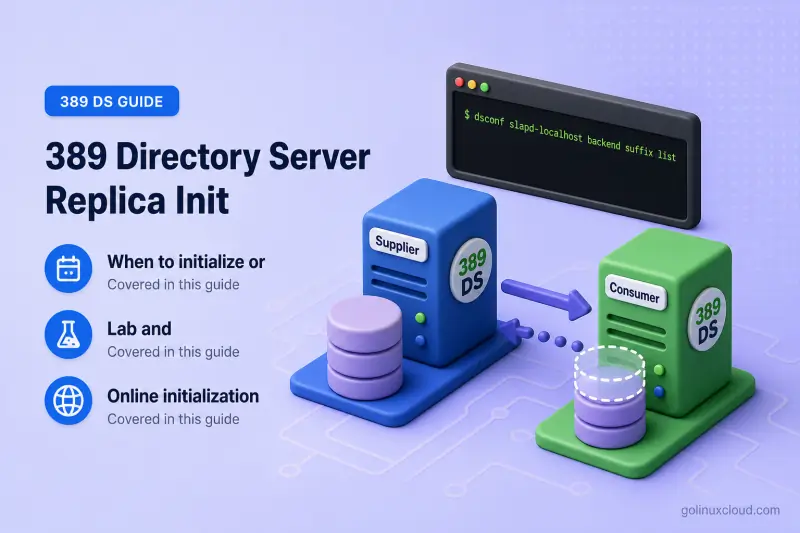
A replication agreement defines how one supplier reaches a destination. Initialization is the separate step that copies the suffix database and replication metadata so incremental updates can flow. Until initialization completes, the destination cannot catch up from the changelog.
This guide covers when to initialize or reinitialize, online and offline methods, monitoring with init-status, verification, timeout tuning, and rollback. For agreement lifecycle commands, see manage replication agreements. For consumer and supplier role setup, see single-supplier replication. To change roles on an already-initialized replica, see promote or demote a replica.
Tested on: Rocky Linux 10.2; 389 Directory Server 3.2.0.
When to initialize or reinitialize
Directory Server does not start incremental replication to a new destination until that replica has received a total update from an authoritative supplier. Red Hat documents that replication does not begin until the consumer is initialized.
| Scenario | Initialize? | Notes |
|---|---|---|
| New empty consumer or hub | Yes | Required before incremental updates |
| New supplier peer in multi-supplier (first agreement into empty suffix) | Yes | Initialize once from the authoritative supplier |
| Return agreement in multi-supplier (peer already populated) | No | Incremental replication begins or continues; do not run init on the return path |
| Required CSNs purged and no other supplier can provide them | Reinitialize | Catch-up from changelog alone is impossible |
| Supplier restored from backup; downstream replicas diverged | Reinitialize downstream | Valid only when that restored server was deliberately selected and its data was validated |
| Offline initialization from LDIF | Yes — replication-aware only | Export with db2ldif --replication and import with ldif2db; do not use an ordinary ldapsearch/ldapadd LDIF |
Initialization copies the current suffix contents and replication state from the supplier named in the agreement. After that total update, the supplier replays newer changes from its changelog during incremental sessions.
Do not run repl-agmt init when:
- The destination already holds authoritative directory data and another agreement initialized it — common when you add the return path in multi-supplier replication
- You only need to push pending incremental changes — use
repl-agmt pokeinstead - The destination is the writable supplier and the peer is catching up from it
- You have not confirmed hostname, port, protocol, and bind settings with
repl-agmt get
Initializing in the wrong direction can overwrite the destination suffix with stale or empty data. Last Init Status: unavailable on a reverse agreement in multi-supplier replication is expected when you never initialized the populated supplier from the peer.
Before you recommend reinitialization for generation ID or RUV mismatches, compare RUV output and agreement logs. A different generation ID more often indicates failed or incomplete initialization, the wrong topology, or unrelated replica generations than a single wrong supplier choice. See restore a replicated server for diagnosis workflows.
Lab and destructive-operation preflight
This walkthrough uses a disposable consumer instance named init-consumer on the same host as the supplier. Production deployments use separate hosts, LDAPS or StartTLS, and different ports — adjust --host, --port, and --conn-protocol accordingly.
| Item | Supplier (ldap1) |
Disposable consumer (init-consumer) |
|---|---|---|
| LDAP URL (lab) | ldap://127.0.0.1:389 |
ldap://127.0.0.1:21389 |
| Production pattern | ldaps://supplier.example.com:636 |
ldaps://consumer.example.com:636 |
| Backend | userroot |
userroot |
| Suffix | dc=example,dc=com |
dc=example,dc=com |
| Agreement | ldap1-to-init-consumer |
— |
Password files used in this lab:
| File | Purpose |
|---|---|
/root/dm.pw |
Directory Manager on the supplier (ldap1) |
/root/init-consumer-dm.pw |
Directory Manager on the disposable consumer |
/root/init-consumer-repl.pw |
Replication manager bind configured on the consumer |
Prepare the consumer role and replication manager on the destination before you create the agreement. Follow the consumer steps in single-supplier replication on the disposable instance only.
--host 127.0.0.1, --conn-protocol LDAP, and port 21389 because both instances run on one host. Do not point plaintext LDAP replication across a network. In production, use --conn-protocol LDAPS (or StartTLS), the consumer LDAPS port, and a hostname that matches the server certificate.
Total initialization and offline ldif2db are destructive on the destination suffix. Back up the consumer before you initialize, remove the destination from client traffic until verification finishes, and confirm you selected the authoritative supplier as the source.
Online initialization
Choose one creation path for the empty init-consumer. Do not run Method A and Method B against the same destination.
| Method | When to use |
|---|---|
Method A — create, then repl-agmt init |
Verify agreement settings before the total update, or schedule initialization in a maintenance window |
Method B — repl-agmt create … --init |
Single-step create and initialize on the same empty consumer (Red Hat single-supplier guide) |
The steps below follow Method A. Use Method B only as a replacement for Method A — not as a follow-on step.
Method A: Create the agreement
dsconf -y /root/dm.pw ldap1 repl-agmt create ldap1-to-init-consumer --suffix "dc=example,dc=com" --host 127.0.0.1 --port 21389 --conn-protocol LDAP --bind-method SIMPLE --bind-dn "cn=replication manager,cn=config" --bind-passwd-file /root/init-consumer-repl.pwSample output:
Successfully created replication agreement "ldap1-to-init-consumer"Immediately after creation, repl-agmt status may report a transient warning because the empty consumer has not been initialized yet. Error (18) Can't acquire replica is expected only in this pre-initialization window on an empty consumer — not a condition to ignore on populated replicas:
Last Update Status: Error (18) Can't acquire replica (Incremental update transient warning. Backing off, will retry update later.)Another pre-init pattern shows the agreement attempting an incremental session before a successful total update has been recorded:
Last Init Status: unavailable
Last Update Status: Error (0) Replica acquired successfully: Incremental update started
These messages are normal until total initialization succeeds. Do not treat them as a final failure while Last Init Status still shows no successful total update.
Method A: Run total initialization
Run initialization from the supplier that owns the agreement. Both instances stay online during an online init.
dsconf -y /root/dm.pw ldap1 repl-agmt init --suffix "dc=example,dc=com" ldap1-to-init-consumerSample output:
Agreement initialization started...Poll until the task completes. Large directories can take much longer than a lab suffix.
dsconf -y /root/dm.pw ldap1 repl-agmt init-status --suffix "dc=example,dc=com" ldap1-to-init-consumerSample output while the total update runs:
Agreement initialization in progress.The first poll immediately after repl-agmt init may return Unknown before the task entry appears. Wait a few seconds and poll again.
Sample output when initialization finishes:
Agreement successfully initialized.In this lab, initialization completed in under ten seconds after four polls.
Monitor and verify
Check agreement status from the supplier. Pass credentials the destination accepts:
dsconf -y /root/dm.pw ldap1 repl-agmt status --suffix "dc=example,dc=com" --bind-dn "cn=replication manager,cn=config" --bind-passwd-file /root/init-consumer-repl.pw ldap1-to-init-consumerSample output (trimmed):
Status For Agreement: "ldap1-to-init-consumer" (127.0.0.1:21389)
Replica Enabled: on
Update In Progress: FALSE
Last Init Status: Error (0) Total update succeeded
Last Update Status: Error (0) Replica acquired successfully: Incremental update succeeded
Replication Status: Not in Synchronization: supplier (6a5d7d34000000010000) consumer (Unavailable) State (green) Reason (error (0) replica acquired successfully: incremental update succeeded)
The Error (0) prefix is normal in Directory Server status fields — read the text after the code. Last Init Status: ... Total update succeeded proves the total update completed. consumer (Unavailable) in Replication Status means this status call could not obtain the destination RUV, so this line alone does not demonstrate convergence. A successful incremental session with zero pending changes also does not prove a new write replicated.
Confirm baseline data copied during initialization:
ldapsearch -LLL -x -H ldap://127.0.0.1:21389 -D "cn=Directory Manager" -y /root/init-consumer-dm.pw -b "ou=People,dc=example,dc=com" "(uid=user*)" uid cnSample output (trimmed):
dn: uid=user1,ou=people,dc=example,dc=com
uid: user1
cn: User One

dn: uid=user2,ou=people,dc=example,dc=com
uid: user2
cn: User Two
Prove incremental replication with a disposable modification on the supplier, a poke, and a read on the consumer:
ldapmodify -x -H ldap://127.0.0.1:389 -D "cn=Directory Manager" -y /root/dm.pw <<'EOF'
dn: uid=user1,ou=People,dc=example,dc=com
changetype: modify
add: description
description: replica-init-check
EOF
Sample output:
modifying entry "uid=user1,ou=People,dc=example,dc=com"repl-agmt poke requests an immediate replication attempt. Continuous replication should process the change automatically, but poke is useful in a lab when you do not want to wait for the next automatic attempt or retry.
dsconf -y /root/dm.pw ldap1 repl-agmt poke --suffix "dc=example,dc=com" ldap1-to-init-consumerldapsearch -LLL -x -H ldap://127.0.0.1:21389 -D "cn=Directory Manager" -y /root/init-consumer-dm.pw -b "uid=user1,ou=People,dc=example,dc=com" -s base descriptionSample output:
dn: uid=user1,ou=people,dc=example,dc=com
description: replica-init-check
Remove the test attribute afterward if you keep the consumer in the lab:
ldapmodify -x -H ldap://127.0.0.1:389 -D "cn=Directory Manager" -y /root/dm.pw <<'EOF'
dn: uid=user1,ou=People,dc=example,dc=com
changetype: modify
delete: description
description: replica-init-check
EOF
Sample output:
modifying entry "uid=user1,ou=People,dc=example,dc=com"Method B: Create with --init (alternative only)
If you choose Method B, run this command instead of the Method A create and repl-agmt init steps against the original empty init-consumer. If you already completed Method A, skip this subsection.
Use the same agreement name:
dsconf -y /root/dm.pw ldap1 repl-agmt create ldap1-to-init-consumer --suffix "dc=example,dc=com" --host 127.0.0.1 --port 21389 --conn-protocol LDAP --bind-method SIMPLE --bind-dn "cn=replication manager,cn=config" --bind-passwd-file /root/init-consumer-repl.pw --initSample output:
Successfully created replication agreement "ldap1-to-init-consumer"
Agreement initialization in progress.
Poll init-status the same way as Method A until you see Agreement successfully initialized.
Reinitialize safely
Reinitialization runs another total update over an existing agreement. Directory Server does not print a separate CLI warning — the command output matches a first-time init:
dsconf -y /root/dm.pw ldap1 repl-agmt init --suffix "dc=example,dc=com" ldap1-to-init-consumerPoll init-status until you see Agreement successfully initialized. again, then confirm:
Last Init Status: Error (0) Total update succeededReinitialize only after you diagnose RUV and changelog state when required CSNs are unavailable from every usable source. Do not reinitialize under normal steady-state replication.
Initialization order in multi-supplier and cascading topologies
In cascading replication, initialize from upstream to downstream:
- Initialize the hub from the authoritative supplier
- Initialize each consumer from its direct upstream replica (hub or supplier)
Do not initialize downstream replicas before their upstream source holds the data you expect.
In multi-supplier replication, initialize each new empty peer once from the supplier that currently holds authoritative data. Add the return agreement afterward without running init on the populated peer.
Offline initialization
Offline initialization is an alternative to running repl-agmt init, not a follow-on step. Configure the consumer role and create the agreement first, but skip the online total-update command.
When online initialization times out, the database is very large, or many replicas need the same baseline at once, export replication-aware LDIF from the supplier and import it offline on the consumer.
Export from the supplier
Stop the supplier instance and export the backend that holds the suffix (userroot in this lab):
dsctl ldap1 stopdsctl ldap1 db2ldif --replication userroot /var/lib/dirsrv/slapd-ldap1/ldif/replica-init.ldifSample output:
ldiffile: /var/lib/dirsrv/slapd-ldap1/ldif/replica-init.ldif
db2ldif successful
Start the supplier again:
dsctl ldap1 startSample output:
Instance "ldap1" has been startedImport on the consumer
ldif2db removes the existing destination database before it imports the LDIF. A failed import can leave the consumer empty or partially populated. Back up the consumer first, remove it from client traffic, and confirm the suffix and schema on the destination can accept the source data.
On a single host, copy the file locally. In production, use SCP, SFTP, or another encrypted transfer method; do not transfer the LDIF over an unencrypted protocol.
Prepare the import on the consumer in one sequence:
cp /var/lib/dirsrv/slapd-ldap1/ldif/replica-init.ldif /var/lib/dirsrv/slapd-init-consumer/ldif/replica-init.ldif
chown dirsrv:dirsrv /var/lib/dirsrv/slapd-init-consumer/ldif/replica-init.ldif
chmod 600 /var/lib/dirsrv/slapd-init-consumer/ldif/replica-init.ldif
restorecon -v /var/lib/dirsrv/slapd-init-consumer/ldif/replica-init.ldif
dsctl init-consumer stop
dsctl init-consumer ldif2db userroot /var/lib/dirsrv/slapd-init-consumer/ldif/replica-init.ldif
Sample output when the import completes cleanly:
ldif2db successfulDirectory Server may instead report ldif2db successful with skipped entries. Review /var/log/dirsrv/slapd-init-consumer/errors and do not accept the imported replica as healthy until you have resolved every skipped entry.
Start the consumer and confirm it answers LDAP:
dsctl init-consumer startldapsearch -LLL -x -H ldap://127.0.0.1:21389 -D "cn=Directory Manager" -y /root/init-consumer-dm.pw -b "" -s base namingContextsSample output:
dn:
namingContexts: dc=example,dc=com
Because the replication agreement must already exist, check its initialization state and status after starting the consumer:
dsconf -y /root/dm.pw ldap1 repl-agmt init-status --suffix "dc=example,dc=com" ldap1-to-init-consumerSample output:
Agreement successfully initialized.dsconf -y /root/dm.pw ldap1 repl-agmt status --suffix "dc=example,dc=com" --bind-dn "cn=replication manager,cn=config" --bind-passwd-file /root/init-consumer-repl.pw ldap1-to-init-consumerRun the same incremental modify-and-search test from the online verification section. The detailed file-transfer and convergence checks in restore a replicated server apply to production offline initialization as well.
Ordinary ldapsearch LDIF export does not preserve the replication metadata required for a replica. Always use db2ldif --replication for offline replica baselines. The ldif2db command does not take a --replication flag — replication metadata travels inside the exported LDIF.
Timeouts and common problems
Large total updates can fail when idle timeouts close the replication connection before the copy finishes. Red Hat documents two levers:
| Setting | Scope | Where to apply |
|---|---|---|
nsslapd-idletimeout |
Global idle timeout on the instance | Supplier |
nsIdleTimeout |
Per replication manager entry | Destination instance where the replication manager authenticates |
Check the global idle timeout on the supplier:
dsconf -y /root/dm.pw ldap1 config get nsslapd-idletimeoutSample output:
nsslapd-idletimeout: 3600Raise the global idle timeout for a long total update:
dsconf -y /root/dm.pw ldap1 config replace nsslapd-idletimeout=7200Sample output:
Successfully replaced value(s) for 'nsslapd-idletimeout': '7200'Restore the previous value after initialization completes. During a controlled maintenance window you can set nsslapd-idletimeout=0 (unlimited) instead, then restore the original value when the copy finishes.
To scope the change to replication binds on the consumer, query the replication manager entry first and record whether nsIdleTimeout is already present:
ldapsearch -LLL -x -H ldap://127.0.0.1:21389 -D "cn=Directory Manager" -y /root/init-consumer-dm.pw -b "cn=replication manager,cn=config" -s base nsIdleTimeoutSample output when the attribute is absent:
dn: cn=replication manager,cn=configWhen nsIdleTimeout was originally absent, add it for initialization and delete it afterward:
ldapmodify -x -H ldap://127.0.0.1:21389 -D "cn=Directory Manager" -y /root/init-consumer-dm.pw <<'EOF'
dn: cn=replication manager,cn=config
changetype: modify
add: nsIdleTimeout
nsIdleTimeout: 0
EOF
Sample output:
modifying entry "cn=replication manager,cn=config"ldapmodify -x -H ldap://127.0.0.1:21389 -D "cn=Directory Manager" -y /root/init-consumer-dm.pw <<'EOF'
dn: cn=replication manager,cn=config
changetype: modify
delete: nsIdleTimeout
EOFSample output:
modifying entry "cn=replication manager,cn=config"If nsIdleTimeout already existed, use replace with a higher value (or 0 during a maintenance window) and restore its original value when initialization finishes — do not delete a pre-existing policy.
| Symptom | Likely cause | Fix |
|---|---|---|
Error (18) right after agreement create on empty consumer |
Total init not run yet | Run repl-agmt init; poll init-status |
init-status stuck in progress |
Large database, slow network, or timeout | Increase nsslapd-idletimeout or nsIdleTimeout; check errors log |
| Init fails with bind error 49 | Replication manager password mismatch | Align --bind-passwd-file with the consumer replication enable password |
| Consumer empty after "success" | Wrong agreement target/suffix, empty source suffix, or incorrect verification base/filter | Verify repl-agmt get, supplier suffix contents, and search base/filter |
| Generation ID or RUV mismatch | Failed init, wrong topology, or stale replica | Diagnose with RUV and logs before rebuilding; see restore a replicated server |
Offline ldif2db skips entries |
Schema or duplicate DN mismatch | Fix errors log findings; re-export and re-import |
Could not find backend on ldif2db |
Wrong backend name for the instance | Use the name from dsconf backend suffix list on the consumer |
| Incremental works but data is old | Reinitialized from stale supplier | Stop writes; pick validated authoritative supplier |
Rollback and cleanup
Before you initialize:
- Identify the authoritative supplier for the suffix
- Back up the destination if it holds any data worth keeping
- Record agreement settings with
repl-agmt get - Remove the destination from client traffic until initialization and verification finish
If initialization fails mid-run, remove the destination from client rotation, preserve logs from both instances (/var/log/dirsrv/slapd-*/errors), correct the cause, and reinitialize from the confirmed authoritative supplier. The destination can contain incomplete data and should stay out of client traffic until initialization and verification finish.
Delete disposable test agreements when validation finishes:
dsconf -y /root/dm.pw ldap1 repl-agmt delete --suffix "dc=example,dc=com" ldap1-to-init-consumerReferences
- Red Hat Directory Server 13: Initializing a consumer in a replication topology
- Red Hat Directory Server 13: Single-supplier replication using the command line
- Red Hat Directory Server 13: Exporting and importing data
- 389 Directory Server: Replication agreement status errors (supplementary)
Summary
Replication agreements define connectivity; initialization copies suffix data and replica metadata so incremental updates can start. Choose Method A (create, then repl-agmt init) or Method B (create --init) as a replacement for Method A on the same empty consumer — not both. Poll init-status until Agreement successfully initialized, confirm Last Init Status: ... Total update succeeded, prove replication with a supplier write and consumer read, and use db2ldif --replication plus ldif2db for large offline baselines with backup and restorecon before import.
