
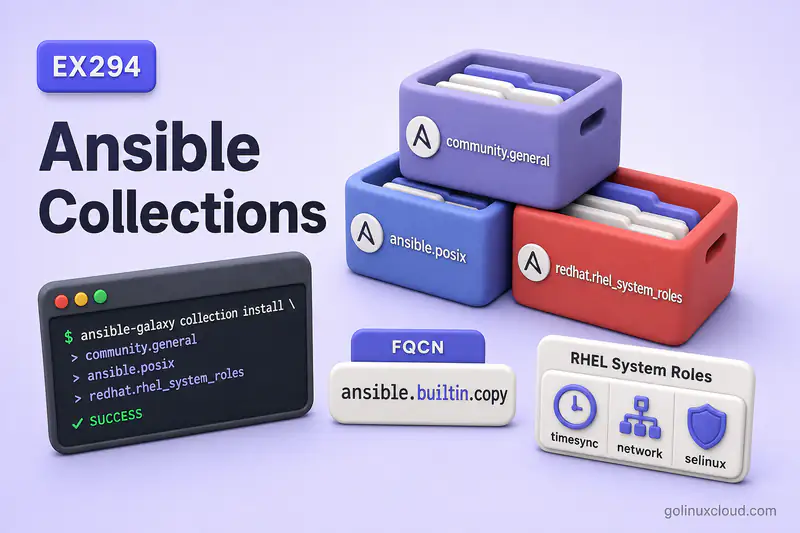
Standalone Galaxy roles live under roles/ and are installed with ansible-galaxy role install. Collections are the modern packaging format: modules, plugins, roles, and docs grouped under a namespace such as ansible.posix or redhat.rhel_system_roles. RHEL System Roles provide Red Hat-supported automation for time sync, networking, SELinux, storage, firewall, and other system configuration on RHEL—and the same collection is often packaged on Rocky Linux for lab and automation use.
Tested on: Rocky Linux 10.2 (Red Quartz); kernel 6.12.0-211.16.1.el10_2.0.1.x86_64; ansible-core 2.16.16;
redhat.rhel_system_roles1.120.5 (fromrhel-system-rolesRPM).
redhat.rhel_system_roles is Red Hat's supported collection for RHEL. Rocky Linux and AlmaLinux often package the same or closely related content as the rhel-system-roles RPM, but Red Hat support and release cadence apply to RHEL subscriptions—not necessarily to every Rocky minor release. Before you rely on a role in production, run dnf provides '*/redhat/rhel_system_roles' or ansible-galaxy collection list redhat.rhel_system_roles on your control node and pin the version in requirements.yml.
~/ansible-project, inventory group lab, and playbooks in playbooks/. Use your own host names and paths if yours differ.
| Feature | Role | Collection |
|---|---|---|
| Main purpose | Reusable automation structure | Package and distribute Ansible content |
| Can contain tasks | Yes | Yes, through roles and playbooks |
| Can contain modules/plugins | No (not normally) | Yes |
| Has namespace | No | Yes (namespace.collection) |
| Installed with Galaxy | ansible-galaxy role install |
ansible-galaxy collection install |
| Example | roles/webserver |
community.general, ansible.posix, redhat.rhel_system_roles |
What are Ansible Collections?
A collection is a content bundle identified by namespace.collection—for example ansible.posix or community.crypto. Inside you may find:
- Modules and plugins under
plugins/ - Roles under
roles/ - Playbooks under
playbooks/ - Documentation under
docs/ - Metadata in
galaxy.yml/MANIFEST.json
Galaxy and Automation Hub publish collections as versioned artifacts. After install, Ansible searches collections_path and resolves content by FQCN—set that path in ansible.cfg when collections live beside the project. Module discovery with ansible-doc is covered in modules and ansible-doc.
Official overview: Using Ansible collections.
Why Ansible Uses Collections
Before collections, many modules shared a flat global name—copy, yum, firewalld—and naming collisions grew as the ecosystem expanded. Collections add:
- Namespacing —
ansible.builtin.copyvs a third-partycopy - Versioning — pin
community.crypto:2.22.0in CI - Packaging — ship modules, plugins, roles, and docs together
- Distribution — Galaxy, private Hub, or RPM (
ansible-collection-*,rhel-system-roles)
For exam and production playbooks, prefer FQCN so Ansible always loads the module or role you intend.
Roles vs Collections in Ansible
| Role | Collection | |
|---|---|---|
| Unit of reuse | One stack (web, db, timesync) | Many resources under one namespace |
| Typical install path | roles/webserver/ |
ansible_collections/<namespace>/<collection>/ |
| Playbook reference | roles: [webserver] |
ansible.posix.mount or redhat.rhel_system_roles.timesync |
| Contains modules | No | Often yes |
A collection can contain roles. RHEL System Roles ships dozens of roles inside redhat.rhel_system_roles—you call them with the collection role name, not a separate roles/ directory install.
What is FQCN in Ansible?
FQCN (Fully Qualified Collection Name) is namespace.collection.name:
| Short name | FQCN example | Why use FQCN |
|---|---|---|
copy |
ansible.builtin.copy |
Built-in module in the ansible.builtin collection |
firewalld |
ansible.posix.firewalld |
Avoids ambiguity with other firewall modules |
| timesync role | redhat.rhel_system_roles.timesync |
Shows the role comes from the system roles collection |
In playbooks, FQCN applies to modules:
- name: Deploy file with built-in copy module
  ansible.builtin.copy:
    src: app.conf
    dest: /etc/app/app.conf
    mode: "0644"
Ansible 2.10+ still resolves some short names for backward compatibility, but playbooks and exams expect FQCN for clarity and stability.
The collections: keyword in a playbook does not install collections—it only changes lookup behavior for short names. For tutorials, CI, and troubleshooting, FQCN remains clearer than relying on implicit collection search order.
Install Ansible Collections
List what is already available:
ansible-galaxy collection listSample output:
# /home/ansible/.ansible/collections/ansible_collections
Collection               Version
------------------------ -------
community.crypto         2.22.0
community.general        9.5.2

# /usr/share/ansible/collections/ansible_collections
Collection               Version
------------------------ -------
ansible.posix            2.1.0
redhat.rhel_system_roles 1.120.5
Install one collection into your user path:
ansible-galaxy collection install community.crypto:2.22.0 -p ~/.ansible/collections --forceSample output:
Starting galaxy collection install process
Installing 'community.crypto:2.22.0' to '/home/ansible/.ansible/collections/ansible_collections/community/crypto'
community.crypto:2.22.0 was installed successfully
Pin the version (:2.22.0) when you need reproducible CI installs.
Install Collections with requirements.yml
Use a collections key—different from the plain role list in the Galaxy roles guide:
---
collections:
  - name: community.crypto
    version: "2.22.0"
Install from the file:
ansible-galaxy collection install -r collections-requirements.yml -p ~/.ansible/collections --forceSample output:
Starting galaxy collection install process
Installing 'community.crypto:2.22.0' to '/home/ansible/.ansible/collections/ansible_collections/community/crypto'
community.crypto:2.22.0 was installed successfully
A combined project file can list both artifact types:
---
collections:
  - name: ansible.posix
    version: "2.1.0"
roles:
  - name: geerlingguy.nginx
    version: "3.2.0"
Install both with the generic command:
ansible-galaxy install -r requirements.ymlSample output:
Starting galaxy role install process
- geerlingguy.nginx (3.2.0) was installed successfully
Starting galaxy collection install process
Nothing to do. All requested collections are already installed.
If you use custom install paths with -p, keep role and collection requirement files separate. ansible-galaxy collection install -r installs only collections, and ansible-galaxy role install -r installs only roles—a combined file with -p can skip collections per the official docs.
Use Modules from Collections
Ad-hoc check with FQCN:
cd ~/ansible-projectansible rocky2 -m ansible.builtin.pingSample output:
rocky2 | SUCCESS => {
    "changed": false,
    "ping": "pong"
}
ansible.builtin is the built-in collection shipped with ansible-core. External collections follow the same pattern—ansible.posix.mount, community.general.sefcontext, and so on.
Confirm where Ansible searches:
ansible-config dump | grep COLLECTIONS_PATHSample output:
COLLECTIONS_PATHS(/home/ansible/ansible-project/ansible.cfg) = ['/home/ansible/.ansible/collections', '/usr/share/ansible/collections']If a playbook fails with “couldn’t resolve module/action”, the collection is usually missing from collections_path or the play uses a short name that no longer resolves.
If a collection is installed but Ansible still cannot find it, compare these two commands:
ansible-galaxy collection list community.cryptoSample output:
# /home/ansible/.ansible/collections/ansible_collections
Collection       Version
---------------- -------
community.crypto 2.22.0ansible-config dump | grep COLLECTIONS_PATHSample output:
COLLECTIONS_PATHS(/home/ansible/ansible-project/ansible.cfg) = ['/home/ansible/.ansible/collections', '/usr/share/ansible/collections']The collection must be installed under one of the paths Ansible is actually using.
Inspect collection documentation
Module docs live in ansible-doc:
ansible-doc ansible.builtin.copySample output:
> ANSIBLE.BUILTIN.COPY    (/usr/lib/python3.12/site-packages/ansible/modules/copy.py)

        The [ansible.builtin.copy] module copies a file or a directory
        structure from the local or remote machine to a location on
the remote machine.ansible-doc ansible.posix.firewalldFor collection roles, read the installed role README—variable names, defaults, and warnings are documented there:
less /usr/share/ansible/collections/ansible_collections/redhat/rhel_system_roles/roles/timesync/README.mdUse Roles from Collections
Do not copy collection roles into your project roles/ directory. Reference them by FQCN, such as redhat.rhel_system_roles.timesync, and let Ansible load them from ansible_collections/<namespace>/<collection>/roles/.
Collection roles use namespace.collection.role_name in the play:
---
- name: Configure NTP with RHEL System Roles
  hosts: rocky2
  become: true
  roles:
    - redhat.rhel_system_roles.timesync
  vars:
    timesync_ntp_servers:
      - hostname: pool.ntp.org
        iburst: true
Run a dry run first—system roles can replace service configuration:
ansible-playbook timesync.yml --checkSample output:
TASK [redhat.rhel_system_roles.timesync : Enable chronyd] **********************
ok: [rocky2]

RUNNING HANDLER [redhat.rhel_system_roles.timesync : Restart chronyd] **********
changed: [rocky2]

PLAY RECAP *********************************************************************
rocky2                     : ok=22   changed=4    unreachable=0    failed=0    skipped=30   rescued=0    ignored=0
The redhat.rhel_system_roles.timesync : prefix in task names shows the collection role Ansible loaded.
Collection Directory Structure
After install, a collection lives under ansible_collections/<namespace>/<collection>/. A typical layout:
community/crypto/
├── meta/
├── plugins/
│   ├── modules/
│   ├── module_utils/
│   └── lookup/
├── docs/
├── roles/          # if the collection ships roles
└── galaxy.yml      # or MANIFEST.json for built artifacts
You rarely edit files under ansible_collections/—treat them like vendor code and upgrade with ansible-galaxy collection install --force.
What are RHEL System Roles?
RHEL System Roles are Red Hat-supported Ansible roles, modules, and playbooks for consistent RHEL administration: time synchronization, networking, SELinux, storage, firewall, logging, and more. Rocky Linux 10 packages the same collection as rhel-system-roles, installing redhat.rhel_system_roles under /usr/share/ansible/collections/.
| Role | Use case |
|---|---|
timesync |
NTP/PTP time synchronization (chrony, ntp, linuxptp) |
network |
NetworkManager connection profiles |
selinux |
SELinux mode, policy, booleans, ports, contexts (role scope) |
storage |
Disks, volumes, filesystems |
firewall |
Firewall configuration |
logging |
Rsyslog/journald logging stack |
For small playbook-level examples using the sefcontext module directly, see SELinux file contexts with Ansible.
RHEL System Roles vs Linux System Roles
| Linux System Roles | RHEL System Roles | |
|---|---|---|
| Origin | Upstream linux-system-roles community project | Red Hat-supported downstream packaging |
| Collection name | Often fedora.linux_system_roles on Galaxy |
redhat.rhel_system_roles |
| Support | Community | Red Hat (RHEL); Rocky/Alma may ship related packages without Red Hat support |
| RPM on Rocky/RHEL | Related content may appear under /usr/share/ansible/roles/linux-system-roles.* |
dnf install rhel-system-roles |
Playbook syntax is the same pattern: namespace.collection.role. On this lab, use redhat.rhel_system_roles.<role> after installing the RPM.
Install RHEL System Roles
Install rhel-system-roles on the Ansible control node, or bake it into the automation execution environment used to run the playbook. Managed hosts do not need the collection installed unless they also run Ansible locally.
On RHEL, Rocky Linux, or AlmaLinux:
sudo dnf install rhel-system-rolesVerify the collection appears:
ansible-galaxy collection list | grep rhel_system_rolesSample output:
redhat.rhel_system_roles 1.120.5Alternative: install from Galaxy or Automation Hub when you are not using the distro package:
ansible-galaxy collection install redhat.rhel_system_rolesRed Hat customers often pull from Automation Hub; the playbook role names stay redhat.rhel_system_roles.*.
Use a RHEL System Role in a Playbook
Common pattern:
---
- name: Apply a system role
  hosts: managed
  become: true
  roles:
    - redhat.rhel_system_roles.<role_name>
  vars:
    # role-specific variables from upstream README
Read each role's README under /usr/share/ansible/collections/ansible_collections/redhat/rhel_system_roles/roles/<role>/ for variable names and warnings—many roles replace entire configuration files when applied.
Common RHEL System Role Examples
Configure time synchronization with timesync
---
- name: Sync time with chrony
  hosts: rocky2
  become: true
  roles:
    - redhat.rhel_system_roles.timesync
  vars:
    timesync_ntp_servers:
      - hostname: pool.ntp.org
        iburst: true
The role selects chrony, ntp, or linuxptp based on variables and managed host state. Review the role README before production—undefined variables still trigger a full config replacement for the chosen provider.
Configure networking with network role
Use the interface name from facts (ansible_default_ipv4.interface on this lab is enp0s3):
---
- name: Ensure connection is up
  hosts: rocky2
  become: true
  roles:
    - redhat.rhel_system_roles.network
  vars:
    network_connections:
      - name: enp0s3
        type: ethernet
        interface_name: enp0s3
        state: up
A wrong interface_name fails fast—the role expects a real NetworkManager interface on the host. For remote hosts, be extra careful with the network role: a valid but wrong connection profile can interrupt SSH access. Test from console access or a disposable VM before applying it to production.
Configure SELinux with selinux role
---
- name: Enforce SELinux
  hosts: rocky2
  become: true
  roles:
    - redhat.rhel_system_roles.selinux
  vars:
    selinux_state: enforcing
The system role can manage SELinux state, booleans, ports, file contexts, logins, modules, and restore operations. For small playbook-level examples using the sefcontext module directly, see SELinux file contexts with Ansible.
Configure storage or firewall roles
Structure is the same—swap the role name and variables from the upstream README:
roles:
  - redhat.rhel_system_roles.firewall
# vars per firewall README — services, ports, zones

roles:
  - redhat.rhel_system_roles.storage
# vars per storage README — pools, volumes, filesystems
Storage and firewall roles carry more destructive potential than timesync. Always run --check and read the role warning blocks first.
Collections vs Galaxy Roles: Practical Difference
| Task | Galaxy standalone role | Collection |
|---|---|---|
| Install command | ansible-galaxy role install author.nginx -p roles/ |
ansible-galaxy collection install community.crypto |
| Requirements file key | Plain list (- name: author.nginx) |
collections: list |
| On disk | roles/author.nginx/ |
ansible_collections/community/crypto/ |
| Module access | Uses collections separately | Modules bundled in same package |
| RHEL system config | Uncommon for OS baseline | redhat.rhel_system_roles.* |
Use standalone Galaxy roles for community app stacks (web servers, databases). Use collections for namespaced modules and for RHEL System Roles that encode supported OS configuration.
Common Mistakes
| Mistake | Why it hurts |
|---|---|
| Using short module names only | Breaks when collections change or ambiguity warnings become errors |
| Forgetting to install the collection | couldn't resolve module/action at runtime |
| Mixing up role vs collection requirements syntax | ansible-galaxy role install ignores collections: keys; combined file + -p can skip collections |
Calling timesync instead of redhat.rhel_system_roles.timesync |
Ansible cannot find the role in roles_path |
Editing files under ansible_collections/ |
Next install overwrites local patches |
| Skipping role README warnings | System roles replace whole config files—surprising downtime |
Wrong network interface_name |
network role fails when NM has no matching device |
Best Practices
| Practice | Why |
|---|---|
| Use FQCN for modules and collection roles | Clear source; exam-aligned |
| Pin collection versions in requirements.yml | Reproducible CI and production |
Keep collections_path in ansible.cfg |
Playbooks and ad-hoc commands agree on search paths |
Install rhel-system-roles on the control node or execution environment |
Collection must be present where ansible-playbook runs—not on every managed host |
Run --check before system roles |
Surfaces interface and SELinux mistakes early |
| Read role README and defaults before first apply | Documents required variables and side effects |
Separate vendor collections from custom roles/ |
Clean git boundaries |
Summary
Collections package Ansible content under namespace.collection, installed with ansible-galaxy collection install and declared in requirements.yml under collections:. FQCN (ansible.builtin.copy, community.general.sefcontext, redhat.rhel_system_roles.timesync) removes naming ambiguity. RHEL System Roles deliver supported OS configuration roles inside redhat.rhel_system_roles—install via rhel-system-roles RPM or Galaxy. Standalone Galaxy roles and role directory layout remain the foundation; collections are how modules and system roles are distributed at scale.
References
- Using Ansible collections — install paths and FQCN
- Installing collections —
ansible-galaxy collection install - Collection structure — directory layout
- Managing systems using RHEL System Roles — Red Hat documentation
- Linux System Roles — upstream community project
- Create and install Galaxy roles — standalone role workflow
- Ansible roles explained — role tree and variables
- SELinux file contexts —
sefcontextin custom playbooks
