
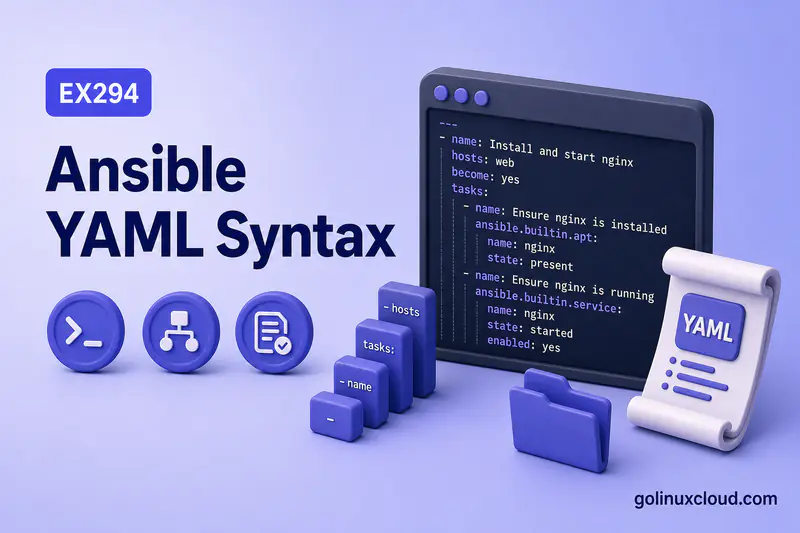
Ansible playbooks are YAML files. Before you write plays, tasks, or modules, you need the data-format basics—indentation, lists, dictionaries, strings, and the mistakes that produce cryptic parse errors.
This guide covers YAML as Ansible uses it: playbook-shaped examples, common failure patterns, and how to validate syntax with ansible-playbook --syntax-check. It does not teach playbook execution, variable precedence, loops, or inventory design—those live in dedicated guides linked below.
Tested on: Rocky Linux 10.2 (Red Quartz); kernel 6.12.0-211.16.1.el10_2.0.1.x86_64; ansible-core 2.16.16.
~/ansible-project, inventory group lab, and playbooks in playbooks/. Use your own host names and paths if yours differ.
Why YAML Matters in Ansible Playbooks
YAML (YAML Ain't Markup Language) is a human-friendly data format. Ansible uses it wherever structured data needs to live in plain text:
- Playbooks (
.ymlfiles with plays and tasks) - Inventory (INI or YAML)
- Variables in
group_vars,host_vars, andvarsblocks - Handlers, role defaults, and role vars
requirements.ymlfor collections
Ansible parses YAML into Python data structures—lists, dictionaries, strings, booleans—before it runs modules. A small indentation error in YAML stops the entire playbook before any task executes.
Next step after syntax: Ansible playbook structure for plays, tasks, and modules—or playbook examples for runnable scenarios. For project layout, see directory structure.
Basic YAML Rules for Ansible
These rules apply to every Ansible YAML file you touch:
| Rule | What it means for you |
|---|---|
| Indentation defines structure | Child keys must be indented farther than their parent |
key: value pairs |
A colon separates key from value; put one space after the colon |
Lists use - |
Each list item starts with a hyphen and a space at the same level as siblings |
| Spaces, not tabs | Tabs break parsing—use spaces only |
| Optional document start | --- on line 1 is common in playbooks but not required |
| File extension | .yml or .yaml—teams usually pick .yml for Ansible |
A minimal dictionary:
app_name: demo
port: 8080
enabled: true
YAML Indentation in Ansible
YAML has no braces or closing tags—only indentation tells the parser what nests inside what.
- Use two spaces per level (Ansible community default)
- Keep sibling keys at the same column
- Never mix tabs and spaces—editors may show aligned lines that still fail parsing
- Increasing indent means “this belongs to the line above”
Wrong—msg is not indented under debug:
- ansible.builtin.debug:
msg: hello
Right:
- ansible.builtin.debug:
    msg: hello
YAML Lists and Dictionaries
Lists
A list is a sequence of items. Each item starts with - followed by a space:
packages:
  - httpd
  - mod_ssl
  - firewalld
List members at the same level must line up:
tasks:
  - name: First task
    ansible.builtin.debug:
      msg: one
  - name: Second task
    ansible.builtin.debug:
      msg: two
Dictionaries
A dictionary (mapping) is a set of key: value pairs:
ansible.builtin.service:
  name: httpd
  state: started
  enabled: true
The colon must be followed by a space for YAML to treat it as a key/value pair. name:httpd is not parsed as the mapping name: httpd; write name: httpd instead. Official Ansible docs describe dictionary syntax as key: value with a space after the colon.
Lists of Dictionaries in Ansible Tasks
Playbooks are built from this pattern: a list of plays, each play containing a list of tasks, each task a dictionary of module options.
Sample output:
---
- name: Demo play
  hosts: lab
  gather_facts: false
  tasks:
    - name: Show a message
      ansible.builtin.debug:
        msg: YAML list-of-dicts pattern
    - name: Ensure a directory exists
      ansible.builtin.file:
        path: /tmp/demo
        state: directory
        mode: "0755"
Each - under tasks: starts one task dictionary. Module options (msg, path, state) nest under the module key with deeper indentation.
Strings, Booleans and Numbers
Quoted strings
Use single or double quotes when the value is ambiguous:
description: "Server: primary"
path: "/etc/httpd/conf.d/{{ site }}.conf"
Quotes preserve special characters and make colons inside values safe.
Unquoted strings
Simple words need no quotes:
name: httpd
state: started
Strings with colon or special characters
An unquoted colon inside a value is read as a new key. This breaks:
vars:
  note: this: breaks
Fix with quotes:
Sample output:
vars:
  note: "this: is one string"
Also quote values with {, }, #, or leading @ / * when YAML might misread them.
Quote Jinja expressions when the value starts with {{ ... }} because YAML sees the leading { before Ansible templating runs:
msg: "{{ inventory_hostname }}"
path: "/etc/httpd/conf.d/{{ site }}.conf"
If the Jinja expression appears later inside a plain string, YAML may parse it safely, but quoting is still clearer for Ansible playbooks.
Booleans and numbers
YAML recognizes boolean literals:
gather_facts: false
enabled: true
Ansible also accepts yes / no / on / off in many contexts, but true and false are clearest in new playbooks.
Numbers are typed automatically:
port: 443
retries: 3
Quote a value when you need a string, not a number or boolean:
version: "2.10"
zip_code: "02101"
Quote values with leading zeros when they are identifiers, not numbers. Depending on the YAML parser/version, an unquoted value such as 02101 may be treated as a number and lose the leading zero.
Multiline Values in YAML
Long text uses block scalars.
Literal block style
| keeps every newline (good for scripts, authorized_key blobs, or exact line breaks):
banner: |
  Welcome to {{ inventory_hostname }}
  Unauthorized access is prohibited.
Folded block style
> folds newlines into spaces (good for wrapped paragraphs):
description: >
  This play configures the web tier.
  It does not deploy the database.
Broken multiline strings usually come from wrong indent under | or >—the content must indent farther than the key line.
Comments in YAML
Start a comment with #. The rest of the line is ignored:
# Play-level comment
- hosts: lab
  tasks:
    - name: Ping
      ansible.builtin.ping:
Use comments for intent, not to restate obvious keys. Over-commented playbooks are harder to diff in Git.
Avoid inline comments after values that contain #, URLs, shell fragments, or Jinja expressions. A space followed by # starts a YAML comment, so quote the value when # is part of the data—not the start of a remark.
YAML Syntax Inside an Ansible Playbook
A playbook file is YAML shaped like this—structure only, not a full lesson on execution:
---
- name: Play one
  hosts: lab
  become: false
  vars:
    app_port: 8080
  tasks:
    - name: Task one
      ansible.builtin.debug:
        msg: "Listening on port {{ app_port }}"
  handlers:
    - name: restart app
      ansible.builtin.service:
        name: httpd
state: restarted| Level | YAML shape | Ansible meaning |
|---|---|---|
| Top | List starting with - |
One or more plays |
| Play | Dictionary keys | hosts, become, vars, tasks, handlers |
tasks |
List of - items |
Each item is one task |
| Task | Module key + options | Module name maps to nested dictionary |
For running playbooks and CLI flags, see how to run Ansible playbooks. For variables beyond inline vars, see Ansible variables—not covered here. Jinja expressions in when: use operators and tests.
Common YAML Mistakes in Ansible
Wrong indentation
Symptom: did not find expected '-' indicator or keys parsed at the wrong level.
Cause: a list item or module option not indented under its parent.
tasks:
  - name: Broken
   ansible.builtin.debug:
      msg: hi
The module line must align under the list item, and msg must indent under the module.
Missing space after colon
Symptom: mapping values are not allowed in this context, or Ansible sees an unexpected scalar instead of a key/value pair.
name:httpdFix: write name: httpd so YAML parses a mapping with a space after the colon.
Mixing tabs and spaces
Symptom: found character '\t' that cannot start any token or confusing errors on lines that look aligned.
Fix: convert tabs to spaces in your editor; set Tab to insert two spaces for YAML files.
Wrong list indentation
Symptom: tasks attach to the wrong play, or Ansible treats a task as a play key.
All - siblings under tasks: must share the same indentation column.
Incorrect boolean values
Symptom: unexpected strings where Ansible expected a boolean, or reversed logic.
Prefer true / false. Avoid True / FALSE (YAML 1.1 aliases exist but confuse readers). When in doubt, quote: enabled: "true" forces a string—usually not what you want for module booleans.
Broken multiline strings
Symptom: parser errors on line after | or >.
The block content must indent more than the key. A blank line at the wrong indent ends the block early.
Duplicate keys
Symptom: silent overwrite or linter warnings.
Sample output:
state: started
state: stopped
YAML parsers often keep the last value. Ansible may not catch this at parse time—use unique keys per mapping.
Validate YAML and Playbook Syntax
Save a valid test playbook:
cat > /tmp/yaml-good.yml << 'EOF'
---
- hosts: lab
  gather_facts: false
  tasks:
    - name: Print hello
      ansible.builtin.debug:
        msg: hello
EOF
Run Ansible’s syntax check—it parses YAML and validates playbook structure without executing tasks:
ansible-playbook /tmp/yaml-good.yml --syntax-checkSample output:
playbook: /tmp/yaml-good.ymlA clean exit with the playbook path means YAML and playbook keys parsed successfully.
Break indentation on purpose:
cat > /tmp/yaml-bad-indent.yml << 'EOF'
---
- hosts: lab
  gather_facts: false
  tasks:
    - name: Broken indent
     ansible.builtin.debug:
        msg: hello
EOFansible-playbook /tmp/yaml-bad-indent.yml --syntax-checkSample output:
ERROR! We were unable to read either as JSON nor YAML, these are the errors we got from each:
JSON: Expecting value: line 1 column 1 (char 0)

Syntax Error while loading YAML.
  did not find expected '-' indicator

The error appears to be in '/tmp/yaml-bad-indent.yml': line 6, column 6, but may
be elsewhere in the file depending on the exact syntax problem.

The offending line appears to be:

    - name: Broken indent
     ansible.builtin.debug:
     ^ here
The caret points at the misaligned module line—fix indentation and rerun --syntax-check.
ansible-lint also fails on YAML syntax errors before style rules run:
ansible-lint /tmp/yaml-bad-indent.ymlSample output:
load-failure[yaml]: Failed to load YAML file (warning)
/tmp/yaml-bad-indent.yml:6:6 did not find expected '-' indicator
Use your editor’s YAML plugin for live feedback; use --syntax-check before CI or exam runs.
YAML Syntax Error vs Ansible Playbook Error
A file can be valid YAML but still invalid as an Ansible playbook. YAML only checks whether the data structure is readable. Ansible also checks whether playbook keys, task structure, modules, and options make sense.
For example, bad indentation or an unclosed quote is a YAML parsing error. A wrong module name, unsupported play keyword, or misplaced hosts key is an Ansible playbook syntax or validation error.
Use ansible-playbook --syntax-check instead of a generic YAML checker because it validates both YAML parsing and Ansible playbook structure.
YAML Best Practices for Ansible Playbooks
- Use two-space indentation and disable tabs in the editor
- Quote strings that contain
:,{,}, or# - Quote Jinja expressions when the value starts with
{{ ... }} - Keep task dictionaries flat—avoid deep nesting when a role or vars file is clearer
- Prefer explicit
true/falseover ambiguous yes/no unless matching existing content - Run
ansible-playbook --syntax-checkafter large edits - Keep playbooks readable: short tasks, consistent key order (
name, module, module args) - Store reusable data in group_vars or host_vars instead of hard-coding long YAML blobs in every play
Summary
Ansible playbooks are YAML lists of dictionaries—plays contain tasks, tasks contain module options. Spaces matter, colons need a following space, lists start with -, and tabs cause pain. Quote tricky strings and Jinja values that start with {{, use | and > for multiline text, and validate with ansible-playbook --syntax-check before you debug Ansible logic that never ran.
References
- YAML specification — official YAML 1.2 syntax
- Ansible YAML syntax — quoting, comments, and Ansible-specific YAML rules
- Ansible playbook syntax — Ansible documentation
- Ansible idempotency — safe reruns and
okvschanged - Ansible variables — strings, lists, dictionaries, and Jinja access
- Ansible project directory structure — where
.ymlfiles live
