
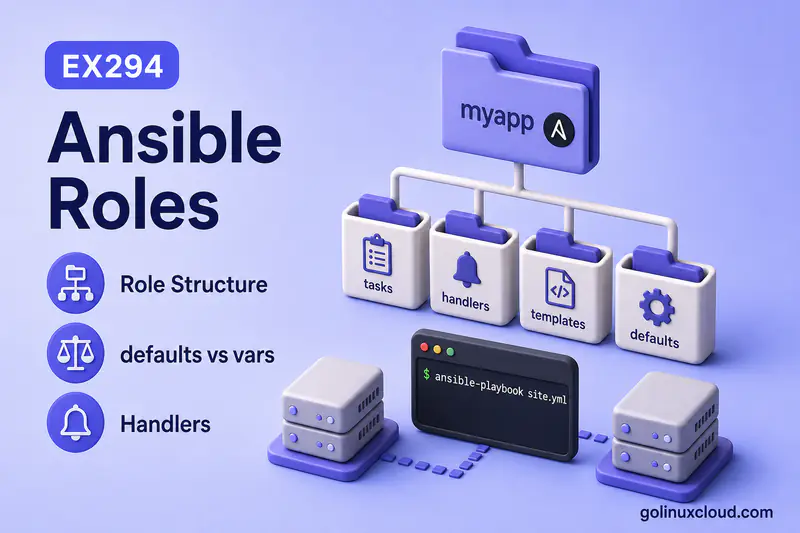
An Ansible role is the reusable unit that keeps playbooks short: install steps, config templates, handlers, and variable defaults live together under roles/<role_name>/ instead of one giant playbook file.
This guide explains the standard role tree, how Ansible loads each directory, and—most importantly—where variables belong so the role stays reusable across dev, staging, and production. It assumes you can run a basic playbook from your first playbook tutorial and playbook structure, and know how handlers react to notify. For variable precedence across inventory and plays, see variables and group_vars patterns. Galaxy install workflows and requirements.yml are covered in create and install Galaxy roles—not here.
Tested on: Rocky Linux 10.2 (Red Quartz); kernel 6.12.0-211.16.1.el10_2.0.1.x86_64; ansible-core 2.16.16.
~/ansible-project, inventory group lab, and playbooks in playbooks/. Use your own host names and paths if yours differ.
| Piece | Path |
|---|---|
| Main tasks | roles/<name>/tasks/main.yml |
| Overridable defaults | roles/<name>/defaults/main.yml |
| Higher-precedence role vars | roles/<name>/vars/main.yml |
| Handlers | roles/<name>/handlers/main.yml |
| Jinja2 templates | roles/<name>/templates/ |
| Static files | roles/<name>/files/ |
| Metadata / dependencies | roles/<name>/meta/main.yml |
What is an Ansible Role?
A role packages automation content Ansible can apply as one named unit: tasks, variable defaults, handlers, static files, Jinja2 templates, and optional metadata.
- Playbooks stay readable—
roles: [demoapp]instead of twenty inline tasks. - The same role runs on many hosts; you change data, not task logic.
- Ansible discovers roles under
roles/beside the playbook (or paths fromroles_pathin ansible.cfg).
Official layout reference: Using roles.
Why Use Roles in Ansible?
| Without roles | With roles |
|---|---|
| Copy-paste tasks between playbooks | One demoapp role reused everywhere |
| Hard to see what is shared vs one-off | Clear boundary: role = product/stack unit |
| Overrides scattered in play vars | defaults/ documents knobs; inventory overrides them |
When should you create a role?
Create a role when the same tasks, files, templates, or handlers will be reused across more than one playbook or environment. A small one-time playbook does not always need a role—but once you have repeated install, configure, service, and validation tasks for the same component, a role gives you a cleaner boundary than copying YAML between plays.
Roles pair naturally with idempotency: tasks express desired state; handlers run only when notified tasks report changed. When a project outgrows a single playbook, move stacks into roles before inventing ad hoc directory names—see project directory structure for where roles/ sits in the tree.
Ansible Role Directory Structure
A typical role created with ansible-galaxy init (or by hand) looks like this:
roles/demoapp/
├── defaults/main.yml
├── files/README.txt
├── handlers/main.yml
├── meta/main.yml
├── tasks/main.yml
├── tasks/install.yml
├── tasks/configure.yml
├── templates/demoapp.conf.j2
└── vars/main.yml
Not every folder is mandatory. A role with only tasks/main.yml is valid. Add defaults/, handlers/, and templates/ as the role grows.
Ansible looks for roles in collections, in a roles/ directory relative to the playbook, in the configured roles_path, and in the playbook directory. The default roles_path is usually ~/.ansible/roles:/usr/share/ansible/roles:/etc/ansible/roles. See Storing and finding roles in the official docs.
tasks directory
tasks/main.yml is the entry point Ansible runs when the role is applied. Split optional files (install.yml, configure.yml) and pull them in with import_tasks or include_tasks:
---
- name: Install demoapp layout
  ansible.builtin.import_tasks: install.yml

- name: Configure demoapp
  ansible.builtin.import_tasks: configure.yml
Task files hold the main role logic: packages, files, services, templates. Keep when conditionals and loops here—not buried in playbooks.
handlers directory
handlers/main.yml lists tasks that run only when another task notifys them and reports changed—typically reload or restart after a config change.
---
- name: reload demoapp config
  ansible.builtin.debug:
    msg: "Handler ran — would reload {{ app_name }} on port {{ app_port }}"
Handlers from all applied roles merge into one play-level handler list. Duplicate handler names across roles are dangerous—the last loaded wins. See handlers in roles for role_name : handler_name disambiguation.
defaults directory
defaults/main.yml defines variables with low precedence inside the role. Treat them as documented knobs callers are expected to override:
---
app_name: demoapp
app_port: 8080
app_env: development
Inventory group_vars, play vars, role parameters, and -e extra vars can replace defaults without editing the role.
vars directory
vars/main.yml defines role variables with higher precedence than defaults. Use for values that are part of the role contract but not meant to be casually overridden—internal paths, fixed modes, feature flags the role depends on:
---
demoapp_config_mode: "0644"
demoapp_config_owner: root
Do not hide environment secrets or per-site ports in vars/ when operators need to override them from inventory—those belong in defaults/ or external group_vars.
templates directory
Jinja2 sources for the template module live here (*.j2). Ansible searches templates/ automatically when you set src: demoapp.conf.j2 in a task inside the role.
# Managed by demoapp role
app_name={{ app_name }}
app_port={{ app_port }}
app_env={{ app_env }}
files directory
Static content for copy, script, or unarchive—no Jinja2 rendering. Example: files/README.txt deployed with src: README.txt (Ansible resolves it under the role’s files/ directory).
meta directory
meta/main.yml holds Galaxy metadata (galaxy_info) and dependencies—other roles Ansible must apply first:
---
galaxy_info:
  author: lab
  description: Demo role for ansible-roles article
  license: MIT
  min_ansible_version: "2.14"
dependencies: []
Declare dependencies: [common] when your role assumes another role’s tasks or variables already ran.
For production roles, you can document and validate accepted role parameters with meta/argument_specs.yml (Ansible 2.11+). That lets Ansible fail early when a required parameter has the wrong type or an unsupported value—useful when a role exposes many defaults.
How Ansible Loads Role Files
When a play lists roles: [demoapp], Ansible processes the role in a predictable order:
- Role dependencies from
meta/main.yml(if any) vars/main.ymlanddefaults/main.ymlinto variable scopetasks/main.yml(and imported/included task files)- Handler definitions into the play handler list (execution waits for
notify)
files/ and templates/ are not loaded upfront—they are read when a task references them.
This is a practical execution view, not a full variable-precedence chain. Role vars and defaults become available according to the loading method (roles:, include_role, or import_role), role tasks execute when the role runs, and handlers are inserted into play scope but run only after they are notified and Ansible reaches a handler flush point. Plays using roles: are processed statically. In a normal play, Ansible runs pre_tasks, then listed roles, then regular tasks, then post_tasks, with handler flushes between these major phases.
List resolved tasks without applying changes:
ansible-playbook site.yml --list-tasksSample output:
playbook: site.yml

  play #1 (lab): Apply demoapp role at play level	TAGS: []
    tasks:
      demoapp : Create demoapp directory	TAGS: []
      demoapp : Deploy static readme from role files/	TAGS: []
      demoapp : Deploy demoapp config from role template	TAGS: []
The demoapp : prefix shows which role owns each task—useful when several roles run in one play.
defaults vs vars in Ansible Roles
This is the distinction that keeps roles reusable.
defaults/main.yml |
vars/main.yml |
|
|---|---|---|
| Precedence | Lower | Higher than defaults |
| Intended use | Overridable settings (port, package_name) |
Role-internal constants |
| Override from inventory | Yes—normal workflow | Harder; avoid needing to |
| Example | app_port: 8080 |
demoapp_config_mode: "0644" |
Ansible’s variable precedence ranks role defaults below inventory and play data, while role vars sit higher—close to values you treat as fixed for the role implementation.
Rule of thumb: if an operator in another team should change it per environment, put it in defaults/ (or leave it out of the role entirely and require group_vars). If changing it would break the role logic, use vars/ sparingly—or hardcode in the task when there is no good reason to expose it.
The old anti-pattern is stuffing vars/main.yml with http_port: 80 and wondering why inventory cannot override it cleanly. Defaults exist precisely for that override path.
Where Should You Put Role Variables?
| Location | When to use |
|---|---|
roles/<name>/defaults/ |
Sensible defaults; document in README |
roles/<name>/vars/ |
Internal constants; rare overrides |
group_vars/ / host_vars/ |
Environment- or host-specific values |
Play vars: |
Play-scoped overrides |
Role params (roles: [{ role: x, vars: {…} }]) |
Explicit per-play overrides |
-e / extra_vars |
Ad hoc or pipeline injections (highest precedence) |
roles:
  - role: demoapp
    vars:
      app_port: 9090
      app_env: staging
Role parameters override defaults/ and are the usual way to specialize a role inside one play without editing inventory files.
Full precedence chains live in variable precedence—this page focuses on role-local placement.
How to Use a Role in a Playbook
Use roles at the play level
The common pattern—static list, easy to read:
---
- name: Apply demoapp role at play level
  hosts: lab
  gather_facts: false
  roles:
    - demoapp
Run it:
ansible-playbook site.ymlSample output:
TASK [demoapp : Deploy demoapp config from role template] **********************
changed: [localhost]

RUNNING HANDLER [demoapp : reload demoapp config] ******************************
ok: [localhost] => {
    "msg": "Handler ran — would reload demoapp on port 8080"
}
Rendered config on the host:
# Managed by demoapp role
app_name=demoapp
app_port=8080
app_env=development
A second run with the same data reports ok on template tasks and skips the handler when nothing changed.
Use include_role
include_role loads the role at runtime—useful with when:, loops, or apply: keywords:
---
- name: Include demoapp role dynamically
  hosts: lab
  gather_facts: false
  tasks:
    - name: Load demoapp when lab host is local
      ansible.builtin.include_role:
        name: demoapp
      when: inventory_hostname == 'localhost'
Dynamic includes behave like dynamic task includes for parsing and tags. See include_tasks vs import_tasks for the static-vs-dynamic model; the same ideas apply to roles.
Use import_role
import_role is parsed statically at playbook compile time—similar to import_tasks:
---
- name: Import demoapp role statically
  hosts: lab
  gather_facts: false
  tasks:
    - ansible.builtin.import_role:
        name: demoapp
Use import_role when you need tag inheritance on inner role tasks or predictable parse-time structure. Use include_role when loading depends on runtime facts or conditions.
Be careful with tags and variable visibility. A tag on include_role applies to the include task itself—not automatically to every task inside the role. Use apply: when you need keywords such as tags or become applied to tasks inside the dynamically included role. import_role behaves more like a static import, so --list-tasks output and tag inheritance are more predictable.
include_role also supports public: (default false) to control whether the role’s vars and defaults remain visible to later tasks in the play. Set public: true only when later tasks need variables from the included role. import_role exposes role variables at playbook parse time, so those variables can be visible earlier in the play depending on Ansible version and configuration. Both modules can load partial role content with tasks_from, defaults_from, vars_from, or handlers_from when you need only one slice of a role.
Templates, Files and Handlers Inside Roles
Three directories often work together in one configuration role:
files/— ship a static baseline or helper script withcopytemplates/— render config with variables fromdefaults/and inventoryhandlers/— reload service when the template task reportschanged
Example configure task:
- name: Deploy demoapp config from role template
  ansible.builtin.template:
    src: demoapp.conf.j2
    dest: /tmp/demoapp/{{ app_name }}.conf
    owner: "{{ demoapp_config_owner }}"
    mode: "{{ demoapp_config_mode }}"
  notify: reload demoapp config
demoapp_config_owner and demoapp_config_mode come from vars/main.yml; app_name comes from defaults/ (overridable). Deep Jinja2 syntax belongs in the template module guide—here we only show how templates fit the role layout.
Role Dependencies with meta/main.yml
When role B requires role A (shared packages, users, or firewall baseline), list it under dependencies in meta/main.yml:
dependencies:
  - common
Ansible runs dependency roles before the dependent role. Keep dependency chains short; circular dependencies fail at runtime.
Use role dependencies only when the dependent role cannot work without the prerequisite role—for example, an app role that depends on a common role creating users, installing base packages, or preparing directories. Avoid long dependency chains; they make execution order and variable overrides harder to reason about. Dependency variables can be overridden like other role parameters, but tracing who set a value gets messy fast.
If the only relationship is “run this role before that role in one playbook,” listing both roles in play order is often clearer than hiding the relationship in meta/main.yml.
Galaxy publishing metadata (galaxy_info, platforms, tags) also lives in meta/main.yml—relevant when you share roles, but installing from Galaxy is covered in create and install Galaxy roles.
Simple Real-World Role Example
The lab role demoapp splits install and configure work, ships defaults, uses a template + handler, and accepts play-level overrides.
Split install, configure and service tasks
tasks/install.yml creates directories and copies from files/:
---
- name: Create demoapp directory
  ansible.builtin.file:
    path: /tmp/demoapp
    state: directory
    mode: "0755"

- name: Deploy static readme from role files/
  ansible.builtin.copy:
    src: README.txt
    dest: /tmp/demoapp/README.txt
    mode: "0644"
tasks/configure.yml templates config and notifies the handler (shown earlier).
Add defaults and override them from inventory
Override defaults from the play:
ansible-playbook site-override.ymlSample output:
RUNNING HANDLER [demoapp : reload demoapp config] ******************************
ok: [localhost] => {
    "msg": "Handler ran — would reload demoapp on port 9090"
}
Sample output:
# Managed by demoapp role
app_name=demoapp
app_port=9090
app_env=staging
The handler message and rendered file both show 9090 / staging—role params replaced defaults/main.yml without editing the role.
Use a template and notify a handler
On first site.yml run, the template task reports changed and queues reload demoapp config. The handler runs once at the flush point even if multiple tasks notified it. On a clean second run, the template reports ok and the handler does not run.
Common Mistakes
| Mistake | Why it hurts |
|---|---|
Putting environment ports in vars/ instead of defaults/ |
Inventory and group_vars cannot override cleanly |
| Duplicating handler names across roles | Last handler definition wins; notify may hit the wrong role |
| Huge playbooks instead of roles | No reuse; hard to test one stack in isolation |
| Editing role files per environment | Defeats reuse—override with inventory or role params |
Using include_role when static roles: is enough |
Harder tag/--list-tasks behavior than needed |
Secrets committed in defaults/ or vars/ |
Use Vault and group_vars |
Expecting files/foo.txt to render Jinja2 |
Use templates/foo.j2 with the template module |
Generic variable names across roles (port, config_mode) |
Collisions when multiple roles run in one play—prefix internal names |
Best Practices
| Practice | Why |
|---|---|
| One role per logical stack (web, db, app) | Clear ownership and testing boundary |
Document overridable keys in defaults/ |
Operators know what inventory can set |
Keep vars/ small and internal |
Avoid fighting precedence |
Unique handler names or listen topics |
Prevents cross-role shadowing |
Split tasks/ by phase (install, config) |
Easier to read than one long main.yml |
Prefix internal role variables (demoapp_config_mode) |
Avoids collisions with other roles in the same play |
Validate role parameters with meta/argument_specs.yml |
Fail early on wrong types or missing required params |
Run --list-tasks after refactors |
Confirms role task order and names |
| Link playbooks to roles, not copy-paste | Single source of truth |
Summary
An Ansible role is a reusable tree under roles/<name>/: tasks/ for work, defaults/ for overridable values, vars/ for higher-precedence role constants, handlers/ for notify-driven reloads, templates/ and files/ for content, and meta/ for dependencies. Use roles: for straightforward plays, import_role for static loading, and include_role when runtime conditions decide loading. Put environment-specific data in inventory—not hardcoded in task logic—so the same role runs everywhere with different variables.
References
- Using roles — standard layout and playbook usage
- Storing and finding roles — search paths and default
roles_path - Role directory structure — official directory list
- Variable precedence — defaults vs vars vs inventory
- include_role / import_role — dynamic vs static role loading
- Ansible handlers — notify from role tasks
- group_vars and host_vars — where environment overrides live
- Create and install Galaxy roles —
ansible-galaxy init,requirements.yml, and Galaxy install workflow
