
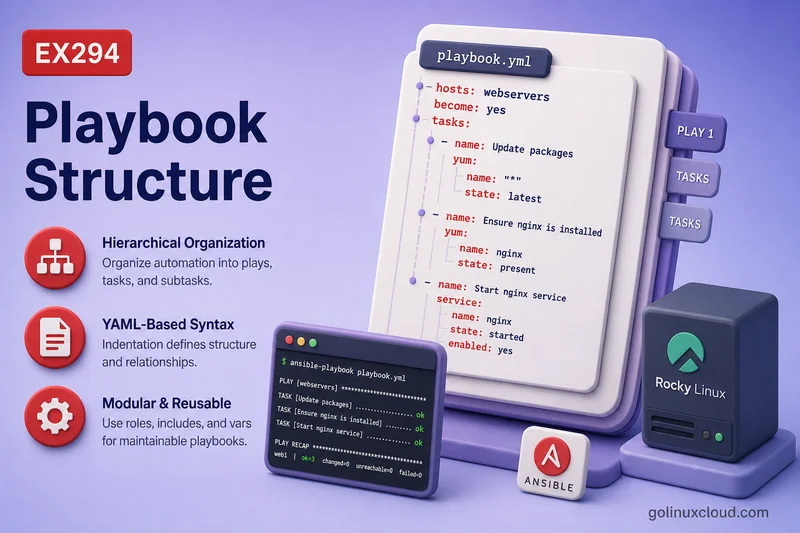
An Ansible playbook is a YAML file that tells Ansible what to do on which hosts. Under the hood it is a list of plays; each play is an ordered list of tasks; each task normally calls one module.
This guide covers that hierarchy—hosts, become, vars, handlers, and multiple plays—without re-teaching YAML grammar, module discovery, variable precedence, loops, or roles. You need a control node that can SSH to a managed host with privilege escalation already working.
Tested on: Rocky Linux 10.2 (Red Quartz); kernel 6.12.0-211.16.1.el10_2.0.1.x86_64; ansible-core 2.16.16.
~/ansible-project, inventory group lab, and playbooks in playbooks/. Use your own host names and paths if yours differ.
What is an Ansible Playbook?
A playbook is a YAML file—usually under playbooks/—that defines automation for managed nodes. Ansible reads the file, matches each play’s hosts pattern against inventory, connects over SSH, and runs tasks in order.
Official Ansible terminology:
- Playbook — a file containing one or more plays
- Play — maps a set of hosts to an ordered list of tasks (and optional handlers)
- Task — a single step that references one module with arguments
Playbooks are version-controlled workflows. Reach for ad hoc commands for one-off checks; use playbooks when steps repeat or must run in order.
Basic Ansible Playbook Structure
Top-down flow:
playbook.yml
└── play (list item starting with -)
    ├── hosts, name, become, vars, ...
    ├── tasks (ordered list)
    │   └── task → module + arguments
    └── handlers (optional, play level)
        └── handler tasks (notify-only)
Every playbook is a YAML list. Each list entry is one play. Each play contains a tasks list; each task names a module and its options.
Playbook vs Play vs Task vs Module
| Concept | Meaning |
|---|---|
| Playbook | YAML file containing one or more plays |
| Play | Maps a group of hosts to tasks (and optional handlers) |
| Task | One automation step inside a play |
| Module | The Ansible unit that performs the action (dnf, copy, service, …) |
| Handler | Special task that runs only when notified, usually after a change |
Think of it as: file → play → task → module. The module does the work; the task wraps it; the play chooses hosts and order; the playbook groups plays.
Anatomy of a Simple Playbook
Skeleton only—no full scenario:
---
- name: Human-readable play title
  hosts: lab
  become: false
  vars:
    app_port: 8080
  tasks:
    - name: Step one
      ansible.builtin.debug:
        msg: "Port {{ app_port }}"
  handlers:
    - name: restart service
      ansible.builtin.service:
        name: httpd
        state: restarted
The leading --- is optional YAML document start. The first - begins the first play. Module options indent under the module name.
Plays in Ansible
A play answers: which hosts, with what privilege and variables, running which tasks in what order. Each play is one YAML list item (-) at the top of the playbook.
| Play key | Purpose | What you see or get |
|---|---|---|
name |
Human-readable play title | PLAY [Structure demo play] in output and logs |
become |
Privilege escalation for tasks in this play | become: true runs tasks as root (usually via sudo); become: false keeps the SSH user |
vars |
Variables scoped to this play | Key/value pairs tasks can reference with {{ var_name }} |
tasks |
Ordered list of work | Tasks run top to bottom on each matched host |
hosts is required. name is optional but worth setting on every play so output stays readable.
become at play level applies to all tasks unless a task overrides it. Your ansible.cfg may already set become = True globally—explicit play-level become still documents intent.
Play-scoped variables:
vars:
  greeting: hello from vars
  app_port: 8080
Use play vars for values that apply only inside this play. Inventory vars and variable types are covered in Ansible variables.
The tasks list is where modules run—covered in the next section. Handlers sit at play level too; see Handlers in Ansible Playbooks below.
Tasks in Ansible
Task name
Every task should have name:—it prints in output and in PLAY RECAP debugging:
- name: Ensure demo marker directory
  ansible.builtin.file:
    path: /tmp/structure-demo
    state: directory
Module name
The module is the task’s main key—ansible.builtin.file, ansible.builtin.dnf, ansible.builtin.copy, and so on. Prefer FQCN (ansible.builtin.*) in new content. See modules and ansible-doc for discovery—not repeated here.
Module arguments
Arguments nest under the module as YAML key/value pairs:
ansible.builtin.copy:
  dest: /etc/motd
  content: "Managed by Ansible\n"
  mode: "0644"
Shorthand dnf: name=httpd state=present still works; nested form is easier to read.
Task result: ok, changed, failed and unreachable
Each task returns a status Ansible prints in the recap:
| Recap term | Typical meaning |
|---|---|
ok |
Task succeeded; no change (or change not reported) |
changed |
Task reported a modification |
failed |
Task error; play stops on that host unless rescued |
unreachable |
SSH or connection failure |
skipped |
Task not run (when false, tag skip, etc.) |
Output also shows play and task names, per-host results, and a PLAY RECAP summary line per host.
Modules in Playbooks
Modules are the action layer—one module per task in normal playbooks:
| Need | Example module |
|---|---|
| Package | ansible.builtin.dnf |
| Service | ansible.builtin.service |
| File or directory | ansible.builtin.file |
| Copy static file | ansible.builtin.copy |
| Template Jinja file | ansible.builtin.template |
| User account | ansible.builtin.user |
| Run command | ansible.builtin.command or ansible.builtin.shell |
Pick a module that describes desired state when one exists. Use command vs shell vs raw only when no module fits.
hosts in Ansible Playbooks
The hosts key ties the play to inventory. Examples:
hosts: lab
hosts: rocky2
hosts: webservers
hosts: all
Patterns can combine groups and limits; details live in inventory and patterns. A play with no matching hosts is skipped.
become in Ansible Playbooks
Set at play level when most tasks need root:
- name: Manage packages
  hosts: lab
  become: true
  tasks:
    - name: Install httpd
      ansible.builtin.dnf:
        name: httpd
        state: present
Or on one task:
Sample output:
- name: Read root-only file
  ansible.builtin.command: cat /etc/shadow
  become: true
become: false on a play opts out when ansible.cfg enables become by default.
vars in Ansible Playbooks
Play-level vars seed values for tasks in that play:
vars:
  greeting: hello from vars
Tasks reference them with Jinja: "{{ greeting }}". Keep this section to simple literals; complex typing and precedence belong in Ansible variables. Branch tasks with when conditionals once variables are in place.
Handlers in Ansible Playbooks
Handlers are tasks that run only when notified—typically restart or reload after a config change.
notify
A task lists handler names when it should trigger them after a change:
- name: Drop config marker
  ansible.builtin.copy:
    dest: /tmp/structure-demo/app.conf
    content: "version=1\n"
    mode: "0644"
  notify: restart demo app
Notification fires when the task reports changed (not merely ok).
handlers
Define handlers at play level, sibling to tasks:
handlers:
  - name: restart demo app
    ansible.builtin.debug:
      msg: handler ran after change
Do not nest handlers under tasks.
When handlers run
Handlers run once per play, after all tasks in that play complete, and only if notified. If multiple tasks notify the same handler, it still runs once. Tasks notify handlers when they report changed, not when they return ok alone.
If a task notifies a handler and a later task fails, the handler may not run by default on that host. For early or forced handler behavior, use advanced controls such as meta: flush_handlers or force_handlers in Ansible handlers and error-handling topics.
Advanced handler behavior (listen, flush_handlers, order rules) is covered in the handlers guide—not repeated here.
Save the handler playbook:
cat > ~/ansible-project/playbooks/handler-demo.yml << 'EOF'
---
- name: Handler demo
  hosts: lab
  gather_facts: false
  tasks:
    - name: Drop config marker
      ansible.builtin.copy:
        dest: /tmp/structure-demo/app.conf
        content: "version=2\n"
        mode: "0644"
      notify: restart demo app

  handlers:
    - name: restart demo app
      ansible.builtin.debug:
        msg: handler ran after change
EOF
Run it after the file already exists with different content so the copy task reports changed:
ansible-playbook ~/ansible-project/playbooks/handler-demo.ymlSample output:
TASK [Drop config marker] ******************************************************
changed: [rocky2]

RUNNING HANDLER [restart demo app] *********************************************
ok: [rocky2] => {
    "msg": "handler ran after change"
}

PLAY RECAP *********************************************************************
rocky2                     : ok=2    changed=1    unreachable=0    failed=0    skipped=0    rescued=0    ignored=0
The handler runs after the task section finishes because the copy task changed and notified it.
Multiple-Play Playbooks
Use multiple plays when different host groups or phases need different task lists in one file:
---
- name: Lab connectivity check
  hosts: lab
  gather_facts: false
  tasks:
    - name: Ping lab
      ansible.builtin.ping:

- name: Lab disk check
  hosts: lab
  gather_facts: false
  tasks:
    - name: Show root mount
      ansible.builtin.command: df -h /
Save and run:
cat > ~/ansible-project/playbooks/multi-play-demo.yml << 'EOF'
---
- name: Lab connectivity check
  hosts: lab
  gather_facts: false
  tasks:
    - name: Ping lab
      ansible.builtin.ping:

- name: Lab disk check
  hosts: lab
  gather_facts: false
  tasks:
    - name: Show root mount
      ansible.builtin.command: df -h /
EOFansible-playbook ~/ansible-project/playbooks/multi-play-demo.ymlSample output:
PLAY [Lab connectivity check] **************************************************

TASK [Ping lab] ****************************************************************
ok: [rocky2]

PLAY [Lab disk check] **********************************************************

TASK [Show root mount] *********************************************************
changed: [rocky2]

PLAY RECAP *********************************************************************
rocky2                     : ok=2    changed=1    unreachable=0    failed=0    skipped=0    rescued=0    ignored=0
Ansible runs play one completely, then play two—each with its own PLAY banner.
Playbook Execution Order
Execution rules to remember:
- Plays run top to bottom in the file
- Tasks run top to bottom within each play
- Handlers run after all tasks in the play finish, if notified
- Each host in the play runs the same task order (unless delegated or skipped)
By default, Ansible uses the linear strategy: hosts stay in step as Ansible moves through the task list. Options such as serial, throttle, and alternative strategies can change batching or concurrency, but task order in the playbook remains top to bottom.
Other Playbook Sections You Will See
Most beginner playbooks use hosts, vars, tasks, and handlers, but larger playbooks may also include these sections:
| Section | Where it appears | Purpose |
|---|---|---|
pre_tasks |
Play level | Run before roles and normal tasks |
roles |
Play level | Apply reusable role structure |
post_tasks |
Play level | Run after normal tasks and roles |
module_defaults |
Play level | Set default arguments for modules |
environment |
Play or task level | Set environment variables for tasks |
tags |
Play, task, role | Run or skip selected parts of a playbook |
You do not need all of these in a first playbook. Learn the basic play/task/module structure first, then add these sections when the workflow needs them.
Validate and Run a Playbook
Save a small structure demo:
cat > ~/ansible-project/playbooks/structure-demo.yml << 'EOF'
---
- name: Structure demo play
  hosts: lab
  gather_facts: false
  vars:
    greeting: hello from vars
  tasks:
    - name: Show greeting
      ansible.builtin.debug:
        msg: "{{ greeting }}"
    - name: Ensure demo marker directory
      ansible.builtin.file:
        path: /tmp/structure-demo
        state: directory
        mode: "0755"
EOF
Check YAML and playbook shape without running tasks:
ansible-playbook ~/ansible-project/playbooks/structure-demo.yml --syntax-checkSample output:
playbook: playbooks/structure-demo.ymlRun for real:
ansible-playbook ~/ansible-project/playbooks/structure-demo.ymlSample output:
PLAY [Structure demo play] *****************************************************

TASK [Show greeting] ***********************************************************
ok: [rocky2] => {
    "msg": "hello from vars"
}

TASK [Ensure demo marker directory] ********************************************
changed: [rocky2]

PLAY RECAP *********************************************************************
rocky2                     : ok=2    changed=1    unreachable=0    failed=0    skipped=0    rescued=0    ignored=0
Dry-run with check mode (modules that support it):
ansible-playbook ~/ansible-project/playbooks/structure-demo.yml --checkSample output:
TASK [Ensure demo marker directory] ********************************************
ok: [rocky2]

PLAY RECAP *********************************************************************
rocky2                     : ok=2    changed=0    unreachable=0    failed=0    skipped=0    rescued=0    ignored=0
A second normal run shows idempotency—file reports ok when the directory already exists. For more CLI examples (-v, --diff), see how to run Ansible playbooks.
Common Ansible Playbook Structure Mistakes
| Symptom | Likely cause | Fix |
|---|---|---|
hosts missing or invalid |
Play without hosts |
Every play needs hosts: matching inventory |
| Task at play root | Task not under tasks: |
Nest tasks under a tasks list |
| Module args at wrong indent | Options align with module name | Indent args under the module key |
| Handlers never run | handlers nested under tasks |
Move handlers to play level |
| Handler runs every time | Notifying task reports changed every run |
Make the notifying task idempotent; use a proper module, creates/removes, or changed_when |
| Playbook does too much | Many unrelated plays in one file | Split files or use roles later |
ERROR! 'notify' is not a valid attribute |
notify on play instead of task |
Put notify on the task that changes state |
Recommended Beginner Playbook Layout
Match a standard project directory structure on the control node:
~/ansible-project/
├── ansible.cfg
├── inventory/
│   └── hosts
└── playbooks/
    ├── structure-demo.yml
    ├── handler-demo.yml
    └── multi-play-demo.yml
Conventions that keep playbooks readable:
- One play per logical purpose when learning; combine into multi-play files when phases share a workflow
- Always set
nameon plays and tasks - Use FQCN module names (
ansible.builtin.*) - Keep
varsat play level for small demos; move data togroup_varsas projects grow - Put handlers in the same play file until you adopt roles
Summary
A playbook is a YAML list of plays. Each play selects hosts, optional become and vars, runs an ordered tasks list, and may define handlers at play level. Each task calls one module; output shows ok, changed, failed, or unreachable. Validate with ansible-playbook --syntax-check, then run and re-run to see idempotent ok results.
References
- Ansible playbooks introduction — official documentation
- Play Keywords —
pre_tasks,roles,post_tasks,module_defaults, and other play-level keys - Ansible strategies — linear, free,
serial, andthrottle - Ansible playbook syntax — plays, tasks, handlers
- YAML syntax for Ansible — indentation and quoting
- Ansible modules and ansible-doc — FQCN and module lookup
- Ansible handlers — notify patterns in depth
- Ansible idempotency — safe reruns,
okvschanged, handlers
