
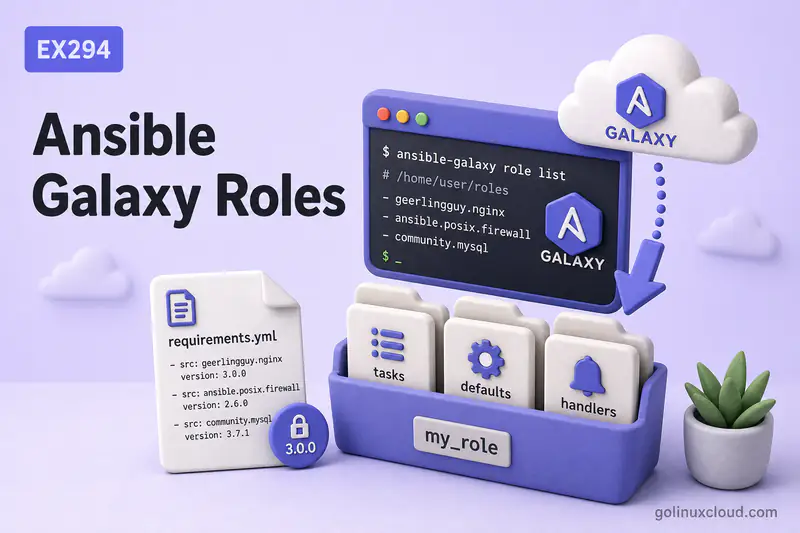
You already know how an Ansible role is laid out—tasks/, defaults/, handlers/, and the rest. This guide is the hands-on workflow around that layout: scaffold a new role with ansible-galaxy init, fill in real tasks, call the role from a playbook, then pull third-party roles from Ansible Galaxy and lock versions in requirements.yml. Keep roles under roles/ in the project directory structure tree.
Tested on: Rocky Linux 10.2 (Red Quartz); kernel 6.12.0-211.16.1.el10_2.0.1.x86_64; ansible-core 2.16.16.
~/ansible-project, inventory group lab, and playbooks in playbooks/. Use your own host names and paths if yours differ.
ansible-galaxy role init, ansible-galaxy role install, and requirements.yml. Ansible collections (FQCN namespaces, ansible-galaxy collection install, RHEL System Roles) are covered in collections and RHEL System Roles.
| Method | Best for |
|---|---|
ansible-galaxy role install <namespace>.<role> |
Quick one-role install |
requirements.yml |
Repeatable project setup and CI |
| Version-pinned role | Production and stable automation |
Project-local roles/ directory |
Portable repository workflow |
meta/main.yml dependencies |
Role prerequisite dependencies |
What is Ansible Galaxy?
Ansible Galaxy is the public index where authors publish reusable roles (and collections). Think of it as a catalog: you search for nginx, docker, or postgresql, review the README on GitHub, then install the role into your project instead of copying someone else's playbook fragments by hand.
Galaxy roles are normal roles—same directory tree as a role you author locally. After install they sit under a roles/ path and you reference them by folder name in playbooks.
What Does ansible-galaxy Do?
The ansible-galaxy CLI manages role lifecycle on your control node:
ansible-galaxy role init— create an empty role skeletonansible-galaxy role install— download roles from Galaxy, Git, or archivesansible-galaxy role install -r requirements.yml— install a declared list (with optional version pins)ansible-galaxy role list— show installed roles and versionsansible-galaxy role search/role info— browse the Galaxy index
Official reference: Galaxy user guide — roles.
| Command | Used for |
|---|---|
ansible-galaxy role init |
Create a standalone role skeleton |
ansible-galaxy role install |
Install standalone roles |
Galaxy handles both roles and collections, but this article stays role-focused.
Create a New Role with ansible-galaxy init
Create roles next to your playbooks so Ansible finds them without extra path configuration. From the project roles/ directory, pass the role name:
cd ~/ansible-project/rolesansible-galaxy role init webserverSample output:
- Role webserver was created successfullyAnsible created roles/webserver/ with empty starter files. You edit those files; init does not install packages or run tasks on managed hosts.
Understand the Generated Role Structure
List what init created:
find ~/ansible-project/roles/webserver -type f | sortSample output:
/home/ansible/ansible-project/roles/webserver/defaults/main.yml
/home/ansible/ansible-project/roles/webserver/handlers/main.yml
/home/ansible/ansible-project/roles/webserver/meta/main.yml
/home/ansible/ansible-project/roles/webserver/README.md
/home/ansible/ansible-project/roles/webserver/tasks/main.yml
/home/ansible/ansible-project/roles/webserver/tests/inventory
/home/ansible/ansible-project/roles/webserver/tests/test.yml
/home/ansible/ansible-project/roles/webserver/vars/main.yml| Directory / file | Purpose |
|---|---|
tasks/main.yml |
Entry task list |
defaults/main.yml |
Overridable variables |
handlers/main.yml |
Notify-driven service reloads |
templates/, files/ |
Jinja2 templates and static files (empty until you add content) |
meta/main.yml |
Galaxy metadata and role dependencies |
vars/main.yml |
Higher-precedence role variables |
tests/ |
Optional basic test inventory and test playbook |
For what each directory does during a play—including defaults vs vars and handler flush behavior—see Ansible roles explained. This chapter only maps names to purpose.
Customize a New Role
The lab role webserver installs Apache (httpd), drops a static file, templates index.html, and notifies a handler when the page changes.
Add tasks to the role
tasks/main.yml:
---
- name: Install web package
  ansible.builtin.dnf:
    name: "{{ web_package }}"
    state: present

- name: Ensure document root exists
  ansible.builtin.file:
    path: "{{ docroot }}"
    state: directory
    mode: "0755"

- name: Deploy static robots.txt from role files/
  ansible.builtin.copy:
    src: robots.txt
    dest: "{{ docroot }}/robots.txt"
    mode: "0644"

- name: Deploy index page from role template
  ansible.builtin.template:
    src: index.html.j2
    dest: "{{ docroot }}/index.html"
    mode: "0644"
  notify: restart web service

- name: Enable and start web service
  ansible.builtin.service:
    name: "{{ web_service }}"
    state: started
    enabled: true
Add default variables
Put knobs operators should override in defaults/main.yml:
---
web_package: httpd
web_service: httpd
display_port: 8080
docroot: /var/www/html
site_title: Demo Site
display_port is rendered into the demo page only—it does not change Apache Listen directives.
Add handlers
handlers/main.yml restarts the service when the template task reports changed:
---
- name: restart web service
  ansible.builtin.service:
    name: "{{ web_service }}"
    state: restarted
Handler mechanics and notify flush points are covered in Ansible handlers—here we only wire a single restart handler.
Add templates and files
files/robots.txt ships as-is via copy. templates/index.html.j2 renders Jinja2 variables:
<!DOCTYPE html>
<html>
<head><title>{{ site_title }}</title></head>
<body>
<h1>{{ site_title }}</h1>
<p>Listening on port {{ display_port }}.</p>
</body>
</html>
Template module syntax and filters belong in the template module guide.
Use the Custom Role in a Playbook
Reference the role by directory name under roles/:
---
- name: Apply custom webserver role
  hosts: rocky2
  become: true
  roles:
    - webserver
Run it from the project root—see how to run Ansible playbooks for --check, limits, and verbosity flags:
ansible-playbook ~/ansible-project/playbooks/webserver-demo.ymlSample output:
TASK [webserver : Deploy index page from role template] ************************
changed: [rocky2]

RUNNING HANDLER [webserver : restart web service] ******************************
changed: [rocky2]

PLAY RECAP *********************************************************************
rocky2                     : ok=7    changed=5    unreachable=0    failed=0    skipped=0    rescued=0    ignored=0
A second run reports changed=0 on every task—the role is idempotent once the host matches the declared state.
Install Roles from Ansible Galaxy
Search the index before you install:
ansible-galaxy role search nginx --platforms ELSample output:
Found 807 roles matching your search:

 Name                                                Description
 ----                                                -----------
 1davidmichael.ansible-role-nginx                    Nginx installation for Linux, FreeBSD and OpenBSD.
 aadl.docker-nginx-alpine                            Ansible role to manage and run the alpine nginx docker container.
 aaronpederson.nginx                                 nginx is an HTTP and reverse proxy server...
Inspect one candidate:
ansible-galaxy role info geerlingguy.nginxSample output:
Role: geerlingguy.nginx
	description: Nginx installation for Linux, FreeBSD and OpenBSD.
	github_repo: ansible-role-nginx
	github_user: geerlingguy
Install into the project roles/ tree:
ansible-galaxy role install geerlingguy.nginx -p ~/ansible-project/roles/Sample output:
Starting galaxy role install process
- downloading role 'nginx', owned by geerlingguy
- downloading role from https://github.com/geerlingguy/ansible-role-nginx/archive/3.3.0.tar.gz
- extracting geerlingguy.nginx to /home/ansible/ansible-project/roles/geerlingguy.nginx
- geerlingguy.nginx (3.3.0) was installed successfully
The folder name geerlingguy.nginx is what you list under roles: in playbooks.
Install a Specific Role Version
Galaxy serves tagged releases from the role's GitHub repository. Pin at install time:
ansible-galaxy role install geerlingguy.nginx,3.2.0 -p ~/ansible-project/roles/ --forceSample output:
- changing role geerlingguy.nginx from 3.3.0 to 3.2.0
- downloading role from https://github.com/geerlingguy/ansible-role-nginx/archive/3.2.0.tar.gz
- geerlingguy.nginx (3.2.0) was installed successfully
Pinning matters because role maintainers change defaults, add tasks, or rename variables between releases. Production projects should not float on "latest" unless you re-test after every upstream tag.
Install Multiple Roles with requirements.yml
For production and shared CI pipelines, pin every Galaxy role version in requirements.yml—do not document a floating ansible-galaxy role install geerlingguy.nginx as your only install path. Upstream roles change defaults, task order, and dependencies between releases.
For teams and CI, declare roles in a YAML file at the project root. Use a plain role list—the format Ansible expects for ansible-galaxy role install -r:
---
- name: geerlingguy.nginx
  version: "3.2.0"
Install everything in one command:
ansible-galaxy role install -r requirements.yml -p roles/ --forceSample output:
Starting galaxy role install process
- downloading role from https://github.com/geerlingguy/ansible-role-nginx/archive/3.2.0.tar.gz
- geerlingguy.nginx (3.2.0) was installed successfully
You can mix Galaxy names, Git URLs, and local paths in the same file:
---
- name: geerlingguy.nginx
  version: "3.2.0"
- src: https://github.com/examplecorp/ansible-role-hardening.git
  version: main
  name: hardening
A combined roles: / collections: file is for projects that install both artifact types in one step—see collections and requirements.yml.
Commit requirements.yml to git so every developer and pipeline installs the same role versions. Official syntax: Installing multiple roles from a file.
Choose Where Roles Are Installed
Ansible searches roles_path for role directories. This project sets a single local path in ansible.cfg:
roles_path = rolesConfirm what Ansible resolves:
cd ~/ansible-project && ansible-config dump | grep roles_pathSample output:
DEFAULT_ROLES_PATH(/home/ansible/ansible-project/ansible.cfg) = ['/home/ansible/ansible-project/roles']| Location | Trade-off |
|---|---|
Project roles/ (recommended) |
Roles travel with the repo; -p roles/ in ansible-galaxy matches playbooks |
~/.ansible/roles |
Shared cache across projects; harder to reproduce exactly in CI |
/usr/share/ansible/roles |
System packages; rarely used for custom work |
Use -p <path> on every ansible-galaxy role install when you want roles beside playbooks even if the global default differs.
Update or Reinstall Galaxy Roles
Re-run install with --force to replace an existing copy—required when bumping a version pin:
ansible-galaxy role install -r requirements.yml -p roles/ --forceAfter changing the pin from 3.2.0 to 3.3.0:
- changing role geerlingguy.nginx from 3.2.0 to 3.3.0
- downloading role from https://github.com/geerlingguy/ansible-role-nginx/archive/3.3.0.tar.gz
- geerlingguy.nginx (3.3.0) was installed successfully
List what is on disk:
ansible-galaxy role list -p ~/ansible-project/roles/Sample output:
# /home/ansible/ansible-project/roles
- geerlingguy.nginx, 3.3.0
- webserver, (unknown version)
Custom roles you author locally show (unknown version)—only Galaxy-installed roles carry a version label.
If you install without --force and the same version is already present, Galaxy skips the download:
[WARNING]: - geerlingguy.nginx (3.3.0) is already installed - use --force to change version to unspecifiedRole Dependencies with meta/main.yml
When role B cannot run unless role A prepared the host, declare A under dependencies in B's meta/main.yml:
dependencies:
  - common
Ansible runs dependency roles first. In the lab, a tiny common role creates /opt/apps; webserver lists it as a dependency:
ansible-playbook ~/ansible-project/playbooks/webserver-demo.yml --list-tasksSample output:
play #1 (rocky2): Apply custom webserver role	TAGS: []
    tasks:
      common : Ensure shared apps directory exists	TAGS: []
      webserver : Install web package	TAGS: []
      webserver : Ensure document root exists	TAGS: []
      ...
common runs before any webserver task.
Galaxy can also install role dependencies declared inside a role's meta/requirements.yml or meta/main.yml, but for playbooks you control, a project-level requirements.yml is usually easier to review and reproduce. See Role dependencies.
If two roles only need to run in a certain order in one playbook, listing both under roles: is often simpler than encoding order in meta/main.yml.
Custom Role vs Galaxy Role: When to Use Which
| Requirement | Better choice |
|---|---|
| You need organization-specific logic | Custom role |
| You need common community automation | Galaxy role |
| You need strict internal standards | Custom role |
| You want a faster start for common services | Galaxy role |
| You need full control of every task | Custom role |
| You trust and pin a maintained role | Galaxy role |
Read the upstream README and defaults before you adopt a Galaxy role—many expose dozens of variables and assume a particular layout (packages vs containers, firewall, SSL termination).
Common Real-World Examples
Create a basic web role with ansible-galaxy init
cd ~/ansible-project/roles && ansible-galaxy role init webserverAdd defaults/, tasks/, handlers/, files/, and templates/ content as in the customize section, then call roles: [webserver] from a play.
Install a community role from Galaxy
ansible-galaxy role install geerlingguy.nginx -p ~/ansible-project/roles/Use ansible-galaxy role info geerlingguy.nginx to read the GitHub link and default variables before the first playbook run.
Pin a role version in requirements.yml
---
- name: geerlingguy.nginx
version: "3.2.0"ansible-galaxy role install -r requirements.yml -p roles/ --forceDocument the pin in your change log when you bump it—re-run integration tests after every version change.
Install roles into a project-local roles directory
ansible-galaxy role install -r requirements.yml -p roles/Pair with roles_path = roles in ansible.cfg so ansible-playbook and ansible-galaxy agree on the same directory.
Use an installed Galaxy role in a playbook
---
- name: Use Galaxy nginx role
  hosts: rocky2
  become: true
  roles:
    - role: geerlingguy.nginx
      vars:
        nginx_listen_port: 8081
Override only the variables the upstream role documents—avoid forking the role until you have a maintenance reason.
Common Mistakes
| Mistake | Why it hurts |
|---|---|
Running ansible-galaxy init from the wrong directory |
Role lands outside roles_path; playbooks cannot find it |
| Floating Galaxy roles without a version pin | Upstream releases change behavior between pipeline runs |
Editing files inside roles/geerlingguy.nginx/ by hand |
Next ansible-galaxy install --force overwrites your edits |
Skipping requirements.yml in CI |
Fresh clones miss third-party roles before ansible-playbook |
Expecting init to configure managed hosts |
It only scaffolds files on the control node |
| Duplicating a Galaxy role instead of wrapping it | Double maintenance—use role params or a thin wrapper role |
Long meta/main.yml dependency chains |
Hard to trace variable sources and run order |
Forgetting become: true for package/service tasks |
Role works on localhost tests but fails on real managed hosts |
Best Practices
| Practice | Why |
|---|---|
Commit requirements.yml and pin versions |
Reproducible installs for humans and CI |
| Keep custom roles in git; install Galaxy roles via requirements | Clear boundary between authored and vendored content |
Use -p roles/ consistently |
Matches project roles_path |
| Read upstream defaults before overriding | Prevents fighting the role's assumptions |
| Wrap Galaxy roles instead of patching them | Survives reinstall and version bumps |
| Document overridable keys in your custom role README | Same courtesy you expect from Galaxy authors |
Run ansible-playbook --list-tasks after adding dependencies |
Confirms order before touching production |
| Re-test playbooks after bumping a role pin | Catches renamed variables or new prerequisites |
| Review Galaxy role README and defaults before use | Surfaces required variables, supported platforms, and side effects |
Summary
ansible-galaxy role init scaffolds a role you customize under roles/<name>/. Playbooks consume it with roles: [name]. ansible-galaxy role install and requirements.yml download community roles into the same tree—pin versions for stable automation. Use meta/main.yml dependencies when one role truly requires another; use project-level requirements.yml when humans and CI need a manifest of what to install. For directory layout and variable placement inside any role, keep Ansible roles explained as the reference. Optional next step outside the EX294 lab: provision AWS infrastructure with Ansible.
References
- Galaxy user guide — search, install, requirements files
- Installing roles — CLI examples and
--force - Installing multiple roles from a file —
requirements.ymlsyntax - Role dependencies —
meta/main.ymlandmeta/requirements.yml - Using roles — playbook integration
- Ansible roles explained — directory structure, defaults vs vars, handlers
- Template module and Jinja2 — templates inside roles
- Ansible handlers — notify from role tasks
