
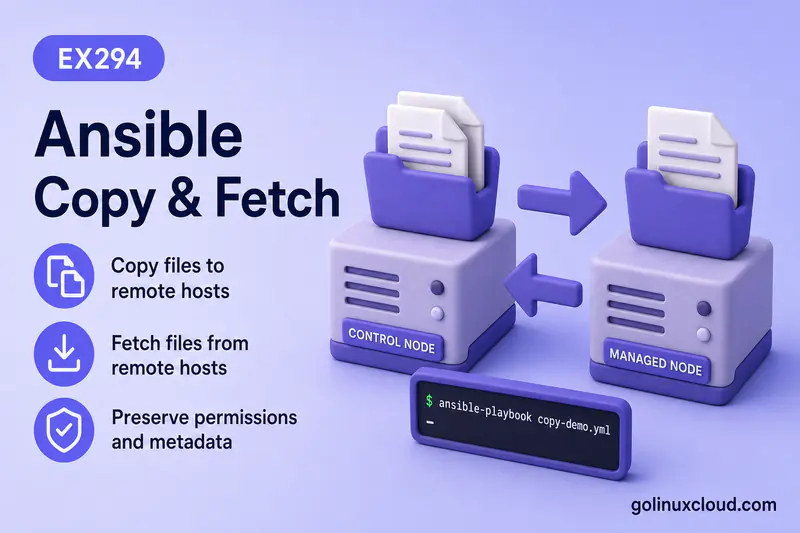
Ansible ships three core modules for everyday file work on managed nodes: file controls path state, copy deploys content, and fetch collects content back to the control node. That split matches the official module docs—copy pushes to remotes, fetch is reverse-copy to the controller, and file handles directories, links, permissions, and removal without transferring playbook-side file content.
This guide walks through each module with tested playbooks on a lab host. It assumes you can run a basic play from your first playbook and know when to use become for paths under /opt or /etc. For variable-based config files, use template instead of copy; for very large directory trees, consider synchronize briefly mentioned later—not a full rsync tutorial here.
Tested on: Rocky Linux 10.2 (Red Quartz); kernel 6.12.0-211.16.1.el10_2.0.1.x86_64; ansible-core 2.16.16.
~/ansible-project, inventory group lab, and playbooks in playbooks/. Use your own host names and paths if yours differ.
file vs copy vs fetch: Which Module Should You Use?
Decision rule: file controls path state, copy deploys content, fetch collects content.
file when no content moves; copy when the control node → managed host; fetch when managed host → control node.
| Task | Best module | Why |
|---|---|---|
| Create a directory | file |
state: directory manages filesystem state |
| Create an empty file | file |
state: touch updates timestamps and creates a zero-byte file |
| Set owner, group, or mode | file or copy |
file for existing paths; copy while deploying content |
| Create a symlink | file |
state: link with src and dest |
| Delete a file or directory | file |
state: absent |
| Copy a file to a managed host | copy |
src on control node → dest on remote |
| Copy inline text | copy |
content instead of src |
| Copy a file already on the remote | copy |
remote_src: true |
| Backup before overwrite | copy |
backup: true |
| Validate config before replace | copy |
validate runs a command on the new file first |
| Fetch logs or configs from remotes | fetch |
Remote src → local dest on control node |
| Fetch same filename from many hosts | fetch |
Default host-based dest layout avoids overwrite |
Where src and dest live
Most confusion comes from direction—not from the module names.
| Module | src |
dest |
|---|---|---|
copy (default) |
Control node | Managed host |
copy (remote_src: true) |
Managed host | Managed host (another path) |
fetch |
Managed host | Control node |
copy never pulls files back to the controller; use fetch for that.
Why File Management Matters in Automation
Playbooks rarely stop at installing packages. You still need application directories, config files with correct ownership, executable scripts, symlinks for release paths, backups before changes, and log collection after incidents. Getting mode, owner, and direction right keeps runs idempotent and avoids partial deploys where a directory exists but content never landed.
The file Module
ansible.builtin.file sets or removes path state on managed hosts. It does not read files from your project files/ tree.
Create directories, empty files, and links
Save this as playbooks/file-demo.yml:
---
- name: file module demo
  hosts: lab
  gather_facts: false
  become: true
  tasks:
    - name: Create application directory
      ansible.builtin.file:
        path: /opt/demo-app
        state: directory
        owner: root
        group: root
        mode: "0755"

    - name: Create empty marker file
      ansible.builtin.file:
        path: /opt/demo-app/.installed
        state: touch
        mode: "0644"

    - name: Create symbolic link to application directory
      ansible.builtin.file:
        src: /opt/demo-app
        dest: /opt/demo-app-link
        state: link
Run it from the project root so Ansible picks up ansible.cfg:
cd ~/ansible-project && ansible-playbook playbooks/file-demo.ymlSample output:
TASK [Create application directory] ********************************************
changed: [rocky2]
TASK [Create empty marker file] ************************************************
changed: [rocky2]
TASK [Create symbolic link] ****************************************************
changed: [rocky2]

PLAY RECAP *********************************************************************
rocky2                     : ok=3    changed=3    unreachable=0    failed=0    skipped=0    rescued=0    ignored=0
On a second run, directory and link tasks report ok when paths already match. state: touch may still report changed because it refreshes access and modification times.
state: touch creates a zero-byte file when missing and updates timestamps when it already exists. On every run it can report changed even when file size and mode already match, because Ansible refreshes those times. For a hard link, use state: hard with src and dest on the same filesystem.
If you only want to ensure the file exists and avoid timestamp churn on repeat runs, preserve the times:
- name: Ensure marker exists without changing timestamps
      ansible.builtin.file:
        path: /opt/demo-app/.installed
        state: touch
        mode: "0644"
        modification_time: preserve
        access_time: preserve
Use plain state: touch when updating timestamps is intended. Use the preserve options when you want a cleaner second run—the task reports ok when the file already exists and times stay unchanged.
For symlinks, src is the link target and dest is the link path Ansible creates. The src parameter applies only to state: link and state: hard. If src is relative, it is interpreted relative to the destination link location, similar to ln -s.
Confirm the layout on the managed host:
ansible rocky2 -m shell -a "ls -la /opt/demo-app /opt/demo-app-link" -bSample output:
rocky2 | CHANGED | rc=0 >>
lrwxrwxrwx. 1 root root   13 Jul  8 21:13 /opt/demo-app-link -> /opt/demo-app

/opt/demo-app:
total 8
drwxr-xr-x. 2 root root 4096 Jul  8 21:13 .
drwxr-xr-x. 3 root root 4096 Jul  8 21:13 ..
-rw-r--r--. 1 root root    0 Jul  8 21:13 .installed
The .installed marker is the zero-byte file from state: touch, and /opt/demo-app-link points at the application directory.
state: file does not create a missing regular file. It only enforces owner, group, and mode on a path that already exists. To create content, use state: touch, copy, or template.
Set owner, group, and mode
Pass owner, group, and mode on any file task. Quote modes like '0644' and '0755'—unquoted numeric values can parse as decimal instead of octal and leave files world-writable or more permissive than you intended. The file and copy module docs recommend quoting modes and setting mode explicitly to avoid permission surprises.
Use recurse: true only when you intend to apply ownership and mode to everything under a directory tree; it applies when state is directory, not when removing paths with absent.
Remove files and directories safely
state: absent removes a file, symlink, or directory. When the path is a directory, Ansible removes the directory tree recursively, so use it carefully and target the path precisely. If the path is already missing, the task reports ok and does not fail—that keeps cleanup tasks idempotent.
- name: Remove temporary marker
      ansible.builtin.file:
        path: /opt/demo-app/.installed
        state: absent
Ad-hoc check:
ansible rocky2 -m file -a "path=/opt/demo-app/.installed state=absent" -bSample output:
rocky2 | CHANGED => {
    "changed": true,
    "path": "/opt/demo-app/.installed",
    "state": "absent"
}
The copy Module
ansible.builtin.copy transfers content to managed hosts. By default src is on the control node.
Place static sources beside the playbook:
playbooks/
  copy-demo.yml
  files/
    app.conf
    deploy.sh
    notice.txt
    readme.txt
Example playbooks/files/app.conf:
# sample app config
listen_port=8080
Push files from the control node
---
- name: copy module demo
  hosts: lab
  gather_facts: false
  become: true
  tasks:
    - name: Deploy configuration file
      ansible.builtin.copy:
        src: files/app.conf
        dest: /opt/demo-app/app.conf
        owner: root
        group: root
        mode: "0644"
        backup: true
        validate: test -f %s

    - name: Copy script and make executable
      ansible.builtin.copy:
        src: files/deploy.sh
        dest: /opt/demo-app/deploy.sh
        mode: "0755"
src: files/app.conf is relative to the playbook file. There is no chdir parameter on copy—paths are resolved from the playbook or role files/ directory.
When copying a file to a destination path, copy does not create missing parent directories—the task fails if the parent path does not exist. Create the target directory with file and state: directory first, as in file-demo.yml.
dest shape matters: dest: /opt/demo-app/app.conf writes that exact file path; dest: /opt/demo-app/ treats the destination as a directory and uses the source filename inside it. Ansible may create dest when it ends with / or when src is a directory, but it will not create missing parents for a file-to-file copy like dest: /opt/new/app.conf when /opt/new does not exist.
Run the playbook:
cd ~/ansible-project && ansible-playbook playbooks/copy-demo.ymlSample output:
PLAY RECAP *********************************************************************
rocky2                     : ok=6    changed=0    unreachable=0    failed=0    skipped=0    rescued=0    ignored=0
On a first deploy, expect changed on tasks that create new remote files.
When src is a directory, copy recurses into it. That works for modest trees; the official docs note recursive copy does not scale well to thousands of files—use synchronize or archive-based workflows for bulk content.
When copying directories, src: configs/ copies the contents of configs, while src: configs copies the directory itself. This mirrors rsync-style trailing-slash behavior—match the layout you want under dest.
When copying a directory tree, mode applies to copied files and directories according to module behavior. Use directory_mode when you want newly created directories to get a specific permission (for example directory_mode: "0755"). It does not change permissions on directories that already exist.
Inline content, loops, and remote sources
Deploy small generated text without a files/ source:
- name: Copy inline content
      ansible.builtin.copy:
        content: |
          # managed by ansible
          enabled=true
        dest: /opt/demo-app/flags.conf
        mode: "0644"
Copy several files with a loop:
- name: Copy multiple files with loop
      ansible.builtin.copy:
        src: "files/{{ item }}"
        dest: "/opt/demo-app/{{ item }}"
        mode: "0644"
      loop:
        - notice.txt
        - readme.txt
When the source file already exists on the managed host, set remote_src: true. Without it, Ansible looks for src on the control node and the task fails with Could not find or access even though the path exists on the remote.
remote_src: false (the default) means src must live on the control node. A path such as /etc/hosts or /tmp/backup.conf on the managed host is not a valid src until you set remote_src: true. Both paths are then on the remote—Ansible copies from one remote location to another.
- name: Seed remote-only source for remote_src demo
      ansible.builtin.copy:
        content: "remote source content\n"
        dest: /tmp/remote-src-demo.txt
        mode: "0644"

    - name: Copy file already on managed host
      ansible.builtin.copy:
        src: /tmp/remote-src-demo.txt
        dest: /opt/demo-app/remote-copy.conf
        remote_src: true
        mode: "0644"
remote_src: true means both paths are on the remote; Ansible copies from one remote path to another.
By default, copy replaces the remote file when the source content differs. To create a file only when it does not exist and preserve any existing remote content, set force: false:
- name: Seed override file only when missing
      ansible.builtin.copy:
        content: |
          # default overrides — edit locally after first deploy
          debug=false
        dest: /opt/demo-app/override.conf
        mode: "0644"
        force: false
Useful for seed files, local override files, or first-run defaults where later manual changes should not be overwritten by Ansible.
Checksum comparison and when copy reports changed
By default, copy compares checksums of the control-node src and the remote dest before transferring. When content already matches, the task reports ok and changed=0 even if metadata differs. Set force: false when you want to create a file only if it is missing and leave existing remote content untouched—useful for seed or override files operators may edit locally.
backup and validate before replacing configs
backup: true keeps a timestamped copy on the managed host before overwriting. After you change files/app.conf and run the deploy task again:
ansible rocky2 -m shell -a "ls -la /opt/demo-app/ | grep app.conf" -bSample output:
rocky2 | CHANGED | rc=0 >>
-rw-r--r--. 1 root root   54 Jul  8 21:07 app.conf
-rw-r--r--. 1 root root   37 Jul  8 21:05 app.conf.32452.2026-07-08@21:07:30~
The ~ suffix file is the backup from the previous version. backup: true is not a rollback strategy by itself—it only leaves a timestamped copy on the managed host next to the live file. Plan how you restore or audit those backups; pair with fetch when you need a copy on the control node.
validate runs a command against the new file before Ansible replaces the live file. %s is replaced with the temp path. Examples from production playbooks:
validate: visudo -cf %sfor sudoersvalidate: nginx -t -c %swhen staging nginx configvalidate: sshd -t -f %sfor sshd config snippets
Ansible passes the validation command securely, so shell features such as pipes and expansion do not work directly in validate. Use a single executable that accepts the temp file path via %s.
A copied config can notify a handler to reload a service—we do not expand handlers here.
Use template when the file body needs variables; copy is for static bytes.
The fetch Module
ansible.builtin.fetch copies files from managed hosts to the control node—the opposite direction of copy. It fetches single files, not whole directory trees.
Pull files to the control node
---
- name: fetch module demo
  hosts: lab
  gather_facts: false
  become: true
  tasks:
    - name: Ensure sample log exists
      ansible.builtin.copy:
        content: "sample log line\n"
        dest: /var/log/demo-app.log
        mode: "0644"

    - name: Fetch log with host-based layout
      ansible.builtin.fetch:
        src: /var/log/demo-app.log
        dest: "{{ playbook_dir }}/fetched/"
        flat: false
        fail_on_missing: true

    - name: Fetch config backup before change
      ansible.builtin.fetch:
        src: /opt/demo-app/app.conf
        dest: "{{ playbook_dir }}/fetched/backups/"
        flat: false
Run it:
cd ~/ansible-project && ansible-playbook playbooks/fetch-demo.ymlSample output:
PLAY RECAP *********************************************************************
rocky2                     : ok=3    changed=1    unreachable=0    failed=0    skipped=0    rescued=0    ignored=0
List what landed on the controller:
find ~/ansible-project/playbooks/fetched -type f | sortSample output:
/home/ansible/ansible-project/playbooks/fetched/backups/rocky2/opt/demo-app/app.conf
/home/ansible/ansible-project/playbooks/fetched/rocky2/var/log/demo-app.log
Ansible mirrors the remote path under dest/<hostname>/. That is why fetching /var/log/demo-app.log from rocky2 creates fetched/rocky2/var/log/demo-app.log—each host keeps its own subtree when you pull the same path from many machines.
By default, validate_checksum: true compares checksums of the source and destination after the transfer so you know the fetched file matches what was on the remote.
flat and fail_on_missing
flat: true drops the hostname and path prefix and writes dest/<basename> only:
- name: Fetch log flat into single directory
      ansible.builtin.fetch:
        src: /var/log/demo-app.log
        dest: "{{ playbook_dir }}/fetched-flat/"
flat: truels ~/ansible-project/playbooks/fetched-flat/Sample output:
demo-app.logWith flat: true across many hosts, the same basename overwrites earlier fetches—safe for one host, risky for fleets.
fail_on_missing: false skips missing files instead of failing the play—useful when collecting optional logs:
- name: Fetch optional missing file without failing
      ansible.builtin.fetch:
        src: /var/log/maybe-missing.log
        dest: "{{ playbook_dir }}/fetched-optional/"
        flat: true
        fail_on_missing: false
That task returns ok even when the file does not exist.
For large files, avoid become with fetch when possible, or fetch paths readable by the automation user. With privilege escalation, Ansible may use slurp for checksum calculation, which can double transfer size and cause memory pressure on very large files.
Practical Examples
These patterns combine the modules above for common automation tasks.
Application directory with permissions — Many copy failures trace back to a missing parent path. Creating /opt/demo-app with file and mode: "0755" first gives copy a known target and avoids permission surprises on the deploy step (see file-demo.yml).
Deploy config, back up, validate — Production config changes need a safety net: pull the live file with fetch, deploy the new version with copy, backup: true, and validate, so a bad file never replaces a working one without a recoverable copy (see deploy task in copy-demo.yml).
Script plus executable bit — Deploying a script and setting mode: "0755" in the same copy task avoids a second file pass and keeps the executable bit tied to the content deploy.
Active release symlink — Blue/green or versioned releases often unpack to /opt/releases/v2.4.0 while apps read /opt/demo-app/current. A file symlink task switches the active version without copying the tree again:
- name: Point current release symlink
      ansible.builtin.file:
        src: /opt/releases/v2.4.0
        dest: /opt/demo-app/current
        state: link
Remove stale temp files before deploy — file with state: absent on known temp paths clears leftovers from failed runs; absent stays safe to re-run because a missing path does not error.
Collect logs from the fleet — After an incident, fetch with default flat: false pulls the same log path from every host into separate fetched/<hostname>/… trees so filenames never overwrite each other on the controller.
Common Mistakes
| Symptom | Likely cause | Fix |
|---|---|---|
Could not find or access on copy |
src not on control node |
Put file under playbooks/files/ or fix path relative to playbook |
dest parent does not exist |
copy does not create parent dirs |
Create the directory with file and state: directory first |
| Task fails though file exists on remote | Missing remote_src: true |
Set remote_src: true when src is on the managed host |
state: file never creates the path |
Wrong state for creation | Use touch, copy, or template to create content |
| Permissions differ from intent | Unquoted mode: 644 |
Quote octal modes: mode: "0644" |
file used to push local content |
Wrong module | file does not transfer playbook files; use copy |
Wrong directory layout under dest |
Trailing slash on directory src |
src: configs/ copies contents; src: configs copies the directory |
| Playbook very slow on large trees | Recursive copy of huge directories |
Use synchronize or tar/archive patterns |
fetch fails on directory path |
fetch is file-only |
Archive on remote first, or use another module |
| Lost fetched files from second host | flat: true with same basename |
Use default host-based layout or unique dest per host |
Permission denied on /opt or /etc |
Missing privilege escalation | Set become: true or run with -b |
| Directory tree removed unexpectedly | state: absent on a parent directory |
Target the exact path; review with --check --diff before destructive tasks |
| Everything under a dir got new mode | recurse: true without intent |
Drop recurse or scope to a smaller path |
When Not to Use These Modules
| Need | Better module |
|---|---|
| Edit one line in an existing file | lineinfile vs blockinfile guide |
| Copy hundreds or thousands of files | synchronize or archive/unarchive workflow |
| Download a file from HTTP/HTTPS | get_url |
| Check file existence before a task | stat |
| Read small remote file content into a variable | slurp |
The copy module docs point to fetch, template, file, assemble, and synchronize for tasks outside plain static file push—reach for the right tool instead of stretching copy.
Best Practices
- Prefer FQCN module names (
ansible.builtin.file,ansible.builtin.copy,ansible.builtin.fetch) so collection precedence stays explicit. - Create target directories with
filebeforecopywhen the parent path might not exist. - Preview file and copy changes with
ansible-playbook --check --diffbefore running destructive or production deploy tasks. - Set
mode(quoted) on scripts and config files that matter for security. - Use
validateon critical configs; usebackup: truewhere rollback on the managed host helps. - Use
fetchfor logs, reports, and pre-change config snapshots on the controller—pair with templated inventory output in generate hosts and archives when plays build/etc/hostsor collect artifacts from many nodes. - Use loops for small file sets; avoid recursive
copyfor large trees. - Check path existence with
statbefore conditionalfetchorabsentwhen plays must stay non-fatal.
Summary
file manages path state on managed hosts—directories, touch files, links, permissions, and removal. copy pushes content from the control node (or between remote paths with remote_src). fetch pulls single files back and lays them out under dest/<hostname>/… unless flat: true. Quote permission modes, run playbooks from the directory that contains ansible.cfg, and reach for template or synchronize when static copy is the wrong tool.
References
- ansible.builtin.file module
- ansible.builtin.copy module
- ansible.builtin.fetch module
- Ansible playbook language — vars and facts
