
GoLinuxCloud
Interview QuestionsCheatSheetEthical HackingKubernetesKubernetes OperatorAnsibleGitAWSAzureOpenSSLKeytoolOpenLDAPWiresharkGolangPythonJavaJavaScriptNode.jsLaravelPandasShell ScriptingSQL
Start HereAboutContactPrivacyDisclaimer
Interview QuestionsCheatSheetEthical HackingKubernetesKubernetes OperatorAnsibleGitAWSAzureOpenSSLKeytoolOpenLDAPWiresharkGolangPythonJavaJavaScriptNode.jsLaravelPandasShell ScriptingSQL
  1. Home
  2. /
  3. Latest Articles
  4. /
  5. Cheat Sheets

Category

Linux and DevOps Cheat Sheets

Quick reference cheat sheets for Linux commands, Git, Docker, and DevOps tools to help you perform tasks faster.

The Cheat Sheets section provides quick reference guides for commonly used commands and tools.

These guides are designed to help you quickly recall commands without going through detailed tutorials.

Explore related sections like Linux and DevOps for deeper learning.

122 articles

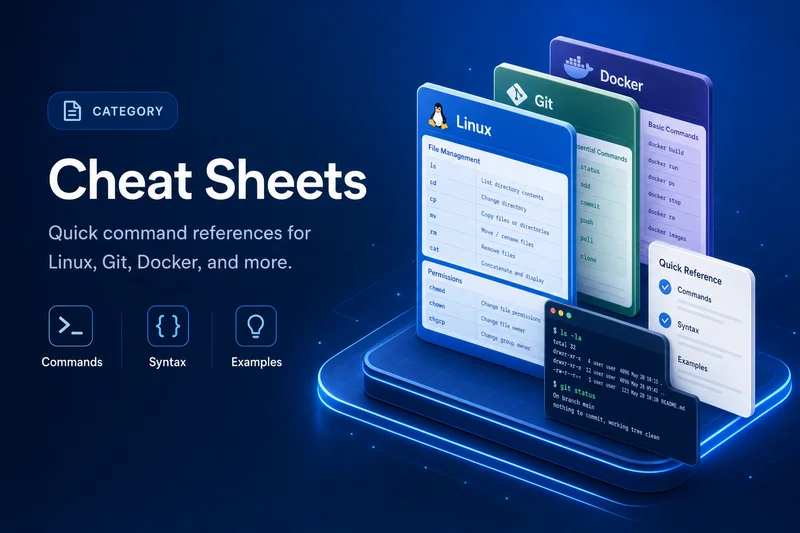
Cheat sheets category illustration with quick command reference cards and examples
Editor's picks

Featured in this section

100+ Linux Commands Cheat Sheet (With Practical Examples)
cheatsheet

100+ Linux Commands Cheat Sheet (With Practical Examples)

August 4, 2020
adduser Command in Linux: Syntax, Options & Practical Examples (Ubuntu/Debian)
cheatsheet

adduser Command in Linux: Syntax, Options & Practical Examples (Ubuntu/Debian)

October 25, 2021
grep Command in Linux: Search Text, Logs, and Command Output
cheatsheet

grep Command in Linux: Search Text, Logs, and Command Output

August 29, 2021
chmod Command in Linux: Octal, Symbolic Modes & Recursive -R (Ubuntu)
cheatsheet

chmod Command in Linux: Octal, Symbolic Modes & Recursive -R (Ubuntu)

May 24, 2020
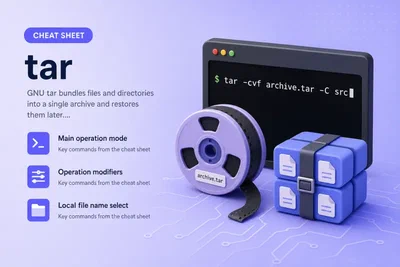
tar Command in Linux: Syntax, Options & Practical Examples
cheatsheet

tar Command in Linux: Syntax, Options & Practical Examples

September 12, 2021
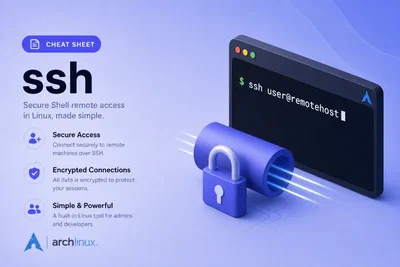
ssh Command in Linux: Syntax, Options & Safe Local Examples
cheatsheet

ssh Command in Linux: Syntax, Options & Safe Local Examples

September 10, 2021

No commands match your filter.

  • 100+ Linux commandsFull A–Z command index
  • Linux Interview Q&AInterview Q&A for Linux admins
  • Manage Logical Volumes
    • pvcreateInitialize physical volumes
    • lvcreateCreate logical volumes
    • lvchangeActivate and tune logical volumes
    • lvremoveRemove logical volumes
    • lvrenameRename logical volumes
    • lvreduceShrink logical volumes
    • lvextendExtend logical volumes
    • lvdisplayDisplay logical volume details
    • lvscanScan for logical volumes
    • vgcreateCreate volume groups
    • vgcfgrestoreRestore LVM metadata
  • aclAccess control lists (ACL)
  • adduserCreate users on Debian/Ubuntu
  • aptInstall, upgrade, remove packages
  • apt-cacheSearch and query package index
  • apt history rollbackRollback apt package changes
  • awkText processing and columns
  • bzip2Compress with bzip2
  • catConcatenate and print files
  • chagePassword aging policy
  • chattrImmutable file attributes
  • chgrpChange group ownership
  • chmodChange file permissions
  • chownChange file owner and group
  • cmpCompare two files byte by byte
  • cpioArchive files in cpio format
  • crontabSchedule recurring jobs
  • cryptsetupLUKS disk encryption
  • csplit and splitSplit files into pieces
  • curlTransfer data from URLs
  • cutExtract columns from lines
  • df and duDisk space usage
  • dmidecodeRead hardware DMI table
  • dnfPackage manager on Fedora/RHEL 8+
  • dpkgInstall .deb packages directly
  • dig and hostDNS lookup and resolution
  • dumpe2fsDump ext superblock details
  • elinksText-mode web browser
  • findFind files by name, type, size
  • fingerUser information lookup
  • firewall-cmdfirewalld zones and rules
  • grep-ISearch text in files and output
  • grep-IIgrep patterns and regex
  • grep recursiveSearch directory trees
  • groupaddCreate new groups
  • grubbyManage GRUB boot entries
  • gzipCompress files with gzip
  • hostnamectlHostname and machine metadata
  • hping3Craft custom network packets
  • iostatDisk I/O statistics
  • iotopPer-process disk I/O
  • ipIP addresses and interfaces
  • ip routeRouting table management
  • ipcsSystem V IPC facilities
  • journalctlView and filter systemd logs
  • keytoolJava keystore, CSR, import cert, list aliases
  • kill and pkillSend signals to processes
  • lbzip2Parallel bzip2 compression
  • lnSymbolic and hard links
  • locateFind files by name quickly
  • losetupAttach files as loop devices
  • lsblkList block devices and mounts
  • lscpuCPU architecture information
  • lshwHardware inventory listing
  • lsofList open files and sockets
  • lsyncdLive directory synchronization
  • lzopFast lzo compression
  • mdadmLinux software RAID
  • mke2fsCreate ext2/3/4 filesystems
  • mountMount ISO, USB, and network FS
  • netstatLegacy network connections view
  • niceProcess scheduling priority
  • nmapPort scan and host discovery
  • nmcliNetworkManager from the CLI
  • opensslKeys, certs, TLS, and PKCS#12
  • pacmanPackage manager on Arch Linux
  • partedPartition disks interactively
  • pasteMerge lines side by side
  • pingTest host reachability
  • psSnapshot running processes
  • psshRun SSH on many hosts
  • rmmodUnload kernel modules
  • rpmLow-level RPM package tool
  • rpmbuildBuild RPM packages
  • rsyncSync files and directories
  • sarHistorical system activity
  • scpCopy files over SSH
  • screenDetachable terminal sessions
  • sftpSFTP file transfer commands
  • sortSort lines and fields
  • ssSocket and connection statistics
  • sshRemote shell and file tunneling
  • ssh-keygenGenerate SSH key pairs
  • stressCPU and memory load testing
  • suSwitch user in a shell
  • sudoRun commands as another user
  • swaponEnable and disable swap
  • sysctlKernel parameters at runtime
  • systemctlStart, stop, enable services
  • tarArchive and extract files
  • tcpdumpCapture network packets
  • teeRead stdin and write to files
  • timedatectlTime zone and NTP settings
  • tmuxTerminal multiplexer sessions
  • topLive process and CPU view
  • tracerouteTrace route to a host
  • tune2fsTune ext filesystem parameters
  • ufwUncomplicated firewall (Ubuntu)
  • useraddCreate users (portable)
  • usermodModify existing user accounts
  • virt-installCreate KVM virtual machines
  • vmstatVirtual memory and CPU stats
  • whichLocate a command in PATH
  • wgetDownload files from the web
  • xzCompress with xz
  • yumPackage manager on RHEL 7/CentOS
  • yum historyUndo yum/dnf transactions
  • zip and unzipZip and unzip archives
cheatsheet

How to Use Screen in Linux [List, Attach, Detach, Close]

Learn how to use the screen command in Linux to manage persistent terminal sessions. Includes examples to list, attach, detach, rename, log, and close screen sessions with practical shortcuts.

Omer Cakmak7 min read
cheatsheet

15 virt-install examples | KVM virtualization commands cheatsheet

virt-install examples to create KVM Virtual Machine in Linux. virt-install cheatsheet with virsh to manage the VM. Use location, PXE, custom disks, network with virt-install

Deepak Prasad9 min read
« First ← Previous

Search GoLinuxCloud

Showing results for:

GoLinuxCloud

GoLinuxCloud publishes practical tutorials for Linux administrators, cloud engineers, and developers. From system administration and DevOps to programming, security, and interview prep, our guides are written to work on real infrastructure—not just in theory.

Interview Questions

  • C and C++ Interview Questions and Answers
  • DBMS Interview Questions and Answers
  • Django Interview Questions and Answers for Experienced Developers
  • Interview Questions on React JS for Experienced Developers
  • Kafka Interview Questions and Answers
  • OOP Interview Questions and Answers

Popular Posts

  • How to stop ICMP ping flood attack (DOS) on Linux
  • CPU, Processors, Cores, Threads, Hyper-Threading and Cache Explained
  • 7 tools to detect Memory Leaks with Examples
  • 100+ Linux Commands Cheat Sheet (With Practical Examples)
  • Tutorial: Beginners guide on Linux Memory Management
  • Top 15 tools to monitor disk IO performance with examples
  • Overview on different disk types and disk interface types

Company

  • HTML Sitemap
  • Disclaimer
  • Privacy Policy
  • Editorial Policy
  • Corrections
  • Fact-Checking
  • Terms of Service
  • Cookie Policy
© 2026 GoLinuxCloud · Built with Hugo