

cheatsheet
sort Command in Linux: Syntax, Options & Practical Examples
sort reads lines from files or stdin and prints them in order. Use it for log lines, CSV columns, version strings, and pipeline output from ls, awk, or find — then pair with uniq to drop duplicates.
cheatsheet
elinks Command in Linux: Syntax, Options & Practical Examples
ELinks is a terminal web browser for Linux. It renders pages in text mode for interactive browsing over SSH, and with -dump or -source it prints readable text or raw HTML for scripts and offline docs.
cheatsheet
curl Command in Linux: Syntax, Options & Practical Examples
curl transfers data over HTTP, HTTPS, FTP, and other protocols from the shell. Use it to fetch URLs, inspect headers, download files, and send POST and JSON payloads when testing APIs or debugging connectivity.
cheatsheet
dumpe2fs Command in Linux: Syntax, Options & Practical Examples
dumpe2fs prints read-only superblock and block-group metadata for ext2, ext3, and ext4 filesystems. Admins use it to inspect UUIDs, inode counts, mount history, and backup superblock locations before fsck recovery.
cheatsheet
locate Command in Linux: Syntax, Options & Practical Examples (plocate)
locate finds file paths by name using a prebuilt index instead of walking the disk. On Ubuntu 25.04 the locate name is a symlink to plocate; searches are fast but you need updatedb when files were added or removed …
cheatsheet
find Command in Linux: Syntax, Options & Practical Examples
GNU find walks a directory tree and matches files and folders by name, type, size, time, owner, and permissions. It can print paths, run commands on matches, or delete files — the standard tool for log cleanup, audits, …
cheatsheet
cpio Command in Linux: Archive, Extract & Pass-Through (Ubuntu)
The cpio command archives, lists, and extracts files on Linux. It reads file names from standard input, so it pairs naturally with find for flexible backups, initramfs images, and directory copies.
cheatsheet
lbzip2 Command in Linux: Syntax, Options & Practical Examples
lbzip2 compresses and decompresses .bz2 files using multiple CPU threads. It reads the same bzip2 format as the classic bzip2 tool, so archives stay compatible while compression and decompression run faster on multi-core …
cheatsheet
finger Command in Linux: Syntax, Options & Practical Examples
finger looks up user account details on Linux — logged-in sessions, home directory, shell, idle time, and optional .plan files. It is not installed by default on many distros; on minimal hosts it often reports no …
cheatsheet
ip route Command in Linux: Syntax, Options & Routing Examples
ip route displays and changes the kernel routing table — default gateways, static subnets, metrics, and special drop routes. It is part of iproute2 and replaces the legacy route command on modern Linux.
cheatsheet
lscpu Command in Linux: CPU Architecture, Cores & JSON Output
lscpu prints CPU topology from sysfs and /proc/cpuinfo — sockets, cores, threads, NUMA nodes, caches, and flags. Use it for capacity planning, affinity tuning, and JSON export to monitoring scripts.
cheatsheet
lshw Command in Linux: List Hardware (CPU, Disk, Memory, Network)
lshw reports hardware configuration — CPU, memory, disks, network, and firmware — from DMI, PCI, and kernel interfaces. Run it with sudo for full detail; use -short, -json, or -class to narrow output.
cheatsheet
chown Command in Linux: Change File & Directory Ownership (Ubuntu/Debian)
The chown command changes the user and/or group owner of files and directories on Linux. Use it with sudo to fix web roots, deploy trees, and restore ownership after restores or copies.
cheatsheet
ln Command in Linux: Create Symbolic Links (Soft Links) on Ubuntu
The ln command creates links in the filesystem. With -s it makes symbolic (soft) links — path shortcuts to files or directories — without duplicating data.
cheatsheet
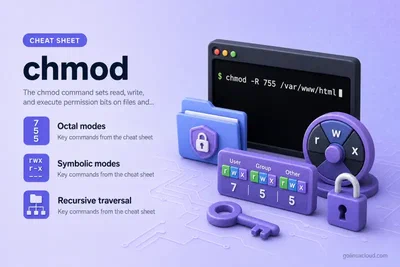
chmod Command in Linux: Octal, Symbolic Modes & Recursive -R (Ubuntu)
The chmod command sets read, write, and execute permission bits on files and directories. Use octal modes like 644 and 755, symbolic forms like u+x, or chmod -R to fix an entire tree.
cheatsheet
csplit Command in Linux: Split Files by Pattern or Line Number
The csplit command splits a text file into pieces at regex patterns or line numbers. Use it when file structure — headers, sections, markers — defines where to cut.
cheatsheet
rmmod Command in Linux: Syntax, Options & Practical Examples
rmmod removes loadable kernel modules from a running Linux kernel. Use it to unload drivers you loaded for testing; modprobe -r is the higher-level alternative that handles dependencies.
cheatsheet
hping3 Command in Linux: Syntax, Options & Practical Examples (Ubuntu)
hping3 crafts and sends custom TCP, UDP, and ICMP packets on Linux. Network admins use it for connectivity checks, port probes, firewall rule validation, and latency tests when ping is not enough.
cheatsheet
groupadd Command in Linux: Syntax, Options & Practical Examples
groupadd creates a new entry in /etc/group and /etc/gshadow. Use it to add project teams, service groups, or fixed GIDs before assigning users with usermod or adduser.
cheatsheet
Linux ACL: setfacl, getfacl, and Permission Workflow on ext4 and xfs
POSIX ACLs extend owner/group/other permissions with per-user and per-group rules. On Linux, getfacl inspects ACLs and setfacl changes them on ext4 and xfs; GNU chmod has no +a syntax (that is macOS/BSD).
cheatsheet
ps Command in Linux: Syntax, Options & Process Listing Examples
ps prints a snapshot of running processes from /proc — PIDs, owners, CPU and memory use, and command lines. Part of procps-ng on most Linux distros; ideal for scripts and one-off checks.
cheatsheet
crontab Command in Linux: Schedule Jobs, Syntax & Examples
crontab installs and edits per-user cron tables — the schedule files the cron daemon reads to run commands at fixed times. Use it to list, edit, validate, and remove recurring jobs without touching spool files by hand.
cheatsheet
ping Command in Linux: Syntax, Options & Practical Examples
ping sends ICMP echo requests to a host and reports whether replies arrive. Use it to check basic IP reachability, measure round-trip time, and spot DNS or firewall problems before digging into ports or routes.
cheatsheet
nice and renice Commands in Linux: Process Priority Syntax & Examples
nice starts a command with a lower or higher CPU scheduling priority (nice value -20 to 19). renice changes the nice value of processes that are already running — by PID, process group, or user.
cheatsheet
lsof Command in Linux: Syntax, Options & Practical Examples (Ubuntu)
lsof lists open files, directories, devices, and network sockets for running processes on Linux. Admins use it to find which process holds a port, a log file, or a deleted-but-still-open path.
cheatsheet
iostat Command in Linux: Syntax, Options & Practical Examples (Ubuntu)
iostat from the sysstat package reports CPU utilization and per-device disk I/O statistics on Linux. It helps admins spot saturated disks, high iowait, and throughput changes during performance troubleshooting.
cheatsheet
paste Command in Linux: Merge Lines, Delimiters & Practical Examples
paste merges corresponding lines from one or more files into wider rows — tab-separated by default, or with custom delimiters. Use it to build columns, CSV-style output, and one-line serializations in shell pipelines.
cheatsheet
cut Command in Linux: Extract Fields, Bytes & Practical Examples
cut prints selected bytes, characters, or delimiter-separated fields from each line of a file or pipeline. It is the fast first choice for usernames from /etc/passwd, CSV columns, and fixed-width snippets in shell …
cheatsheet
cmp Command in Linux: Compare Files Byte by Byte (Examples & Reference)
cmp compares two files byte by byte on Linux. It reports the first difference, supports silent exit codes for scripts, and can list every differing byte — unlike line-oriented diff.
cheatsheet
netstat Command in Linux: Syntax, Options & Practical Examples (Ubuntu)
netstat from net-tools prints active sockets, routing tables, interface counters, and protocol statistics on Linux. It is a legacy but still common tool for checking listening ports and connection states on Debian and …